USA
USA UAE
UAESmall Business
Designed for startups and growing businesses

See More


Brand: CIAR Software Solutions
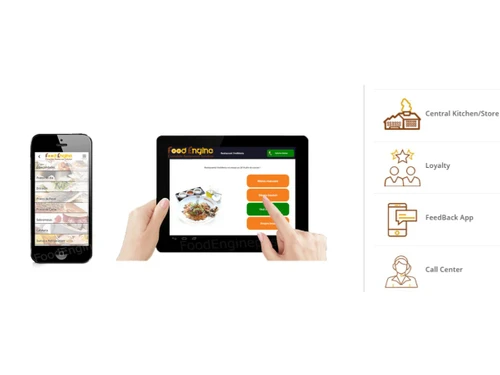
Foodengine is a restaurant POS and management software that helps restaurants and food-service businesses manage orders, payments, sales, inventory, and day-to-day operations across different dining formats.
See MoreHave you used Foodengine before?
Share your insights for better experience
Looking for The Right Pricing?
Share your requirements and get a plan built around your business.
Price Available on Request
Get personalised Foodengine pricing that fits your needs. Our team will connect with you.
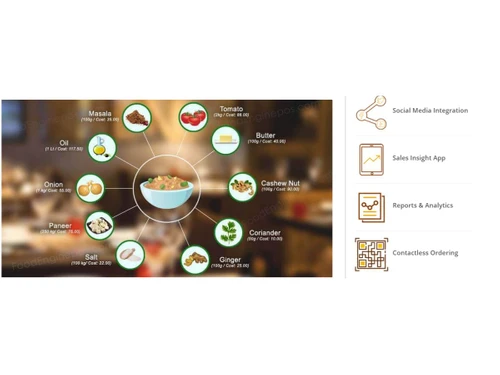
 Table Management Recipe Management Inventory Tracking Kitchen Display Waste Management Role-Based Access Control (RBAC) Expense Tracking Payment Integration Order Aggregation Ingredient Mapping Audit Logs Shift Management
  Ubuntu
  Windows
  MacOS
MacOS  Linux
Linux  Desktop
  Cloud-Based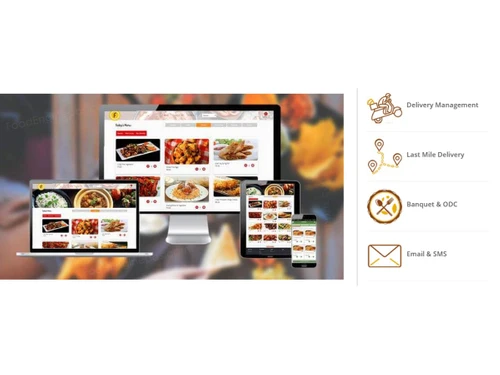
Small Business
Designed for startups and growing businesses
Medium Business
Built for business growth and flexibility
Enterprises
Designed for complex and large-scale business needs
Techjockey Trusted Reviews from Verified Users
No reviews are currently available for Foodengine. Discover similar Restaurant POS Software reviews
Petpooja
Whats great - The software is easy to use and understand. Currently, it has all the features required to run a restaurant efficiently. read more

Mink Foodiee Restaurant POS
Whats great - Works with almost all devices, Very easy to setup and use with many services like crm, loyalty programs, inventory managemen... read more

TMBill POS
Whats great - No expertise and solution offered, only duping people. read more
Foodengine
Price On Request
Desktop
Mobile
Web based
On Premises
Windows
Mac OS
Petpooja
₹ 10000
Desktop
Mobile
Web based
On Premises
Windows
Mac OS
Feedo
₹ 899
Desktop
Mobile
Web based
On Premises
Windows
Mac OS

SpotOn
Price On Request
Desktop
Mobile
Web based
On Premises
Windows
Mac OS
SpeedLine POS
Price On Request
Desktop
Mobile
Web based
On Premises
Windows
Mac OS

Rezku POS
Price On Request
Desktop
Mobile
Web based
On Premises
Windows
Mac OS

Track My Table
₹ 399
Desktop
Mobile
Web based
On Premises
Windows
Mac OS

RestoMPOS
Price On Request
Desktop
Mobile
Web based
On Premises
Windows
Mac OS

Solo Billing
₹ 8000
Desktop
Mobile
Web based
On Premises
Windows
Mac OS
TMBill POS
₹ 5999
Desktop
Mobile
Web based
On Premises
Windows
Mac OS

FoodyQueen
₹ 4188
Desktop
Mobile
Web based
On Premises
Windows
Mac OS
(2) Product(s) selected
Starting Price:
$55 /Month
Available
Price on Request
Starting Price:
$49 /Month
Starting Price:
₹399 /Month
Available
Price on Request

Available
Price on Request
Starting Price:
$49 /Month

Starting Price:
₹550 /month

Available
Price on Request
Foodengine is a comprehensive Restaurant POS (Point of Sale) software designed to help various food service businesses reduce operational costs and increase revenue. It caters to a wide range of formats including fine dining restaurants, bars, QSRs, coffee shops, bakeries, food trucks, food courts, sweet shops, pizza places, ice cream parlors, and juice shops. The system supports over 20 modules and is trusted by over 1000 clients, handling more than 200,000 bills daily.
Foodengine pricing details are available on request on techjockey.com.
Foodengine offers a robust set of features designed to streamline restaurant operations. Key features include Table Management for visual layout and seating, Recipe Management for consistency and cost control, real-time Inventory Tracking with automated alerts, and a Kitchen Display System (KDS) for efficient order communication. It also provides Waste Management to reduce shrinkage, Role-Based Access Control (RBAC) for security, Expense Tracking for accurate financial records, and seamless Payment Integration with various digital gateways. Overall, the software supports over 20 modules to cover comprehensive restaurant management needs.
While Foodengine does not explicitly offer a free trial in the sense of self-service access to the full software for a limited period, they do provide a Free Demo. You can request a demo through their website, and their sales team will contact you within 48 hours to arrange a personalized demonstration of the software's capabilities and how it can benefit your specific business.
Foodengine's Kitchen Display System (KDS) significantly improves kitchen efficiency by replacing traditional paper tickets with digital screens. This integration streamlines order communication between the front-of-house and the kitchen, reducing errors, speeding up order preparation, and allowing kitchen staff to manage multiple orders more effectively and visually track order status.
The Waste Management feature in Foodengine is designed to help restaurants systematically log and track expired or damaged inventory items. By identifying patterns in waste, businesses can gain insights into areas of loss, reduce overall food costs, minimize shrinkage, and make more informed decisions regarding purchasing and inventory control to improve profitability.
Foodengine POS is highly versatile and designed to cater to a wide array of restaurant formats. It is suitable for fine dining restaurants, bars, Quick Service Restaurants (QSRs), coffee shops, bakeries, food trucks, food courts, sweet shops, pizza places, ice cream parlors, and juice shops. This broad compatibility ensures that businesses of various sizes and types can leverage its comprehensive features.
Foodengine is specifically designed to help businesses reduce operational costs and increase revenue through several integrated features. It achieves this by optimizing inventory management to prevent waste and shortages, controlling food costs with precise recipe management, streamlining order processing via the Kitchen Display System, and improving table turnover with efficient table management. Additionally, features like expense tracking and waste management provide insights to identify and cut unnecessary expenditures, ultimately contributing to better profitability and increased revenue.
20,000+ Software Listed
Best Price Guranteed
Free Expert Consultation
2M+ Happy Customers
Terms and Condtions

Users with registered businesses can purchase goods from merchants on the platform to satisfy their business needs. Users are not permitted to utilize any products acquired through the platform for resale, advertising, business, or further distribution.
For each purchase made, users will receive a Tax Invoice (or 'GST invoice') that includes specific details such as:
the GSTIN of the user associated with their registered business, and
the specified Entity Name for their business.
It should be noted that not all products are eligible for GST Invoice. Only the products displayed by participating sellers with the 'GST-based Invoice Available' callout on the product description page would qualify.
Certain goods and services are not eligible to get a GST Invoice, including items with VAS, i.e., Value Added Services (e.g., Total Mobile Protection/Assured Buyback) and those involving an exchange offer at the time of purchase.
Users must ensure the accuracy of the GSTIN, and business entity name provided for the GST Invoice. Requests for corrections into GST Invoice would not be accommodated by Techjockey.com or any Seller, and any issues arising from user-provided information are the sole responsibility of users.
Techjockey.com is not liable for the GST Invoice or any associated input tax credit. To efficiently claim an input tax credit, users should select the registered place of business address as per the GST authority's data and follow the provisions of the GST Act and rules.
To claim an input tax credit, the delivery and billing addresses must match. Furthermore, input tax credits will not be granted if the delivery address and GSTIN on the invoice are from different states. In case of incorrect GST details provided during the order placement, the order will be canceled automatically.