USA
USA UAE
UAESmall Business
Designed for startups and growing businesses
See More



.JPG?d=66)
Brand: Reliable Software Systems Pvt. Ltd.
FoxTrader is the next-gen online trading system terminal from Reliable Software Systems Pvt. Ltd., designed to manage all the requirements of active traders. The markets that it supports include NSE-CM, NSE-Cur, NSE-FO, BSE, and MCX. This intelligent trading and stock market software comprises all the advanced features of Falcon7, another stock market application from Reliable Software. Moreover,...
See MoreHave you used FoxTrader before?
Share your insights for better experience
View plans
 Save upto 18%, Get GST Invoice on your business purchase T&C Buy Now & Pay Later, Check offer on payment page.
 Brand: Reliable Software Systems Pvt. Ltd.
Founded Year: 1990
Reliable Software was started to make buying or selling decisions objective for traders and investors. We have a passion for problem solving. We closely watched traders and investors losing big in the stock markets.
Core Features
 Portfolio Management Market Data Watchlist Charting Tools Order Control Order Execution
 Order Execution
Limit Order Market Order Stop (Loss) Order Trailing Stop Order Stop Limit Orders Research and Analysis
Technical Analysis Fundamental Analysis Scanning Tools Pattern Recognition Backtesting and Optimization Smart drawing tools Trading Options
Paper Trading Intraday Trading Options Trading Futures Trading Margin Trading (MTF) Algorithm Trading Forex Trading Crypto Trading Mutual Funds Automatic Trading Stock SIP Account Management
Multi-Factor Authentication (MFA) Demat Account Creation Platform Migration Customizable User Interface Integrations
API Integration Financial Tools Integration Reporting & Analytics
Dashboards Report Customization P&L Report Automated Reports Contract Note Financial Transaction Report (CashLedger) Alerts & Notification
Real Time Market Updates News Alerts Volume Alerts Price Alert 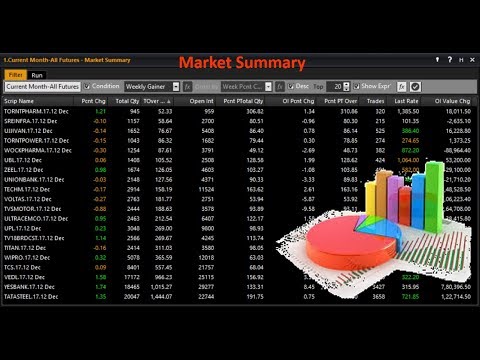

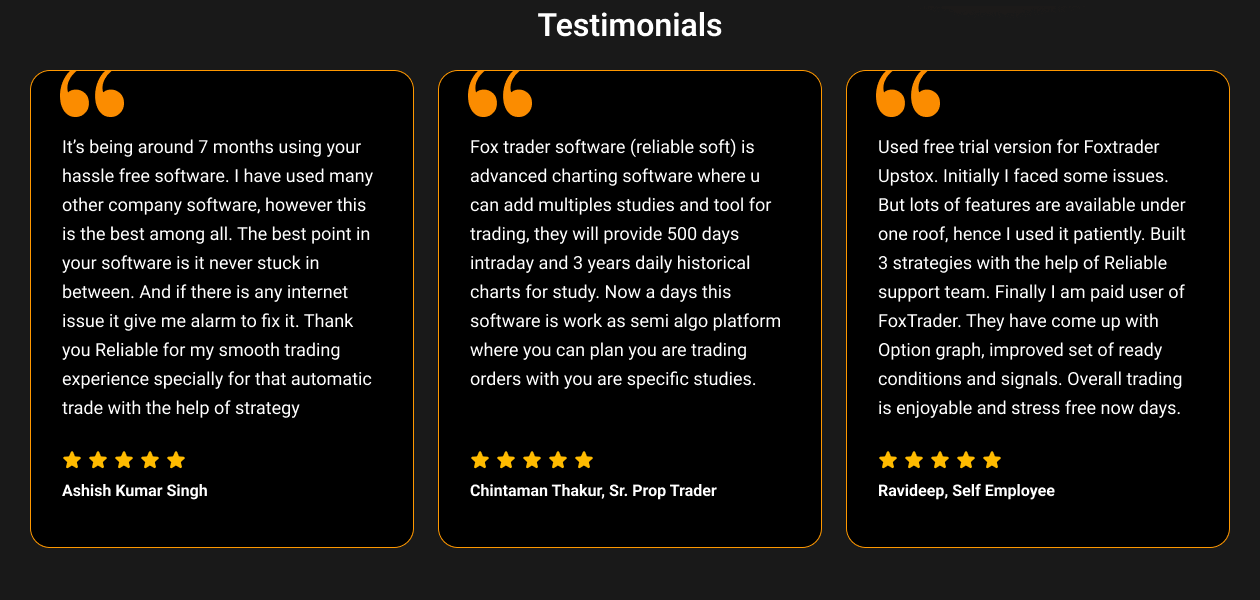
Watch the demo video to explore key features, real workflows, and how the software fits your business needs.

 Windows
  Desktop
  Cloud-Based
.JPG?d=500)
.JPG?d=500)
.JPG?d=500)
Small Business
Designed for startups and growing businesses
Medium Business
Built for business growth and flexibility
Enterprises
Designed for complex and large-scale business needs
4.5
Out of 5

Overall Rating
Based on
7 Verified Reviews
Rating Breakdown
91% Recommend this Product
Add ReviewUsers generally express high satisfaction with FoxTrader, praising its user-friendly interface and extensive research tools that enhance trading decisions. Many appreciate the ability to monitor multiple indices and receive timely notifications, making it suitable for both beginners and experienced traders. However, some users note limitations in the standard version and occasional inaccuracies in stock predictions, which can impact trading outcomes. Overall, the app is well-regarded, though a few users mention minor bugs and the need for additional support.

Jun 13, 2022
Techjockey Verified
“Fox Trader is the golden goose capable of making you rich”
Pros
Fox Trader gives traders the freedom and power to make their own decisions without having to rely on so-called “market gurus” appearing on news channels. Fox Trader’s daily live scanner and back-testing trading strategies make it one of the most unique trading applications in the market. With a touch of my finger, I can keep a watch on NSE, BSE, MCX, & FO.
Cons
Sometimes Fox Trader’s stock predicting indicators are not so accurate. When trading in large volumes, even a single point of movement can lead to missed profit opportunities of hundreds
Reason to switch
I mainly choose Fox Trader because it is a new-age app. Its functions resonate with the investment philosophy of Millenials.
Jun 13, 2022
Techjockey Verified
“Fox Trader has nailed the advanced research game”
Pros
One of the best features of Fox Trader according to me is the extensive collection of research and stock monitoring tools available on the platform. They allow users to set price notifications, which comes in handy at peak market hours when it is tough to keep a track of all the stocks on my watchlist. A simple notification and that’s when to take positions.
Cons
The standard version of the app has certain limitations in terms of indicator functionalities. For a more detailed study, I had to upgrade to the Premium version of the app. The Premium version is offering top-notch service.
Reason to switch
The reason I switched to Fox Trader is because of its massive collection of tools that enhanced my trading experience.
Jun 10, 2022
Techjockey Verified
“Fox Trader provides powerful insights to improve one’s trading IQ”
Pros
FoxTrader’s easy-to-use interface is the champion in the market. I was really confused when using my previous stock trading apps. But with Fox Trader, trading has become second nature. I can easily detect upward and downward trends, thanks to the numerous graphs and indicators available on the app. Fox Trader deserves recognition.
Cons
Fix Trader is a good app for beginners who have a knowledge of financial markets. However, if you are a complete novice trying to earn your first profit from the stock market, you might face a hard time reading all the complicated indicators on the app.
Reason to switch
I chose Fox Trader because provides a wide range of advanced tools that helps to better gauge market sentiments.

FoxTrader
₹ 11779.66 excl. GST
Desktop
Mobile
Web based
On Premises
Windows
Mac OS

Masterswift 2.0
Price On Request
Desktop
Mobile
Web based
On Premises
Windows
Mac OS

AlgoTest
Price On Request
Desktop
Mobile
Web based
On Premises
Windows
Mac OS

Pocketful
Price On Request
Desktop
Mobile
Web based
On Premises
Windows
Mac OS

StockMock
₹ 349
Desktop
Mobile
Web based
On Premises
Windows
Mac OS

Bajaj Broking
Price On Request
Desktop
Mobile
Web based
On Premises
Windows
Mac OS

Edelweiss TX3
Price On Request
Desktop
Mobile
Web based
On Premises
Windows
Mac OS

Zerodha Kite
Price On Request
Desktop
Mobile
Web based
On Premises
Windows
Mac OS

Bigul
Price On Request
Desktop
Mobile
Web based
On Premises
Windows
Mac OS
Trading Terminal
Price On Request
Desktop
Mobile
Web based
On Premises
Windows
Mac OS

QuantShare
Price On Request
Desktop
Mobile
Web based
On Premises
Windows
Mac OS
(0) Product(s) selected
Available
Price on Request
Available
Price on Request

Available
Price on Request

Available
Price on Request

Available
Price on Request

Available
Price on Request

Available
Price on Request

Available
Price on Request

Available
Price on Request
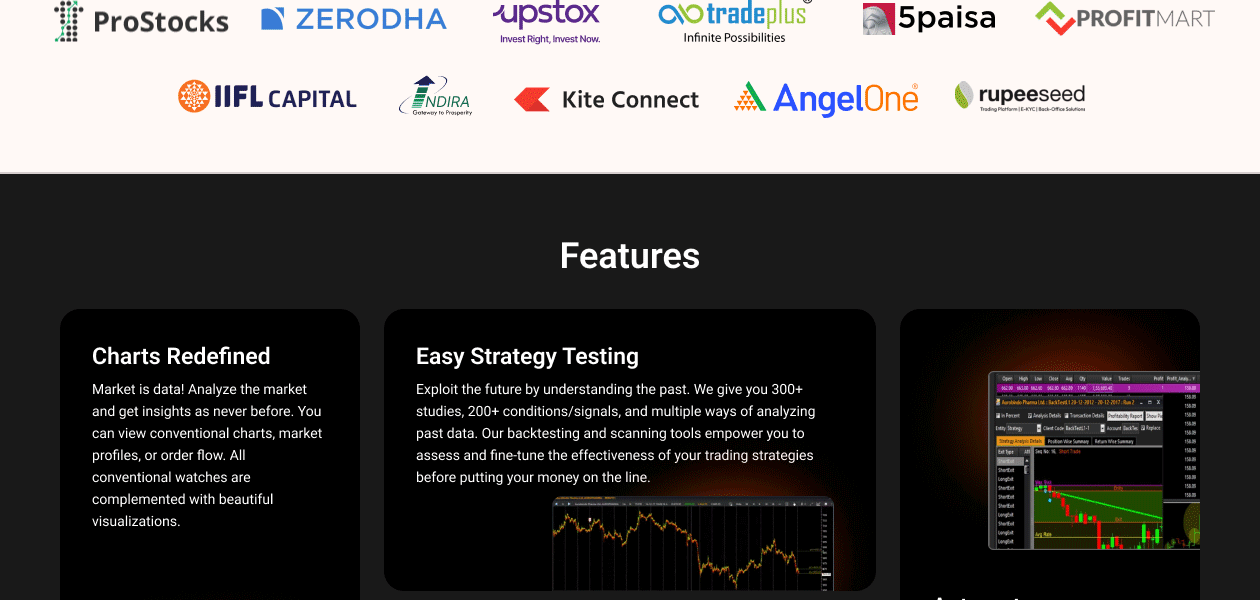
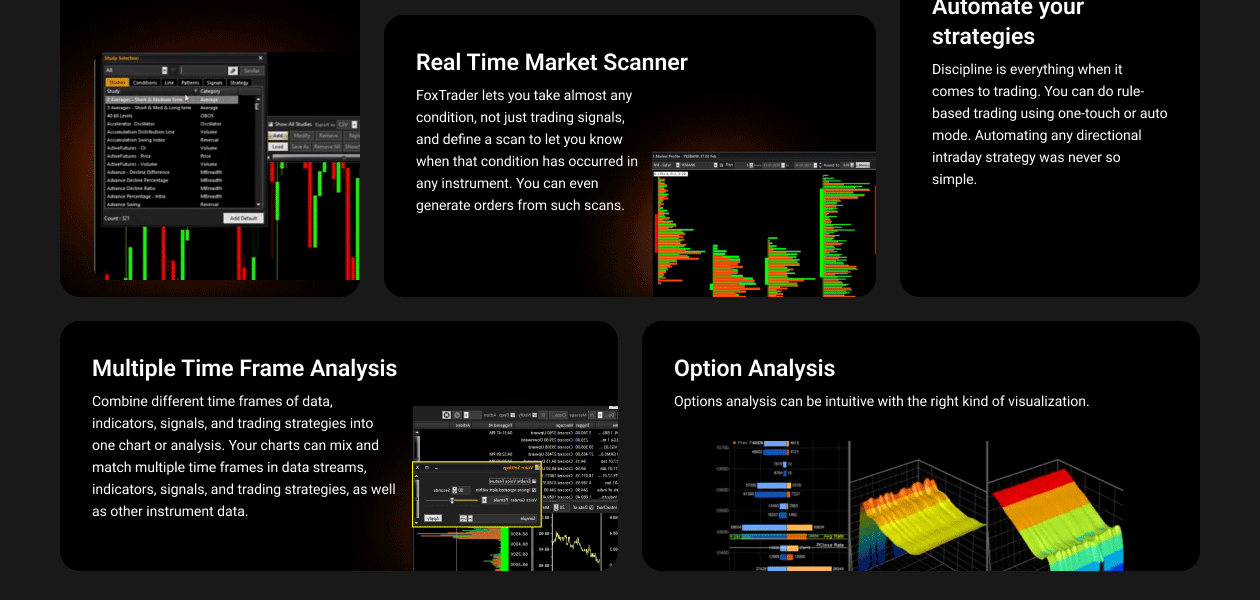
The software provides 300+ studies, along with 200+ signals/conditions, thus offering users multiple ways to analyse historical data. Moreover, its scanning and backtesting tools enable traders to assess and refine their reading strategies for greater efficiency. This allows one to go ahead with their investment strategies.
This stock market software comes with an efficient Market Scanner with which you can assess a majority of investment scenarios, and not merely trading signals. You can define a scan in real-time and know the time when a particular strategy works the best.
Yes, you can get an online demo for FoxTrader with Techjockey. You are simply required to send a demo request to receive a call at your scheduled date and time.
? Operating System: Windows 8, Windows 10 ? Processor: Intel Core i3 or higher ? RAM: A minimum of 4GB or higher ? Free Disk Space: Above 30GB ? Internet Speed: 1 Mbps or faster
Even though FoxTrader has no separate mobile app, you can access the web version from your smartphone or tablet and perform trading while on-the-move.
FoxTrader pricing starts from Rs 11780/- for 3 months.
20,000+ Software Listed
Best Price Guranteed
Free Expert Consultation
2M+ Happy Customers
Terms and Condtions

Users with registered businesses can purchase goods from merchants on the platform to satisfy their business needs. Users are not permitted to utilize any products acquired through the platform for resale, advertising, business, or further distribution.
For each purchase made, users will receive a Tax Invoice (or 'GST invoice') that includes specific details such as:
the GSTIN of the user associated with their registered business, and
the specified Entity Name for their business.
It should be noted that not all products are eligible for GST Invoice. Only the products displayed by participating sellers with the 'GST-based Invoice Available' callout on the product description page would qualify.
Certain goods and services are not eligible to get a GST Invoice, including items with VAS, i.e., Value Added Services (e.g., Total Mobile Protection/Assured Buyback) and those involving an exchange offer at the time of purchase.
Users must ensure the accuracy of the GSTIN, and business entity name provided for the GST Invoice. Requests for corrections into GST Invoice would not be accommodated by Techjockey.com or any Seller, and any issues arising from user-provided information are the sole responsibility of users.
Techjockey.com is not liable for the GST Invoice or any associated input tax credit. To efficiently claim an input tax credit, users should select the registered place of business address as per the GST authority's data and follow the provisions of the GST Act and rules.
To claim an input tax credit, the delivery and billing addresses must match. Furthermore, input tax credits will not be granted if the delivery address and GSTIN on the invoice are from different states. In case of incorrect GST details provided during the order placement, the order will be canceled automatically.