USA
USA UAE
UAESmall Business
Designed for startups and growing businesses


See More





Brand: Garage Plug
GaragePlug Workshop Management is one of the best automobile workshop management software. It allows workshop owners to digitize their workflow monitoring system and establish an online storefront to attract new customers. It also offers basic search engine optimization tools for workshops to boost their local visibility and stand out among their competitors. GaragePlug Workshop is an easy to us...
See MoreHave you used GaragePlug Workshop Management Software before?
Share your insights for better experience
Looking for The Right Pricing?
Share your requirements and get a plan built around your business.
Price Available on Request
Get personalised GaragePlug Workshop Management Software pricing that fits your needs. Our team will connect with you.
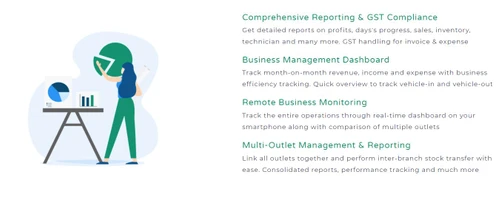
 Save Time Manage and Grow Your Business Workflow Management Calender Management Scheduling Tracking Go Paperless Dashboards Multi User login & Role based access Inventory Management Feedbacks Vendor Management GST Compliance Custom Sender ID Job Card Management

Watch the demo video to explore key features, real workflows, and how the software fits your business needs.
 Windows
  iOS
iOS  Android
  Desktop
  Mobile
  Cloud-Based


Small Business
Designed for startups and growing businesses
Medium Business
Built for business growth and flexibility
Enterprises
Designed for complex and large-scale business needs
4.2
Out of 5

Overall Rating
Based on
14 Verified Reviews
Rating Breakdown
85% Recommend this Product
Add ReviewGaragePlug Workshop Management Software receives positive feedback for its comprehensive features that streamline garage operations, including effective customer management, invoicing, and team tracking. Users appreciate the responsive support and user-friendly interface, although some mention a learning curve and the need for more customization options. Common complaints include the lack of offline functionality, limited report templates, and occasional system lag. Overall, users find it a valuable tool for enhancing organization and efficiency in their garages.

Mar 24, 2025
Techjockey Verified
“A Must-Have for Garage Owners”
GaragePlug has everything I need to manage my garage in one place. Their support team is also very responsive. It has many features, so learning all of them took some time.
Pros
All-in-one solution, great support.
Cons
Takes time to fully explore all features.
Reason to switch
GaragePlug had a better user experience.
Mar 12, 2025
Techjockey Verified
“Keeps My Garage Organized”
My garage has become much more organized thanks to GaragePlug. The dashboard shows me everything at a glance. It would be great if it worked offline too.
Pros
Good workflow management, simple dashboard.
Cons
Needs offline mode.
Reason to switch
GaragePlug was more cost-effective.
Feb 26, 2025
Techjockey Verified
“Simple Yet Powerful”
I love how easy it is to bill customers and store data in the cloud. The only thing missing is more invoice and report templates.
Pros
Easy billing, cloud storage.
Cons
Could use more templates.
Reason to switch
GaragePlug was more modern.

GaragePlug Workshop Management Software
Price On Request
Desktop
Mobile
Web based
On Premises
Windows
Mac OS

TTN Garage
₹ 999
Desktop
Mobile
Web based
On Premises
Windows
Mac OS

AutoBooom DMS
₹ 2400
Desktop
Mobile
Web based
On Premises
Windows
Mac OS

Autowheel
₹ 10000
Desktop
Mobile
Web based
On Premises
Windows
Mac OS

5iQ Workshop Software
Price On Request
Desktop
Mobile
Web based
On Premises
Windows
Mac OS

incadea
Price On Request
Desktop
Mobile
Web based
On Premises
Windows
Mac OS

Motility DMS
Price On Request
Desktop
Mobile
Web based
On Premises
Windows
Mac OS

Orbitsys CRM-DMS
Price On Request
Desktop
Mobile
Web based
On Premises
Windows
Mac OS

Olik Workshop Management
Price On Request
Desktop
Mobile
Web based
On Premises
Windows
Mac OS

RampWMS
₹ 9870
Desktop
Mobile
Web based
On Premises
Windows
Mac OS

Autorox
Price On Request
Desktop
Mobile
Web based
On Premises
Windows
Mac OS
(0) Product(s) selected
Starting Price:
₹999 /Year
Available
Price on Request
Available
Price on Request
Available
Price on Request

Available
Price on Request

Available
Price on Request

Available
Price on Request

Available
Price on Request

Available
Price on Request

Available
Price on Request

Available
Price on Request
![[Infographic] Trend & Technology for Auto Industry| Automotive Software](https://cdn.techjockey.com/blog/wp-content/uploads/2019/01/14171946/MicrosoftTeams-image-8.jpg?d=265x163 "Blog - [Infographic] Trend & Technology for Auto Industry| Automotive Software")







GaragePlug Workshop Management software save all the work data on cloud.
GaragePlug Workshop is a web-based application that can be accessed through an internet browser.
GaragePlug Workshop Management Software is available as mobile application only for Android smartphones.
Techjockey provides demo for GaragePlug Workshop. Please request a call to get the demo scheduled.
You can create PO documents from the software to avail spare parts and also perform stock-in against POs. This can also streamline with inventory.
20,000+ Software Listed
Best Price Guranteed
Free Expert Consultation
2M+ Happy Customers
Terms and Condtions

Users with registered businesses can purchase goods from merchants on the platform to satisfy their business needs. Users are not permitted to utilize any products acquired through the platform for resale, advertising, business, or further distribution.
For each purchase made, users will receive a Tax Invoice (or 'GST invoice') that includes specific details such as:
the GSTIN of the user associated with their registered business, and
the specified Entity Name for their business.
It should be noted that not all products are eligible for GST Invoice. Only the products displayed by participating sellers with the 'GST-based Invoice Available' callout on the product description page would qualify.
Certain goods and services are not eligible to get a GST Invoice, including items with VAS, i.e., Value Added Services (e.g., Total Mobile Protection/Assured Buyback) and those involving an exchange offer at the time of purchase.
Users must ensure the accuracy of the GSTIN, and business entity name provided for the GST Invoice. Requests for corrections into GST Invoice would not be accommodated by Techjockey.com or any Seller, and any issues arising from user-provided information are the sole responsibility of users.
Techjockey.com is not liable for the GST Invoice or any associated input tax credit. To efficiently claim an input tax credit, users should select the registered place of business address as per the GST authority's data and follow the provisions of the GST Act and rules.
To claim an input tax credit, the delivery and billing addresses must match. Furthermore, input tax credits will not be granted if the delivery address and GSTIN on the invoice are from different states. In case of incorrect GST details provided during the order placement, the order will be canceled automatically.