linkedin
GBooks logo
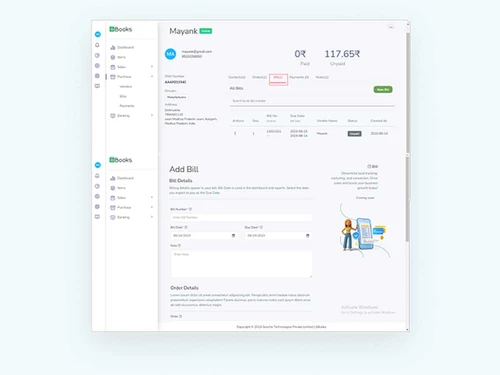
gbooks billing
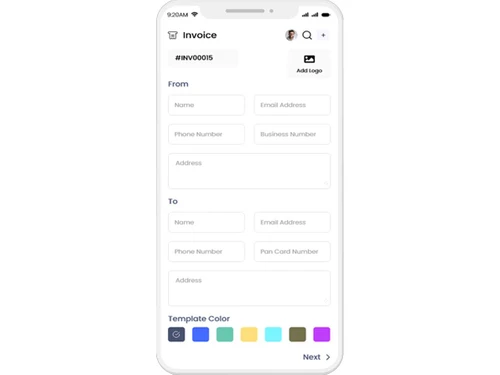
gbooks invoice
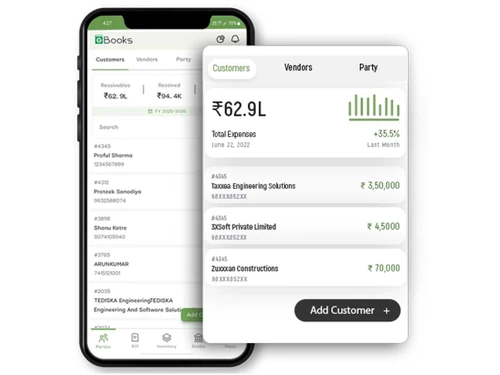
gbooks customers

GBooks

Brand: Govche Technologies Private Limited

  • 4.3

  • 5 Ratings

GBooks is cloud-based accounting software with features to simplify invoicing, GST compliance, expense tracking, and financial reporting.

See More

Have you used GBooks before?

Share your insights for better experience

Add a Review

Price Available on Request

Questions about pricing or customization? We’re here to help, just a click away.

100% Genuine
Products
Best Price
Guaranteed
Safe & Secure
Payment
  • Description

  • Pricing

  • Features

  • Specification

  • Review

  • FAQ

GBooksSoftware Overview

What is GBooks?

GBooks is cloud-based accounting software designed for small and medium enterprises. It provides a centralized platform that automates financial transactions, bookkeeping, links transactions with inventory, and simplifies compliance tasks. The interface is modern, mobile-friendly, with tools for carrying out financial transactions smoothly and easily to navigate, giving dashboards with quick information for a financial overview.

Key features of GBooks include GST-ready invoicing, expense categorization, and multi-currency billing for supporting global financial transaction operations. It comes with integrated barcode scanning that supports precise stock control, while automated alerts prevent shortages.

This Accounting Software provides secure role-based permissions to protect sensitive information, built-in analytics to give details on performance and profitability trends, and customizable reports to simplify compliance. The platform supports cloud synchronization for remote accessibility and comes with scalable modules that adapt to growing business needs, maintain record accuracy, and thus gives competitive advantage in financial management.

Why Choose GBooks Accounting Software?

  • Bookkeeping: Maintains accurate ledgers, records transactions systematically, organizes journals, and provides proper financial documentation for smooth business operations.
  • Revenue management: Tracks earnings across channels, monitors profitability trends, optimizes pricing strategies, and supports sustainable growth.
  • Financial reports: This Accounting Software generates detailed statements, highlights performance metrics, simplifies compliance, and helps in making proper decisions for strategic planning.
  • Invoicing: Creates professional GST-compliant invoices instantly, reduces manual errors, accelerates billing cycles, and strengthens customer trust through transparent documentation.
  • Inventory management: Monitors stock levels, integrates barcode scanning, prevents shortages, streamlines replenishment, and ensures efficient control of valuable merchandise assets.

Benefits of GBooks Accounting Software

  • Better finance management: Simplifies complex transactions, improves accuracy, enhances control, and supports sustainable business growth effectively.
  • Transparency: Provides clear records, reduces discrepancies, builds trust, and ensures accountability across all financial operations consistently.
  • Better reporting: This Accounting Software delivers detailed insights, highlights performance metrics, supports compliance, and helps in smarter decisions.
  • Friendly interface: It offers intuitive navigation, minimizes training needs, improves usability, and encourages consistent adoption across diverse users.
  • Mobile app: Enables remote access, supports real-time updates, enhances convenience, and ensures business continuity anytime, anywhere.

Pricing of GBooks

GBooks details are available on request at techjockey.com.

GBooks may vary based on factors like customization, additional features required, number of users, and the deployment type. Please request a callback for subscription-related details and to avail offers on premium packages at techjockey.com.

Read more

Govche Technologies Private Limited Company Details

Founded Year:  2010

Govche India Private Limited is a virtual accountant firm. With a group of committed, research-oriented and well-skilled professionals uniquely positioned to help and service the individuals and business owners fulfilling their financial and legal advisory needs since 2007.

Director/Founders Murugan G
Company Size 101-500 Employees

GBooks Pricing & Plans

Looking for The Right Pricing?

Share your requirements and get a plan built around your business.

  • Define your business needs
  • Get customised pricing
  • Choose features that fit your workflow

Price Available on Request

Get personalised GBooks pricing that fits your needs. Our team will connect with you.

GBooks Features

Core Functionalities

  • icon_check Payroll Management
    Streamlines the process of calculating employee salaries, tax deductions, and benefits.
  • icon_check Branch Management
    It allows businesses to manage financial transactions, reports, and data specific to different branches or locations, ensuring
  • icon_check Sales Management
    It consists of tracking sales transactions, managing customer accounts, and generating reports on sales performance.
  • icon_check Tax Management
    It automates the calculation, tracking, and reporting of various taxes.
  • icon_check Asset Management
    Consists of tracking & managing a company's assets throughout their lifecycle.
  • icon_check Transaction Management
    Tracks, records, and categorizes financial transactions for accurate reporting.
  • icon_check Time & Expenses Management
    It is a process of recording, tracking, and managing employee working hours and business-related expenses.
  • icon_check Accounts Payable
    Refers to the money a business owes to its suppliers or vendors for goods or services purchased on credit.
  • icon_check Accounts Receivable
    It represents money owed to a business by its customers or clients for goods or services delivered but not yet paid for.
  • icon_check General Ledger
    It is a comprehensive record of all a business's financial transactions, categorized by accounts.
  • icon_check Statutory Compliances
    Ensures adherence to legal regulations such as tax laws, payroll requirements, and financial reporting standards.
  • icon_check Alerts & Notifications
    They are automated messages that inform users of important financial events, deadlines, or discrepancies.
  • icon_check Bank Reconciliation
    It is a process of comparing the balances in the company's records with the balances shown on the bank statement.
  • icon_check Collection Management
    A robust field that involves tracking & managing receivables, including invoicing, payment reminders, & follow-ups.
  • icon_check Receipt Management
    It involves capturing, organizing, & storing digital copies of receipts for expenses & purchases.
  • icon_check Document Management
    Refers to the digital storage, organization, & retrieval of financial documents & records.
  • icon_check Batch Management
    It enables users to handle multiple transactions collectively, streamlining processes such as invoicing, payments, and updates.
  • icon_check Multi Currency Support
    Refers to the software's capability to handle transactions, reporting, and financial management in multiple currencies.
  • icon_check Bookkeeping Capabilities
    Involves recording and managing financial transactions, tracking income and expenses, and keeping records current.
  • icon_check Bank Settlement
    Refers to the process of reconciling transactions between a company's bank account records & its accounting system.
  • icon_check Fixed Asset Register (FAR) Management
    A Fixed Asset Register tracks and manages a company's fixed assets, including their acquisition cost, depreciation, and current
  • icon_check Trial Balance Preparation
    It consists of compiling and listing all ledger accounts and their balances to verify the accuracy of recorded transactions.
  • icon_check Gst Report Preparations
    Involves the process of compiling data on Goods and Services Tax (GST) transactions from various financial records within an
  • icon_check Return Filings
    Return filings are crucial in accounting software, where businesses prepare and submit tax returns to relevant authorities.
  • icon_check Tds Report Generations
    Includes the automated creation of reports detailing Tax Deducted at Source (TDS) from payments made to vendors or contractors.
  • icon_check GST Input Reconciliations
    Involves matching the Input Tax Credit (ITC) claimed on purchases with the GST details provided by suppliers.
  • icon_check Fund Accounting
    It is a method of segregating resources into self-balancing sets of accounts, or funds, according to their intended use or
  • icon_check Cost Centres
    A vital unit where costs are allocated for internal tracking & management purposes.
  • icon_check Variant Analysis
    Includes comparing & evaluating different versions or scenarios of financial data to identify variations, discrepancies, or
  • icon_check Broker Management
    Involves tracking & managing broker transactions, commissions, & related financial activities to streamline brokerage
  • icon_check Claims Management
    Includes tracking, processing, & settling claims efficiently, ensuring accurate record-keeping and financial reporting.
  • icon_check Credit / Debit Note
    A credit note is issued to reduce the amount a customer owes, typically due to returns or overpayments.
  • icon_check Quotation & Estimates
    Offers detailed price estimates to clients before finalizing sales, while estimates offer preliminary cost projections.

Billing & Invoicing

  • icon_check Payment Processing
    Refers to the handling of electronic transactions between buyers & sellers, ensuring the secure transfer of funds.
  • icon_check E-Way Bill Generation
    E-Way Bill Generation involves creating and managing electronic invoices required for the transportation of goods under GST
  • icon_check Payment Tracking
    Monitors and records incoming and outgoing payments, ensuring accurate financial records and timely reconciliation.
  • icon_check Invoice Processing
    It includes receiving and managing invoices from vendors or suppliers to ensure accurate payment and financial record-keeping.
  • icon_check Automatic Payment Reminders
    Automatic payment reminders are notifications sent to remind customers of upcoming payments.
  • icon_check Bill Of Materials (BOM)
    Refers to a detailed list of raw materials, components, and instructions required to manufacture a product.

Retail and Point of Sale

  • icon_check Point of Sale (POS)
    Integrates sales transactions with financial records, facilitating real-time inventory management and streamlined reporting.
  • icon_check Retail Management
    Consists of features for tracking inventory levels, sales transactions, & customer data along with generating reports for

Project and Workflow Management

  • icon_check Transaction Management
    Tracks, records, and categorizes financial transactions for accurate reporting.
  • icon_check Time & Expenses Management
    It is a process of recording, tracking, and managing employee working hours and business-related expenses.
  • icon_check Project Accounting
    Project accounting tracks & manages financial information & activities specific to individuals or jobs.
  • icon_check Facility Management
    Refers to the tools used to track and manage the operational costs, maintenance, and usage of physical assets or facilities.
  • icon_check Production Management
    It involves tracking & controlling the manufacturing process, including inventory levels, work orders, and production costs.
  • icon_check Workflow Management
    Streamlines tasks automate processes and enhances team collaboration for efficient operations.

Inventory and Supply Chain Management

  • icon_check Warehouse Management
    Optimizes inventory, controls stock levels, and manages orders and shipments efficiently.
  • icon_check Product Management
    It includes overseeing the development and enhancement of features related to tracking, managing, and reporting financial data.
  • icon_check Stock Management
    It includes tracking inventory levels, monitoring stock movements, & managing reorder points.
  • icon_check Barcode Scanning
    It streamlines inventory management by automatically tracking & recording product information.
  • icon_check Inventory Management
    It involves tracking, managing, and optimizing the stock of goods and materials.
  • icon_check Item Master
    A centralised database where detailed information about each inventory item or product is stored.
  • icon_check Vendor & Supplier Management
    Tracks interactions, manages invoices and monitors payments for efficient procurement.
  • icon_check Inventory Reconciliation
    Refers to the process of matching the inventory records in an accounting system with physical inventory.
  • icon_check Delivery Management
    It consists of tracking and managing the delivery of goods or services to customers, including scheduling, logistics, & more.
  • icon_check Distribution Management
    Involves tracking & managing the flow of goods from suppliers to customers, including inventory control.
  • icon_check Store Management
    Helps track inventory, manage stock levels, and streamline purchase and sales processes.
  • icon_check Supply Chain Management
    Streamlines procurement, inventory, and logistics for efficient financial oversight.

Sales and CRM

  • icon_check Sales Management
    It consists of tracking sales transactions, managing customer accounts, and generating reports on sales performance.
  • icon_check Customer Management
    It involves tracking & managing customer information, transactions, & interactions to streamline billing, payments, &
  • icon_check Order Management
    Handles the processing, tracking, & fulfilment of customer orders, thereby integrating them with inventory & financial
  • icon_check CRM Capabilities
    CRM capabilities are integrated to streamline & optimize the business processes associated with customer management.
  • icon_check Loyalty Program
    Tracks and manages rewards or incentives given to customers for their continued business.
  • icon_check Quotation & Estimates
    Offers detailed price estimates to clients before finalizing sales, while estimates offer preliminary cost projections.

Financial Management

  • icon_check Budgeting & Forecasting
    They are vital financial planning tools businesses use to estimate future revenue & cash flow.
  • icon_check Revenue Management
    Refers to the systematic process of predicting, analyzing, & optimizing an organization's income by managing pricing &
  • icon_check Cash Flow Management
    Used for tracking, analyzing, & optimizing the net amount of cash receipts, barring cash expenses.
  • icon_check Fund Planning
    Defined as a process of forecasting & managing the inflows and the outflows of cash.
  • icon_check Cash and Bank Management
    It tracks and manages all cash inflows and outflows, including bank transactions and cash payments/receipts.
  • icon_check Financial Planning & Analysis
    It includes forecasting future financial performance based on historical data, and budgeting for expenses and revenue.
  • icon_check Fund Accounting
    It is a method of segregating resources into self-balancing sets of accounts, or funds, according to their intended use or
  • icon_check Net Worth Management
    Defined as a process of tracking and managing an individual or organization's total assets and liabilities.

Integrations Supported

  • icon_check Import / Export Management
    Refers to the ability to transfer financial data in and out of the system, enabling seamless integration with various apps.

Analytics and Reporting

  • icon_check Financial Accounting and Reporting
    It involves tracking and managing a company's fixed assets, such as equipment, vehicles, and buildings.
  • icon_check Profit & Loss
    It shows revenues, costs, and expenses to determine net profit or loss for a period.
  • icon_check Audit Management
    Refers to a process of preparing for & conducting audits by organizing & tracking audit-related activities.
  • icon_check Gross Profit
    Refers to the difference between revenue from sales and the cost of goods sold.
  • icon_check Net Profit Management
    Involves calculating, analyzing, & reporting the net profit earned by a business after deducting all expenses.
  • icon_check Financial Statement Generation & Analysis
    Refers to the process of automatically creating financial reports like balance sheets & income statements.
  • icon_check Ratio Analysis
    It includes evaluating financial ratios derived from financial statements to assess a company's performance.
  • icon_check Profit Centers
    Defined as a segment within a business that is responsible for generating profits.

Administrative Features

  • icon_check Admin Controls
    Allows administrators to manage user access, set permissions, and oversee the security of financial data within the system.
  • icon_check Backup & Restore
    A process of creating a copy of data (backup) to prevent data loss and retrieving that data (restore) to recover the system to
  • icon_check User Access Management
    Includes roles, permissions, access control, and activity tracking to ensure secure operations.
  • icon_check Ledger Scrutiny
    Ledger scrutiny involves a detailed examination of financial records to ensure accuracy, completeness, and compliance.
  • icon_check Facility Management
    Refers to the tools used to track and manage the operational costs, maintenance, and usage of physical assets or facilities.
  • icon_check Self Service Portal
    Allows users to access and manage their financial information independently, including viewing reports, submitting invoices, and

GBooks Specification

Supported Platforms
Windows Windows iOS iOS Android Android MacOS MacOS Linux Linux
Devices
Desktop Desktop Mobile Mobile Tablet Tablet iPad iPad
Deployment
Web-Based Web-Based
Suitable For
All Industries
Business Specific
All Businesses
Business Size
Small Business Startups Medium Business SMBs SMEs MSMBs
Customer Support
Phone Email
Language
English
Training Resources
Live Online Videos

GBooks Review

4.3

Out of 5

img

Overall Rating

Based on
5 Verified Ratings

Rating Breakdown

  • Features 4.7
  • Value for Money 4.3
  • Ease of Use 4.3
  • Customer Support 4

80% Recommend this Product

Add Review

Techjockey Trusted Reviews from Verified Users

No reviews are currently available for GBooks. Discover similar Accounting Software reviews

  • TallyPrime

    4.4

    Whats great - Along with various inventory and purchase management features, the software supports tax filling as per the latest government... read more

  • Sage Accounting

    4.3

    Whats great - User-Friendly Interface: Clean and intuitive dashboard, easy for beginners and non-accountants. Sage Accounting has been a ga... read more

  • Refrens Accounting Software

    4.7

    Whats great - The software keeps client details and invoices organized in one place. The WhatsApp and email sharing options are also conven... read more

Articles for GBooks

See All Related Articles

How much does GBooks cost?

GBooks pricing details can be requested at techjockey.com.

Who uses GBooks Accounting Software?

GBooks is used by retailers, wholesalers, manufacturers, and service providers for managing accounting, invoicing, inventory, and compliance efficiently.

How does GBooks Accounting Software work?

GBooks Accounting Software works by automating bookkeeping, linking transactions with inventory, and generating GST-compliant invoices through a secure cloud-based platform.

Which operating systems are compatible with GBooks Accounting Software?

GBooks runs smoothly on OS like Windows and macOS, and supports mobile applications for Android and iOS devices.

Is a free demo available for the GBooks software?

Yes, a free demo of the GBooks software is available for its users.

Does GBooks support GST invoicing?

GBooks Accounting Software generates GST-compliant invoices instantly, simplifying taxation processes and ensuring accurate compliance with government regulations.

Can GBooks handle multiple businesses or branches?

Yes, GBooks supports multi-business management, giving centralized control and synchronized operations.

Is GBooks secure for sensitive financial data?

GBooks Accounting Software provides security with encrypted storage, role-based access, and automatic backups to protect sensitive business information.

Does GBooks provide analytics for better decision-making?

GBooks offers built-in analytics, highlighting profitability trends, customer preferences, and operational performance for smarter business decisions.

20,000+ Software Listed

Best Price Guranteed

Free Expert Consultation

2M+ Happy Customers

Terms and Condtions

close

Users with registered businesses can purchase goods from merchants on the platform to satisfy their business needs. Users are not permitted to utilize any products acquired through the platform for resale, advertising, business, or further distribution.

For each purchase made, users will receive a Tax Invoice (or 'GST invoice') that includes specific details such as:

  • the GSTIN of the user associated with their registered business, and

  • the specified Entity Name for their business.

It should be noted that not all products are eligible for GST Invoice. Only the products displayed by participating sellers with the 'GST-based Invoice Available' callout on the product description page would qualify.

Certain goods and services are not eligible to get a GST Invoice, including items with VAS, i.e., Value Added Services (e.g., Total Mobile Protection/Assured Buyback) and those involving an exchange offer at the time of purchase.

Users must ensure the accuracy of the GSTIN, and business entity name provided for the GST Invoice. Requests for corrections into GST Invoice would not be accommodated by Techjockey.com or any Seller, and any issues arising from user-provided information are the sole responsibility of users.

Techjockey.com is not liable for the GST Invoice or any associated input tax credit. To efficiently claim an input tax credit, users should select the registered place of business address as per the GST authority's data and follow the provisions of the GST Act and rules.

To claim an input tax credit, the delivery and billing addresses must match. Furthermore, input tax credits will not be granted if the delivery address and GSTIN on the invoice are from different states. In case of incorrect GST details provided during the order placement, the order will be canceled automatically.