linkedin
Onlyoffice logo
play ONLYOFFICE
onlyoffice
onlyoffice

Onlyoffice

Brand: Onlyoffice

  • 4.3

  • 4 Ratings & 1 Review

OnlyOffice is a productivity suite offering document editing, project management, and collaboration tools for businesses and teams.

See More

Have you used Onlyoffice before?

Share your insights for better experience

Add a Review
Starting Price
$20

View plans

100% Genuine
Products
Best Price
Guaranteed
Safe & Secure
Payment
  • Description

  • Pricing

  • Features

  • Specification

  • Review

  • Compare

  • Alternatives

  • FAQ

Starting at $20

Onlyoffice Software Overview

What is Onlyoffice?

Onlyoffice is a productivity office suite designed to handle document, spreadsheet, and presentation editing tasks. It offers both cloud-based and self-hosted solutions, making it suitable for individuals, teams, and businesses. With support for common file formats like Microsoft Office and OpenDocument, Onlyoffice enables seamless collaboration across devices.

Its features include real-time document editing, version control, and document sharing, making it an ideal choice for remote teams. Additionally, Onlyoffice integrates with various third-party services such as Google Drive and Dropbox for enhanced file management. It is available in both free and premium versions, offering scalability based on the user's needs.

Why Choose Onlyoffice Software?

  • Office Suite: Offers document, spreadsheet, and presentation editors with compatibility across devices.
  • Collaboration Tools: Enables real-time document editing and seamless collaboration within teams.
  • Secure Data Management: Provides cloud storage and on-premise deployment with strong security features.
  • Customizable Solutions: Highly customizable for business needs, including integration with third-party tools.
  • Cross-Platform Support: Accessible on multiple platforms, including Windows, macOS, Linux, and mobile devices.
  • User-Friendly Interface: Simple and intuitive interface, making it easy to use for both beginners and professionals.
  • Affordable Pricing: Competitive pricing plans suitable for businesses of all sizes, including a free version.
  • Advanced Features: Includes advanced project management, CRM, and document workflow tools for enterprises.

Benefits of Onlyoffice Software

  • Integration Flexibility: Easily integrates with other popular tools like Google Drive, Dropbox, and Microsoft Office.
  • Cloud and On-Premise Options: Offers both cloud-based and on-premise deployment options to suit various business needs.
  • Version Control: Tracks document versions, allowing users to revert to previous versions when necessary.
  • Custom Branding: Allows businesses to brand the interface, making it more personalized for teams.
  • Document Workflow Automation: Streamlines document workflows with customizable approval processes and task assignments.
  • Multi-User Collaboration: Multiple users can work on the same document simultaneously, improving team productivity.
  • Language Support: Available in multiple languages, making it a global solution for diverse teams.
  • Offline Access: Offers offline editing capabilities, ensuring users can continue working without an internet connection.
  • Comprehensive Support: Provides strong customer support through multiple channels, including tutorials and live chat.
  • Real-Time Communication: Built-in chat and commenting features to improve communication within teams working on documents.

Onlyoffice Pricing

Onlyoffice price in India starts at $20 at techjockey.com.

The pricing model is based on different parameters, including extra features, deployment type, and the total number of users. For further queries related to the product, you can contact our product team and learn more about the pricing and offers.

Read more

Onlyoffice Company Details

Founded Year:  2008

ONLYOFFICE is a project developed by experienced IT experts from Ascensio System SIA, leading IT company with headquarters in Riga, Latvia. Originally ONLYOFFICE was designed for internal team collaboration.

Director/Founders Lev Bannov
Company Size 1-100 Employees

Onlyoffice Pricing & Plans

BUSINESS Cloud
Starting at $20
    • Admin

      Admin
      Admin
    • Monthly

      Monthly
      Monthly

Key Features

  • Hosting- Public cloud

  • Administrators / Power users- Unlimited

  • File storage- 250 GB per Admin / power user

  • Storage quotas & statistic

  • Custom domain name

Enterprise On-premises
Starting at $6550
    • Quantity (LIfe-Time)

      Quantity (LIfe-Time)
      Quantity (LIfe-Time)

Key Features

  • Hosting- On-premises

  • Administrators / Power users- Unlimited

  • File storage- Unlimited

  • Storage quotas & statistic

  • Custom domain name

Onlyoffice Features

  • icon_check Document Sharing
    Share documents securely with team members or external collaborators.
  • icon_check Document Editing
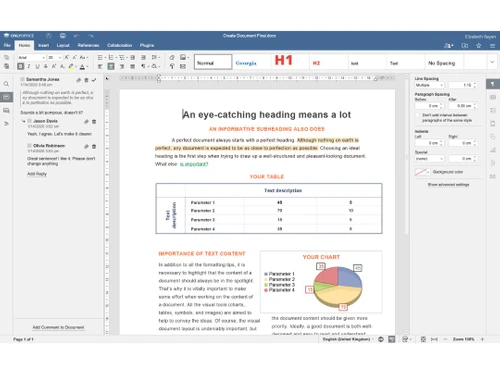
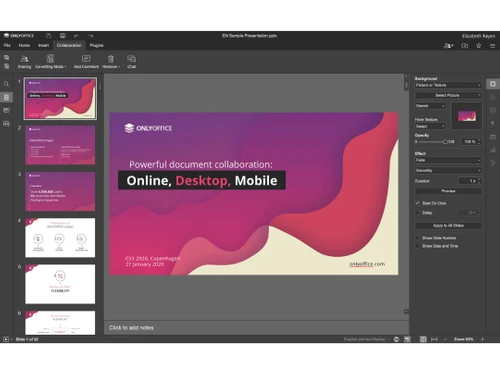
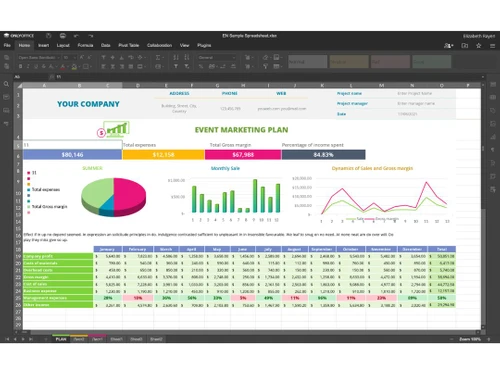
    Edit documents in real time, with support for text, spreadsheets, and presentations.
  • icon_check Collaboration Tools
    Includes commenting, task assignment, and live chat for seamless team collaboration.
  • icon_check Integration
    Integrates with popular platforms like Google Drive, Dropbox, and Microsoft Office.
  • icon_check Compatibility
    Compatible with various file formats, ensuring smooth workflow with different tools.
  • icon_check Deployment Management
    Offers both cloud-based and on-premise deployment options, giving flexibility to businesses.
  • icon_check Security
    Provides robust encryption and privacy features to keep documents safe and secure.
Onlyoffice Demo Video play icon

Get Onlyoffice Demo

Watch the demo video to explore key features, real workflows, and how the software fits your business needs.

Understand
Key Features
Personal
Demo Insights
Interactive
Demo Support

Onlyoffice Specifications

Supported Platforms
Ubuntu Ubuntu Windows Windows iOS iOS Android Android MacOS MacOS
Devices
Desktop Desktop Mobile Mobile
Deployment
Cloud-Based Cloud-Based
Suitable For
Basic Office Software
Business Specific
Businessman
Language
English

Explore the Best Alternative Solutions Similar to Your Business Size and Needs

Onlyoffice Review

4.3

Out of 5

img

Overall Rating

Based on
1 Verified Review

Rating Breakdown

  • Features 4.3
  • Value for Money 4.2
  • Ease of Use 4.2
  • Customer Support 4.3

82% Recommend this Product

Add Review

Onlyoffice Video Review

youtubeVideoId

4.3

“OnlyOffice - Top Features and more”

Review by: TechnologyAdvice

Compare Onlyoffice With other Office Suites

Products
Ratings
Pricing
Device Supported
Deployment
Supported Platforms
  • img

    Onlyoffice

  • 4.3

  • Price On Request

  • Desktop

    Mobile

  • Web based

    On Premises

  • Windows

    Mac OS

  • img

    Affint

  • 4.4

  • Price On Request

  • Desktop

    Mobile

  • Web based

    On Premises

  • Windows

    Mac OS

  • img

    WPS Office

  • 4.5

  • ₹ 1750

  • Desktop

    Mobile

  • Web based

    On Premises

  • Windows

    Mac OS

  • img

    WordPerfect

  • 4.3

  • ₹ 18200

  • Desktop

    Mobile

  • Web based

    On Premises

  • Windows

    Mac OS

  • img

    iWork

  • 4.4

  • Price On Request

  • Desktop

    Mobile

  • Web based

    On Premises

  • Windows

    Mac OS

(2) Product(s) selected

Onlyoffice Alternatives

See All Onlyoffice Alternatives

Starting Price:

$20

SAVE UPTO 30%
SAVE UPTO 27%

Available

Price on Request

Available

Price on Request
Articles for Onlyoffice

See All Related Articles

How much does OnlyOffice Software cost?

The price of OnlyOffice in India starts at $20 on techjockey.com.

Is there a mobile app available for OnlyOffice Software?

Yes, OnlyOffice has mobile apps available for iOS and Android devices.

Which operating systems are compatible with OnlyOffice?

OnlyOffice is compatible with Windows, macOS, Ubuntu, and mobile platforms (iOS and Android).

Does OnlyOffice offer a free trial?

Yes, OnlyOffice offers a free trial for its premium features.

How does OnlyOffice function?

OnlyOffice allows document editing, sharing, and real-time collaboration through cloud-based or on-premises deployment.

Who uses OnlyOffice Software?

OnlyOffice software is used by businesses, teams, and organizations that require collaborative document editing and secure file management solutions.

Is a free demo available for OnlyOffice?

Yes, OnlyOffice offers a demo version of its software to try before purchasing.

Is OnlyOffice Software available for free?

Yes, OnlyOffice offers a free version with limited features for personal use and small teams.

What types of documents can be edited with OnlyOffice?

OnlyOffice supports editing text documents, spreadsheets, presentations, and forms.

Can I integrate OnlyOffice with other software?

Yes, OnlyOffice integrates with cloud storage services like Google Drive, Dropbox, and Nextcloud, as well as other third-party applications.

20,000+ Software Listed

Best Price Guranteed

Free Expert Consultation

2M+ Happy Customers

Terms and Condtions

close

Users with registered businesses can purchase goods from merchants on the platform to satisfy their business needs. Users are not permitted to utilize any products acquired through the platform for resale, advertising, business, or further distribution.

For each purchase made, users will receive a Tax Invoice (or 'GST invoice') that includes specific details such as:

  • the GSTIN of the user associated with their registered business, and

  • the specified Entity Name for their business.

It should be noted that not all products are eligible for GST Invoice. Only the products displayed by participating sellers with the 'GST-based Invoice Available' callout on the product description page would qualify.

Certain goods and services are not eligible to get a GST Invoice, including items with VAS, i.e., Value Added Services (e.g., Total Mobile Protection/Assured Buyback) and those involving an exchange offer at the time of purchase.

Users must ensure the accuracy of the GSTIN, and business entity name provided for the GST Invoice. Requests for corrections into GST Invoice would not be accommodated by Techjockey.com or any Seller, and any issues arising from user-provided information are the sole responsibility of users.

Techjockey.com is not liable for the GST Invoice or any associated input tax credit. To efficiently claim an input tax credit, users should select the registered place of business address as per the GST authority's data and follow the provisions of the GST Act and rules.

To claim an input tax credit, the delivery and billing addresses must match. Furthermore, input tax credits will not be granted if the delivery address and GSTIN on the invoice are from different states. In case of incorrect GST details provided during the order placement, the order will be canceled automatically.