USA
USA UAE
UAESmall Business
Designed for startups and growing businesses


See More


Brand: Paylocity
Paylocity Payroll Software is an all-in-one payroll solution designed to streamline payroll processes, ensuring accurate and timely payments.
See MoreHave you used Paylocity before?
Share your insights for better experience
Brand: Paylocity
Founded Year: 1997
Paylocity is a provider of cloud-based payroll and human capital management (HCM) software solutions.
Looking for The Right Pricing?
Share your requirements and get a plan built around your business.
Price Available on Request
Get personalised Paylocity pricing that fits your needs. Our team will connect with you.
Payroll Management
 Overtime Management Automated Payroll Direct Bank Transfers Off-Cycle Payroll Processing Multiple Pay Rates and Schedules Bonus and Incentive Management Variable Pay & Commission Management Expense Reimbursements Tax Deductions Employee Benefits Management Gratuity Calculation
 Compliance Management
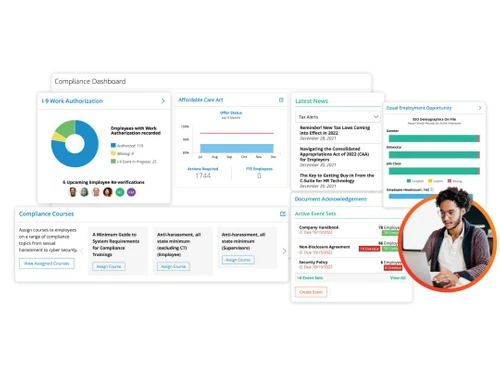
Income Tax (TDS) Management Provident Fund (PF) Compliance Professional Tax (PT) Compliance Labour Welfare Fund (LWF) Management Employee State Insurance (ESI) Compliance Time, Attendance & Leave Management
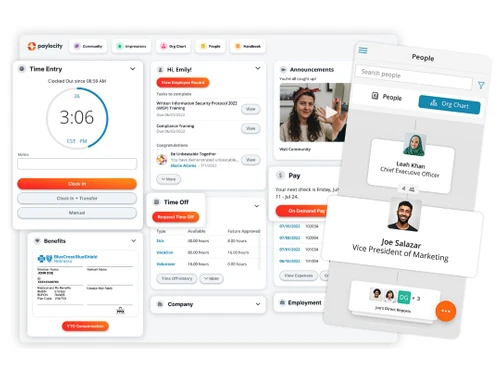
Leave & Absence Management Sick Leave and Vacation Tracking Attendance Tracking Leave Policy Customization Holiday & Leave Calendar Employee Self-Service (ESS)
Payslip Access Expense Claims Income Tax Planner Employee Lifecycle Management
Employee Database Document Management Employee Shift Scheduling F&F Settlement Banking Integration & Payment Processing
Bank Transfer Files Direct Deposit Scheduling Multi-Bank Support Cheque Processing Automation and Customization
Alerts & Notifications API Access Scheduled Payroll Processing Custom Payroll Rules and Policies Configurable Workflows & Approvals Security and Data Privacy
User Access Management Two-Factor Authentication (2FA) Data Backup and Recovery Encrypted Data Transmission Audit Logs and Monitoring Integrations
API Integration Performance Management Third Party Integration Accounting Software HRMS Payment Gateway Biometric Integration Reporting and Analytics
Payroll Reports Compliance Reports Leave and Attendance Reports Employee Master Report  Ubuntu
  Windows
  MacOS
MacOS  Linux
Linux  Desktop
  Mobile
  Tablet
  iPad
iPad  Cloud-Based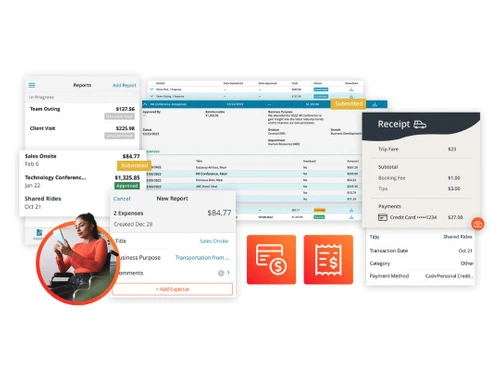
Small Business
Designed for startups and growing businesses
Medium Business
Built for business growth and flexibility
Enterprises
Designed for complex and large-scale business needs
3.9
Out of 5

Overall Rating
Based on
14 Verified Reviews
Rating Breakdown
87% Recommend this Product
Add ReviewUsers generally appreciate Paylocity for its affordability, accuracy in payroll processing, and the convenience of managing both payroll and employee data in one platform. The self-service options for employees are also highlighted as a significant time-saver for HR teams. However, many users express frustration with the software's navigation and user interface, which can feel outdated or cluttered, particularly for new users. While it meets basic payroll needs effectively, some users desire more advanced features and customization options as their businesses grow.
Pros
"Paylocity’s integration of time tracking with payroll processing has been a great help. It cuts down on manual work and makes payroll much faster and more accurate."
"The ability to customize payroll reports is excellent. We can easily adjust the reports to fit the specific needs of our business, which allows us to get the exact data we need."
Cons
"While the software offers many features, learning how to use it efficiently takes a bit of time. Navigation isn’t always intuitive. "
"Getting used to the different functions took some time, especially for team members who weren’t familiar with similar systems. "
"The interface could use some improvements, as navigating through different sections isn’t always straightforward. "


Jul 12, 2024
Techjockey Verified
“An Affordable Solution for Managing Employee Payroll”
Adiyogi Payroll has been a cost-effective and easy solution for managing payroll. It helps me keep track of pay, taxes, and deductions without much hassle. The customer support team has been quick to help out when I had issues or questions, which is something I appreciate. However, as my business grows, I’m noticing that I might need something with more advanced features, and I find the user interface could use an update to be more user-friendly.
Pros
I love how Adiyogi Payroll is affordable and does what it says on the box. For a small business like mine, it provides all the essential features without breaking the bank. It’s simple to use, and I can easily manage my employee pay, taxes, and deductions. The customer service is also very responsive, which has been a huge plus whenever I have questions or need assistance.
Cons
While Adiyogi Payroll works well for basic payroll needs, I feel like it lacks some advanced features that would be nice to have as my business grows. The interface could use a bit of a facelift—it looks outdated, and navigating it isn’t always the smoothest experience. It’s also a bit limited when it comes to generating in-depth reports.
Reason to switch
Zoho Payroll offered more features than I needed at the time, and it came at a higher price. I chose Adiyogi because it was more budget-friendly and had the basics that my small business required.
Jul 9, 2024
Techjockey Verified
“A Reliable Payroll System That Fits Our Business Needs Perfectly”
Pros
What I really appreciate about Paylocity is its simplicity and efficiency. It takes the headache out of managing payroll for a growing team. The automated calculations have saved me so much time, and I love how I can easily access reports and employee details without having to dig through tons of paperwork. It's also great that my team can access their paystubs and other information directly through the app, which makes things more transparent and reduces the number of questions they ask me.
Cons
One thing that has been a bit frustrating is the occasional lag when using the software, especially during peak times. There have also been a few instances where updates or changes to the system caused minor disruptions in how things work, which made it a bit tricky for me to navigate. It would be nice if the software had more customization options for smaller businesses like ours.
Reason to switch
ADP worked fine when we were smaller, but as our team expanded, I felt like I needed something more tailored to our specific needs. Paylocity seemed to offer more relevant features, and the pricing was more flexible for a growing business like ours.
Jun 6, 2024
Techjockey Verified
“Great for Payroll Accuracy and Managing Benefits”
We’ve been using Paylocity for payroll and benefits management, and it’s been a reliable solution for those tasks. The payroll runs accurately, and we’ve had fewer errors since switching. Managing employee benefits through the platform is also very convenient. The only issue is that the design could be more intuitive, making it easier to navigate.
Pros
The accuracy in payroll processing and the ability to manage benefits within Paylocity has made a big difference for our company. We no longer have to worry about mistakes in payroll, and the benefits tracking is very helpful.
Cons
The platform’s design could be more intuitive, as some features are harder to find than they should be.
Reason to switch
Paylocity offered better payroll accuracy and benefits management than Paycor, which was key for us.

Paylocity
Price On Request
Desktop
Mobile
Web based
On Premises
Windows
Mac OS
PagarBook
₹ 499
Desktop
Mobile
Web based
On Premises
Windows
Mac OS
PayWise
₹ 300
Desktop
Mobile
Web based
On Premises
Windows
Mac OS

Zoho Payroll
₹ 1250
Desktop
Mobile
Web based
On Premises
Windows
Mac OS
ADP Vista
Price On Request
Desktop
Mobile
Web based
On Premises
Windows
Mac OS

QuickBooks Payroll
Price On Request
Desktop
Mobile
Web based
On Premises
Windows
Mac OS

RazorpayX Payroll
₹ 29988
Desktop
Mobile
Web based
On Premises
Windows
Mac OS

Papaya Global
Price On Request
Desktop
Mobile
Web based
On Premises
Windows
Mac OS

UnboxPayroll
₹ 2000
Desktop
Mobile
Web based
On Premises
Windows
Mac OS

HivePayroll
₹ 1499
Desktop
Mobile
Web based
On Premises
Windows
Mac OS

SPIKYARC Payroll
Price On Request
Desktop
Mobile
Web based
On Premises
Windows
Mac OS
(2) Product(s) selected
Available
Price on Request
Starting Price:
$15
Available
Price on Request

Available
Price on Request
Starting Price:
₹10 /Month

Starting Price:
₹25 /Month

Starting Price:
$25 /Employee/Month

Available
Price on Request

Starting Price:
$39 /Month





Yes, Paylocity comes with mobile apps compatibility and works on iOS and Android platforms.
Paylocity is used to manage payroll, HR tasks, employee benefits, and workforce management in one platform.
Paylocity pricing is available on request at techjockey.com.
Yes, Paylocity calculates and processes overtime pay accurately.
Paylocity generates detailed payroll, tax, and compliance reports.
Yes, Paylocity handles garnishments, including deductions and payments.
Yes, Paylocity is a cloud-based payroll solution.
Yes, Paylocity integrates time-tracking tools for accurate payroll calculations.
Paylocity ensures secure payroll processing with encryption and multi-factor authentication.
Yes, Paylocity can automatically deduct employee benefits contributions.
Yes, Paylocity offers demos for prospective users to explore its features.
Yes, Paylocity provides automated payroll reminders for important tasks.
0 0
Yes, Paylocity Payroll integrates with popular HR, accounting, and timekeeping software.
0 0
Yes, Paylocity supports various pay schedules.
0 0
Yes, Paylocity generates employee tax forms such as W-2s and 1099s.
0 0
Yes, employees can access their pay stubs, tax forms, and personal information via the employee self-service portal.
0 0
20,000+ Software Listed
Best Price Guranteed
Free Expert Consultation
2M+ Happy Customers
Terms and Condtions

Users with registered businesses can purchase goods from merchants on the platform to satisfy their business needs. Users are not permitted to utilize any products acquired through the platform for resale, advertising, business, or further distribution.
For each purchase made, users will receive a Tax Invoice (or 'GST invoice') that includes specific details such as:
the GSTIN of the user associated with their registered business, and
the specified Entity Name for their business.
It should be noted that not all products are eligible for GST Invoice. Only the products displayed by participating sellers with the 'GST-based Invoice Available' callout on the product description page would qualify.
Certain goods and services are not eligible to get a GST Invoice, including items with VAS, i.e., Value Added Services (e.g., Total Mobile Protection/Assured Buyback) and those involving an exchange offer at the time of purchase.
Users must ensure the accuracy of the GSTIN, and business entity name provided for the GST Invoice. Requests for corrections into GST Invoice would not be accommodated by Techjockey.com or any Seller, and any issues arising from user-provided information are the sole responsibility of users.
Techjockey.com is not liable for the GST Invoice or any associated input tax credit. To efficiently claim an input tax credit, users should select the registered place of business address as per the GST authority's data and follow the provisions of the GST Act and rules.
To claim an input tax credit, the delivery and billing addresses must match. Furthermore, input tax credits will not be granted if the delivery address and GSTIN on the invoice are from different states. In case of incorrect GST details provided during the order placement, the order will be canceled automatically.