linkedin
Petrosoft CStoreOffice logo
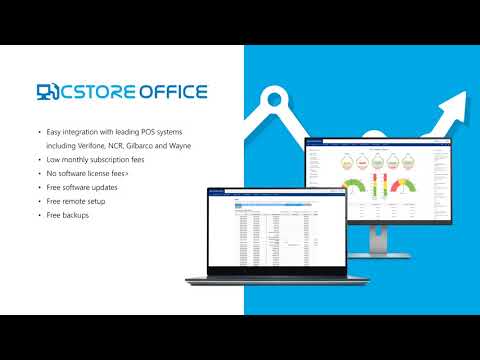
play Petrosoft's Retail360 cloud-based back-office software
play Petrosoft's Exclusive CStore Office Cloud-Based back office software
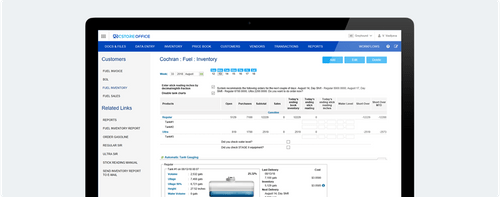
PetroSoft inventory management

Petrosoft CStoreOffice

Brand: PETROSOFT

  • 4.1

  • 5 Ratings

Petrosoft CStoreOffice is cloud-based productivity software for c-stores, automating inventory, pricing, and daily operations.

See More

Have you used Petrosoft CStoreOffice before?

Share your insights for better experience

Add a Review

Price Available on Request

Questions about pricing or customization? We’re here to help, just a click away.

100% Genuine
Products
Best Price
Guaranteed
Safe & Secure
Payment
  • Description

  • Pricing

  • Features

  • Specification

  • Review

  • Compare

  • Alternatives

  • FAQ

Petrosoft CStoreOffice Software Overview

What is Petrosoft CStoreOffice?

Petrosoft CStoreOffice is cloud-based productivity software for convenience stores and fuel retailers. Thai software comprises features that help to automate inventory, manage prices, and book for all products. It also helps to manage promotions and shift reconciliation using real-time data from POS systems. Users can log in to their accounts and access the dashboard to get an overview of the operations. It also provides reports and tools accessible via a web interface or a mobile app.

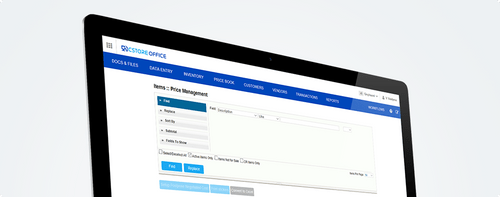
Petrosoft CStoreOffice allows centralized price book management, where prices for products can be customized based on various filters. It supports automated inventory tracking, fuel reconciliation, electronic invoice processing, and lottery sales monitoring. It supports multi-store operations, shift audits, and promotional scheduling. The software can be integrated with the POS system and supplier network, supporting proper data flow via electronic interchange.

Why Choose Petrosoft CStoreOffice Productivity Software?

  • Price Book Control: Provides centralized management of item pricing across multiple stores from one dashboard for proper price setting of products.
  • Inventory Accuracy: Track merchandise and fuel levels in real time, preventing stockouts and overstocks through automated alerts and reports.
  • Shift Reconciliation: Verify cash, sales, and lottery data daily, simplifying audits and reducing discrepancies between shifts.
  • Supplier Integration: Receive electronic invoices from 200+ vendors, and give proper data flow for order processing and reducing paperwork.
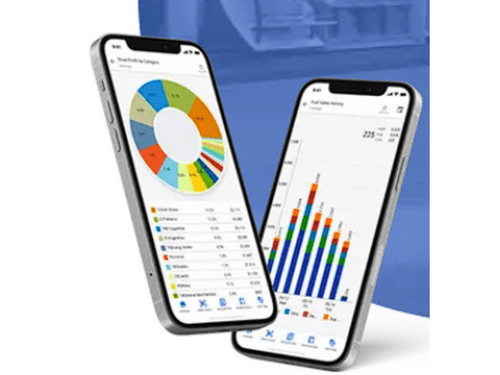
  • Mobile Management: Scan invoices, check reports, and monitor operations remotely using the software mobile app supporting remote work management.

Benefits of Petrosoft CStoreOffice

  • Time Savings: Automating the daily tasks like inventory and reconciliation, and central price management, helps to reduce manual effort and save time.
  • Operational Accuracy: Helps to reduce errors in pricing, inventory, and shift data through real-time tracking and automated checks.
  • Centralized Control: Supports management of multiple store locations from one central dashboard, giving consistent operations and pricing across all sites.
  • Better Decision-Making: Provides 200+ reports and analytics, thus helping owners to make better business and inventory decisions quickly.
  • Remote Access: It comes with a Mobile app and a cloud interface that allows users to manage store operations from anywhere, anytime.

Pricing of Petrosoft CStoreOffice

Petrosoft CStoreOffice details are available on request at techjockey.com.

Petrosoft CStoreOffice may vary based on factors like customization, additional features required, number of users, and the deployment type. Please request a callback for subscription-related details and to avail offers on premium packages at techjockey.com.

Read more

Petrosoft CStoreOffice Pricing & Plans

Looking for The Right Pricing?

Share your requirements and get a plan built around your business.

  • Define your business needs
  • Get customised pricing
  • Choose features that fit your workflow

Price Available on Request

Get personalised Petrosoft CStoreOffice pricing that fits your needs. Our team will connect with you.

Petrosoft CStoreOffice Features

  • icon_check Easy Access Dashboard
    Provides a centralized, user-friendly dashboard for quick access to reports, alerts, and operational tools.
  • icon_check Integrate with your existing technology
    Connects with POS systems, accounting software, and vendor platforms to unify your retail tech stack.
  • icon_check Automated supply chain
    Manages ordering, invoicing, and vendor communication with automated workflows and electronic data interchange (EDI).
  • icon_check Maintenance
    Supports ongoing system updates, data backups, and performance monitoring to ensure smooth and secure operations.
  • icon_check Remote Setup
    Allows full configuration and onboarding from any location, reducing setup time and eliminating on-site dependencies.
  • icon_check Centralized Management
    Controls pricing, inventory, and reporting across multiple stores from one cloud-based platform with role-based access.
  • icon_check Promotions Management
    Schedules and tracks time-bound promotions, discounts, and loyalty programs to boost customer engagement and sales.
  • icon_check Automated Workflow
    Removes manual tasks like shift reconciliation and invoice entry with rule-based automation and smart alerts.
  • icon_check CStoreOffice mobile app
    Enables remote access to reports, inventory scans, and shift data through a secure, easy-to-use mobile interface.
  • icon_check Inventory Management
    Monitors fuel and merchandise levels in real time, reducing shortages and optimizing stock replenishment.
Petrosoft CStoreOffice Demo Video play icon

Get Petrosoft CStoreOffice Demo

Watch the demo video to explore key features, real workflows, and how the software fits your business needs.

Understand
Key Features
Personal
Demo Insights
Interactive
Demo Support

Petrosoft CStoreOffice Specifications

Supported Platforms
Ubuntu Ubuntu Windows Windows MacOS MacOS Linux Linux
Devices
Desktop Desktop
Deployment
Cloud-Based Cloud-Based
Suitable For
All Industries
Business Specific
All Businesses
Business Size
Small Business Medium Business Enterprises SMBs SMEs MSMEs
Customer Support
Phone Email Live Chat Forums
Language
English français Deutsche Tiếng Việt
Integration
API Integration

Explore the Best Alternative Solutions Similar to Your Business Size and Needs

Petrosoft CStoreOffice Review

4.1

Out of 5

img

Overall Rating

Based on
5 Verified Ratings

Rating Breakdown

  • Features 4.1
  • Value for Money 3.9
  • Ease of Use 3.9
  • Customer Support 4.6

94% Recommend this Product

Add Review

Techjockey Trusted Reviews from Verified Users

No reviews are currently available for Petrosoft CStoreOffice. Discover similar Productivity Software reviews

  • Microsoft Word

    4.4

    Whats great - Word is the industry standard—everyone accepts .docx files. I never worry about compatibility. read more

  • SysTools DBX To PST Converter

    5.0

    Whats great - I was looking for a solution to convert my all crucial DBX files into PST file format. But I did not get any solution. Then, ... read more

  • think cell

    4.7

    Whats great - My present partners with perpetual designer positions have completed a magnificent activity in their glassdoor surveys, depic... read more

Compare Petrosoft CStoreOffice With other Productivity Software

Products
Ratings
Pricing
Device Supported
Deployment
Supported Platforms
  • img

    Petrosoft CStoreOffice

  • 4.1

  • Price On Request

  • Desktop

    Mobile

  • Web based

    On Premises

  • Windows

    Mac OS

  • img

    Google Workspace

  • 4.3

  • ₹ 325

  • Desktop

    Mobile

  • Web based

    On Premises

  • Windows

    Mac OS

  • img

    Cold Turkey

  • 4.3

  • Price On Request

  • Desktop

    Mobile

  • Web based

    On Premises

  • Windows

    Mac OS

  • img

    Office 365 E3

  • 5

  • ₹ 1740

  • Desktop

    Mobile

  • Web based

    On Premises

  • Windows

    Mac OS

  • img

    InboxPro

  • 4.5

  • Price On Request

  • Desktop

    Mobile

  • Web based

    On Premises

  • Windows

    Mac OS

  • img

    Snippets AI

  • 4.4

  • Price On Request

  • Desktop

    Mobile

  • Web based

    On Premises

  • Windows

    Mac OS

  • img

    Office 365 E5

  • 4

  • ₹ 3240

  • Desktop

    Mobile

  • Web based

    On Premises

  • Windows

    Mac OS

  • img

    Raycast

  • 4.1

  • Price On Request

  • Desktop

    Mobile

  • Web based

    On Premises

  • Windows

    Mac OS

  • img

    Microsoft 365 F3

  • 4.4

  • ₹ 996

  • Desktop

    Mobile

  • Web based

    On Premises

  • Windows

    Mac OS

  • img

    Microsoft 365 F1

  • 4.2

  • ₹ 300

  • Desktop

    Mobile

  • Web based

    On Premises

  • Windows

    Mac OS

  • img

    SmartPanels

  • 4.4

  • Price On Request

  • Desktop

    Mobile

  • Web based

    On Premises

  • Windows

    Mac OS

(0) Product(s) selected

Petrosoft CStoreOffice Alternatives

See All Petrosoft CStoreOffice Alternatives

Starting Price:

₹2,499 /One-Time

Starting Price:

$24

Starting Price:

$6 /User/Month

Starting Price:

$10 /Month

Starting Price:

$4 /Monthly

Starting Price:

$7 /Month

Starting Price:

$8 /Monthly

Starting Price:

$60

Articles for Petrosoft CStoreOffice

See All Related Articles

How much does Petrosoft CStoreOffice cost?

Petrosoft CStoreOffice pricing details are available at www.techjockey.com on request.

Who uses Petrosoft CStoreOffice Productivity Software?

Petrosoft CStoreOffice is used by convenience store owners, fuel retailers, and multi-location operators for daily operations.

How does Petrosoft CStoreOffice work?

Petrosoft CStoreOffice connects with POS systems to automate inventory, pricing, shift audits, and vendor invoicing by supporting proper information flow.

Which operating systems are compatible with Petrosoft CStoreOffice Productivity Software?

Petrosoft CStoreOffice runs smoothly on operating systems like Windows, macOS, and Android for mobile access.

Is a free demo available for Petrosoft CStoreOffice software?

Yes, a free demo of Petrosoft CStoreOffice is available upon request.

Does Petrosoft CStoreOffice support mobile access?

Yes, Petrosoft CStoreOffice provides a mobile app for remote access to reports, inventory scans, and shift data.

Can Petrosoft CStoreOffice integrate with existing POS systems?

Yes, Petrosoft CStoreOffice integrates with most POS systems and vendor platforms to support data flow.

What kind of reports does Petrosoft CStoreOffice Productivity Software provide?

Petrosoft CStoreOffice includes over 200 built-in reports covering sales, inventory, fuel, shifts, and vendor activity.

20,000+ Software Listed

Best Price Guranteed

Free Expert Consultation

2M+ Happy Customers

Terms and Condtions

close

Users with registered businesses can purchase goods from merchants on the platform to satisfy their business needs. Users are not permitted to utilize any products acquired through the platform for resale, advertising, business, or further distribution.

For each purchase made, users will receive a Tax Invoice (or 'GST invoice') that includes specific details such as:

  • the GSTIN of the user associated with their registered business, and

  • the specified Entity Name for their business.

It should be noted that not all products are eligible for GST Invoice. Only the products displayed by participating sellers with the 'GST-based Invoice Available' callout on the product description page would qualify.

Certain goods and services are not eligible to get a GST Invoice, including items with VAS, i.e., Value Added Services (e.g., Total Mobile Protection/Assured Buyback) and those involving an exchange offer at the time of purchase.

Users must ensure the accuracy of the GSTIN, and business entity name provided for the GST Invoice. Requests for corrections into GST Invoice would not be accommodated by Techjockey.com or any Seller, and any issues arising from user-provided information are the sole responsibility of users.

Techjockey.com is not liable for the GST Invoice or any associated input tax credit. To efficiently claim an input tax credit, users should select the registered place of business address as per the GST authority's data and follow the provisions of the GST Act and rules.

To claim an input tax credit, the delivery and billing addresses must match. Furthermore, input tax credits will not be granted if the delivery address and GSTIN on the invoice are from different states. In case of incorrect GST details provided during the order placement, the order will be canceled automatically.