 USA
USA UAE
UAESmall Business
Designed for startups and growing businesses


See More





Brand: Appfluence
Priority Matrix is a project management tool with focus on task priority. It helps different teams to stay organized by prioritizing tasks and collaborating with other teams.
See MoreHave you used Priority Matrix before?
Share your insights for better experience
Brand: Appfluence
Founded Year: 2010
Appfluence


Not sure which plan is best for you? We'll help you
Core Functionalities
 Workflow Management Resource Management Task Management Risk Management Backlog Management Pipeline Management Sprint Management Workforce Management Incident Management Issue Management
 Task & Workflow Management
Workflow Automation Recurring Tasks Task Prioritization Sub-Task Creation Notifications/Reminders Automated Task Assignment Task Creation & Assignment Task Dependencies Task Views
Kanban Boards Task List Calendar View Spreadsheet View Gantt Chart Timeline View Mind Map Progress & Performance Tracking
Time Tracking Milestone Tracking Team Capacity Tracking Resource & Budget Management
Auto Scaling Automated Resource Allocation Budget Planning Dynamic Budgeting Risk Scoring System Workload Distribution Collaboration & Communication
Version Control File Sharing & Document Collaboration Real-Time Collaboration Integrated Chat & Messaging Access Control & Security
User Access Management Activity Logs Data Backup and Disaster Recovery Multi-Factor Authentication (MFA) Compliance Tracking Customization
Templates Custom Fields Task Customization Custom Layouts Custom Views Integrations
API Integration Communication and Collaboration Tools File Storage and Sharing Time Tracking Tools CRM Integration Issue Tracking Tools Automation Tools AI-Based Integrations ERP Integration Third Party Integrations Reporting & Analytics
Dashboards Automated Reports Project Progress Reports Resource Reports Risk Reports Workload Reports Timesheet Reports Sprint Reports Burndown & Burnup Charts Real-Time Reporting Report Customization Benchmarking Bottleneck Reports Predictive Analytics 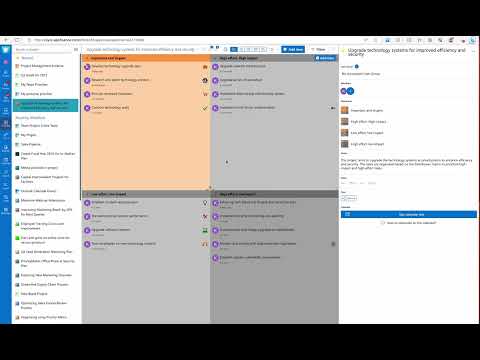

Watch the demo video to explore key features, real workflows, and how the software fits your business needs.
 Ubuntu
  Windows
  iOS
iOS  Android MacOS
  Linux
Linux  Desktop
  Mobile
  Cloud-Based
  Perpetual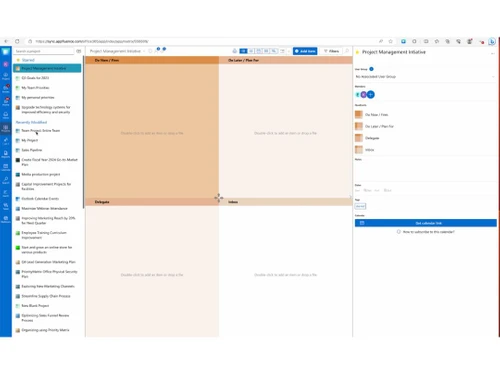
Small Business
Designed for startups and growing businesses
Medium Business
Built for business growth and flexibility
Enterprises
Designed for complex and large-scale business needs
3.9
Out of 5

Overall Rating
Based on
10 Verified Reviews
Rating Breakdown
81% Recommend this Product
Add ReviewUsers generally appreciate Priority Matrix for its effectiveness in task management, particularly for team coordination and handling multiple client projects. The visual layout and customizable categories help users prioritize and track progress efficiently. However, some common complaints include the initial setup being somewhat overwhelming and the mobile app lacking customization features compared to the desktop version. Additionally, users desire more detailed reporting options and find the subscription costs for larger teams to be on the higher side.
Pros
"Priority Matrix helps me break down my tasks into manageable sections. I particularly like the ability to customize the quadrants and adjust priorities as needed."
"I really like how Priority Matrix helps me keep track of deadlines. Having a clear view of what’s due next helps reduce stress, especially during busy times."
"Priority Matrix is helpful software for managing both personal goals and professional projects. It allows me to categorize my work, making it easier to prioritize my time."
Cons
"The web version feels a bit restrictive compared to the desktop app. "
"I wish the mobile app had a few more customization features, as it doesn’t always match the capabilities of the desktop version. "
"It can be time-consuming to set up and configure the categories initially. "

Jun 19, 2024
Techjockey Verified
“Keeping Track of Team Efforts”
Priority Matrix has been an important part of my team management process. It allows me to assign tasks, track progress, and ensure that we meet our deadlines.
Pros
Managing team tasks has become much easier with Priority Matrix. It allows for better delegation and tracking, making sure that everyone knows what they need to do.
Cons
I wish there were more export options for reporting purposes.
Reason to switch
I needed a more visual and flexible platform that would help me manage multiple ongoing projects.
Sep 1, 2024
Techjockey Verified
“Great for Tracking Both Personal and Professional Goals”
I’ve been using Priority Matrix for nearly four years now, and it’s helped me organize various aspects of my projects. From personal goals to work projects, the tool offers a clear overview of what needs to be done.
Pros
Priority Matrix is helpful software for managing both personal goals and professional projects. It allows me to categorize my work, making it easier to prioritize my time.
Cons
It can be time-consuming to set up and configure the categories initially.
Reason to switch
Notion lacked the prioritization feature I needed to stay on top of both work and personal tasks.
Sep 3, 2024
Techjockey Verified
“All in one platform for managing my client work”
I’ve been using Priority Matrix for about three years now, mainly for managing tasks related to client work.
Pros
I find Priority Matrix very helpful when dealing with multiple clients. It allows me to separate each client’s work into categories, making it easier to manage individual deadlines and priorities.
Cons
I wish the mobile app had a few more customization features, as it doesn’t always match the capabilities of the desktop version.
Reason to switch
I wanted more visual control over my task lists, which Basecamp couldn’t provide.

Priority Matrix
Price On Request
Desktop
Mobile
Web based
On Premises
Windows
Mac OS

Jira
Price On Request
Desktop
Mobile
Web based
On Premises
Windows
Mac OS
TrackPM
Price On Request
Desktop
Mobile
Web based
On Premises
Windows
Mac OS

Swatle
Price On Request
Desktop
Mobile
Web based
On Premises
Windows
Mac OS

Birdview PMS
Price On Request
Desktop
Mobile
Web based
On Premises
Windows
Mac OS

Forecast
Price On Request
Desktop
Mobile
Web based
On Premises
Windows
Mac OS

Favro
Price On Request
Desktop
Mobile
Web based
On Premises
Windows
Mac OS

Zoho Projects
₹ 3360
Desktop
Mobile
Web based
On Premises
Windows
Mac OS

Clickup
Price On Request
Desktop
Mobile
Web based
On Premises
Windows
Mac OS

SmartSuite
Price On Request
Desktop
Mobile
Web based
On Premises
Windows
Mac OS

Dart
Price On Request
Desktop
Mobile
Web based
On Premises
Windows
Mac OS
(0) Product(s) selected
Starting Price:
$9 /User/Month
Available
Price on Request
Starting Price:
$12 /Month
Starting Price:
$10 /User/Month
Starting Price:
$10 /User/Month

Starting Price:
$19 /Month

Starting Price:
$13 /Month

Starting Price:
$179 /Month

Starting Price:
$35 /Month

Starting Price:
$10 /User/Month

Starting Price:
$2 /Monthly








Priority Matrix helps businesses manage their projects by offering features such as file storage, item history tracking, advanced reporting, Gantt chart creation, and single sign-on.
Priority Matrix pricing starts at $12 /user/month for pro plan at techjockey.com. Please contact our experts at techjockey for detailed pricing.
Potential users of Priority Matrix software include startups, small and medium-sized enterprises (SMEs), large corporations, project managers, team leaders, and departments within various industries such as IT, marketing, finance, healthcare, and education.
Priority Matrix supports Windows, macOS, and Linux operating systems.
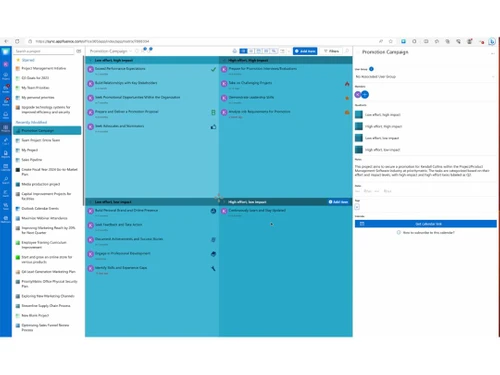
Priority Matrix provides a four-quadrant matrix system, file storage, item history tracking, advanced reporting, and Gantt chart creation to enhance productivity.
Yes, the Priority Matrix app is available for both Android and iOS users.
Yes, Priority Matrix offers integrations with various platforms such as Microsoft Outlook, Teams, and OneDrive to facilitate seamless collaboration.
Yes, Priority Matrix offers a free trial to its new users. For pricing beyond the trial period please contact our experts at techjockey.com
Priority Matrix and Office 365 can be integrated to help you manage work, participate in meetings, and make sure relevant issues are followed up on.
0 0
To create SMART goals with a priority matrix, you can establish and prioritize goals, set deadlines and create specific goals for each phase or milestone of a project.
0 0
By opening the email in your inbox and using the Priority Matrix integration to mark it as a high-priority task within the matrix, you can 'get that meeting' with it. Then, you can schedule a meeting directly from the Priority Matrix interface, using the email's relevant information to set the agenda.
0 0
You can make a list of tasks to be assigned to specific quadrants or team members to systematically manage transactions in Priority Matrix.
0 0
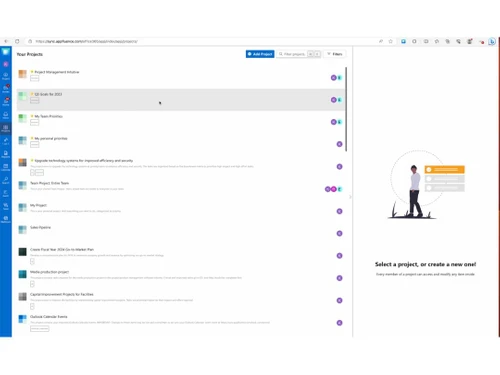
You can manage projects in Priority Matrix by using task lists, setting due dates, and using its calendar and reporting features to see progress.
0 0
20,000+ Software Listed
Best Price Guranteed
Free Expert Consultation
2M+ Happy Customers
Terms and Condtions

Users with registered businesses can purchase goods from merchants on the platform to satisfy their business needs. Users are not permitted to utilize any products acquired through the platform for resale, advertising, business, or further distribution.
For each purchase made, users will receive a Tax Invoice (or 'GST invoice') that includes specific details such as:
the GSTIN of the user associated with their registered business, and
the specified Entity Name for their business.
It should be noted that not all products are eligible for GST Invoice. Only the products displayed by participating sellers with the 'GST-based Invoice Available' callout on the product description page would qualify.
Certain goods and services are not eligible to get a GST Invoice, including items with VAS, i.e., Value Added Services (e.g., Total Mobile Protection/Assured Buyback) and those involving an exchange offer at the time of purchase.
Users must ensure the accuracy of the GSTIN, and business entity name provided for the GST Invoice. Requests for corrections into GST Invoice would not be accommodated by Techjockey.com or any Seller, and any issues arising from user-provided information are the sole responsibility of users.
Techjockey.com is not liable for the GST Invoice or any associated input tax credit. To efficiently claim an input tax credit, users should select the registered place of business address as per the GST authority's data and follow the provisions of the GST Act and rules.
To claim an input tax credit, the delivery and billing addresses must match. Furthermore, input tax credits will not be granted if the delivery address and GSTIN on the invoice are from different states. In case of incorrect GST details provided during the order placement, the order will be canceled automatically.



