USA
USA UAE
UAESmall Business
Designed for startups and growing businesses


See More



Brand: Nashsoft Technologies Pvt. Ltd
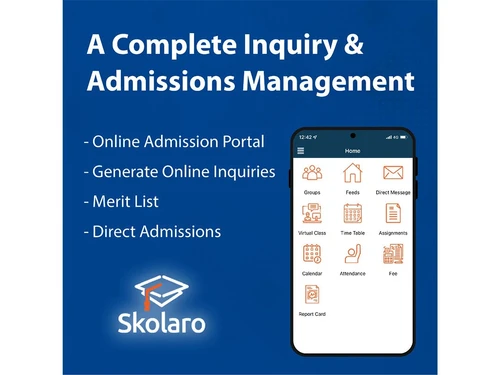
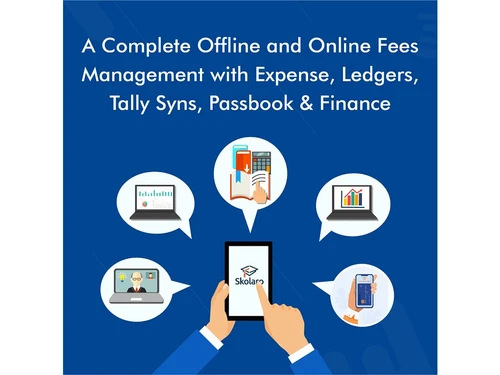
Skolaro is a cloud-based educational software that automates and streamlines administrative, academic, financial, LMS, communication, and other functions for online institutes. It supports the integration of ERP and LMS functionalities and caters to the operational needs of your school and other educational institutes. Skolaro software assists educational institutes with: Sharing study material O...
See MoreHave you used Skolaro before?
Share your insights for better experience
Brand: Nashsoft Technologies Pvt. Ltd
Founded Year: 2012
Ashish Dixit is a serial entrepreneur who has created some of the world's leading products in the field of technology. Naini Singh has spent more than 25 years in the education industry and is an entrepreneur in EdTech space for the last 12.
Looking for The Right Pricing?
Share your requirements and get a plan built around your business.
Price Available on Request
Get personalised Skolaro pricing that fits your needs. Our team will connect with you.
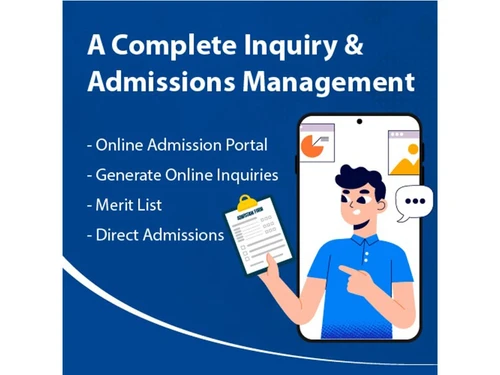
 Administration Student Management and Fees Academic Learning Mangement System Financial Communication Admissions Library Assessments Attendance Parent/ Student Portal Application Event Management Payroll Management Accounting Collaboration

Watch the demo video to explore key features, real workflows, and how the software fits your business needs.
 Ubuntu
  Windows
  iOS
iOS  Android MacOS
  Linux
Linux  Desktop
  Mobile
  Tablet
  iPad
iPad  Cloud-Based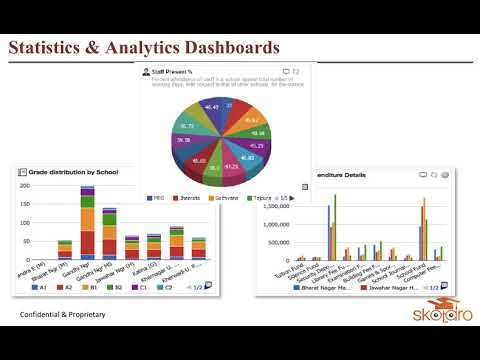
Small Business
Designed for startups and growing businesses
Medium Business
Built for business growth and flexibility
Enterprises
Designed for complex and large-scale business needs
4.7
Out of 5

Overall Rating
Based on
13 Verified Reviews
Rating Breakdown
100% Recommend this Product
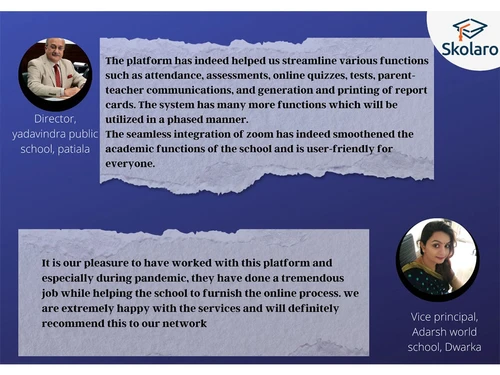
Add ReviewSkolaro receives high praise from users across various roles in educational institutions, highlighting its effectiveness in enhancing transparency, communication, and organization within school management. Customers appreciate its user-friendly interface and robust features that simplify tracking student performance and engagement. Many reviews note the absence of significant complaints, indicating a strong overall satisfaction. However, the reviews reflect a lack of diversity in feedback, as users do not mention any notable drawbacks or areas for improvement.
Pros
"Features of the education cloud like managing various addresses, credentials and many more, which make it best software for the school management."
"It is simple to use, and I feel confident in my ability to explain how to anyone. I believe this would be at the top in terms in comparison to other things."
"There are managed packages available, so you may avoid starting from scratch."
Cons
"I have not yet discovered or observed anything that I despise."

Mar 13, 2022
Techjockey Verified
“Every School Should have this Application”
Pros
allows transparency into what is occurring with a specific student at any stage in the enrollment or student life cycle, which helps to break down silos in higher education. We can observe the student's background and prior experiences from prospect to alumni.
Cons
nothing is dislikeable
Jul 3, 2022
Techjockey Verified
“Professional tracking system”
Pros
It provides options that let my school interact with, engage, and recruit kids more effectively through 1:1 communication. Effective interaction between the school and the child is established as a result.
Cons
nothing
May 11, 2022
Techjockey Verified
“skolaro for higher education”
Pros
It has been modified to function with institutions of higher learning. Although when we first arrived it was nice, this merely makes it better, therefore we should adjust to higher education demands.
Cons
nothing i dislike as of now

Skolaro
Price On Request
Desktop
Mobile
Web based
On Premises
Windows
Mac OS
Vedcool
₹ 11000
Desktop
Mobile
Web based
On Premises
Windows
Mac OS

School Magica
₹ 20000
Desktop
Mobile
Web based
On Premises
Windows
Mac OS
Edunext School ERP
Price On Request
Desktop
Mobile
Web based
On Premises
Windows
Mac OS

E-School ERP
₹ 40000
Desktop
Mobile
Web based
On Premises
Windows
Mac OS
Edu Manage Plus
₹ 18
Desktop
Mobile
Web based
On Premises
Windows
Mac OS
Gati School ERP
Price On Request
Desktop
Mobile
Web based
On Premises
Windows
Mac OS
EduOpus
Price On Request
Desktop
Mobile
Web based
On Premises
Windows
Mac OS

SchoolEZY
₹ 25000
Desktop
Mobile
Web based
On Premises
Windows
Mac OS

Ranndass School ERP
Price On Request
Desktop
Mobile
Web based
On Premises
Windows
Mac OS

MyAppClass
₹ 11999
Desktop
Mobile
Web based
On Premises
Windows
Mac OS
(0) Product(s) selected
Available
Price on Request
Available
Price on Request
Available
Price on Request
Available
Price on Request
Available
Price on Request
Starting Price:
₹180 /Month
Available
Price on Request

Available
Price on Request

Starting Price:
₹12,000 /Year
Starting Price:
₹5,000 /Year

Available
Price on Request
Skolaro assessment system reduces the time and workload of teachers. One can create question banks for students and also upload files, images and documents in different formats. A teacher can track assignments and share feedback with students online.
Login to your Skolaro account >> Click on admin >> Click on manage class >> Select Session, Class and Section >> Assign class teacher >> Save.
Skolaro is a school management system that effectively manages academic activities within an educational institute. This school management system tracks every detail of students, faculty and staff.
Skolaro student attendance management system enables schools and educational institutes to effectively manage a student’s attendance on a regular basis.
The administrative management module of Skolaro school management system manages all data pertaining to school management right from maintaining student portal, attendance, curriculum management, library and transport management.
Skolaro educational software is compatible with Windows, MacOS, Android, iOS, Linux, and Ubuntu operating systems.
Skolaro school management software is available for Android and iOS mobile devices.
Skolaro educational software supports web-based deployment type.
Skolaro school management software’s pricing is available on request at techjockey.com.
Skolaro software is typically used in schools and other educational institutes for conducting online classes.
Skolaro software demo is available for free with techjockey.com.
Skolaro school management software has a free trial. However, the premium plan with advanced features is available at techjockey.com with exciting deals.
For Skolaro school management software installation is not required, as it is web-based. Just open the Setup Wizard to get started.
20,000+ Software Listed
Best Price Guranteed
Free Expert Consultation
2M+ Happy Customers
Terms and Condtions

Users with registered businesses can purchase goods from merchants on the platform to satisfy their business needs. Users are not permitted to utilize any products acquired through the platform for resale, advertising, business, or further distribution.
For each purchase made, users will receive a Tax Invoice (or 'GST invoice') that includes specific details such as:
the GSTIN of the user associated with their registered business, and
the specified Entity Name for their business.
It should be noted that not all products are eligible for GST Invoice. Only the products displayed by participating sellers with the 'GST-based Invoice Available' callout on the product description page would qualify.
Certain goods and services are not eligible to get a GST Invoice, including items with VAS, i.e., Value Added Services (e.g., Total Mobile Protection/Assured Buyback) and those involving an exchange offer at the time of purchase.
Users must ensure the accuracy of the GSTIN, and business entity name provided for the GST Invoice. Requests for corrections into GST Invoice would not be accommodated by Techjockey.com or any Seller, and any issues arising from user-provided information are the sole responsibility of users.
Techjockey.com is not liable for the GST Invoice or any associated input tax credit. To efficiently claim an input tax credit, users should select the registered place of business address as per the GST authority's data and follow the provisions of the GST Act and rules.
To claim an input tax credit, the delivery and billing addresses must match. Furthermore, input tax credits will not be granted if the delivery address and GSTIN on the invoice are from different states. In case of incorrect GST details provided during the order placement, the order will be canceled automatically.