linkedin
Spider Algo logo
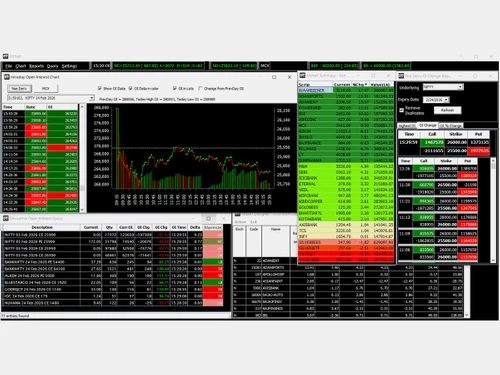
Spider Algo charts
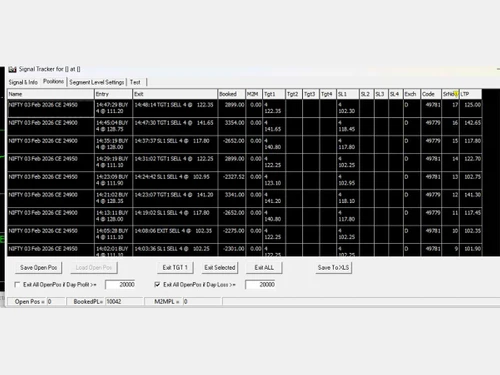
Spider-Algo-graphs
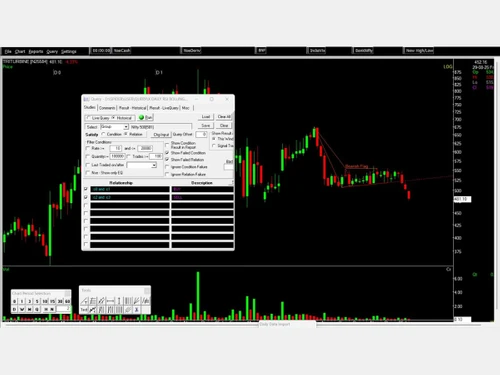
Spider-Algo-Algorithmic Trading

Spider Algo

Brand: Spider Software

  • No Ratings & Reviews

Have you used Spider Algo before?

Share your insights for better experience

Add a Review

Price Available on Request

Questions about pricing or customization? We’re here to help, just a click away.

100% Genuine
Products
Best Price
Guaranteed
Safe & Secure
Payment
  • Description

  • Pricing

  • Features

  • Specification

  • Review

Spider Algo Software Overview

Spider Software Company Details

Founded Year:  2000

Spider Software Pvt. Ltd. is the foremost developer of Real-Time and End of Day (EOD) Technical Analysis software, curated exclusively for the stock market traders of India.

Director/Founders Devesh Negandhi
Company Size 101-500 Employees

Spider Algo Pricing & Plans

Looking for The Right Pricing?

Share your requirements and get a plan built around your business.

  • Define your business needs
  • Get customised pricing
  • Choose features that fit your workflow

Price Available on Request

Get personalised Spider Algo pricing that fits your needs. Our team will connect with you.

Spider Algo Features

Core Features

  • icon_check Portfolio Management
    Track and analyze investment holdings, returns, and asset allocation in real time.
  • icon_check Market Data
    Official NSE data vendor providing real-time tick-by-tick and EOD price feeds.
  • icon_check Watchlist
    Customizable lists for monitoring preferred stocks with real-time price and volume updates.
  • icon_check Charting Tools
    High-quality rendering with extensive drawing tools and multi-timeframe analysis.
  • icon_check Order Control
    Automated system to process and monitor buy/sell orders directly via integrated brokers.
  • icon_check Order Execution
    Seamlessly connects to brokerage accounts for instant order placement and execution.

Order Execution

  • icon_check Limit Order
    Set specific prices for buy/sell to ensure price control during market volatility.
  • icon_check Market Order
    Immediate execution at the current best available price for instant trade entry.
  • icon_check Stop (Loss) Order
    Automatically implements stop-loss rules to limit potential trading losses.
  • icon_check Stop Limit Orders
    Combines stop triggers with limit prices for precise exit management.
  • icon_check Trailing Stop Order
    Dynamic stop-loss that adjusts as the market price moves in your favor.

Research and Analysis

  • icon_check Technical Analysis
    Industry-leading tools with 150+ indicators, auto-trendlines, and advanced charting.
  • icon_check Fundamental Analysis
    Features financial ratios (P/E, P/B), balance sheets, and company valuation models.
  • icon_check Pattern Recognition
    Automatic detection of triangles, head & shoulders, flags, and other technical patterns.
  • icon_check Scanning Tools
    Advanced scanners for stocks, indices, volume breakouts, and 52-week highs/lows.
  • icon_check Backtesting and Optimization
    Strategy Tester evaluates performance against historical data before live deployment.
  • icon_check Smart drawing tools
    Intuitive tools for manual trendlines, Fibonacci levels, and geometric shapes.

Trading Options

  • icon_check Paper Trading
    Signal Tracker allows traders to test strategies in the live market via simulation.
  • icon_check Intraday Trading
    Specialized real-time software (Iris+) designed specifically for same-day market play.
  • icon_check Algorithm Trading
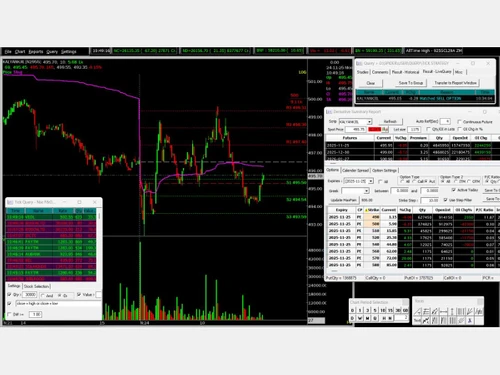
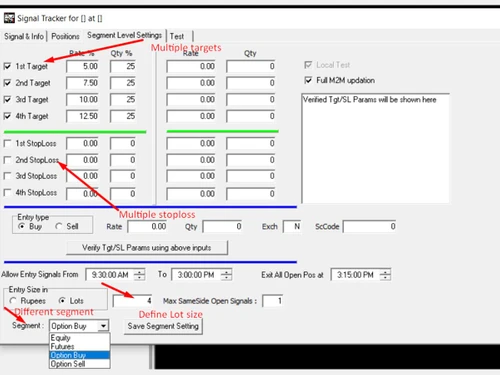
    Spider Algo allows for no-code strategy creation and automated execution.
  • icon_check Options Trading
    Advanced Greeks, Open Interest (OI) charts, and built-in options strategy builders.
  • icon_check Futures Trading
    Supports tracking and analysis of Nifty and Bank Nifty futures with live data.
  • icon_check Automatic Trading
    Hands-free trading system that executes based on pre-defined AI or custom signals.
  • icon_check Forex Trading
    Trade currency pairs to profit from exchange rate fluctuations.
  • icon_check Crypto Trading
    Trade cryptocurrencies to benefit from market volatility.
  • icon_check Mutual Funds
    Invest in professionally managed portfolios for diversified exposure.
  • icon_check Margin Trading (MTF)
    Borrow funds to trade larger positions than account balance allows.
  • icon_check Stock SIP
    Allows for systematic investment in stocks over time to build a portfolio gradually.

Account Management

  • icon_check Demat Account Creation
    Facilitate the opening of electronic securities accounts.
  • icon_check Platform Migration
    Assist in transferring accounts or data from one platform to another.
  • icon_check Multi-Factor Authentication (MFA)
    Enhance security with multiple verification methods.
  • icon_check Customizable User Interface
    Personalize trading environments for ease of use.

Integrations

  • icon_check API Integration
    Connects with external APIs for custom trading, data feeds, or automated systems.
  • icon_check Financial Tools Integration
    Links with research platforms, analytics software, and financial news services.

Reporting & Analytics

  • icon_check Automated Reports
    Generate regular reports on trading activity and performance automatically.
  • icon_check Dashboards
    Visual summaries of key performance metrics for quick assessments.
  • icon_check Report Customization
    Tailor reports to meet specific user requirements for relevance.
  • icon_check P&L Report
    Summarize profits and losses over a specified period.
  • icon_check Contract Note
    Document detailing trade specifics, including prices and fees.
  • icon_check Financial Transaction Report (CashLedger)
    Track cash inflows and outflows in the trading account.

Alerts & Notification

  • icon_check Price Alert
    Notifies users when stock prices reach a specific target or custom threshold.
  • icon_check Real Time Market Updates
    Tick-by-tick updates ensure the most accurate current price information.
  • icon_check News Alerts
    Delivers breaking financial news related to specific sectors or watched stocks.
  • icon_check Volume Alerts
    Notifies traders of unusual volume spikes that may indicate institutional activity.

Spider Algo Specifications

Supported Platforms
Windows Windows iOS iOS Android Android
Devices
Desktop Desktop Mobile Mobile
Deployment
Cloud-Based Cloud-Based
Suitable For
All Industries
Business Specific
All Businesses
Business Size
Small Business Startups Medium Business SMBs
Customer Support
Email Forums
Language
English
Training Resources
Live Online

Spider Algo Review

Techjockey Trusted Reviews from Verified Users

No reviews are currently available for Spider Algo. Discover similar Trading Platforms reviews

  • Masterswift 2.0

    4.4

    Whats great - The charting tools in Masterswift 2.0 are one of its strongest features. I can customize the charts with different technical ... read more

  • Edelweiss TX3

    4.2

    Whats great - Customer service is prompt and helpful. read more

  • Zerodha Kite

    4.1

    Whats great - Trading is no longer a hassle, thanks to Zerodha KITE. It's a powerful front-end application that allows you to trade at BSE,... read more

Articles for Spider Algo

See All Related Articles

20,000+ Software Listed

Best Price Guranteed

Free Expert Consultation

2M+ Happy Customers

Terms and Condtions

close

Users with registered businesses can purchase goods from merchants on the platform to satisfy their business needs. Users are not permitted to utilize any products acquired through the platform for resale, advertising, business, or further distribution.

For each purchase made, users will receive a Tax Invoice (or 'GST invoice') that includes specific details such as:

  • the GSTIN of the user associated with their registered business, and

  • the specified Entity Name for their business.

It should be noted that not all products are eligible for GST Invoice. Only the products displayed by participating sellers with the 'GST-based Invoice Available' callout on the product description page would qualify.

Certain goods and services are not eligible to get a GST Invoice, including items with VAS, i.e., Value Added Services (e.g., Total Mobile Protection/Assured Buyback) and those involving an exchange offer at the time of purchase.

Users must ensure the accuracy of the GSTIN, and business entity name provided for the GST Invoice. Requests for corrections into GST Invoice would not be accommodated by Techjockey.com or any Seller, and any issues arising from user-provided information are the sole responsibility of users.

Techjockey.com is not liable for the GST Invoice or any associated input tax credit. To efficiently claim an input tax credit, users should select the registered place of business address as per the GST authority's data and follow the provisions of the GST Act and rules.

To claim an input tax credit, the delivery and billing addresses must match. Furthermore, input tax credits will not be granted if the delivery address and GSTIN on the invoice are from different states. In case of incorrect GST details provided during the order placement, the order will be canceled automatically.