USA
USA UAE
UAESmall Business
Designed for startups and growing businesses


See More





Brand: Time Champ
Time Champ is software that helps monitor employees by tracking their time, productivity, and activities. It features automatic time tracking, screen recording, and idle time detection to help organizations improve efficiency and accountability.
See MoreHave you used Time Champ before?
Share your insights for better experience
Brand: Time Champ
Founded Year: 2008
Time Champ, a flagship product of Snovasys Software Solutions India Private Limited, specializes in providing comprehensive time tracking, productivity, activity, and employee monitoring solutions tailored for businesses and individuals alike.
 Time Tracking Project and Task Time Tracking Employee Activity Tracking Automatic Attendance Reports Application Tracking Dashboards Employee Productivity Tracking Productivity Categorization Automated Screenshots Timesheets Employee Monitoring

Watch the demo video to explore key features, real workflows, and how the software fits your business needs.
 Windows
  iOS
iOS  Android MacOS
  Linux
Linux  Desktop
  Mobile
  Cloud-Based
  Perpetual
Small Business
Designed for startups and growing businesses
Medium Business
Built for business growth and flexibility
Enterprises
Designed for complex and large-scale business needs
4.7
Out of 5

Overall Rating
Based on
6 Verified Reviews
Rating Breakdown
95% Recommend this Product
Add ReviewTime Champ has garnered overwhelmingly positive feedback from users across various roles and company sizes, highlighting its effectiveness in improving productivity and time management. Customers appreciate the intuitive dashboard, detailed reporting, and responsive support, which facilitate better visibility into employee work patterns. Users also note the software's affordability and ease of use. However, some mention that new users may find advanced reporting features challenging to navigate. Overall, Time Champ is highly recommended for those seeking a comprehensive workforce management solution.
Pros
"I have been using Time Champ for more than 6 months. It is very easy to use and budget-friendly monitoring software and has good support whenever there are any issues"
Cons
"There are no cons to mention for this software; it has proven to be highly effective and efficient in every aspect of project management and time-tracking."

Subhash 
Chief Operating Officer
Aug 18, 2026
Techjockey Verified
“Comprehensive Workforce Management Platform for Better Productivity”
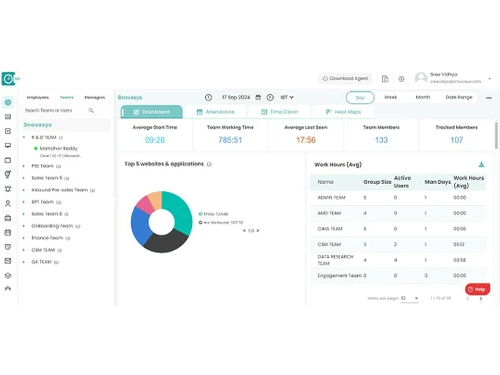
Time Champ has improved our visibility into employee work patterns by combining time tracking, attendance, and productivity insights in one platform. Its intuitive dashboard and clear reports make workforce management easier, especially for remote and hybrid teams.
Pros
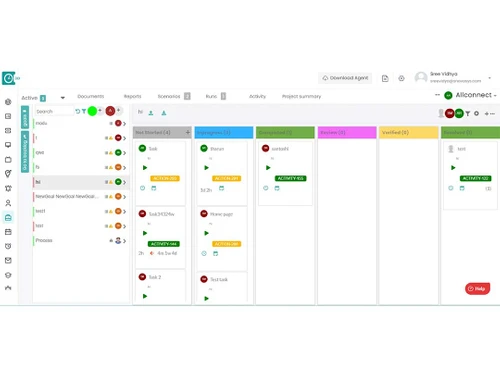
Time Champ combines time tracking, attendance, productivity monitoring, reporting, and automation in one platform. Its intuitive dashboard, detailed reports, reliable tracking, and responsive support help managers improve accountability and make data-driven decisions across remote, hybrid, and office-based teams.
Cons
Some advanced reports may take time for new users to understand, particularly when exploring the platform's broader capabilities. The reporting experience could also be made more flexible for teams with specific monitoring requirements.
Reason to switch
Time Champ helps me perform my daily tasks more efficiently by providing a clear view of how time is spent across projects and activities. The automated time tracking and attendance features reduce manual effort, while the productivity insights help me stay organized and focused on high-priority work. It also makes it easier to monitor progress, manage workloads, and identify areas where processes can be improved. Having all this information in one place saves time and supports better decision-making throughout the workday.
Oct 8, 2024
Techjockey Verified
“"Best Employee Productivity and Time Tracking Software"”
Time Champ is fantastic! It helps me manage my time effectively and boosts my productivity without any hassle.
Pros
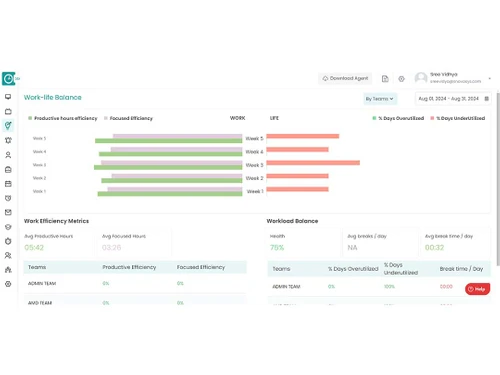
Time Champ has been very effective in improving our employees' productivity. The time tracking is straightforward, and the detailed reports help us identify both overworking and underworking teams, helping us avoid burnout. The web and app tracking features are especially useful, allowing us to focus on what’s important and avoid unnecessary distractions. It has also helped in maintaining a better work-life balance for our team. It's a perfect tool for improving efficiency and accountability.
Cons
There is nothing I don't like, it's pretty good.
Reason to switch
For accurate time tracking, detailed productivity insights, and seamless integration with existing software.
Oct 8, 2024
Techjockey Verified
“"Efficient tool for time tracking and productivity management"”
Time Champ is a practical and affordable solution for keeping track of employee performance and productivity.
Pros
Time Champ has been a game-changer for our team! The time tracking and automatic attendance feature to keep everything on point, making our daily operations seamless. The productivity tracking is impressive, providing valuable insights into how we can improve our workflow and efficiency. The reports give us clear insights into where we can level up, which has helped us sharpen our performance. Plus, it's way more affordable than some of the other tools we’ve tried, so it’s a total win-win. Definitely recommend it!
Cons
No cons
Reason to switch
Needed more advanced tracking features and better analytics.

Time Champ
₹ 200.00 excl. GST
Desktop
Mobile
Web based
On Premises
Windows
Mac OS

DeskTrack
Price On Request
Desktop
Mobile
Web based
On Premises
Windows
Mac OS

WorkWitness
Price On Request
Desktop
Mobile
Web based
On Premises
Windows
Mac OS

We360 ai
₹ 399
Desktop
Mobile
Web based
On Premises
Windows
Mac OS
Mera Work
₹ 325
Desktop
Mobile
Web based
On Premises
Windows
Mac OS

Twib
₹ 199
Desktop
Mobile
Web based
On Premises
Windows
Mac OS

Hoverwatch
Price On Request
Desktop
Mobile
Web based
On Premises
Windows
Mac OS

TheOneSpy
Price On Request
Desktop
Mobile
Web based
On Premises
Windows
Mac OS

WorkTrack
₹ 299
Desktop
Mobile
Web based
On Premises
Windows
Mac OS

TeamTrace
Price On Request
Desktop
Mobile
Web based
On Premises
Windows
Mac OS

Net Monitor For Employee
Price On Request
Desktop
Mobile
Web based
On Premises
Windows
Mac OS
(0) Product(s) selected
Starting Price:
₹65 /Month
Starting Price:
$30 /Month
Starting Price:
$29 /Month
Starting Price:
$10 /Month

Starting Price:
$21 /Month

Starting Price:
₹1,730 /Year

Starting Price:
$33 /3Months

Starting Price:
$4 User/Month

Starting Price:
$8 /User/Month

Starting Price:
₹13,625 /Quantity
Time Champ pricing in India starts from INR 200 on techjockey.com.
Yes, Time Champ is available on iOS and Android devices.
Time Champ supports major operating systems, including Windows, iOS, Android, MacOS and Linux.
Yes, Time Champ offers 7 days free trial.
Time Champ Software works by automatically tracking employee activities, capturing time spent on tasks, and providing real-time insights through features like activity monitoring, screen recording, and detailed reporting to enhance productivity and accountability in the workplace.
The potential users of Time Champ Software include freelancers, startups, small to medium-sized businesses (SMBs), mid-market companies, and large enterprises looking to enhance employee productivity and monitor work performance.
Yes, Time Champ provides a free demo.
No, Time Champ is not free.
Time Champ is an effective employee monitoring software that aids in tracking productivity for remote workers. It allows recruiting firms like us to monitor employee activities, analyze performance, and ensure efficient remote work monitoring, ultimately leading to enhanced productivity and valuable insights for the organization's success.
20,000+ Software Listed
Best Price Guranteed
Free Expert Consultation
2M+ Happy Customers
Terms and Condtions

Users with registered businesses can purchase goods from merchants on the platform to satisfy their business needs. Users are not permitted to utilize any products acquired through the platform for resale, advertising, business, or further distribution.
For each purchase made, users will receive a Tax Invoice (or 'GST invoice') that includes specific details such as:
the GSTIN of the user associated with their registered business, and
the specified Entity Name for their business.
It should be noted that not all products are eligible for GST Invoice. Only the products displayed by participating sellers with the 'GST-based Invoice Available' callout on the product description page would qualify.
Certain goods and services are not eligible to get a GST Invoice, including items with VAS, i.e., Value Added Services (e.g., Total Mobile Protection/Assured Buyback) and those involving an exchange offer at the time of purchase.
Users must ensure the accuracy of the GSTIN, and business entity name provided for the GST Invoice. Requests for corrections into GST Invoice would not be accommodated by Techjockey.com or any Seller, and any issues arising from user-provided information are the sole responsibility of users.
Techjockey.com is not liable for the GST Invoice or any associated input tax credit. To efficiently claim an input tax credit, users should select the registered place of business address as per the GST authority's data and follow the provisions of the GST Act and rules.
To claim an input tax credit, the delivery and billing addresses must match. Furthermore, input tax credits will not be granted if the delivery address and GSTIN on the invoice are from different states. In case of incorrect GST details provided during the order placement, the order will be canceled automatically.