linkedin
TeamTrace logo
play TeamTrace: Work Evolution Unleashed!
play Regaining Control: Effective Resource Management for Remote Teams
TeamTrace task

TeamTrace

Brand: TeamTrace

  • 4.9

  • 15 Ratings & 11 Reviews

TeamTrace is a Unified Work and Workforce Management plus Monitoring tool that helps manage and monitor both work and resources by tracking projects, tasks and activities, work hours, budget & more.

See More

Have you used TeamTrace before?

Share your insights for better experience

Add a Review

Price Available on Request

Questions about pricing or customization? We’re here to help, just a click away.

100% Genuine
Products
Best Price
Guaranteed
Safe & Secure
Payment
  • Description

  • Pricing

  • Features

  • Specification

  • Review

  • Compare

  • Alternatives

  • FAQ

TeamTrace Software Overview

What is TeamTrace?

TeamTrace is a Unified Work and Workforce Management plus employee Monitoring software that helps manage and monitor work and resources for all kinds of geographically distributed teams – remote, hybrid, in-office and on-field, all types of departments (including HR, Accounts and Marketing), all kinds of work – projects, individual tasks, activities separately, and all sizes and shapes of companies (including micro-enterprises and startups). It offers several features to boost productivity and efficiency. With TeamTrace, you can handle projects, track work hours, and manage remote teams all in one place. It provides real-time visibility into employees' actions, captures screenshots, and tracks activities.

Additionally, it helps with budgeting, skill management, and detecting unproductive activities. It aims to simplify work management by bringing the power of 3 SaaS tools – enterprise project management, resource management, time and work tracking – together in one platform.

They also offer Work & Workforce Management & Monitoring Tool. It is a comprehensive solution that offers 3 tools in 1 platform, including tools for project management, resource management, and time and work tracking.

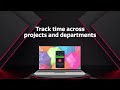
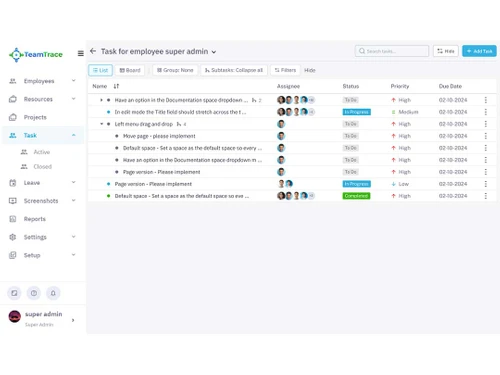
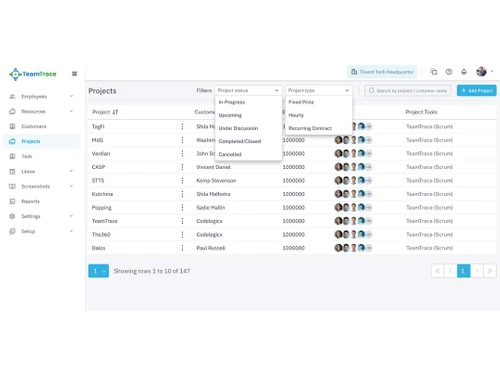
In addition, they also have a dedicated mobile application that offers various features for the seamless management of projects and tasks. For project management, you can easily see the list of different projects when using TeamTrace and the flexibility to name a project and its description. You can also see people who are working on a particular project and easily see and change the ticket status of the board. On the other hand, when it comes to task management, TeamTrace enables users to view task lists in 2 main tabs that are open and completed. You can check the complete details of a project, including comments and history.

Why Choose TeamTrace Software?

  • Unified Platform: Combines project management, resource management, and productivity tracking in one tool.
  • Real-Time Monitoring: Provides activity tracking, screenshots, and real-time visibility into employee work.
  • Enhanced Productivity: Increases team productivity and efficiency by reducing unproductive activities and optimizing work hours. Organizational output increases by 2-5% and a substantial decrease in turnaround time.
  • Comprehensive Analytics: Offers multiple predictive analytics and insights from various perspectives, which helps in better decision-making.
  • Cost-Effective: Reduces the need for multiple software tools, saving on operating costs by a minimum of $20 per user per month.
  • Improved Management: 23- 35% faster decision-making helps managers save time on managerial tasks and focus more on deliverables. Helps detect work fraud and performance issues. Managing remote or hybrid teams becomes easier, and supervising field employees becomes more effective.
  • Ease of Use: Automates workflows, seamlessly updates the tool with every new input, enhances collaboration, and ensures successful project delivery on time and within budget.

Benefits of TeamTrace Platform

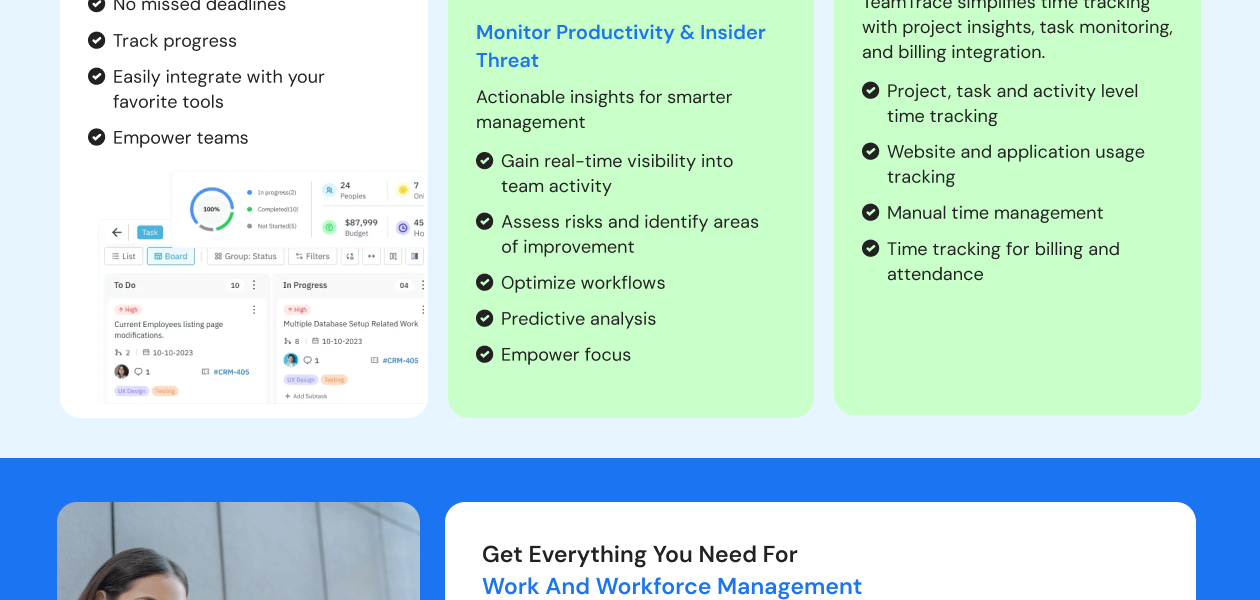
  • Task Management: Create, assign, and track tasks to ensure they are completed on time.
  • Resource Allocation and Scheduling: Assess and compare skills, allocate resources accordingly and schedule tasks to optimize workflow.
  • Budget Tracking: Monitor project budgets to prevent overspending and keep tight control of costs. As a result, get a surge in ROI and pass on the benefits to clients as well.
  • Document Management: Store and manage project-related documents in a centralized location.
  • Customized Integrations: Get any tool integrated with TeamTrace and maintain one single source of truth.
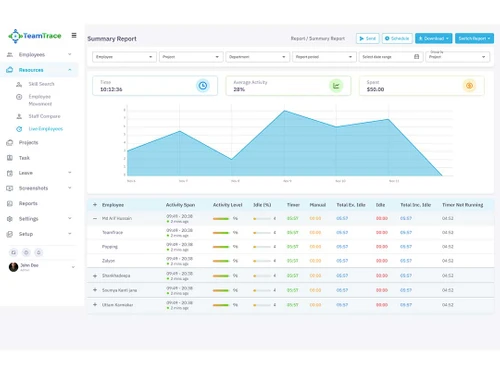
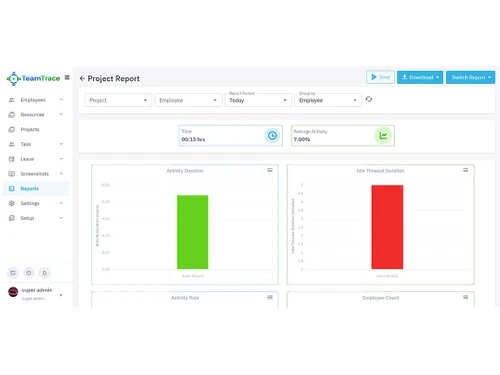
  • Reporting Tools: Generate detailed reports on project progress, resource usage, hours spent on each task and activity, and costs of resources and financials.
  • Tracking Remote, In-Office and On-field Employees: Monitor the availability and activity of geographically distributed teams. Using the TeamTrace mobile application, easily assign and track the work of on-field employees and improve their productivity.
  • Managing Availability and Skill Sets: Keep track of employee skills and availability to match them with suitable tasks.
  • Allocating Resources to Projects: Ensure that the right resources are assigned to the right projects at the right time.
  • Monitoring Project, Task, and Activity Hours Separately: Track the time spent on various projects, tasks, and activities independently.
  • Real-Time Tracking of Work Hours: Get real-time updates on how much time employees spend on their work.
  • Generating Detailed Reports on Time Spent: Create reports that break down how time and resources are being used across different projects, tasks, subtasks and activities.
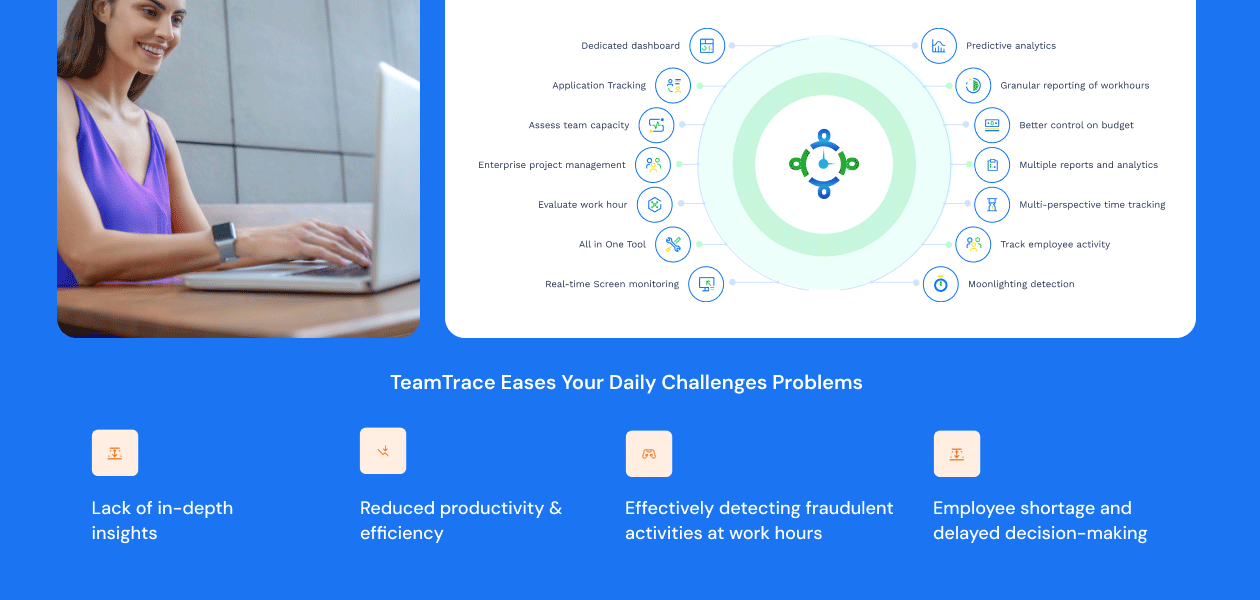
  • Live Screen Monitoring: View live screens of employees to ensure they are working on assigned tasks.
  • Real-Time Screen Capturing: Capture screenshots of employee screens at intervals to monitor activity.
  • Activity Level Tracking: Track the level of activity to determine if employees are actively working or if they are facing any issues in delivering their full potential.
  • URL and Application Usage Tracking: Monitor which websites and applications employees are using during work hours.
  • Website and USB drive blocking: Block specific websites and web applications for increased productivity. Block USB drive to secure sensitive company data.
  • Onboarding and Deboarding Processes: Manage the entire process of bringing new employees on board and offboarding them.
  • Managing Employee Details and Skill Databases: Maintain detailed records of employee information and their skill sets.
  • Moonlight Detection: Identify and prevent employees from engaging in secondary employment that may affect their productivity.
  • Analyzing Work Patterns and Productivity Levels: Study employee work patterns to identify areas for improvement.
  • Providing Insights into Employee Performance: Gain insights into how employees are performing and where they may need support.
  • Predictive Analytics for Proactive Management: Use data analytics to predict and address potential issues before they arise.
  • Consolidating Multiple Management Tools into One: Bring all management tools under a single platform for simplicity.
  • Providing a Unified Interface for All Workforce and Work Management Needs: Offer a single interface to manage all aspects of workforce and work management.

TeamTrace price

TeamTrace price in India starts from INR 80 (less than $1) at techjockey.com

Read more

TeamTrace Company Details

Founded Year:  2012

TeamTrace is an enterprise-grade employee monitoring software. Track work and time, data security, internal data theft, work fraud, and resource management from planning to assigning to tracking them. Remote, WFH, or WFA; TeamTrace streamlines work process, creates transparency and accountability.

Director/Founders TeamTrace
Company Size 1-100 Employees

TeamTrace Pricing & Plans

Starter

Calculated Price

$ 2 Exclusive of all taxes
    • Monthly

      Monthly
      Monthly

Key Features

  • Time tracking

  • Timesheets

  • Manual and automatic clock in/clock out

  • Idle time tracking & discard idle time

  • Attendance

  • Limited Screenshots

  • App & website tracking

  • Activity level

  • Productivity report

  • Single task list with unlimited tasks

  • Basic reports

Express

Calculated Price

$ 5 Exclusive of all taxes
    • Monthly

      Monthly
      Monthly

Key Features

  • Everything in Starter, plus

  • Enterprise task management with custom fields and

  • Unlimited task lists

  • Location and Time tracking for tasks on mobile for

  • Break time and overtime

  • Leaves and Holidays

  • Unlimited screenshots

  • On-demand screenshot and video recording

  • Live screen monitoring and location tracking

  • Basic alerts and notifications

  • Advanced reports

Professional

Calculated Price

$ 8 Exclusive of all taxes
    • Monthly

      Monthly
      Monthly

Key Features

  • Everything in Express, plus

  • Burst mode screenshots

  • Headshots

  • Enterprise grade project management

  • Project budget and risk management

  • Project time tracking and reports

  • Team Productivity and work pattern

  • Employee Detailed productivity analytics

  • Block access (websites and USB)

  • Advanced alerts and notifications, real time monit

  • Resource planning and management

Enterprise
Price On Request

Key Features

  • Everything in Professional, plus

  • SSO

  • MAC address restriction

  • IP white listing

  • API access

  • Audit logs

  • Customized account provisioning and support

  • On-prem and cloud marketplace deployment

  • Active Directory integration

  • AI based work fraud detection

  • AI productivity scoring

TeamTrace Features

  • icon_check Moonlight Detection​
    Identifies and prevents employees from engaging in secondary employment that might affect their productivity.
  • icon_check Skill Management Search​
    Allows searching and managing the skill sets of employees to ensure the right skills are assigned to the right tasks.
  • icon_check Budget Monitoring​
    Tracks project and task budgets, provides alerts for budget overflows, and helps manage costs to improve profitability.
  • icon_check Employee Data Base
    Maintains detailed records of employee information, including personal details, employment history, and skill sets.
  • icon_check Task & Activity
    Enables the creation, assignment, and tracking of tasks and activities to ensure they are completed efficiently and on time.
  • icon_check Project Talent Mapping​
    Maps the right talent to the right projects based on skills and availability, ensuring optimal resource utilization.
  • icon_check Leave calendar
    Manages employee leave schedules, tracks leave balances and ensures proper planning and coverage.
  • icon_check Employee Onboarding
    Simplifies bringing new employees on board, handling documentation, training, and team integration.
  • icon_check Resource Management
    Monitors and manages resource availability and allocation to ensure projects are properly staffed.
  • icon_check Application Tracking
    Tracks employee application usage to provide insights into tool utilization.
  • icon_check Alerts & Notifications
    Sends updates for task deadlines, budget issues, and important events to keep everyone informed.
TeamTrace Demo Video play icon

Get TeamTrace Demo

Watch the demo video to explore key features, real workflows, and how the software fits your business needs.

Understand
Key Features
Personal
Demo Insights
Interactive
Demo Support
Product Enrichment Section Image

TeamTrace Specifications

Supported Platforms
Ubuntu Ubuntu Windows Windows iOS iOS Android Android MacOS MacOS Windows(Phone) Windows(Phone) Linux Linux
Devices
Desktop Desktop Mobile Mobile Tablet Tablet iPad iPad
Deployment
Cloud-Based Cloud-Based
Suitable For
All Industries
Business Specific
All Businesses
Business Size
Small Business Medium Business SMBs SMEs
Customer Support
Phone Email
Language
English
Training Resources
In Person Videos

Explore the Best Alternative Solutions Similar to Your Business Size and Needs

TeamTrace Reviews

4.9

Out of 5

img

Overall Rating

Based on
11 Verified Reviews

Rating Breakdown

  • Features 5
  • Value for Money 5
  • Ease of Use 4.9
  • Customer Support 4.9

98% Recommend this Product

Add Review

Pros

  • "Comprehensive feature set User-friendly interface Excellent customer support Good value for the price"

    AvijitAug 20, 2024

  • "Customer support is really good and fast. They provide assistance for every small things and big things."

    ShamaAug 9, 2024

  • "My experience was good. The user interface and functionality of the application are very good. It is indeed a very nice app to use."

    EshitaAug 9, 2024

Cons

  • "While the initial setup might take some time, it's well worth the effort in the long run."

    AvijitAug 20, 2024

  • "There are no cons to mention for this software; it has proven to be highly effective and efficient in every aspect of project management and time-tracking."

    Md Arif HussainAug 9, 2024

  • "It Needed more HRMS functionalities, then again it's less than a dollar per user."

    AvishekJul 31, 2024

Avijit

IT Manager

Industry: Software Development

5

Reviewed on: Aug 20, 2024

Techjockey Verified

“TeamTrace: A Versatile Project Management Tool”

I've been using TeamTrace for over a year now, and it is been a game-changer for my team. Before this, we were using a well-known tool, and while the tool was adequate, I never received the desired level of satisfaction with it. Teamtrace offers a comprehensive suite of features for project management, task tracking, and time monitoring, all in one place. This has significantly changed my mind after learning about the features, as it has reduced the need for multiple tools and streamlined our workflows. The customer support team at TeamTrace has been excellent. They're always quick to respond to inquiries and are very helpful in resolving any issues. I've found their support to be invaluable in getting the most out of the platform. Overall, I'm very satisfied with TeamTrace and would highly recommend it to anyone looking for a reliable and efficient project management tool. It's a great value for the price, and I believe it has the potential to significantly improve productivity and collaboration within your team.

Pros

Comprehensive feature set User-friendly interface Excellent customer support Good value for the price

Cons

While the initial setup might take some time, it's well worth the effort in the long run.

Switched from Employee Monitoring Software

Reason to switch

Well, the Rs. 80 per user is definitely a turning point, as I was previously using a much more expensive tool and was dissatisfied with it.

Shama

Web Developer

Industry: IT

5

Reviewed on: Aug 9, 2024

Techjockey Verified

“Very useful Platform”

I am using this TeamTrace for more than 9 months now. It is very useful as I can connect with my team members on one platform to view their work and track my work too. I don't have to go back to any other platform for my projects or Teamlogger to track.

Pros

Customer support is really good and fast. They provide assistance for every small things and big things.

Cons

There is nothing that I dislike about TeamTrace .

Reason to switch

TeamTrace gives me better experience at low cost. It gives 3 tools rolled into one.

TenX

Co-founder

Industry: Animation

5

Reviewed on: Aug 9, 2024

Techjockey Verified

“Useful resource monitoring platform.”

Pros

Totally satisfied with their service they response as fast as they can and solve. Using this platform since 5 months gives me whole package as service, it is all in one for project management, micro-management, resource with skills handling, leave etc. Price is good, and powerful tools it is. Must recommended.

Cons

None

Switched from Employee Tracking System

Reason to switch

TeamTrace gives me 3 tools rolled into one and that too at Rs.80 per user. I don't miss my previous tools.

See All TeamTrace Reviews

Compare TeamTrace With other Employee Monitoring Software

Products
Ratings
Pricing
Device Supported
Deployment
Supported Platforms
  • img

    TeamTrace

  • 4.9

  • Price On Request

  • Desktop

    Mobile

  • Web based

    On Premises

  • Windows

    Mac OS

  • img

    DeskTrack

  • 4.9

  • Price On Request

  • Desktop

    Mobile

  • Web based

    On Premises

  • Windows

    Mac OS

  • img

    WorkWitness

  • 4.8

  • Price On Request

  • Desktop

    Mobile

  • Web based

    On Premises

  • Windows

    Mac OS

  • img

    We360 ai

  • 5

  • ₹ 399

  • Desktop

    Mobile

  • Web based

    On Premises

  • Windows

    Mac OS

  • img

    Mera Work

  • 4.9

  • ₹ 325

  • Desktop

    Mobile

  • Web based

    On Premises

  • Windows

    Mac OS

  • img

    Time Champ

  • 4.7

  • ₹ 200

  • Desktop

    Mobile

  • Web based

    On Premises

  • Windows

    Mac OS

  • img

    Hoverwatch

  • 4.4

  • Price On Request

  • Desktop

    Mobile

  • Web based

    On Premises

  • Windows

    Mac OS

  • img

    Twib

  • 4.7

  • ₹ 199

  • Desktop

    Mobile

  • Web based

    On Premises

  • Windows

    Mac OS

  • img

    TheOneSpy

  • 4.2

  • Price On Request

  • Desktop

    Mobile

  • Web based

    On Premises

  • Windows

    Mac OS

  • img

    WorkTrack

  • 4.1

  • ₹ 299

  • Desktop

    Mobile

  • Web based

    On Premises

  • Windows

    Mac OS

(0) Product(s) selected

TeamTrace Alternatives

See All TeamTrace Alternatives

Starting Price:

$30 /Month

Starting Price:

$29 /Month

Starting Price:

$4 User/Month

Starting Price:

$8 /User/Month

Starting Price:

₹13,625 /Quantity

Articles for TeamTrace

See All Related Articles

How much does TeamTrace Software cost?

The starting price of TeamTrace is INR 80 (less than $1) at techjockey.com.

Is there a mobile app available for TeamTrace Software?

Yes, TeamTrace has an Android mobile app.

Which operating systems does TeamTrace Software support?

TeamTrace Software is supported on Windows, iOS, Linux, and Android.

Does TeamTrace employee monitoring software offer a free trial?

Yes, TeamTrace Software provides a free trial of 60 days without any user limitation.

How does TeamTrace Software work?

TeamTrace operates as a productivity management software that enables organizations to monitor and manage in-office, hybrid, on-field, or remote team activities by providing features such as project management, task management and tracking, activity management and monitoring, time tracking, and application usage analytics, all designed to enhance work productivity and efficiency.

Who are the potential users of TeamTrace Software?

The potential users of TeamTrace software include all sizes and shapes of startups and MSMEs, all levels of employees and their managers, team leads, HR professionals and even clients of various organizations that require project management, work management, resource management, and time and work tracking.

Is TeamTrace Software free to use?

No, TeamTrace Software is not free. But a 60-day trial period is provided.

20,000+ Software Listed

Best Price Guranteed

Free Expert Consultation

2M+ Happy Customers

Terms and Condtions

close

Users with registered businesses can purchase goods from merchants on the platform to satisfy their business needs. Users are not permitted to utilize any products acquired through the platform for resale, advertising, business, or further distribution.

For each purchase made, users will receive a Tax Invoice (or 'GST invoice') that includes specific details such as:

  • the GSTIN of the user associated with their registered business, and

  • the specified Entity Name for their business.

It should be noted that not all products are eligible for GST Invoice. Only the products displayed by participating sellers with the 'GST-based Invoice Available' callout on the product description page would qualify.

Certain goods and services are not eligible to get a GST Invoice, including items with VAS, i.e., Value Added Services (e.g., Total Mobile Protection/Assured Buyback) and those involving an exchange offer at the time of purchase.

Users must ensure the accuracy of the GSTIN, and business entity name provided for the GST Invoice. Requests for corrections into GST Invoice would not be accommodated by Techjockey.com or any Seller, and any issues arising from user-provided information are the sole responsibility of users.

Techjockey.com is not liable for the GST Invoice or any associated input tax credit. To efficiently claim an input tax credit, users should select the registered place of business address as per the GST authority's data and follow the provisions of the GST Act and rules.

To claim an input tax credit, the delivery and billing addresses must match. Furthermore, input tax credits will not be granted if the delivery address and GSTIN on the invoice are from different states. In case of incorrect GST details provided during the order placement, the order will be canceled automatically.