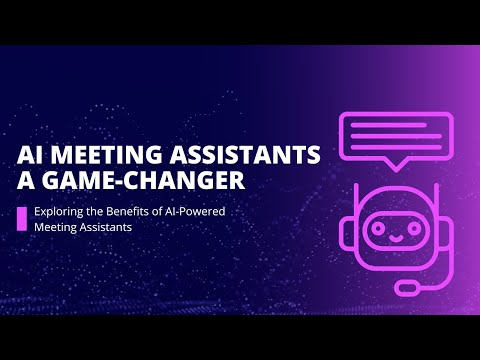
Teams waste a lot of time during meetings, and they spend even more time taking notes and transcription.
The AI meeting assistant software can convert meetings into structured outputs. It automates transcription, summaries, and action-items, so that your team remains focused on the discussion and not on manual administration.
The AI notes maker software increases productivity when chosen and implemented properly. It also enables the teams to extract more out of each meeting.
What is AI Meeting Assistant Software?
The AI meeting assistant software is an intelligent tool that follows virtual or face-to-face meetings, records the discussion, finds out the important points and provides an action list.
It is built on natural-language processing and machine learning to transcribe speech, recognize speakers, extract decisions and tasks, and incorporate meeting insights into productivity workflows.
Benefits of Using AI Meeting Assistant Software
- Saves Time: The tool helps in note-taking, transcription, and summarization. This allows members to discuss meetings rather than type notes, which saves time for employees to focus on more productive tasks.
- Improves Accuracy: AI meeting assistant software can eradicate human mistakes and capture every detail with AI precision. It makes sure that decisions and action points are recorded correctly.
- Enhances Collaboration: With the help of this tool, you can share meeting notes, summaries and recordings with all. The updates are reviewed by the team members at any time and all members are kept up to date.
- Provides Better Visibility: The AI notes maker provides managers with clear visibility of discussions, decisions and performance trends. Such openness assists in pinpointing areas of bottlenecks and enhancing performance through meetings.
- Grows Engagement: Having automated notes and summaries that are dealt with by AI, participants will be engaged throughout the conversation rather than multitask or write down notes manually.
- Reduces Meeting Fatigue: The tool enables to reduce the duration of meetings by capturing key highlights, decisions which leads to shorter and more focused meetings considering that the participants are aware of the availability of detailed records.
What are the Must-have Features of AI Meeting Assistant Tools?
Choosing the right software means knowing which features matter most. Here’s what to look for, based on your needs:
- Real-Time Transcription: The tool you choose should be able to transcribe verbal communication into correct searchable text as the meeting takes place. This makes sure that all ideas and decisions are immediately recorded without the use of handwritten notes.
- AI-Powered Summaries: AI meeting assistant software should create concise and clear summaries of the key points of every meeting. It assists the team members to go through the results fast without having to re-watch or re-read the entire transcripts.
- Speaker Identification: The ID of who said something at a meeting should automatically be recognized and named. This would bring in transparency and accountability and make the transcripts easier to follow.
- Action-Item Extraction & Task Creation: The best AI meeting assistant tool should be able to discover key tasks and follow-ups that were addressed during the meeting. It can put them on your project or task management tools so that they can easily be executed.
- Meeting Platforms Integration: The meeting tool must integrate with platforms such as Zoom, Google Meet, and Microsoft Teams.
- Meeting Archives: It should store all transcripts, notes, and summaries somewhere. This allows users to search, revisit, and reference any past discussion easily.
- Multilingual Support / Global Support: The AI notes maker you choose must support multiple languages and accents when teams in different regions are able to work together. This aspect is inclusive of international companies.
Comparison of the Best AI Meeting Assistant Software
| Top AI Meeting Assistant Software Compare Table |
| Tool | Best For | Key Strengths | Pricing |
| Fireflies.ai | Teams needing full meeting capture + topic tracking | Transcription in 100+ languages, searchable archive, AI summaries, “Ask Fred” search assistant. | Starts at USD 18/seat/month |
| Granola | Users who combine manual note-taking with AI enhancement | Manual notes + AI context, clean & concise format, good for structured summaries. | Starts at USD 14/user/month |
| Avoma | Sales, customer teams needing conversation analytics | Analytics dashboards (talk-to-listen ratio, filler words), strong CRM integrations | Starts at USD 29/seat/month |
| Krisp | Teams in noisy environments or needing bot-free capture | Noise/echo cancellation + transcription, bot-free recording mode, many languages | Starts at USD 16/user/month |
| Otter.ai | Individuals & small teams needing versatile transcription + interaction | Real-time transcription with speaker labels, “ask” your meeting content | Starts at USD 16.99/user/month |
| Fellow | Teams very concerned about security, privacy, meeting process | Focus on agenda + follow-up + action items, strong privacy/compliance features | Starts at USD 19/user/month |
| Fathom | Individuals or smaller groups seeking free/low-cost solution | Free tier for individuals, basic AI summaries, simple integration | Starts at USD 20/user/month |
How much does an AI Meeting Assistant Software Cost?
Most AI meeting assistant software use a subscription model priced per user, per month. Entry level plans can start from around USD 8 to USD 30 per user per month. Premium or Enterprise plans typically include unlimited recording, advanced insights, admin controls, and integrations.
When evaluating value, compare cost with value, such as saved time, AI meeting minutes offered, practical results, and improved meeting efficiency.
How do we choose the best AI meeting assistant software for you?
At Techjockey, we focus on what really matters when recommending the best AI meeting assistant software. We cover key aspects such as transcription accuracy, summary quality, speaker recognition, task automation and integration with platforms such as Zoom, Microsoft Teams and Google Meet.
We also analyze how well each tool supports collaboration, security compliance and multilingual access. Feedback from users, seller reliability, and transparent prices are at the heart of our assessment process.
We help you choose an intelligent meeting assistant that streamlines communication and increases team productivity.
Why Choose Techjockey for the Best AI Meeting Assistant Software?
Techjockey simplifies the search and comparison process for the best AI meeting assistant tools. We list tools that match your team size, workflow and meeting frequency.
Additionally, our experts provide unbiased recommendations, free consultations and live demos to help you compare features with confidence. Techjockey ensures you get a productivity-focused top AI meeting assistant that turns every meeting conversation into actionable insight.
 USA
USA UAE
UAE



























 Free
Free  Cloud Based
  For Windows
  iPhone
  For Android
  For Mac
  Small Business
  For Startups
  For Enterprise