USA
USA UAE
UAESmall Business
Designed for startups and growing businesses

See More





Brand: Align Info Solutions
Amplify your business growth with AlignBooks accounting software & easily discover simplicity in accounting with features like easy ledger management, in-depth financial analysis & more.
See MoreHave you used AlignBooks ERP before?
Share your insights for better experience
View plans
 Save upto 18%, Get GST Invoice on your business purchase T&C Buy Now & Pay Later, Check offer on payment page.
 Brand: Align Info Solutions
Founded Year: 2017
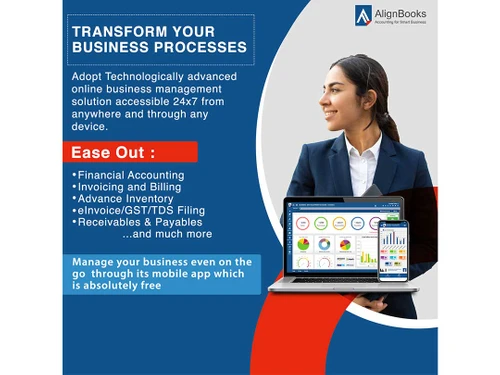
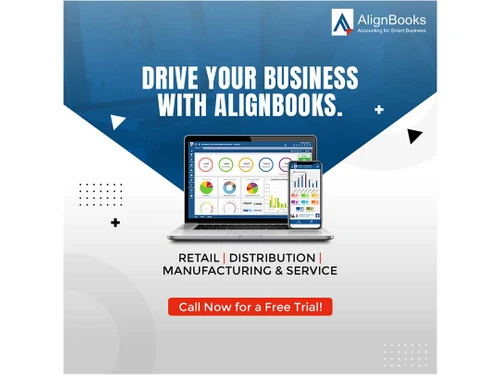
AlignBooks, India’s No 1. cloud-based accounting software, is an all-in-one solution for smart MSMEs to achieve simplified business operations – enabling effortless accounting, Inventory, and compliance management functions in the current challenging and dynamic environment.
 Alerts & Notifications Multi Location Inventory Management Data Import/Export Sales Management Financial Management User Management Warehouse Management Purchase Orders

Watch the demo video to explore key features, real workflows, and how the software fits your business needs.
 Windows
  Desktop
  Cloud-Based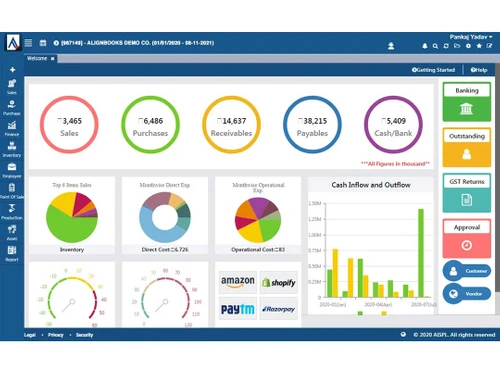
Small Business
Designed for startups and growing businesses
Medium Business
Built for business growth and flexibility
Enterprises
Designed for complex and large-scale business needs
4.2
Out of 5

Overall Rating
Based on
1 Verified Review
Rating Breakdown
86% Recommend this Product
Add Review
Nov 2, 2026
Techjockey Verified
“Superb ERP for Everyday Business Operations”
The ERP supports daily business operations by helping organise tasks and improve workflow efficiency. Its practical features provide businesses with a centralised way to manage activities and reduce repetitive work.
Pros
The ERP is easy to use and offers a cost-effective way to manage business activities. It helps simplify routine operations and reduce manual effort.
Cons
The wide range of options may feel overwhelming for some users, especially those who are new to the platform.

AlignBooks ERP
₹ 30000.00 excl. GST
Desktop
Mobile
Web based
On Premises
Windows
Mac OS

Presence360
₹ 2999
Desktop
Mobile
Web based
On Premises
Windows
Mac OS

Dynamics 365 Business Central
₹ 665
Desktop
Mobile
Web based
On Premises
Windows
Mac OS
Fablead ERP
₹ 999
Desktop
Mobile
Web based
On Premises
Windows
Mac OS

Odoo ERP
₹ 760
Desktop
Mobile
Web based
On Premises
Windows
Mac OS

iXpert ERP
₹ 19999
Desktop
Mobile
Web based
On Premises
Windows
Mac OS

Bigsun ERP
₹ 6000
Desktop
Mobile
Web based
On Premises
Windows
Mac OS

Deskera All in One
₹ 36000
Desktop
Mobile
Web based
On Premises
Windows
Mac OS
Esarwa Enterprise ERP
Price On Request
Desktop
Mobile
Web based
On Premises
Windows
Mac OS
Axolon ERP
Price On Request
Desktop
Mobile
Web based
On Premises
Windows
Mac OS
MenThee ERP
Price On Request
Desktop
Mobile
Web based
On Premises
Windows
Mac OS
(0) Product(s) selected
Starting Price:
₹999 /Month
Starting Price:
₹6,000 /User/Month
Available
Price on Request
Available
Price on Request

Starting Price:
₹34,944 /User/Month

Starting Price:
$300 /Year

Available
Price on Request
Starting Price:
₹10,000 /Month
Available
Price on Request
Available
Price on Request

Available
Price on Request

To start accounting with AlignBooks, follow the steps mentioned: Start by registering on AlignBooks. As a second step, click on the login button and enter your username and password. Once you login, a guideline page will open up where you can easily explore the video section and browse through different features. When done, click on the AlignBook logo, and a dashboard will appear. Lastly, import the customer and item master through Excel, or you can also create them manually. By following all these steps, you will be ready to generate invoices.
To generate eWayBill in AlignBooks, there is nothing extra that you need to do. Once you have prepared the invoice, tap on the open button, choose an invoice for which you want to generate eWayBill, and click the generate option. You will get an eWayBill in your email.
The basic pricing plan of AlignBooks starts at INR 10,000 at techjockey.com. You can connect with our experts to learn more about the pricing plans.
AlignBooks ERP solution pricing is available on request at techjockey.com.
Yes, you can get a free trial of AlignBooks.
You can request for a free demo of AlignBooks at techjockey.com.
AlignBooks ERP software offers a free trial. However, the premium plan with advanced features is available at techjockey.com with exciting deals.
Yes, you can use both AlignBooks on Android and iOS devices.
AlignBooks supports web-based deployment.
AlignBooks works well on Windows and macOS devices.
20,000+ Software Listed
Best Price Guranteed
Free Expert Consultation
2M+ Happy Customers
Terms and Condtions

Users with registered businesses can purchase goods from merchants on the platform to satisfy their business needs. Users are not permitted to utilize any products acquired through the platform for resale, advertising, business, or further distribution.
For each purchase made, users will receive a Tax Invoice (or 'GST invoice') that includes specific details such as:
the GSTIN of the user associated with their registered business, and
the specified Entity Name for their business.
It should be noted that not all products are eligible for GST Invoice. Only the products displayed by participating sellers with the 'GST-based Invoice Available' callout on the product description page would qualify.
Certain goods and services are not eligible to get a GST Invoice, including items with VAS, i.e., Value Added Services (e.g., Total Mobile Protection/Assured Buyback) and those involving an exchange offer at the time of purchase.
Users must ensure the accuracy of the GSTIN, and business entity name provided for the GST Invoice. Requests for corrections into GST Invoice would not be accommodated by Techjockey.com or any Seller, and any issues arising from user-provided information are the sole responsibility of users.
Techjockey.com is not liable for the GST Invoice or any associated input tax credit. To efficiently claim an input tax credit, users should select the registered place of business address as per the GST authority's data and follow the provisions of the GST Act and rules.
To claim an input tax credit, the delivery and billing addresses must match. Furthermore, input tax credits will not be granted if the delivery address and GSTIN on the invoice are from different states. In case of incorrect GST details provided during the order placement, the order will be canceled automatically.