USA
USA UAE
UAESmall Business
Designed for startups and growing businesses
See More





Brand: Alohaa
Alohaa provides omni-channel products - Virtual phone numbers, IVR, Cloud Telephony, Whatsapp API, Bulk SMS, Voice Broadcasting, all under one easy-to-use, highly affordable platform.
See MoreHave you used Alohaa before?
Share your insights for better experience
Brand: Alohaa
Founded Year: 2021
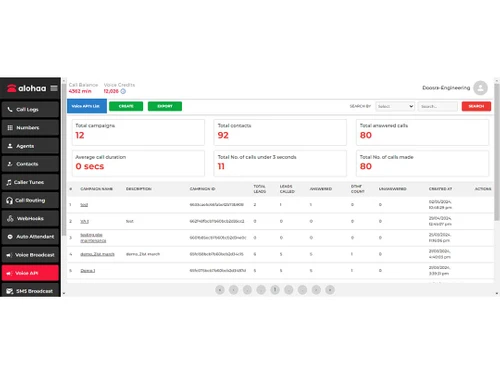
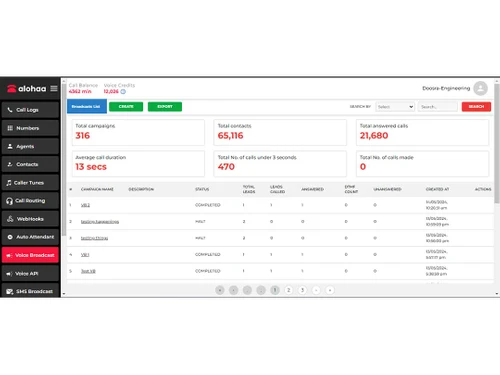
Alohaa is a new-age platform that offers virtual mobile numbers and cloud telephony services on a single platform. We can help you set up a customer support line, open a WhatsApp Business account, manage calls and call routing, and so much more.
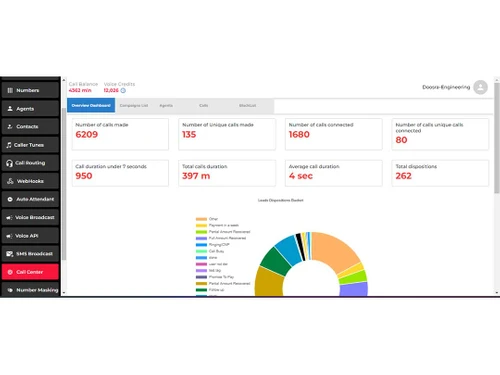
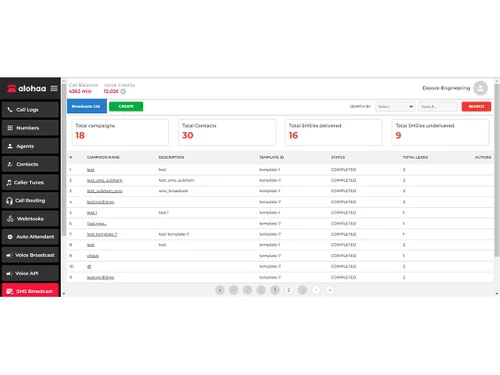
 IVR Facility Call Routing CRM: Agents Call Recording Call Logs Multi-Level IVR Virtual Mobile Numbers Real-Time Call Tracking WhatsApp Business API Bulk SMS Campaigning Voice Broadcast Browser-Based Calling In-Depth Analysis CRM Integration Smart Call Summaries Multi-User Management

Watch the demo video to explore key features, real workflows, and how the software fits your business needs.
 Windows
  MacOS
MacOS  Linux
Linux  Desktop
  Cloud-Based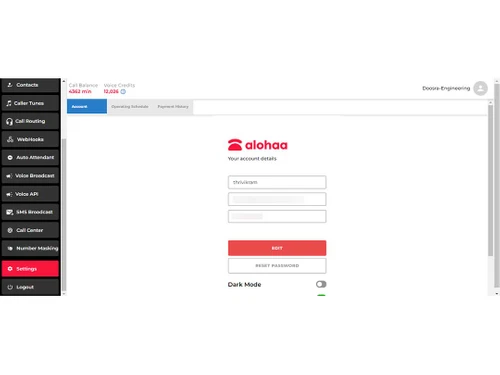
Small Business
Designed for startups and growing businesses
Medium Business
Built for business growth and flexibility
Enterprises
Designed for complex and large-scale business needs
4.7
Out of 5

Overall Rating
Based on
1 Verified Review
Rating Breakdown
100% Recommend this Product
Add Review
Jun 18, 2024
Techjockey Verified
“Easy, Affordable, and Feature-Rich Telephony Solution”
We've been using Alohaa Cloud Telephony and IVR solutions for two years, and it has been a game-changer for my organization. The interface is incredibly user-friendly, making it easy to set up and manage IVR, SMS broadcasts, and voice broadcasts with just a few clicks. Customer support is outstanding. Highly recommended!
Pros
User-Friendly Interface: Easy to set up and navigate. Comprehensive Features: Includes IVR, SMS and voice broadcasts, call recording, and analytics. Exceptional Customer Support.
Cons
More plugin features will help us
Reason to switch
Expensive and lack of support

Alohaa
Price On Request
Desktop
Mobile
Web based
On Premises
Windows
Mac OS

Smartflo - Cloud Telephony Solutions
Price On Request
Desktop
Mobile
Web based
On Premises
Windows
Mac OS

Knowlarity
₹ 1999
Desktop
Mobile
Web based
On Premises
Windows
Mac OS

VAANI
₹ 2220
Desktop
Mobile
Web based
On Premises
Windows
Mac OS

KrispCall
Price On Request
Desktop
Mobile
Web based
On Premises
Windows
Mac OS

Mcube
Price On Request
Desktop
Mobile
Web based
On Premises
Windows
Mac OS

Office24By7
₹ 1400
Desktop
Mobile
Web based
On Premises
Windows
Mac OS

Zoho Voice
Price On Request
Desktop
Mobile
Web based
On Premises
Windows
Mac OS

Fonada
Price On Request
Desktop
Mobile
Web based
On Premises
Windows
Mac OS

Zeotel
₹ 9999
Desktop
Mobile
Web based
On Premises
Windows
Mac OS

Airson Airphone
₹ 3588
Desktop
Mobile
Web based
On Premises
Windows
Mac OS
(0) Product(s) selected
Starting Price:
$15 /Month

Starting Price:
$19 /Monthly

Available
Price on Request

Starting Price:
$18

Available
Price on Request

Starting Price:
₹12,000 /Yearly

Starting Price:
$10 /Month

Starting Price:
$149 /Monthly

Available
Price on Request

Available
Price on Request
Alohaa Software can connect with CRM systems, letting agents access customer info and history during calls to improve service quality.
Yes, Alohaa Software can record, and store calls for quality checks, compliance, and training.
Alohaa Software routes incoming calls to the right departments or agents based on set criteria, ensuring quick resolution of customer inquiries.
Alohaa Software is free for 30 days, with no credit card required. Contact our product experts to learn about the trial offer.
Alohaa Software's efficient call handling can benefit industries such as customer service, healthcare, finance, and hospitality.
Alohaa Software can enhance customer satisfaction by providing quick responses and efficient call routing and management and a host of other benefits.
Alohaa Software supports multiple languages, catering to a diverse customer base.
20,000+ Software Listed
Best Price Guranteed
Free Expert Consultation
2M+ Happy Customers
Terms and Condtions

Users with registered businesses can purchase goods from merchants on the platform to satisfy their business needs. Users are not permitted to utilize any products acquired through the platform for resale, advertising, business, or further distribution.
For each purchase made, users will receive a Tax Invoice (or 'GST invoice') that includes specific details such as:
the GSTIN of the user associated with their registered business, and
the specified Entity Name for their business.
It should be noted that not all products are eligible for GST Invoice. Only the products displayed by participating sellers with the 'GST-based Invoice Available' callout on the product description page would qualify.
Certain goods and services are not eligible to get a GST Invoice, including items with VAS, i.e., Value Added Services (e.g., Total Mobile Protection/Assured Buyback) and those involving an exchange offer at the time of purchase.
Users must ensure the accuracy of the GSTIN, and business entity name provided for the GST Invoice. Requests for corrections into GST Invoice would not be accommodated by Techjockey.com or any Seller, and any issues arising from user-provided information are the sole responsibility of users.
Techjockey.com is not liable for the GST Invoice or any associated input tax credit. To efficiently claim an input tax credit, users should select the registered place of business address as per the GST authority's data and follow the provisions of the GST Act and rules.
To claim an input tax credit, the delivery and billing addresses must match. Furthermore, input tax credits will not be granted if the delivery address and GSTIN on the invoice are from different states. In case of incorrect GST details provided during the order placement, the order will be canceled automatically.