linkedin
Mcube logo
play mcube
Mcube Contact center
Mcube Integration

Mcube

Brand: VMC Technologies

  • 4.4

  • 5 Ratings & 2 Reviews

MCube is a cloud telephony solution that helps businesses connect instantly with their customers round the clock. Once integrated with CRM software, MCube cloud telephony software helps boost your sales outreach and gives insights about your leads. This cloud telephony solutions integrates with CRM software to make your job easier. MCube software delivers a wide range of robust automatic call man...

See More

Have you used Mcube before?

Share your insights for better experience

Add a Review

Price Available on Request

Questions about pricing or customization? We’re here to help, just a click away.

100% Genuine
Products
Best Price
Guaranteed
Safe & Secure
Payment
  • Description

  • Pricing

  • Features

  • Specification

  • Review

  • Compare

  • Alternatives

  • FAQ

Mcube Software Overview

What is MCube?

MCube is a cloud telephony solution that helps businesses connect instantly with their customers round the clock. Once integrated with CRM software, MCube cloud telephony software helps boost your sales outreach and gives insights about your leads.

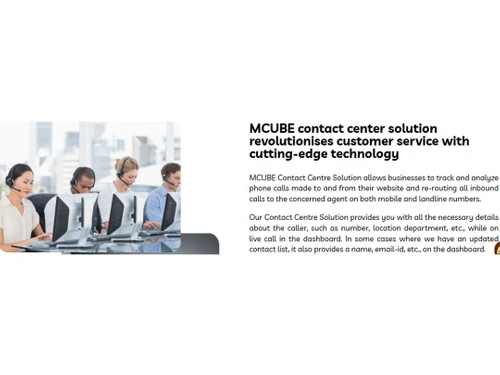
This cloud telephony solutions integrates with CRM software to make your job easier. MCube software delivers a wide range of robust automatic call management features like business helpline, virtual PBX, call trackers, marketing automation tools like support management, and many others. It is easy to deploy and use and has customers like Mahindra SSG, Paragon, Starbucks, and ChaiPoint.

How Does MCube IVRS Work?

MCube IVR (Interactive voice response) is a digital telephony system that interacts with callers and enables them to make choices using their speech or typing the commands on the phone keypad. It enables organizations to use pre-recorded greetings and menu options.

This automated system integrates with other MCube products (MCube X or MCube Track) to connect with customers via a series of pre-programmed interactions. MCube X enables call transfer to answer queries quickly while MCube Track provides necessary details about the caller. This way organizations can configure personalized IVR messages and prompts. For MCube login, visit the official website.

Features of MCube Cloud Telephony Solution

MCube software offers a great deal of features for your organization to increase your sales exponentially:

  • Administration: Handle call distribution among your team members and integrate a telephony app to boost your sales outreach. MCube IVR offers an instinctive administrative UI, that gives you total power of the incoming call supervision and eases the workflow of your organization.
  • Multi-level IVR: Customers listen to recorded greetings and information about ongoing promotions/ upcoming events. Callers go through several stages of input prompts so that the call is re-routed to meet their requirements. This eliminates the wait time and call hang-ups of customers.
  • Automated helpline: The software has inbound call capabilities so that customers can purchase services, subscription plans, and utilities without any agent. They can also use their phone to get information about bank balance, flight schedules, order status, and so on depending on the business. IVR can make outbound calls like delivering appointment information, past due bills, and more.
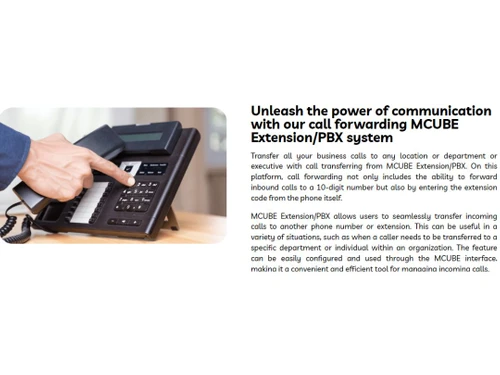
  • Business Telephony system: Manage all inbound/ outbound calls with your own call management system. You can integrate the software with MCube X or MCube Track on a single or several toll-free numbers. This improves customer satisfaction and boosts revenue.
  • Integration: MCube Cloud Telephony can be integrated with your existing CRM without any additional hardware. This will help your organization in managing calls and complex sales processes. You can track leads from both online and offline sources and get accurate business insights for lead management.
  • Reporting: Your organization can do a performance analysis of all the work performed on the MCube platform. MCube cloud telephony system analytics generates an advanced and in-depth reading of how your employees are managing their sales.
  • Scalability: MCube IVR provides an exceptionally flexible deployment, whether it is a simple business helpline or a calculated response for your campaigns. It even generates reports with scalable comparisons.
  • Intricate Coding or Technical Knowledge: It is simple and easy to use. MCube software does not require much as compared to the features it offers are impeccable.

About MCube App for Cloud Telephony

MCube app is available for both Android and iOS. With MCube VMC login, it becomes easy for businesses to manage inbound voice calls automatically from anywhere in the world 24x7. MCube app offers call management options and customizable reporting/ alerts.

MCube Pricing

MCube best IVR software price is available on request. For price-related inquiries, please request a call.

Read more

VMC Technologies Company Details

Founded Year:  2006

As a leading cloud telephony service provider, we specialize in delivering communication tools to streamline and enhance your customer interactions Our Solutions.

Director/Founders Tapan Chatterjee, Rajarshi Mukherjee and Ajay Haribhau Jagtap.
Company Size 101-500 Employees

Mcube Pricing & Plans

Looking for The Right Pricing?

Share your requirements and get a plan built around your business.

  • Define your business needs
  • Get customised pricing
  • Choose features that fit your workflow

Price Available on Request

Get personalised Mcube pricing that fits your needs. Our team will connect with you.

Mcube Features

  • icon_check CRM Integration
    Integrates with CRM software to help businesses track leads from different channels.
  • icon_check Lead Management
    Generate leads for your campaigns, ads, and route them for successful transaction.
  • icon_check Customisable Welcome Greeting
    Generate a greeting message for your customers when they are onboarded with your organization as customer
  • icon_check Call Analytics
    Track call volume, wait times, and key metrics for contact center performance. Analyze data to enhance system efficiency and
  • icon_check Toll Free Number
    Offer a business helpline number and manage it with multiple customer service executives, as they can get the call diverted to
  • icon_check Call Center Management
    MCube helps manage the large number of customer calls at call centres through easy dashboard and virtual
  • icon_check Outbound Reporting
    Manage outbound calls and create a record to analyse the performance of your outbound calling team. 
  • icon_check Analytical Reports
    Create customizable reports about customer interaction and find ways to improve.
  • icon_check Mobile App
    Call executives can easily re-route the calls to their seniors through the MCube software. 
  • icon_check Internal Call Transfer
    Call executives can easily re-route the calls to their seniors through the MCube software. 
  • icon_check Inbound Reporting
    Get daily reports for the number of calls taken, time per call, and other call-related metrics in
  • icon_check Voice & Data Integration
    Integrate data such as music and sound recordings for your customers to hold on while you re-route their call. 
  • icon_check Smart Notification
    Businesses utilize text-to-speech or recorded messages triggered by events like orders or support tickets. This automates
  • icon_check Call Barging
  • icon_check Call Recording
    MCUBE captures and archives all inbound calls, enabling easy retrieval anytime. Recordings can be categorized by duration, time,
  • icon_check Live Call Tracking
    Live call tracking can be particularly useful for businesses that rely on phone calls as a primary means of communication. It
Mcube Demo Video play icon

Get Mcube Demo

Watch the demo video to explore key features, real workflows, and how the software fits your business needs.

Understand
Key Features
Personal
Demo Insights
Interactive
Demo Support

Mcube Specifications

Supported Platforms
Windows Windows iOS iOS Android Android MacOS MacOS
Devices
Desktop Desktop Mobile Mobile
Deployment
Cloud-Based Cloud-Based
Suitable For
Contact Center
Business Specific
All Businesses
Business Size
Small Business Startups Medium Business Enterprises SMBs SMEs MSMBs MSMEs
Language
English

Explore the Best Alternative Solutions Similar to Your Business Size and Needs

Mcube Reviews

4.4

Out of 5

img

Overall Rating

Based on
2 Verified Reviews

Rating Breakdown

  • Features 4.5
  • Value for Money 4.2
  • Ease of Use 4.4
  • Customer Support 4.6

90% Recommend this Product

Add Review

Mcube Video Review

youtubeVideoId

4.3

“Heartfelt Thanks for the Positive Review of MCUBE Services”

Review by: Arun Vatsa

prathima

User

Industry: Education

5

Reviewed on: Jul 10, 2025

Techjockey Verified

“Exceptional Cloud Telephony Service Provider & Call Center Solution”

Features are scalable, including managing inbound and outbound campaigns, IVR routing, and SMS alerting.

Pros

We’ve been using MCube for several months, and it has truly transformed our call center operations. The cloud telephony features are scalable—managing inbound and outbound campaigns, IVR routing, and SMS alerting. The user interface is modern. Setting up new agents, managing call flows, and viewing analytics take just a few clicks. We particularly appreciate the real-time dashboards, which help us monitor performance and coach agents on the fly.

Cons

Nothing

Switched from Cloud Dial

Compare Mcube With other Cloud Telephony Solutions

Products
Ratings
Pricing
Device Supported
Deployment
Supported Platforms
  • img

    Mcube

  • 4.4

  • Price On Request

  • Desktop

    Mobile

  • Web based

    On Premises

  • Windows

    Mac OS

  • img

    Knowlarity

  • 4.3

  • ₹ 1999

  • Desktop

    Mobile

  • Web based

    On Premises

  • Windows

    Mac OS

  • img

    Alohaa

  • 4.7

  • Price On Request

  • Desktop

    Mobile

  • Web based

    On Premises

  • Windows

    Mac OS

  • img

    VAANI

  • 4.7

  • ₹ 2220

  • Desktop

    Mobile

  • Web based

    On Premises

  • Windows

    Mac OS

  • img

    KrispCall

  • 4.4

  • Price On Request

  • Desktop

    Mobile

  • Web based

    On Premises

  • Windows

    Mac OS

  • img

    Office24By7

  • 4.9

  • ₹ 1400

  • Desktop

    Mobile

  • Web based

    On Premises

  • Windows

    Mac OS

  • img

    Zoho Voice

  • 4.3

  • Price On Request

  • Desktop

    Mobile

  • Web based

    On Premises

  • Windows

    Mac OS

  • img

    Fonada

  • 4.2

  • Price On Request

  • Desktop

    Mobile

  • Web based

    On Premises

  • Windows

    Mac OS

  • img

    Zeotel

  • 4.3

  • ₹ 9999

  • Desktop

    Mobile

  • Web based

    On Premises

  • Windows

    Mac OS

  • img

    Airson Airphone

  • 4.5

  • ₹ 3588

  • Desktop

    Mobile

  • Web based

    On Premises

  • Windows

    Mac OS

(2) Product(s) selected

Mcube Alternatives

See All Mcube Alternatives

Starting Price:

$15 /Month

Starting Price:

$19 /Monthly

Starting Price:

$18

Available

Price on Request

Articles for Mcube

See All Related Articles

What is MCube?

MCube is a call center management software. It is a thorough business calling system offering business-class phone features.

Will I have to get a new phone number to get started with MCube

No, MCube lets you register your current phone number in their PBX system. Please request a call for more info.

Does manager get report mails?

Only basic daily reports are sent over the email at the end of the day (10 PM – 11 PM).

What are the payment methods that MCube accept?

MCube accepts subscription-based payment that can be made on either monthly or yearly basis.

What is the MCube deployment type?

MCube is a completely cloud-based software.

Is there any MCube app?

MCube app is available for Android & iOS devices.

How does MCube software help manage customer calls?

MCube cloud telephony solution helps with cloud records analytics, missed call service, number masking, hold-on music, virtual receptionist, and more.

20,000+ Software Listed

Best Price Guranteed

Free Expert Consultation

2M+ Happy Customers

Terms and Condtions

close

Users with registered businesses can purchase goods from merchants on the platform to satisfy their business needs. Users are not permitted to utilize any products acquired through the platform for resale, advertising, business, or further distribution.

For each purchase made, users will receive a Tax Invoice (or 'GST invoice') that includes specific details such as:

  • the GSTIN of the user associated with their registered business, and

  • the specified Entity Name for their business.

It should be noted that not all products are eligible for GST Invoice. Only the products displayed by participating sellers with the 'GST-based Invoice Available' callout on the product description page would qualify.

Certain goods and services are not eligible to get a GST Invoice, including items with VAS, i.e., Value Added Services (e.g., Total Mobile Protection/Assured Buyback) and those involving an exchange offer at the time of purchase.

Users must ensure the accuracy of the GSTIN, and business entity name provided for the GST Invoice. Requests for corrections into GST Invoice would not be accommodated by Techjockey.com or any Seller, and any issues arising from user-provided information are the sole responsibility of users.

Techjockey.com is not liable for the GST Invoice or any associated input tax credit. To efficiently claim an input tax credit, users should select the registered place of business address as per the GST authority's data and follow the provisions of the GST Act and rules.

To claim an input tax credit, the delivery and billing addresses must match. Furthermore, input tax credits will not be granted if the delivery address and GSTIN on the invoice are from different states. In case of incorrect GST details provided during the order placement, the order will be canceled automatically.