USA
USA UAE
UAESmall Business
Designed for startups and growing businesses
See More




Brand: CAD Manufacturing Solutions
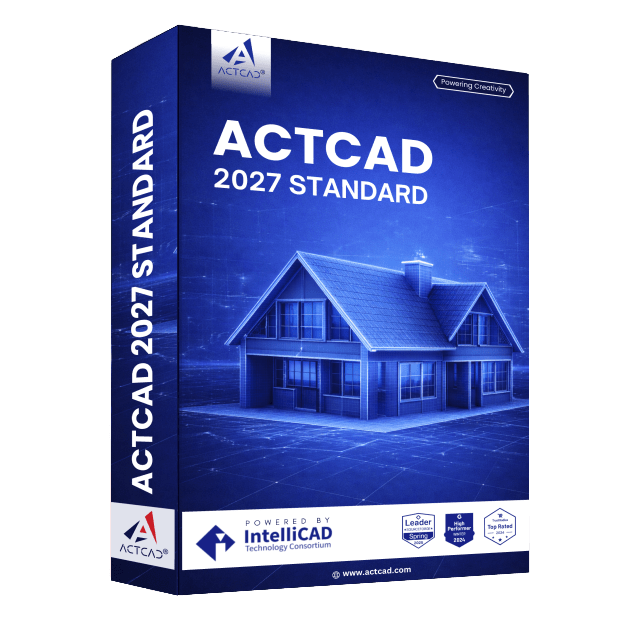
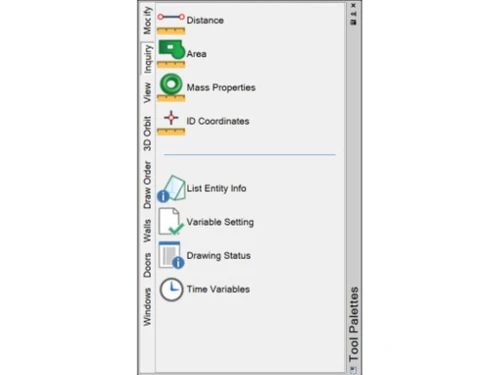
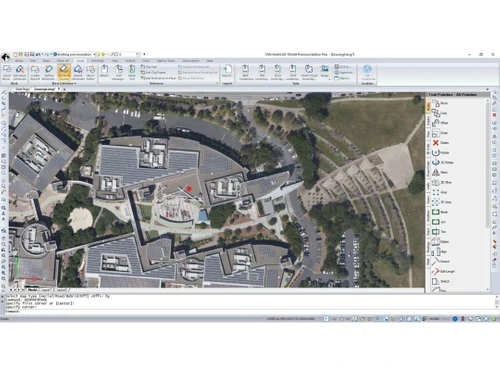
CMS IntelliCAD is a computer-aided design (CAD) software that offers a comprehensive set of 2D and 3D drafting and modeling tools.
See MoreHave you used CMS IntelliCAD before?
Share your insights for better experience
Brand: CAD Manufacturing Solutions
Founded Year: 1993
CMS has been in the CAD software industry for over three decades. CMS markets and sells CMS IntelliCAD.
 Add Digital signatures AutoCAD 3D surface commands 3D Solids import & export ACIS 3D solids modeling LISP support Raster image display Photo-realistic 3-D rendering Drawing Explorer Graphical block preview Menus & toolbars customization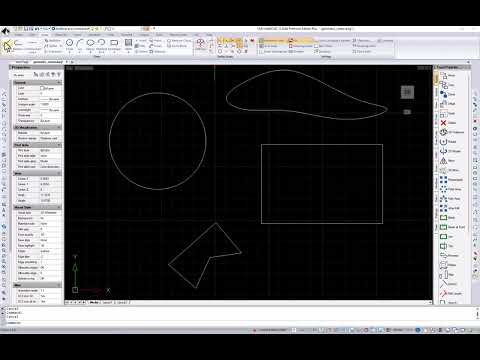

Watch the demo video to explore key features, real workflows, and how the software fits your business needs.
 Windows
  Desktop
  Perpetual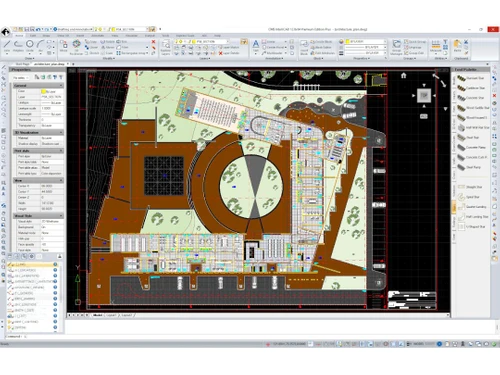
Small Business
Designed for startups and growing businesses
Medium Business
Built for business growth and flexibility
Enterprises
Designed for complex and large-scale business needs
4.4
Out of 5

Overall Rating
Based on
3 Verified Ratings
Rating Breakdown
90% Recommend this Product
Add ReviewTechjockey Trusted Reviews from Verified Users
No reviews are currently available for CMS IntelliCAD. Discover similar CAD Software reviews

Tinkercad
Whats great - One of the best experiences I had with Tinkercad is its ability to provide primitive shapes that I could easily drag out, man... read more

Autocad Mechanical
Whats great - As same as customary autocad I like all the visual enhancements in most recent form, for the most part I like the best approa... read more
Autodesk Autocad Mobile App
Whats great - AutoCAD portable (once in the past AutoCAD 360) is a simple to utilize drawing and drafting application from Autodesk. It tha... read more

CMS IntelliCAD
Price On Request
Desktop
Mobile
Web based
On Premises
Windows
Mac OS

Solid Edge
Price On Request
Desktop
Mobile
Web based
On Premises
Windows
Mac OS

Autodesk AutoCAD
₹ 16520
Desktop
Mobile
Web based
On Premises
Windows
Mac OS

Siemens NX
₹ 623869
Desktop
Mobile
Web based
On Premises
Windows
Mac OS

AutoCAD LT
₹ 4720
Desktop
Mobile
Web based
On Premises
Windows
Mac OS
CADMATE
₹ 25000
Desktop
Mobile
Web based
On Premises
Windows
Mac OS

progeCAD
Price On Request
Desktop
Mobile
Web based
On Premises
Windows
Mac OS

MicroStation
₹ 121046
Desktop
Mobile
Web based
On Premises
Windows
Mac OS

Visao
Price On Request
Desktop
Mobile
Web based
On Premises
Windows
Mac OS

Shapr3D
Price On Request
Desktop
Mobile
Web based
On Premises
Windows
Mac OS

KOMPAS-3D
Price On Request
Desktop
Mobile
Web based
On Premises
Windows
Mac OS
(0) Product(s) selected
Starting Price:
₹121,046 /Quantity
Available
Price on Request
Starting Price:
$38 /Seat/Month

Starting Price:
$15 /Month

Starting Price:
$70 /License

Starting Price:
€41 /Quantity

Starting Price:
₹20,060 /User/Month

Starting Price:
$70 /License

Starting Price:
$39 /Month

Starting Price:
$100 /Quantity

Starting Price:
$25 /Quantity
CMS IntelliCAD is compatible with the Windows operating system.
CMS IntelliCAD is unavailable for Android and iOS app users.
CMS IntelliCAD supports web-based deployment.
CMS IntelliCAD's price starts from $150 at techjockey.com.
CMS IntelliCAD can help engineers, architects, and other professionals to create and edit 2D and 3D drawings.
Yes, CMS IntelliCAD offers a free trial for users to explore its features and functionality.
CMS IntelliCAD software is not available for free. You can connect with our experts to learn more about the product details.
CMS IntelliCAD software is a web-based platform. So, installation is not required. Just open the Setup Wizard to get started.
CMS IntelliCAD offers end-to-end solutions, including 2D drawing, drafting, document management, and presentation tools.
20,000+ Software Listed
Best Price Guranteed
Free Expert Consultation
2M+ Happy Customers
Terms and Condtions

Users with registered businesses can purchase goods from merchants on the platform to satisfy their business needs. Users are not permitted to utilize any products acquired through the platform for resale, advertising, business, or further distribution.
For each purchase made, users will receive a Tax Invoice (or 'GST invoice') that includes specific details such as:
the GSTIN of the user associated with their registered business, and
the specified Entity Name for their business.
It should be noted that not all products are eligible for GST Invoice. Only the products displayed by participating sellers with the 'GST-based Invoice Available' callout on the product description page would qualify.
Certain goods and services are not eligible to get a GST Invoice, including items with VAS, i.e., Value Added Services (e.g., Total Mobile Protection/Assured Buyback) and those involving an exchange offer at the time of purchase.
Users must ensure the accuracy of the GSTIN, and business entity name provided for the GST Invoice. Requests for corrections into GST Invoice would not be accommodated by Techjockey.com or any Seller, and any issues arising from user-provided information are the sole responsibility of users.
Techjockey.com is not liable for the GST Invoice or any associated input tax credit. To efficiently claim an input tax credit, users should select the registered place of business address as per the GST authority's data and follow the provisions of the GST Act and rules.
To claim an input tax credit, the delivery and billing addresses must match. Furthermore, input tax credits will not be granted if the delivery address and GSTIN on the invoice are from different states. In case of incorrect GST details provided during the order placement, the order will be canceled automatically.