USA
USA UAE
UAESmall Business
Designed for startups and growing businesses

See More




Brand: Debitoor
It is the best billing software solution for small businesses, sole traders, and freelancers. Create your first invoice in 1 minute. Keeping track of the status of your invoices has never been easier. Debitoor lets you know the moment your invoice is opened and viewed by your customer and updates th...
See MoreHave you used Debitoor Invoice Management before?
Share your insights for better experience
Brand: Debitoor
Founded Year: 2012
Debitoor
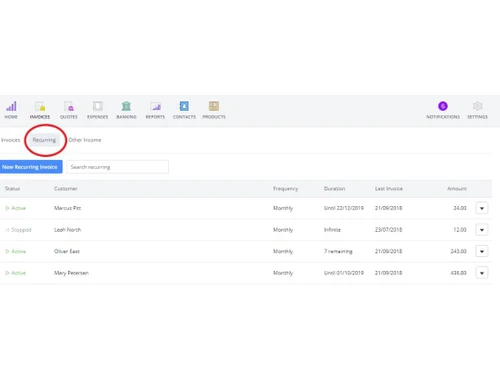
 Reports Expense Management Online Payment Tax Management Multi-currency GST Compliance Invoice & Expenses Invoicing Reminder Invoice Template Taxation Management Accounting Report Multi Currency Integration Billing Purchase Order Analytics & Reporting API Integration Import & Export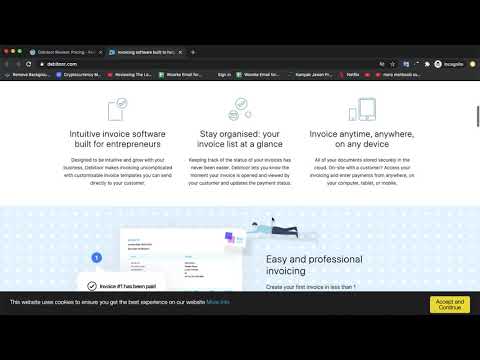

Watch the demo video to explore key features, real workflows, and how the software fits your business needs.
 Windows
  iOS
iOS  Android
  Desktop
  Mobile
  Tablet
  iPad
iPad  Cloud-Based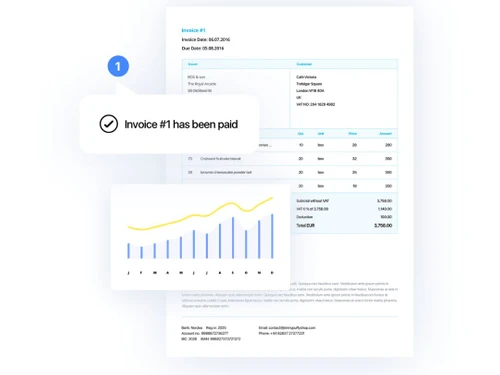
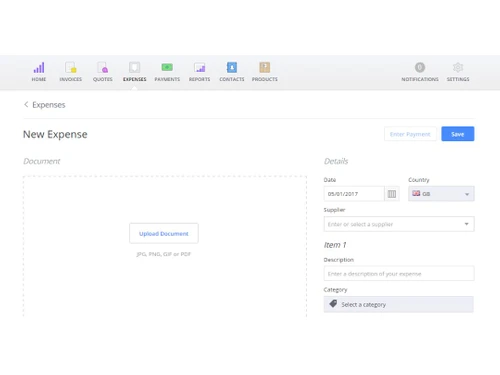
Small Business
Designed for startups and growing businesses
Medium Business
Built for business growth and flexibility
Enterprises
Designed for complex and large-scale business needs
4.8
Out of 5

Overall Rating
Based on
3 Verified Reviews
Rating Breakdown
96% Recommend this Product
Add ReviewUsers generally appreciate Debitoor Invoice Management for its user-friendly interface and cloud accessibility, making invoice creation and management straightforward, especially for freelancers and small businesses. The software's ability to track payments and organize client information is frequently highlighted as a significant benefit. However, some users have raised concerns about the accuracy of tax calculations and noted limitations in invoice template customization and reporting options. Overall, the product garners positive feedback, with many recommending it for its ease of use and supportive customer service.

Feb 25, 2026
Techjockey Verified
“User friendly software, very quick to operate”
Users consistently praise the software for its intuitive interface and cloud accessibility, allowing them to create and manage invoices easily from any device. The ability to track payments and organize client information is highly valued, making it a practical choice for freelancers. However, some users note that certain tax calculations may not be accurate.
Pros
User-friendly interface tailored for small business owners and freelancers, minimizing the learning curve. Automated invoice generation with customizable templates including logos and payment terms. Supports multiple payment gateways for easy and fast online payment processing.
Cons
Limited invoice template customization, restricting branding flexibility. Basic inventory management unsuitable for complex stock control. Minimal reporting options without advanced customization or analysis. Lacks integrated project management and time tracking tools.
Reason to switch
Accounting is the backbone of your business, but if your team is still relying on outdated or inefficient software, you're likely feeling the pain. When your accounting system starts to slow you down instead of supporting growth, it's time for a change.
Jan 6, 2019
Techjockey Verified
“Good experience”
Pros
The interface is instinctive and it's all around neighborly. It's anything but difficult to utilize, everything is extremely sorted out. Following setting the nation in which I live, the careful measure of the expense charged in the nation is set.
Cons
NO CONS
Sep 12, 2018
Techjockey Verified
“Thanks for your support.”
Pros
They were helpful, unbiased and knowledgeable and recommended the right programs for my company, so I didn't have to spend hours researching and finding the right software myself. thankyou!
Cons
N/A

Debitoor Invoice Management
Price On Request
Desktop
Mobile
Web based
On Premises
Windows
Mac OS

Vyapar Billing Software
Price On Request
Desktop
Mobile
Web based
On Premises
Windows
Mac OS
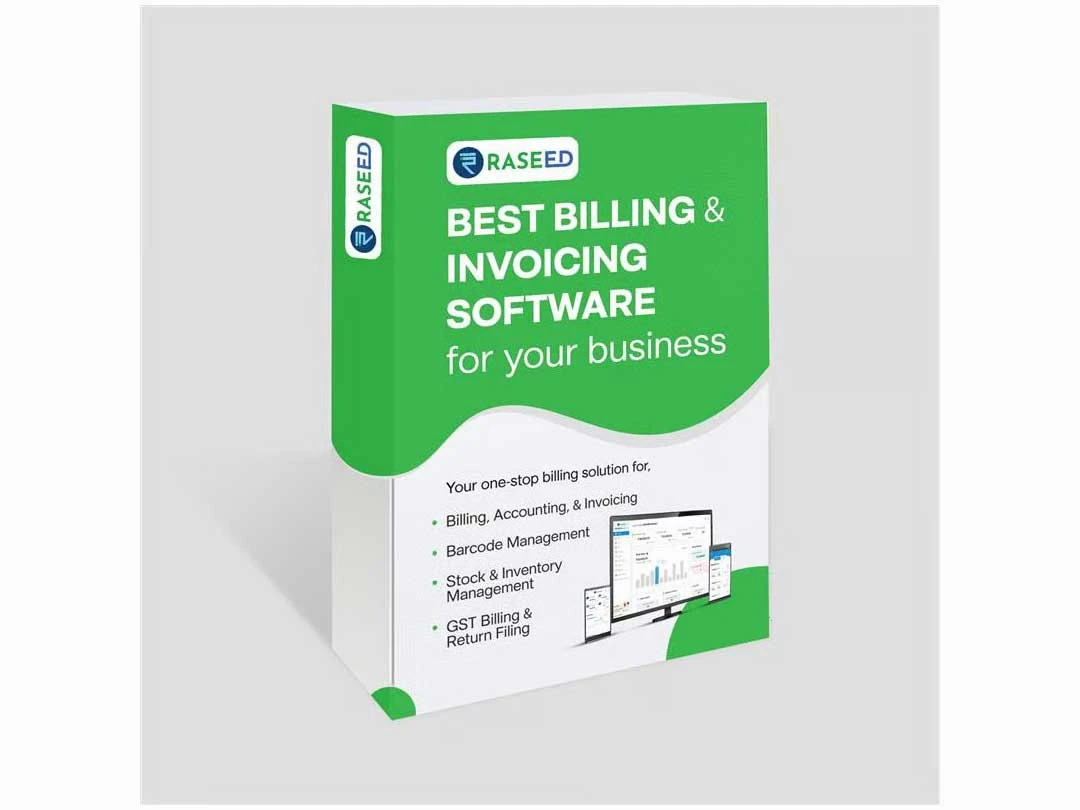
Raseed
Price On Request
Desktop
Mobile
Web based
On Premises
Windows
Mac OS
InvoiceZy
₹ 99
Desktop
Mobile
Web based
On Premises
Windows
Mac OS

KaroSauda
₹ 1999
Desktop
Mobile
Web based
On Premises
Windows
Mac OS

Billing Fast
₹ 3588
Desktop
Mobile
Web based
On Premises
Windows
Mac OS

Apna Billbook
₹ 6998
Desktop
Mobile
Web based
On Premises
Windows
Mac OS

Swipe - Billing Software
₹ 2542
Desktop
Mobile
Web based
On Premises
Windows
Mac OS

Petpooja Invoice
₹ 5000
Desktop
Mobile
Web based
On Premises
Windows
Mac OS

Billing Buddy
₹ 5000
Desktop
Mobile
Web based
On Premises
Windows
Mac OS

Asli Bill
₹ 7000
Desktop
Mobile
Web based
On Premises
Windows
Mac OS
(0) Product(s) selected





Yes, in the event that Debitoor doesn't live up to your expectations, you can always delete your account and all data. Just go to your account settings and click on Delete account. Please note that once you confirm deletion, all your invoices and account information are deleted irretrievably. That's why we ask you to confirm your decision twice.
Numerous studies have established that data stored in the cloud is less likely to be lost, deleted or leaked compared to data stored on a personal computer. All data generated by Debitoor users is securely encrypted and continuously backed up in several high-security data centers in different locations.
20,000+ Software Listed
Best Price Guranteed
Free Expert Consultation
2M+ Happy Customers
Terms and Condtions

Users with registered businesses can purchase goods from merchants on the platform to satisfy their business needs. Users are not permitted to utilize any products acquired through the platform for resale, advertising, business, or further distribution.
For each purchase made, users will receive a Tax Invoice (or 'GST invoice') that includes specific details such as:
the GSTIN of the user associated with their registered business, and
the specified Entity Name for their business.
It should be noted that not all products are eligible for GST Invoice. Only the products displayed by participating sellers with the 'GST-based Invoice Available' callout on the product description page would qualify.
Certain goods and services are not eligible to get a GST Invoice, including items with VAS, i.e., Value Added Services (e.g., Total Mobile Protection/Assured Buyback) and those involving an exchange offer at the time of purchase.
Users must ensure the accuracy of the GSTIN, and business entity name provided for the GST Invoice. Requests for corrections into GST Invoice would not be accommodated by Techjockey.com or any Seller, and any issues arising from user-provided information are the sole responsibility of users.
Techjockey.com is not liable for the GST Invoice or any associated input tax credit. To efficiently claim an input tax credit, users should select the registered place of business address as per the GST authority's data and follow the provisions of the GST Act and rules.
To claim an input tax credit, the delivery and billing addresses must match. Furthermore, input tax credits will not be granted if the delivery address and GSTIN on the invoice are from different states. In case of incorrect GST details provided during the order placement, the order will be canceled automatically.