Description
Pricing
Features
Specification
Review
Compare
FAQs
Alternatives
 Get Free Advice
Get Quote




See
More
Brand : Easynote


4.2 
3 Ratings
Have Questions?
Starting at
$ 15
Save Extra with 2 Offers
 Save upto 18%, Get GST Invoice on your business purchase |
Users with registered businesses can purchase goods from merchants on the platform to satisfy their business needs. Users are not permitted to utilize any products acquired through the platform for resale, advertising, business, or further distribution.
For each purchase made, users will receive a Tax Invoice (or 'GST invoice') that includes specific details such as:
the GSTIN of the user associated with their registered business, and
the specified Entity Name for their business.
It should be noted that not all products are eligible for GST Invoice. Only the products displayed by participating sellers with the 'GST-based Invoice Available' callout on the product description page would qualify.
Certain goods and services are not eligible to get a GST Invoice, including items with VAS, i.e., Value Added Services (e.g., Total Mobile Protection/Assured Buyback) and those involving an exchange offer at the time of purchase.
Users must ensure the accuracy of the GSTIN, and business entity name provided for the GST Invoice. Requests for corrections into GST Invoice would not be accommodated by Techjockey.com or any Seller, and any issues arising from user-provided information are the sole responsibility of users.
Techjockey.com is not liable for the GST Invoice or any associated input tax credit. To efficiently claim an input tax credit, users should select the registered place of business address as per the GST authority's data and follow the provisions of the GST Act and rules.
To claim an input tax credit, the delivery and billing addresses must match. Furthermore, input tax credits will not be granted if the delivery address and GSTIN on the invoice are from different states. In case of incorrect GST details provided during the order placement, the order will be canceled automatically.
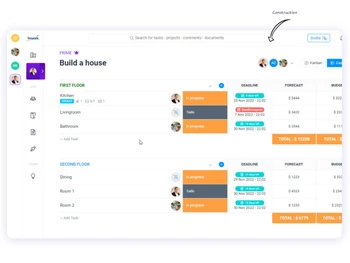
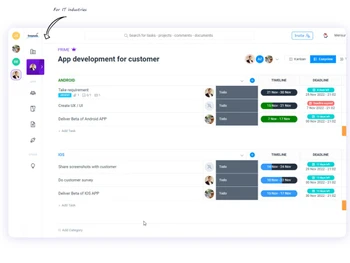
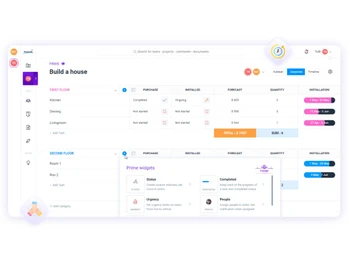
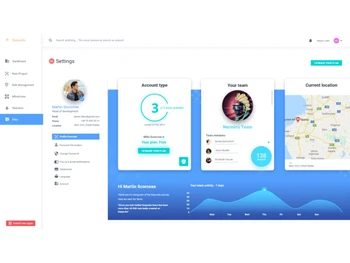
Buy Now & Pay Later, Check offer on payment page. Enables teams to manage tasks, projects, and workflows with features like to-do lists, file sharing, and team communication, all in a user-friendly interface....Read more
 Get Instant Expert
  Safe & Secure
  Assured Best Price
 We make it happen! Get your hands on the best solution based on your needs.
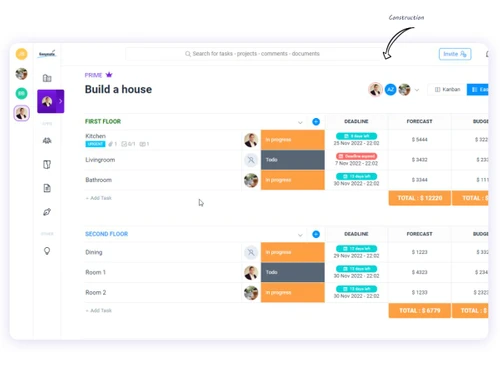
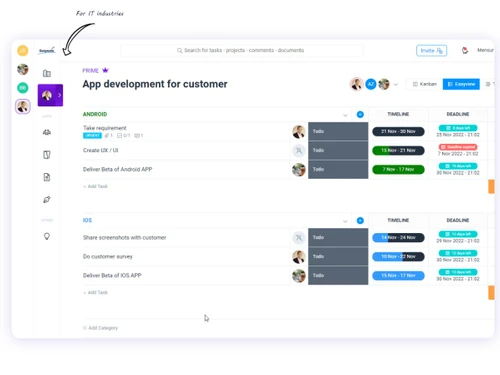
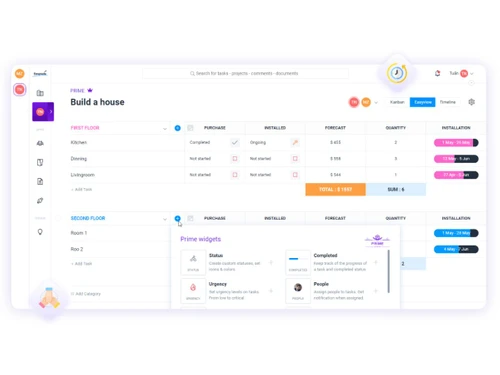
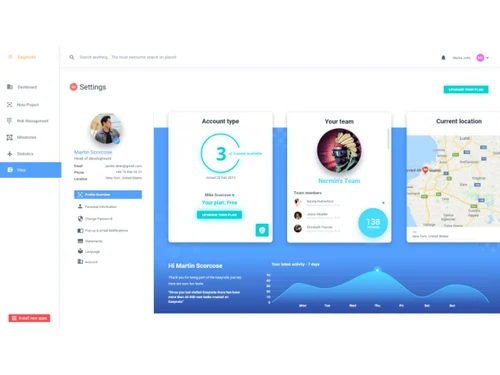
Core Functionalities
 Issue Management Issue tracking via tasks, labels, and comments. Pipeline Management Kanban boards for pipeline visualization. Workflow Management Workflow mgmt with dependencies and automation. Resource Management Workload planning and resource allocation tools. Risk Management Dedicated risk management widget to track and lower risks. Task Management Core feature: create, assign, track tasks fully. Backlog Management Backlogs via Kanban, list views, task lists. Sprint Management Native scrum and sprint management support. Workforce Management Involves managing and optimizing team member workloads, schedules, and productivity? Incident Management Manages unforeseen incidents or disruptions within a project, often found in industries requiring high reliability, such as IT or
 Task & Workflow Management
Workflow Automation Scheduling automation and task workflows supported. Recurring Tasks Recurring tasks with reminders and due dates. Task Creation & Assignment Easy task creation and assignment to team members. Task Prioritization Priority levels and prioritization tools. Sub-Task Creation Subtasks for breaking down complex tasks. Task Dependencies Dependency management and tracking. Notifications/Reminders Real-time notifications, reminders for tasks. Automated Task Assignment Automatically assigns tasks to team members based on workload, availability, and skill sets, helping to distribute work evenly as Task Views
Gantt Chart Advanced Gantt charts with dependencies, color coding. Kanban Boards Kanban board, 3D singleview, task board view. Task List Task list view, filters, search for organization. Calendar View Task calendar view and scheduling integration. Timeline View Timeline and Gantt views for project timelines. Spreadsheet View Tasks are displayed in a table format similar to a spreadsheet. Mind Map Visual representation of tasks and ideas branching out from a central concept. Progress & Performance Tracking
Time Tracking Built-in time tracking for tasks and projects. Milestone Tracking Milestones via goals tab and timeline tracking. Team Capacity Tracking Workload and capacity planning features. Resource & Budget Management
Budget Planning Budget management, forecasts throughout project lifecycle. Dynamic Budgeting Track budgets dynamically with widgets. Workload Distribution Workload planning and distribution tools. Automated Resource Allocation Automatically adjusts resource allocation, such as server capacity, storage, or bandwidth, based on current project needs during Risk Scoring System Quantify and score potential project risks based on severity. Auto Scaling Dynamically scale resources (e.g., team size, server resources) based on project requirements. Collaboration & Communication
Real-Time Collaboration Real-time collab on projects, docs, files. File Sharing & Document Collaboration File storage, sharing, real-time doc collab. Integrated Chat & Messaging Real-time communication with team members. Version Control Track changes made to documents and files. Access Control & Security
User Access Management Set user permissions and access controls. Activity Logs Activity tracking and real-time updates. Data Backup and Disaster Recovery Ensure data security with regular backups and recovery plans. Compliance Tracking Ensure adherence to relevant data and security compliance (e.g., GDPR, CCPA). Multi-Factor Authentication (MFA) Enhance login security through MFA. Customization
Templates Over 50 pre-defined project templates for quick setup. Custom Fields Widgets as custom columns, renameable for any needs. Task Customization Custom fields, labels, widgets for tasks. Custom Layouts Grid-based, customizable layouts per project. Custom Views Multiple views: list, Kanban, calendar, etc. Integrations
Communication and Collaboration Tools Real-time collab, comments, notifications. File Storage and Sharing Dedicated file mgmt app, folders, sharing. Time Tracking Tools Integrated time tracking tools. Issue Tracking Tools Task-based issue tracking with labels. Automation Tools Scheduling and workflow automation. AI-Based Integrations AI tools for brainstorming, summaries (limited). Third Party Integrations Integrations with Slack, Google Drive, calendars. CRM Integration Sync with CRM systems to align customer relationships and sales data with project tasks and deliverables. API Integration Allow for custom integrations through APIs ERP Integration Connect ERP systems to unify project management with broader business operations, including finance, HR, and procurement. Reporting & Analytics
Dashboards Ultimate dashboard for overview across projects. Automated Reports Reporting features with task analytics and exports. Project Progress Reports Progress tracking and reporting features. Resource Reports Resource and workload reports available. Risk Reports Risk management includes reporting. Workload Reports Workload reports via planning tools. Timesheet Reports Timesheet from time tracking and exports. Sprint Reports Sprint mgmt includes burndown/burnup charts. Burndown & Burnup Charts Burndown and burnup charts for sprints. Real-Time Reporting Real-time updates and dashboard reporting. Report Customization Customizable via widgets and exports. Benchmarking Compare project performance against industry standards or internal benchmarks. Bottleneck Reports Identification of task dependencies and potential bottlenecks. Predictive Analytics Forecasting tools to predict future project outcomes based on historical data. | Brand Name | Easynote |
| Information | Easynote is a simple project management tool you use to collaborate and share tasks with your team with revolutionary functions |
| Founded Year | 2015 |
| Director/Founders | Armin Zahirovic |
| Company Size | 1-100 Employees |


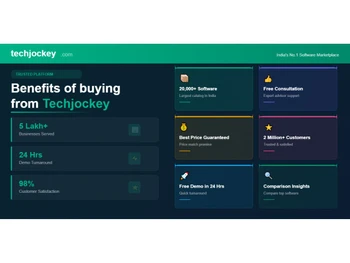
 20,000+ Software Listed
 Best Price Guaranteed
 Free Expert Consultation
 2M+ Happy Customers
 USA
USA UAE
UAE