 USA
USA UAE
UAE
Small Business
Designed for startups and growing businesses


See More





Brand: HRMantra
HRMantra is one of the best HR software for employee’s time and attendance management system. It is developed after extensive research and study into the market requirements. HRMantra enables HR teams to save 30 minutes every day, which gives them effectively ten times the return on investment. HRMantra helps you create organizational hierarchies and divides the workflow effectively. It h...
See More
11+ people visited in last 30 minutes
Brand: HRMantra
Founded Year: 1996
HRMantra: HR & Payroll Software
Looking for The Right Pricing?
Share your requirements and get a plan built around your business.
Price Available on Request
Get personalised HRMantra pricing that fits your needs. Our team will connect with you.
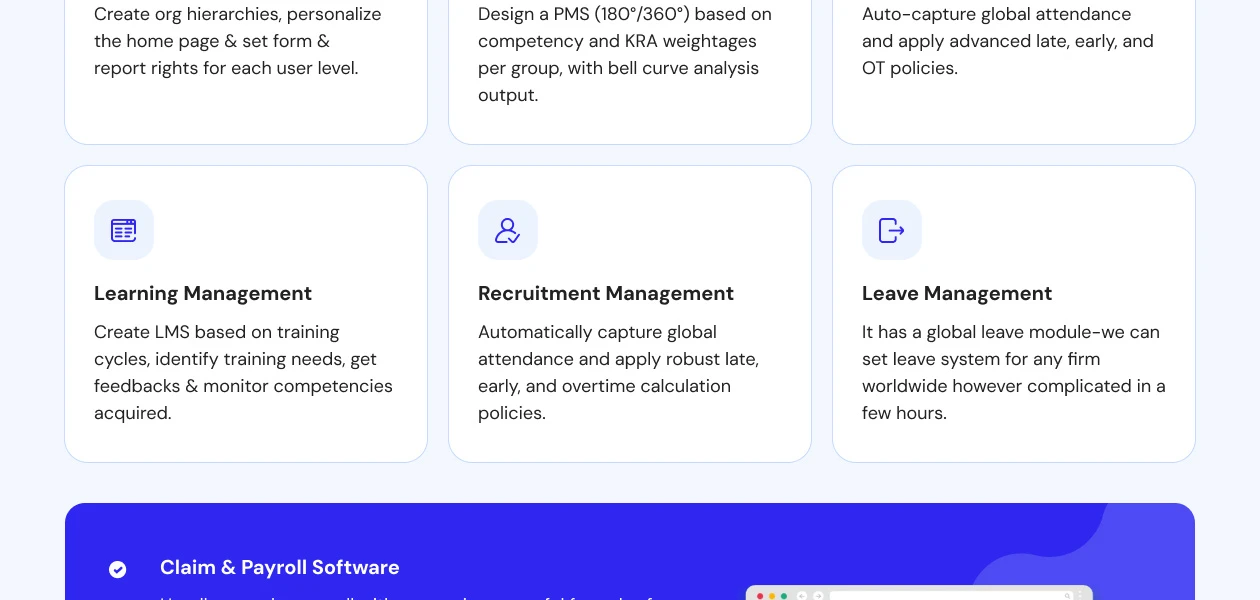
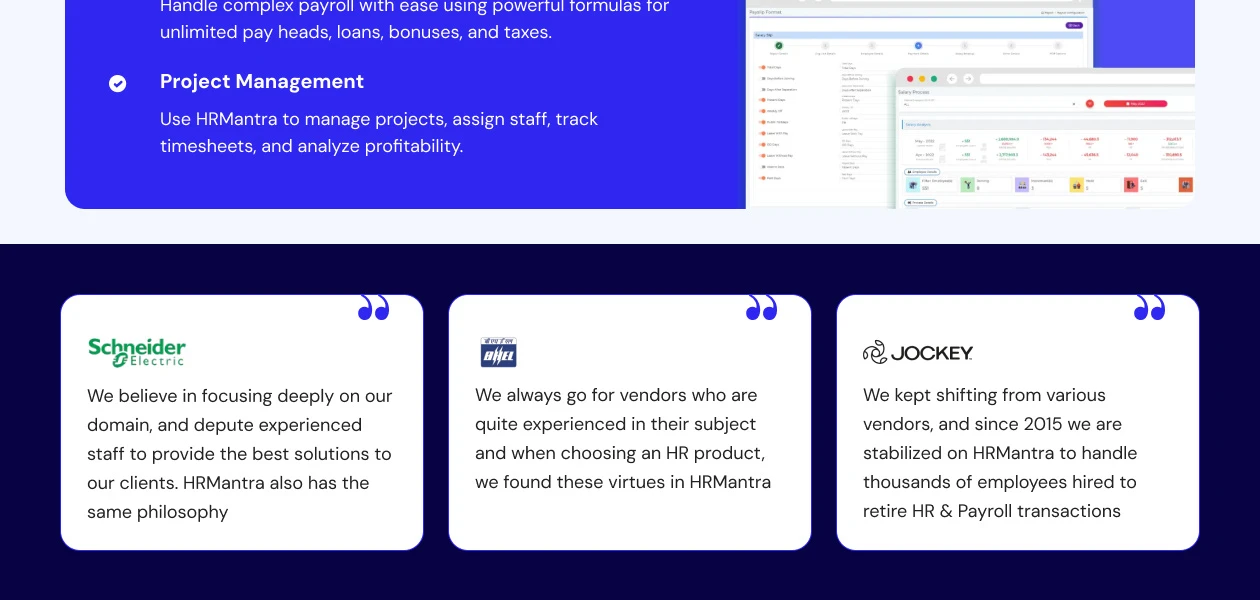
 AI Chatbot HRIS Performance Management Learning Management Recruitment Management Time Management Leave Management Payroll Software On-Boarding Off-Boarding Helpdesk Management Project Management Mobile App

Watch the demo video to explore key features, real workflows, and how the software fits your business needs.

 Windows
  iOS
iOS  Android
  Desktop
  Mobile
  Tablet
  Cloud-Based

Small Business
Designed for startups and growing businesses
Medium Business
Built for business growth and flexibility
Enterprises
Designed for complex and large-scale business needs
4.2
Out of 5

Overall Rating
Based on
5 Verified Reviews
Rating Breakdown
74% Recommend this Product
Add ReviewOverall, users appreciate HRMantra for its basic automation capabilities and extensive feature set, particularly in areas like travel and helpdesk management. Many find it enhances efficiency and supports HR tasks effectively, contributing to business growth. However, complaints frequently arise regarding the software's UI/UX, which is considered subpar, and some users have noted limitations in more advanced functionalities, leading to the need for additional tools. While the service and support receive positive remarks, there are concerns about the cost-effectiveness of certain features.
Pros
"I feel very happy working at HRMantra The culture is very positive and transparent and everyone is open to new ideas and suggestions"
Cons
"HRMantra saves 30 min per emp per day helping them focus on business growth & gives 10-time ROI. Overall this is a best Software I am not found any issue"

Jul 15, 2024
Techjockey Verified
“Basic automation with a below average UI & UX”
Pros
HR Mantra is a great tool for basic automation requirements- attendance, leave, etc. But when it comes to more sophisticated use cases like performance management, payroll management, hiring, etc., we've had to onboard more specialized tools as this one does not suffice. The UI is one of the worst I've ever come across in a tool.
Cons
UI/UX not too good.
Reason to switch
Bad UI, bare minimum features
May 24, 2022
Techjockey Verified
“Great place to work.Best software with 250+ features, customized.”
Pros
I feel very happy working at HRMantra The culture is very positive and transparent and everyone is open to new ideas and suggestions
Cons
HRMantra saves 30 min per emp per day helping them focus on business growth & gives 10-time ROI. Overall this is a best Software I am not found any issue
Reason to switch
Our employees and HR Team is happy using the systemOverall a good software for Attendance Tracking and Payroll processing for the HR. HRMantra software has got many inbuilt work flows which makes our work stress-free. Good all time customer support.
Apr 3, 2020
Techjockey Verified
“Travel, Claim and Helpdesk Management”
Pros
With the travel, claim and helpdesk management feature of this software, I don’t need to keep a dedicated team to maintain workflow for the budget and claims made by employees. Additionally, the employees also get the benefit of requesting tickets. I can also track the progress for each of the tickets.
Cons
The expense management feature of this software is not a very cost-effective solution for my business. I had to replace it with a manual team of employees, adding up on my cost of operations.

HRMantra
Price On Request
Desktop
Mobile
Web based
On Premises
Windows
Mac OS

ClusterHR
₹ 40
Desktop
Mobile
Web based
On Premises
Windows
Mac OS

Fix HR
₹ 600
Desktop
Mobile
Web based
On Premises
Windows
Mac OS

WeekMate
₹ 3999
Desktop
Mobile
Web based
On Premises
Windows
Mac OS

Spine HR
Price On Request
Desktop
Mobile
Web based
On Premises
Windows
Mac OS

TankhaPay
₹ 40
Desktop
Mobile
Web based
On Premises
Windows
Mac OS

WoCo
₹ 50
Desktop
Mobile
Web based
On Premises
Windows
Mac OS

Zfour HRMS
₹ 45
Desktop
Mobile
Web based
On Premises
Windows
Mac OS

Keka HR
Price On Request
Desktop
Mobile
Web based
On Premises
Windows
Mac OS

TruHR
₹ 2200
Desktop
Mobile
Web based
On Premises
Windows
Mac OS
AionHRMS
Price On Request
Desktop
Mobile
Web based
On Premises
Windows
Mac OS
(2) Product(s) selected
Starting Price:
₹40 /Month
Starting Price:
₹600 /Month ₹900
Starting Price:
₹3,999
Starting Price:
₹2,200 /Month
Available
Price on Request

Starting Price:
₹49 /Month

Starting Price:
₹890 /Month
Starting Price:
₹5,000 /Month

Available
Price on Request

Starting Price:
$49 /Month









HRMantra provides on-demand HR & payroll services for which you don’t have to install the software on your system. You can access web-based HRMantra’s features online and access critical business information anytime, anywhere.
HRMantra online HRMS software ensures benefits like costs savings and higher profitability. All workforce related functions can be automated. Further, it provides in-depth analysis of different HR management functions for decision making.
Companies can start benefiting from HRMantra software in very a short time due to lower investments and minimal implementation times. HRMantra software adapts to changes.
The option of running own IT department is extremely expensive. HRMantra on demand software comes without infrastructure costs, technical resource costs, AMC and other hidden costs normally encountered in a conventional ERP. The customer pays a nominal subscription for availing the service. Hence, HRMantra software provides high predictability and is very affordable.
Yes, HRMantra software can be customized as per the business needs. HRMantra software ensures seamless functioning across different industry verticals.
For HRMantra online login, visit the official HRMantra website. Go to HRMantra login page, enter your credentials and click Login.
Yes, HRMantra has both iOS and Android mobile apps for employees apart from HRMantra online portal. HRMantra app provides features for candidate interviews/ tests, communicating with others, updating employee details, applying for leaves, attendance regularization, filling up reimbursements, posting company policies, and so on.
Login to your HRMantra account. Click on Leave Application form. Leave?Cancellation?option gets displayed on the left hand side of the screen. Select the application you want to cancel and click on?Submit.
20,000+ Software Listed
Best Price Guranteed
Free Expert Consultation
2M+ Happy Customers
Terms and Condtions

Users with registered businesses can purchase goods from merchants on the platform to satisfy their business needs. Users are not permitted to utilize any products acquired through the platform for resale, advertising, business, or further distribution.
For each purchase made, users will receive a Tax Invoice (or 'GST invoice') that includes specific details such as:
the GSTIN of the user associated with their registered business, and
the specified Entity Name for their business.
It should be noted that not all products are eligible for GST Invoice. Only the products displayed by participating sellers with the 'GST-based Invoice Available' callout on the product description page would qualify.
Certain goods and services are not eligible to get a GST Invoice, including items with VAS, i.e., Value Added Services (e.g., Total Mobile Protection/Assured Buyback) and those involving an exchange offer at the time of purchase.
Users must ensure the accuracy of the GSTIN, and business entity name provided for the GST Invoice. Requests for corrections into GST Invoice would not be accommodated by Techjockey.com or any Seller, and any issues arising from user-provided information are the sole responsibility of users.
Techjockey.com is not liable for the GST Invoice or any associated input tax credit. To efficiently claim an input tax credit, users should select the registered place of business address as per the GST authority's data and follow the provisions of the GST Act and rules.
To claim an input tax credit, the delivery and billing addresses must match. Furthermore, input tax credits will not be granted if the delivery address and GSTIN on the invoice are from different states. In case of incorrect GST details provided during the order placement, the order will be canceled automatically.


