 USA
USA UAE
UAE
Small Business
Designed for startups and growing businesses


See More





Brand: HubSpot
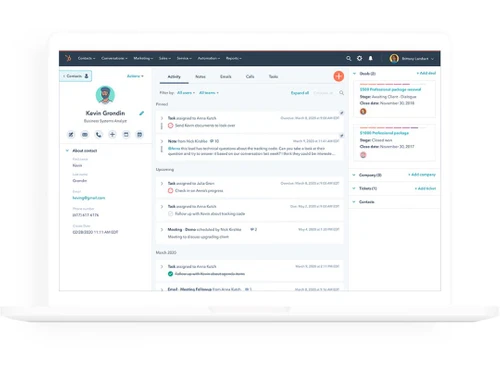
This CRM platform simplifies the sales process with an intuitive and user-friendly interface.
See More
21+ people visited in last 30 minutes
Brand: HubSpot
Founded Year: 2006
HubSpot is a leading CRM platform that provides software and support to help businesses grow better. Our platform includes marketing, sales, service, and website management products that start free and scale to meet our customers’ needs at any stage of growth.
Customer Data Management (CDM)
 Contact Management Account Management Customer Profiles Contact Segmentation Activity History
 Sales Management
Workflow Automation and Management Lead Management Territory Management Order Management Quote Management Sales Forecasting Deal Management Sales Automation Opportunity & Pipeline Management Contract Management Marketing Automation
Email Marketing Campaign Management Lead Nurturing Customer Journey Tracking Customer Segmentation Event-Triggered Workflows Automated Campaigns Data Sourcing / Integrations
Social Media Integration Data Import/Export API Access Calendar Integration Third Party Integrations Email Marketing Tools Integration Marketing Tools Integration eCommerce Integrations Interactive Voice Response (IVR) Integration Collaboration Tools
Task / Activity Management Team Communication Document Sharing & File Storage Omnichannel Support & Engagement Security & Compliance
Data Encryption Role-Based Access Control (RBAC) Backup & Disaster Recovery GDPR & Data Privacy Audit Trail AI & Machine Learning
Predictive Analytics Lead Scoring Chatbots Reporting & Analytics
Real Time Analytics Campaign Performance Sales Performance Reports Customer Insights Performance Tracking Predictive Analytics Custom Dashboards Forecasting & Trends Alerts & Notifications
Event-Triggered Notifications Custom Workflow Alerts System Errors/Failures Customer Interaction Alerts Workflow Trigger Alerts SLA Violations Lead Activity Alerts Others
Budget Tracking Touchpoint Monitoring Landing Pages & Forms Call Tracking and Recording Ticketing System 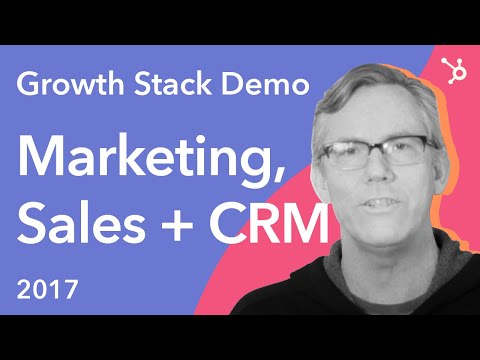

Watch the demo video to explore key features, real workflows, and how the software fits your business needs.
 Ubuntu
  Windows
  iOS
iOS  Linux
Linux  Desktop
  Cloud-Based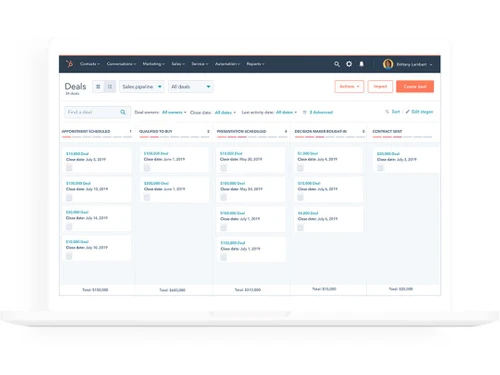
Small Business
Designed for startups and growing businesses
Medium Business
Built for business growth and flexibility
Enterprises
Designed for complex and large-scale business needs
4.8
Out of 5

Overall Rating
Based on
16 Verified Reviews
Rating Breakdown
98% Recommend this Product
Add ReviewUsers consistently praise HubSpot CRM for its user-friendly interface, engaging dashboards, and excellent customer support, which facilitate efficient contact and lead management. Many appreciate its ability to automate tasks and generate insightful reports, enhancing productivity. However, some users report challenges with the initial setup and data transfer, as well as limitations in mobile access and customization options. Despite these concerns, the overall sentiment is highly positive, with many recommending the software for its robust capabilities and integration features.
Pros
"Most convenient software for contact management and lead management. I can also see every update on my dashboards."
"Amazing UI, better functionality. It’s also free from bugs and has excellent customer service."
"The customer service is highly responsive. I had some problems in installation process but their customer support helped me with it."
Cons
"In starting, it requires extra assistance to work with it. The features can be a bit complicated for beginners, but it becomes easy with time."
"We’ve faced some issues in the login process and re-entered the data even after saving it."
"There are limited options for personalization in this software."


Feb 23, 2024
Techjockey Verified
“The interactive dashboards are the one thing I love about Hubspot.”
Very good service
Pros
The software offers engaging dashboards, where you can see all your notifications and monitor your progress regularly. We can track the pipeline, forecast, and revenue chart on the boards. It increases work efficiency, plus we can analyze our time and performance.
Cons
In starting, it requires extra assistance to work with it. The features can be a bit complicated for beginners, but it becomes easy with time.
Reason to switch
I’ve faced problems while upgrading the software.
Feb 23, 2024
Techjockey Verified
“One of the most easy to use CRM software”
HubSpot's SEO tools generate detailed reports on what people are searching for, and how your content ranks for any given search result
Pros
Most convenient software for contact management and lead management. I can also see every update on my dashboards.
Cons
It takes time to transfer and upload the files
Reason to switch
I was not satisfied with the customer service of Nafhaa. So, I started looking for software with better customer service and advanced features. Then, we found Hubspot CRM, and I did not face any issues till now.
Feb 23, 2024
Techjockey Verified
“Highly flexible CRM software”
HubSpot CRM software boasts a user-friendly interface that ensures quick adoption by your team. The intuitive design minimizes the learning curve, allowing your staff to focus on what matters most – building and nurturing customer relationships Gain a holistic view of your customers with HubSpot CRM Software. From contact details to purchase history and communication logs, access all relevant information in one central location. This 360-degree view empowers your team to provide personalized and targeted services.
Pros
Amazing UI, better functionality. It’s also free from bugs and has excellent customer service.
Cons
We’ve faced some issues in the login process and re-entered the data even after saving it.
Reason to switch
The interface is a big problem in this software. Plus, the slow performance and lags when we integrate it with other software.

HubSpot CRM
Price On Request
Desktop
Mobile
Web based
On Premises
Windows
Mac OS

Zoho CRM
₹ 1300
Desktop
Mobile
Web based
On Premises
Windows
Mac OS

Odoo CRM
₹ 760
Desktop
Mobile
Web based
On Premises
Windows
Mac OS

CrmOne
Price On Request
Desktop
Mobile
Web based
On Premises
Windows
Mac OS

Solid Performers CRM
₹ 500
Desktop
Mobile
Web based
On Premises
Windows
Mac OS

Kylas CRM
₹ 12999
Desktop
Mobile
Web based
On Premises
Windows
Mac OS

Zendesk Sell
Price On Request
Desktop
Mobile
Web based
On Premises
Windows
Mac OS

Cleomitra
₹ 999
Desktop
Mobile
Web based
On Premises
Windows
Mac OS

In-Sync CRM
₹ 5000
Desktop
Mobile
Web based
On Premises
Windows
Mac OS

Salesforce CRM
Price On Request
Desktop
Mobile
Web based
On Premises
Windows
Mac OS

LeadSquared CRM
Price On Request
Desktop
Mobile
Web based
On Premises
Windows
Mac OS
(0) Product(s) selected
Starting Price:
$99 /Month
Starting Price:
$19 /Agent/Month
Starting Price:
₹999 /Month ₹2,000
Starting Price:
₹5,000 /Month

Starting Price:
$97 /Month
Starting Price:
€300 /User/Year
Starting Price:
₹3,900 /Year ₹4,900

Starting Price:
₹1,299 /Month

Starting Price:
$10 /User/Month

Available
Price on Request

Starting Price:
₹500






HubSpot CRM CRM Software is compatible with Windows and IOS operating systems.
HubSpot CRM CRM Software supports Web-Based.
HubSpot CRM CRM Software is typically used in All Industries.
HubSpot CRM CRM Software demo is available for free with Techjockey.com
HubSpot CRM CRM Software offers a free trial. However, the premium plan with advanced features available at Techjockey .
For HubSpot CRM CRM Software installation, insert the given CD/USB flash storage in your system and open the Setup Wizard to get started.
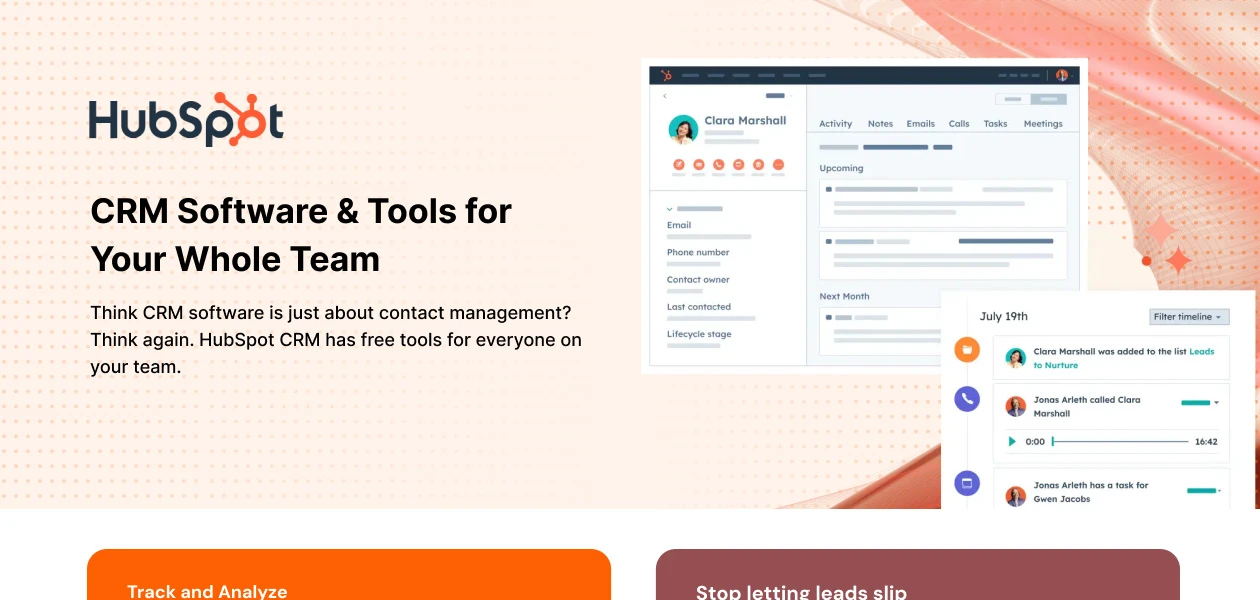
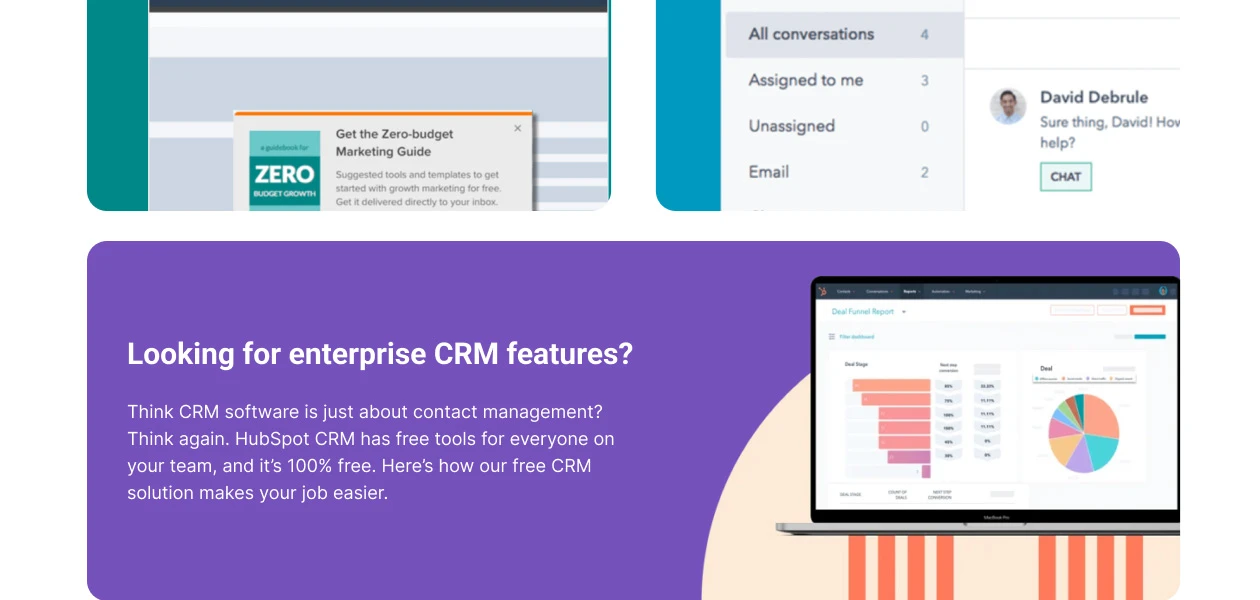
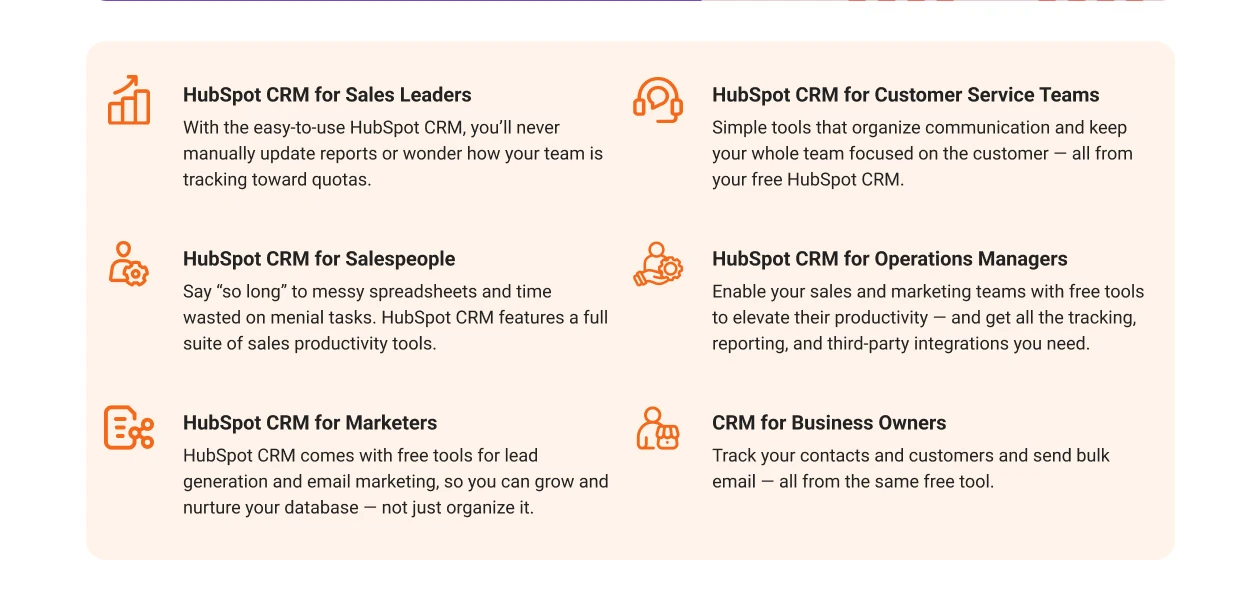
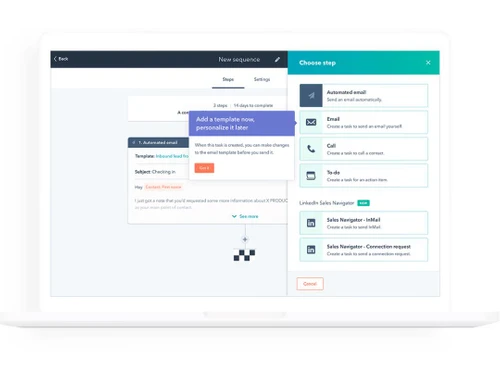
HubSpot CRM CRM Software helps with Crm Sales Process,Log sales activity automatically,Pipeline Management Tools and Send Personalized Sequences. It's a complete solution for Create and Measure Email Templates,Get Real-Time Notifications,Enrich Contact Records Automatically and Place Calls From Inside the CRM.
Here’s how you can set up a workflow in HubSpot:
0 0
To set up a trigger in HubSpot, navigate to Automation, then Workflows and either create a new workflow or select an existing one. In the enrollment trigger section, click Set up triggers and select the type of trigger you want to use.
0 0
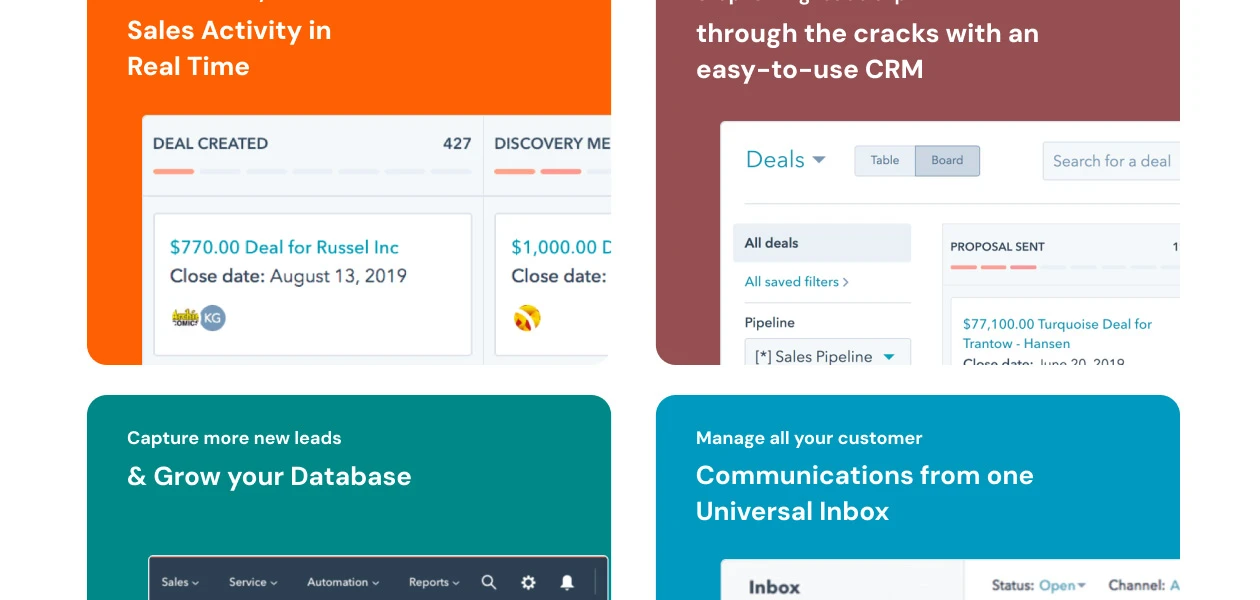
HubSpot has a feature called 'Pipeline View' in the Deals section that is the equivalent to Pipedrive's Sales Pipeline View. It shows a visual layout of your sales process, so you can see where your deals are at different stages. You can easily move deals between stages by dragging and dropping them.
0 0
To change roles in HubSpot CRM, go to Settings Users & Teams, select the user, and update their permissions. You can create and assign permission sets to manage user roles efficiently.
0 0
HubSpot integrates with over 1,500 apps, including Salesforce, Google Workspace, Microsoft 365, Slack, Shopify, and more. These integrations help streamline workflows and enhance HubSpot’s capabilities.
0 0
20,000+ Software Listed
Best Price Guranteed
Free Expert Consultation
2M+ Happy Customers
Terms and Condtions

Users with registered businesses can purchase goods from merchants on the platform to satisfy their business needs. Users are not permitted to utilize any products acquired through the platform for resale, advertising, business, or further distribution.
For each purchase made, users will receive a Tax Invoice (or 'GST invoice') that includes specific details such as:
the GSTIN of the user associated with their registered business, and
the specified Entity Name for their business.
It should be noted that not all products are eligible for GST Invoice. Only the products displayed by participating sellers with the 'GST-based Invoice Available' callout on the product description page would qualify.
Certain goods and services are not eligible to get a GST Invoice, including items with VAS, i.e., Value Added Services (e.g., Total Mobile Protection/Assured Buyback) and those involving an exchange offer at the time of purchase.
Users must ensure the accuracy of the GSTIN, and business entity name provided for the GST Invoice. Requests for corrections into GST Invoice would not be accommodated by Techjockey.com or any Seller, and any issues arising from user-provided information are the sole responsibility of users.
Techjockey.com is not liable for the GST Invoice or any associated input tax credit. To efficiently claim an input tax credit, users should select the registered place of business address as per the GST authority's data and follow the provisions of the GST Act and rules.
To claim an input tax credit, the delivery and billing addresses must match. Furthermore, input tax credits will not be granted if the delivery address and GSTIN on the invoice are from different states. In case of incorrect GST details provided during the order placement, the order will be canceled automatically.

