USA
USA UAE
UAESmall Business
Designed for startups and growing businesses


See More




Brand: Kickidler
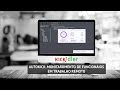
Kickidler Employee Monitoring Software empowers businesses with comprehensive workforce oversight, enabling real-time performance tracking.
See MoreHave you used Kickidler before?
Share your insights for better experience
Brand: Kickidler
Founded Year: 2013
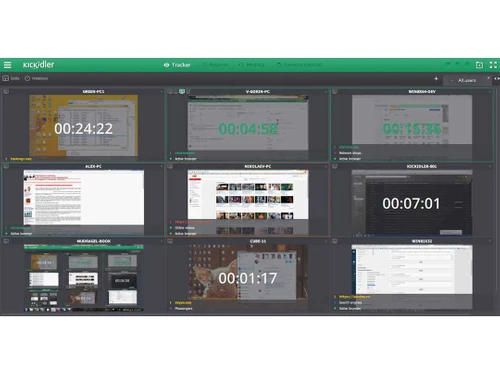
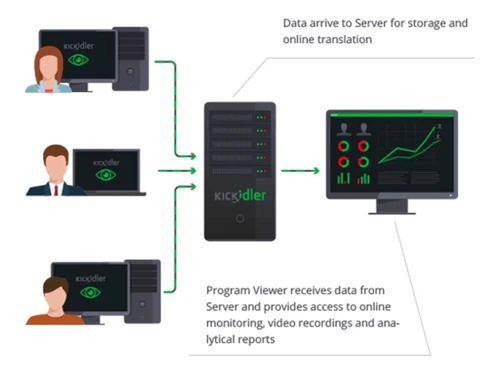
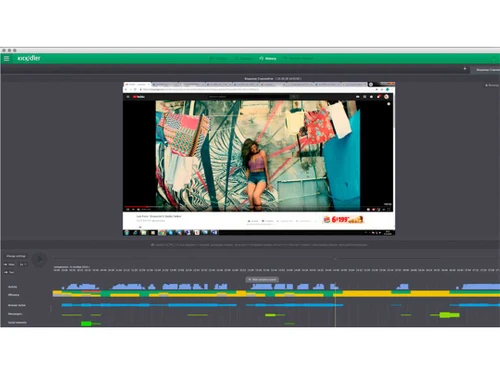
Kickidler monitors online and saves videos of users' desktops.
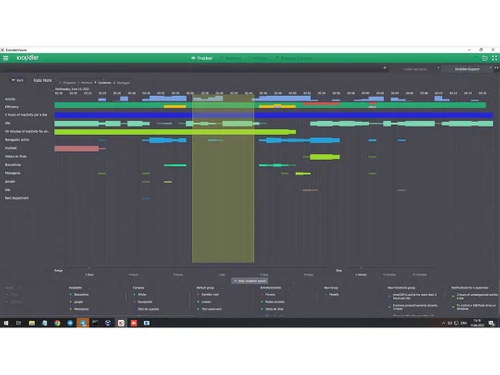
 Efficiency Ratings Project & Task Time Tracking Time Tracking Employee Productivity Analysis Computer Screen Recording Automatic Notifications Self Monitoring Remote Power Control Keylogger Remote Employee Monitoring Classroom Computer Monitoring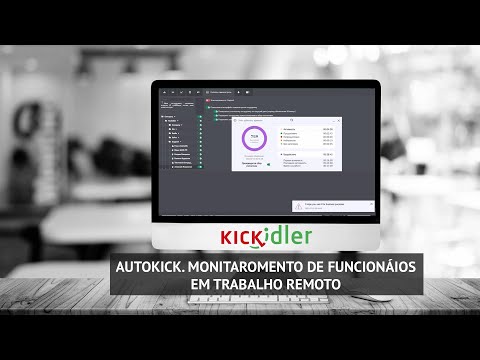

Watch the demo video to explore key features, real workflows, and how the software fits your business needs.
 Windows
  iOS MacOS
  Linux
Linux  Desktop
  Mobile
  Cloud-Based
  Perpetual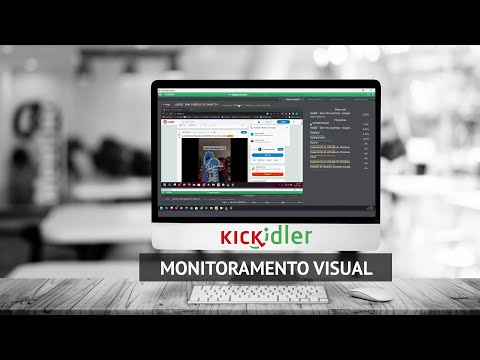
Small Business
Designed for startups and growing businesses
Medium Business
Built for business growth and flexibility
Enterprises
Designed for complex and large-scale business needs
5
Out of 5

Overall Rating
Based on
6 Verified Reviews
Rating Breakdown
98% Recommend this Product
Add ReviewCustomers consistently praise Kickidler for its user-friendly interface, responsive customer support, and effective employee monitoring capabilities, particularly for remote teams. Many users appreciate the program's extensive functionality and fair pricing, noting its convenience for tracking screen time and performance. However, some users have reported challenges with installation on MAC OS and a slow interface during license renewal processes. Overall, the sentiment is overwhelmingly positive, highlighting its value for businesses seeking reliable time tracking solutions.
Pros
"Convenient program, pleasant service, excellent support, lots of features it provides."
"During the transition to remote work of all office employees faced with the need to monitor, after a long analysis stopped on kickidler and are completely satisfied with it"
"User-friendly interface, flexible customization, extensive functionality. The optimal solution for a company operating with remote employees."
Cons
"We have been using this software for three years and no problems have been detected during this period!"
"The license renewal in admin has a very slow interface as well as for loading clients for migration. "

Jul 18, 2024
Techjockey Verified
“Great service for tracking screen time”
Convenient functionality, Easy to use, Responsive technical support.
Pros
A very useful and convenient program for additional control of employee working time. We have been using it in our company for more than 2 years. I also really like that it is possible to remotely connect to an employee’s computer without using third-party programs. The cost of services is fair and goes without any problems. There are no interruptions, but if they do happen, a notification is always sent by email in advance.
Cons
Difficulty installing the program on MAC OS
Feb 3, 2024
Techjockey Verified
“excellent program”
Our company used this service (program) for the first time. The managers were pleased with the user-friendly interface, the many functions, and most importantly the control of employees. One pluse I can highlight, as employees who sit on remote work, sometimes meet with difficulties, and it is easy to help them with this program. The program is understandable, easy enough to set up, in general one pluses! The price, by the way, which is justified and very acceptable, also a huge plus!
Pros
Convenient program, pleasant service, excellent support, lots of features it provides.
Cons
so far we haven't encountered any downsides
Reason to switch
managing and assisting a team on remote work
Oct 26, 2023
Techjockey Verified
“employee performance monitoring”
Monitoring helps to check the employee's performance and keep track of site visits.
Pros
During the transition to remote work of all office employees faced with the need to monitor, after a long analysis stopped on kickidler and are completely satisfied with it
Cons
We have been using this software for three years and no problems have been detected during this period!
Reason to switch
The reason for using kickidler was the transition to remote work of the entire office and the need to monitor employees

Kickidler
Price On Request
Desktop
Mobile
Web based
On Premises
Windows
Mac OS

DeskTrack
Price On Request
Desktop
Mobile
Web based
On Premises
Windows
Mac OS

WorkWitness
Price On Request
Desktop
Mobile
Web based
On Premises
Windows
Mac OS

We360 ai
₹ 399
Desktop
Mobile
Web based
On Premises
Windows
Mac OS
Mera Work
₹ 325
Desktop
Mobile
Web based
On Premises
Windows
Mac OS

Time Champ
₹ 200
Desktop
Mobile
Web based
On Premises
Windows
Mac OS

Twib
₹ 199
Desktop
Mobile
Web based
On Premises
Windows
Mac OS

Hoverwatch
Price On Request
Desktop
Mobile
Web based
On Premises
Windows
Mac OS

TheOneSpy
Price On Request
Desktop
Mobile
Web based
On Premises
Windows
Mac OS

WorkTrack
₹ 299
Desktop
Mobile
Web based
On Premises
Windows
Mac OS

TeamTrace
Price On Request
Desktop
Mobile
Web based
On Premises
Windows
Mac OS
(0) Product(s) selected
Starting Price:
₹65 /Month
Starting Price:
$30 /Month
Starting Price:
$29 /Month
Starting Price:
₹299 /Month

Starting Price:
$10 /Month

Starting Price:
$21 /Month

Starting Price:
₹1,730 /Year

Starting Price:
$33 /3Months

Starting Price:
$8 /User/Month

Starting Price:
$4 User/Month
Kickidler software is compatible with Windows and macOS operating systems.
The Kickidler Employee Monitoring app is unavailable on Android and iOS devices.
Kickidler system supports web-based deployment.
Kickidler Employee Monitoring software pricing starts at USD 5 at techjockey.com.
Kickidler Employee Monitoring system can be used by small to large organizations, HR, startups and businesses looking for reliable employee Monitoring software.
Kickidler Employee Monitoring Software demo is available for free with techjockey.com.
Kickidler Employee Monitoring Software offers a free trial.
Kickidler Employee Monitoring Software is a web-based platform. So, you need not download any software or app to use it.
Kickidler, an employee monitoring software, provides insights into employees' computer activities, enhancing productivity and identifying areas for improvement. By analyzing PC usage patterns, it helps businesses optimize workflows and employee engagement. This tool promotes efficient work habits and facilitates growth by offering actionable individual and team performance data.
20,000+ Software Listed
Best Price Guranteed
Free Expert Consultation
2M+ Happy Customers
Terms and Condtions

Users with registered businesses can purchase goods from merchants on the platform to satisfy their business needs. Users are not permitted to utilize any products acquired through the platform for resale, advertising, business, or further distribution.
For each purchase made, users will receive a Tax Invoice (or 'GST invoice') that includes specific details such as:
the GSTIN of the user associated with their registered business, and
the specified Entity Name for their business.
It should be noted that not all products are eligible for GST Invoice. Only the products displayed by participating sellers with the 'GST-based Invoice Available' callout on the product description page would qualify.
Certain goods and services are not eligible to get a GST Invoice, including items with VAS, i.e., Value Added Services (e.g., Total Mobile Protection/Assured Buyback) and those involving an exchange offer at the time of purchase.
Users must ensure the accuracy of the GSTIN, and business entity name provided for the GST Invoice. Requests for corrections into GST Invoice would not be accommodated by Techjockey.com or any Seller, and any issues arising from user-provided information are the sole responsibility of users.
Techjockey.com is not liable for the GST Invoice or any associated input tax credit. To efficiently claim an input tax credit, users should select the registered place of business address as per the GST authority's data and follow the provisions of the GST Act and rules.
To claim an input tax credit, the delivery and billing addresses must match. Furthermore, input tax credits will not be granted if the delivery address and GSTIN on the invoice are from different states. In case of incorrect GST details provided during the order placement, the order will be canceled automatically.