Description
Pricing
Features
Specification
Review
Compare
FAQs
Questions
Alternatives
 Get Free Advice





Brand : Microsoft Corporation


4.7 
2 Ratings & 2 Reviews
Have Questions?
₹ 14,270 excl. GST
₹ 16,839 incl. GST
View plans
Save Extra with 2 Offers
 Save upto 18%, Get GST Invoice on your business purchase |
Users with registered businesses can purchase goods from merchants on the platform to satisfy their business needs. Users are not permitted to utilize any products acquired through the platform for resale, advertising, business, or further distribution.
For each purchase made, users will receive a Tax Invoice (or 'GST invoice') that includes specific details such as:
the GSTIN of the user associated with their registered business, and
the specified Entity Name for their business.
It should be noted that not all products are eligible for GST Invoice. Only the products displayed by participating sellers with the 'GST-based Invoice Available' callout on the product description page would qualify.
Certain goods and services are not eligible to get a GST Invoice, including items with VAS, i.e., Value Added Services (e.g., Total Mobile Protection/Assured Buyback) and those involving an exchange offer at the time of purchase.
Users must ensure the accuracy of the GSTIN, and business entity name provided for the GST Invoice. Requests for corrections into GST Invoice would not be accommodated by Techjockey.com or any Seller, and any issues arising from user-provided information are the sole responsibility of users.
Techjockey.com is not liable for the GST Invoice or any associated input tax credit. To efficiently claim an input tax credit, users should select the registered place of business address as per the GST authority's data and follow the provisions of the GST Act and rules.
To claim an input tax credit, the delivery and billing addresses must match. Furthermore, input tax credits will not be granted if the delivery address and GSTIN on the invoice are from different states. In case of incorrect GST details provided during the order placement, the order will be canceled automatically.
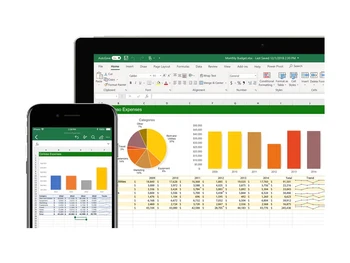
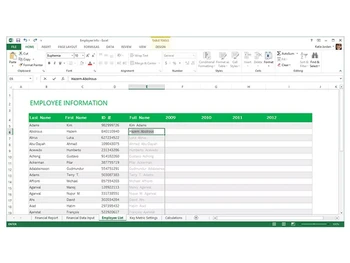
Buy Now & Pay Later, Check offer on payment page. Microsoft Excel spreadsheet software enables users to organize and calculate data in spreadsheets. It helps users to store and calculate the data with the help of various formulas, tables, charts, etc. You can quickly create spreadsheets with the given templates or create your own templates and use...Read more
 Get Instant Expert
  Safe & Secure
  Assured Best Price
 Calculated Price (Exclusive of all taxes)
₹ 14270We make it happen! Get your hands on the best solution based on your needs.
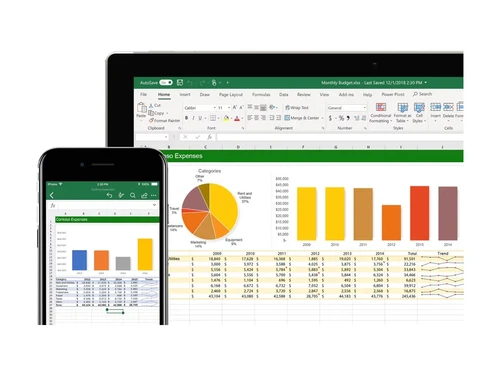
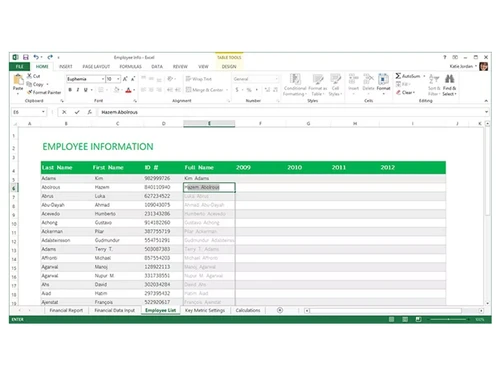
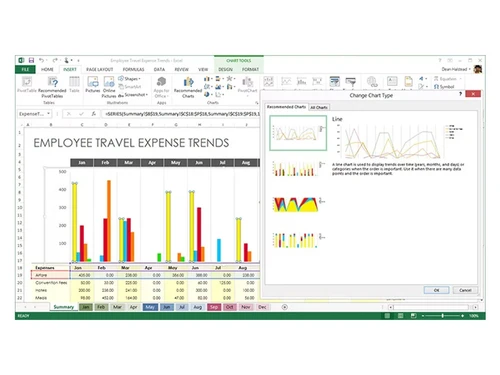
 Insights Users can get data insights by analyzing charts, graphics, and tables. Data Analysis Easily analyze the data with the help of Analysis ToolPak. Collaboration Collaborate with other team members on projects to complete them quickly. Graphs & Charts Store and analyze data with the help of multiple graphs and charts. File Sharing Users can easily share files to work on the data in real time. Calculators Easily calculate equations with different types of formulas. Templates Users can choose from multiple templates from over 40 categories to create spreadsheets. Notes You can insert notes and comments for editing, references, and for follow ups.
Have recommended this product
Overall Score
Review this product
Your valuable feedback helps others like you make a better decision.
Verified reviewer:
Project Manager, Automotive
2-100 Employees
Reviewed on: Jan 7, 2024
Verified reviewer:
Software Engineer, Software Development
101-500 Employees
Software user since: 1-2 years
Reviewed on: Oct 16, 2023
| Brand Name | Microsoft Corporation |
| Information | Microsoft Corporation is an American multinational technology company with headquarters in Redmond, Washington. |
| Founded Year | 1975 |
| Director/Founders | Paul Allen , Bill Gates |
| Company Size | 1000+ Employees |
| Other Products | Microsoft Office 365 for Business (MOLP), Microsoft Office 365 Business Basic, Microsoft Intune Open (MOLP), Microsoft Open Licensing Program MOLP, Microsoft Office Home & Business |


To convert a VBA macro to an Excel add-in, the general process involves saving the macro-enabled workbook as an add-in file (.xlam), then making it available for use in other workbooks by installing it as an add-in. You will need to open the VBA editor (Alt + F11), save the workbook as an .xlam file, and then add it as an add-in in Excel.

 20,000+ Software Listed
 Best Price Guaranteed
 Free Expert Consultation
 2M+ Happy Customers
 USA
USA UAE
UAE