linkedin
MoneyFacts logo
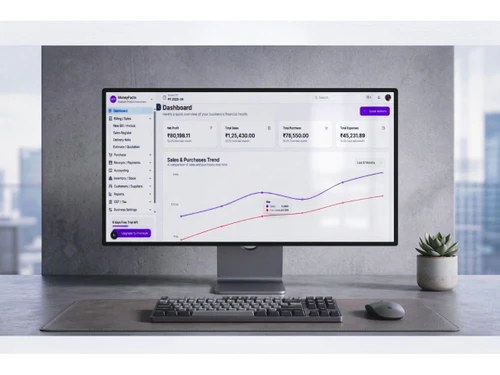
MoneyFacts dashboard
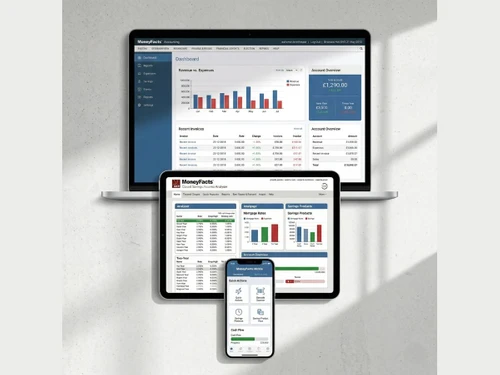
MoneyFacts features
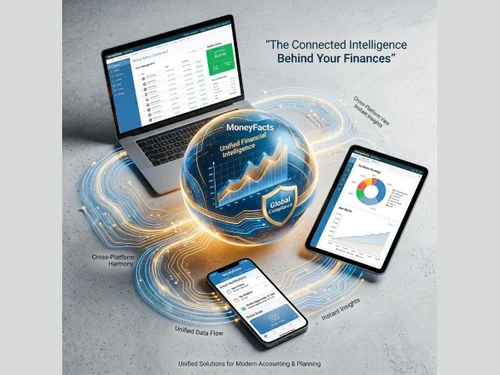
MoneyFacts finances

MoneyFacts

Brand: Intelliob

  • 4.7

  • 1 Rating & 1 Review

MoneyFacts is your ultimate smart business solution, simplifying financial management, tracking every detail, and empowering strategic growth with clear insights.

See More

Have you used MoneyFacts before?

Share your insights for better experience

Add a Review
Starting Price
₹471

View plans

100% Genuine
Products
Best Price
Guaranteed
Safe & Secure
Payment
  • Description

  • Pricing

  • Features

  • Specification

  • Review

  • Compare

  • Alternatives

  • FAQ

Starting at ₹471

MoneyFacts Software Overview

What is MoneyFacts?

MoneyFacts is a financial accounting software designed to empower small and medium-sized enterprises (SMEs) with robust tools for controlling their financial operations, deployable on-premises or on the cloud. It serves as a centralized platform for managing core accounting functions, streamlining workflows, and gaining real-time visibility into business performance. The software integrates key financial processes, including general ledger management, accounts payable and receivable, expense tracking, and financial reporting, into a single, intuitive interface. By automating routine tasks and providing powerful analytical capabilities, MoneyFacts helps businesses reduce manual errors, improve efficiency, and make more informed strategic decisions. Its scalable architecture ensures that it can support a company's growth, from a startup's initial bookkeeping needs to a growing enterprise's complex financial management requirements.

Why Choose MoneyFacts?

  • Unified Financial Hub: Consolidate all your financial data and operations in one secure location. Eliminate the need for disparate spreadsheets and disconnected applications, creating a single source of truth for your financial records.
  • Real-Time Insights: Access dynamic dashboards and generate up-to-the-minute reports. Monitor key performance indicators (KPIs) like cash flow, profitability, and expenses in real time to guide your business strategy effectively.
  • Intelligent Automation: Drastically reduce the time spent on manual data entry. MoneyFacts automates recurring invoices, payment reminders, expense categorization, and bank transaction reconciliation, freeing up your team to focus on higher-value activities.
  • Enhanced Compliance and Security: Stay compliant with tax regulations and accounting standards. The platform features role-based access controls, audit trails, and robust data encryption to ensure your sensitive financial information is always secure.
  • Scalability for Growth: MoneyFacts is built to grow with your business. Whether you are adding new employees, expanding to new markets, or increasing transaction volume, the platform scales seamlessly to meet your evolving needs without requiring a costly migration.

Advanced Features of MoneyFacts

  • Multi-Currency Management: Conduct business globally with ease. MoneyFacts provides support for multi-currency transactions and reporting financial performance in your base currency.
  • Cost Center & Budgeting: Assign income and expenses to specific cost centers, track budgets versus actuals, and monitor departmental or project-level spending.
  • Quotation Management: Create and revise quotations directly within the platform as part of the sales workflow.
  • Excel Integration: Export financial data and reports to Microsoft Excel for further analysis and custom reporting.
  • Graphical Dashboard: View accounts, cost centers, and budgets through a graphical interface for a quick visual overview of financial health.

Modules of MoneyFacts

  • General Ledger: The core of the system, providing a complete record of all financial transactions. It manages your chart of accounts, journal entries, and trial balances, ensuring the integrity of your financial data.
  • Accounts Payable (AP): Streamline your entire procurement-to-payment process. This module helps you manage vendor invoices, schedule payments, and take advantage of early payment discounts.
  • Accounts Receivable (AR): Accelerate your cash collection cycle. Create professional invoices, automate payment reminders, accept online payments, and efficiently track outstanding customer balances.
  • Expense Management: Simplify how your team reports and claims business expenses. Employees can submit expense reports for approval, and managers can review and reimburse them directly through the platform, ensuring policy compliance.
  • Financial Reporting & Analytics: Transform raw data into actionable intelligence. This module includes a suite of standard reports (P&L, Balance Sheet, Cash Flow Statement) and a dynamic dashboard for visualizing financial health at a glance.
  • Inventory Management: Track stock levels and update inventory, sales, and order details in real time.
  • Cash & Bank: Manage cash and bank transactions alongside day book postings for a complete view of liquidity.

How to Use MoneyFacts?

  1. Initial Setup and Configuration: Begin by setting up your company profile, customizing your chart of accounts, and configuring tax settings according to your local regulations.
  2. Bank Account Integration: Securely connect your business bank accounts and credit cards. This enables automatic transaction feeds, which is the foundation for efficient reconciliation.
  3. Daily Operations: Use the intuitive interface to perform daily tasks such as creating and sending customer invoices, recording bills from vendors, and categorizing business expenses as they occur.
  4. Reconciliation and Review: Regularly use the bank reconciliation tool to match your recorded transactions against your bank statements, ensuring your books are accurate and up-to-date.
  5. Reporting and Analysis: Leverage the reporting module to generate financial statements and analyze business performance. Use these insights to monitor progress towards goals and inform future business strategy.

MoneyFacts Pricing

MoneyFacts price starts at INR 471 at techjockey.com.

The pricing model is based on different parameters, including extra features, deployment type, and the total number of users. For further queries related to the product, you can contact our product team and learn more about the pricing and offers.

Read more

MoneyFacts Pricing & Plans

MoneyFacts Billing
Key Features
  • GSTR-1 filing
  • 1 company
  • Customer statements
  • GSTR-2B & GSTR-3B viewing
  • ITC summary
  • Item master with quantity stock
Starting at ₹471
    • Quantity

      Quantity
      Quantity
    • Monthly

      Monthly
      Monthly

Key Features

  • GSTR-1 filing

  • 1 company

  • Customer statements

  • GSTR-2B & GSTR-3B viewing

  • ITC summary

  • Item master with quantity stock

MoneyFacts Features

Core Functionalities

  • icon_check Branch Management
    It allows businesses to manage financial transactions, reports, and data specific to different branches or locations, ensuring
  • icon_check Sales Management
    It consists of tracking sales transactions, managing customer accounts, and generating reports on sales performance.
  • icon_check Tax Management
    It automates the calculation, tracking, and reporting of various taxes.
  • icon_check Transaction Management
    Tracks, records, and categorizes financial transactions for accurate reporting.
  • icon_check Time & Expenses Management
    It is a process of recording, tracking, and managing employee working hours and business-related expenses.
  • icon_check Accounts Payable
    Refers to the money a business owes to its suppliers or vendors for goods or services purchased on credit.
  • icon_check Accounts Receivable
    It represents money owed to a business by its customers or clients for goods or services delivered but not yet paid for.
  • icon_check General Ledger
    It is a comprehensive record of all a business's financial transactions, categorized by accounts.
  • icon_check Quotation & Estimates
    Offers detailed price estimates to clients before finalizing sales, while estimates offer preliminary cost projections.
  • icon_check Statutory Compliances
    Ensures adherence to legal regulations such as tax laws, payroll requirements, and financial reporting standards.
  • icon_check Alerts & Notifications
    They are automated messages that inform users of important financial events, deadlines, or discrepancies.
  • icon_check Bank Reconciliation
    It is a process of comparing the balances in the company's records with the balances shown on the bank statement.
  • icon_check Collection Management
    A robust field that involves tracking & managing receivables, including invoicing, payment reminders, & follow-ups.
  • icon_check Receipt Management
    It involves capturing, organizing, & storing digital copies of receipts for expenses & purchases.
  • icon_check Document Management
    Refers to the digital storage, organization, & retrieval of financial documents & records.
  • icon_check Batch Management
    It enables users to handle multiple transactions collectively, streamlining processes such as invoicing, payments, and updates.
  • icon_check Credit / Debit Note
    A credit note is issued to reduce the amount a customer owes, typically due to returns or overpayments.
  • icon_check Bookkeeping Capabilities
    Involves recording and managing financial transactions, tracking income and expenses, and keeping records current.
  • icon_check Bank Settlement
    Refers to the process of reconciling transactions between a company's bank account records & its accounting system.
  • icon_check Cost Centres
    A vital unit where costs are allocated for internal tracking & management purposes.
  • icon_check Trial Balance Preparation
    It consists of compiling and listing all ledger accounts and their balances to verify the accuracy of recorded transactions.
  • icon_check Gst Report Preparations
    Involves the process of compiling data on Goods and Services Tax (GST) transactions from various financial records within an
  • icon_check Return Filings
    Return filings are crucial in accounting software, where businesses prepare and submit tax returns to relevant authorities.
  • icon_check GST Input Reconciliations
    Involves matching the Input Tax Credit (ITC) claimed on purchases with the GST details provided by suppliers.
  • icon_check Payroll Management
    Streamlines the process of calculating employee salaries, tax deductions, and benefits.
  • icon_check Asset Management
    Consists of tracking & managing a company's assets throughout their lifecycle.
  • icon_check Fund Accounting
    It is a method of segregating resources into self-balancing sets of accounts, or funds, according to their intended use or
  • icon_check Multi Currency Support
    Refers to the software's capability to handle transactions, reporting, and financial management in multiple currencies.
  • icon_check Fixed Asset Register (FAR) Management
    A Fixed Asset Register tracks and manages a company's fixed assets, including their acquisition cost, depreciation, and current
  • icon_check Tds Report Generations
    Includes the automated creation of reports detailing Tax Deducted at Source (TDS) from payments made to vendors or contractors.
  • icon_check Variant Analysis
    Includes comparing & evaluating different versions or scenarios of financial data to identify variations, discrepancies, or
  • icon_check Broker Management
    Involves tracking & managing broker transactions, commissions, & related financial activities to streamline brokerage
  • icon_check Claims Management
    Includes tracking, processing, & settling claims efficiently, ensuring accurate record-keeping and financial reporting.

Billing & Invoicing

  • icon_check Payment Processing
    Refers to the handling of electronic transactions between buyers & sellers, ensuring the secure transfer of funds.
  • icon_check Bill Of Materials (BOM)
    Refers to a detailed list of raw materials, components, and instructions required to manufacture a product.
  • icon_check E-Way Bill Generation
    E-Way Bill Generation involves creating and managing electronic invoices required for the transportation of goods under GST
  • icon_check Payment Tracking
    Monitors and records incoming and outgoing payments, ensuring accurate financial records and timely reconciliation.
  • icon_check Invoice Processing
    It includes receiving and managing invoices from vendors or suppliers to ensure accurate payment and financial record-keeping.
  • icon_check Automatic Payment Reminders
    Automatic payment reminders are notifications sent to remind customers of upcoming payments.

Retail and Point of Sale

  • icon_check Retail Management
    Consists of features for tracking inventory levels, sales transactions, & customer data along with generating reports for
  • icon_check Point of Sale (POS)
    Integrates sales transactions with financial records, facilitating real-time inventory management and streamlined reporting.

Project and Workflow Management

  • icon_check Production Management
    It involves tracking & controlling the manufacturing process, including inventory levels, work orders, and production costs.
  • icon_check Transaction Management
    Tracks, records, and categorizes financial transactions for accurate reporting.
  • icon_check Time & Expenses Management
    It is a process of recording, tracking, and managing employee working hours and business-related expenses.
  • icon_check Workflow Management
    Streamlines tasks automate processes and enhances team collaboration for efficient operations.
  • icon_check Project Accounting
    Project accounting tracks & manages financial information & activities specific to individuals or jobs.
  • icon_check Facility Management
    Refers to the tools used to track and manage the operational costs, maintenance, and usage of physical assets or facilities.

Inventory and Supply Chain Management

  • icon_check Warehouse Management
    Optimizes inventory, controls stock levels, and manages orders and shipments efficiently.
  • icon_check Distribution Management
    Involves tracking & managing the flow of goods from suppliers to customers, including inventory control.
  • icon_check Supply Chain Management
    Streamlines procurement, inventory, and logistics for efficient financial oversight.
  • icon_check Product Management
    It includes overseeing the development and enhancement of features related to tracking, managing, and reporting financial data.
  • icon_check Stock Management
    It includes tracking inventory levels, monitoring stock movements, & managing reorder points.
  • icon_check Barcode Scanning
    It streamlines inventory management by automatically tracking & recording product information.
  • icon_check Inventory Management
    It involves tracking, managing, and optimizing the stock of goods and materials.
  • icon_check Store Management
    Helps track inventory, manage stock levels, and streamline purchase and sales processes.
  • icon_check Item Master
    A centralised database where detailed information about each inventory item or product is stored.
  • icon_check Delivery Management
    It consists of tracking and managing the delivery of goods or services to customers, including scheduling, logistics, & more.
  • icon_check Vendor & Supplier Management
    Tracks interactions, manages invoices and monitors payments for efficient procurement.
  • icon_check Inventory Reconciliation
    Refers to the process of matching the inventory records in an accounting system with physical inventory.

Sales and CRM

  • icon_check Sales Management
    It consists of tracking sales transactions, managing customer accounts, and generating reports on sales performance.
  • icon_check Customer Management
    It involves tracking & managing customer information, transactions, & interactions to streamline billing, payments, &
  • icon_check Order Management
    Handles the processing, tracking, & fulfilment of customer orders, thereby integrating them with inventory & financial
  • icon_check Quotation & Estimates
    Offers detailed price estimates to clients before finalizing sales, while estimates offer preliminary cost projections.
  • icon_check CRM Capabilities
    CRM capabilities are integrated to streamline & optimize the business processes associated with customer management.
  • icon_check Loyalty Program
    Tracks and manages rewards or incentives given to customers for their continued business.

Financial Management

  • icon_check Revenue Management
    Refers to the systematic process of predicting, analyzing, & optimizing an organization's income by managing pricing &
  • icon_check Cash Flow Management
    Used for tracking, analyzing, & optimizing the net amount of cash receipts, barring cash expenses.
  • icon_check Net Worth Management
    Defined as a process of tracking and managing an individual or organization's total assets and liabilities.
  • icon_check Cash and Bank Management
    It tracks and manages all cash inflows and outflows, including bank transactions and cash payments/receipts.
  • icon_check Financial Planning & Analysis
    It includes forecasting future financial performance based on historical data, and budgeting for expenses and revenue.
  • icon_check Budgeting & Forecasting
    They are vital financial planning tools businesses use to estimate future revenue & cash flow.
  • icon_check Fund Accounting
    It is a method of segregating resources into self-balancing sets of accounts, or funds, according to their intended use or
  • icon_check Fund Planning
    Defined as a process of forecasting & managing the inflows and the outflows of cash.

Integrations Supported

  • icon_check Import / Export Management
    Refers to the ability to transfer financial data in and out of the system, enabling seamless integration with various apps.

Analytics and Reporting

  • icon_check Financial Accounting and Reporting
    It involves tracking and managing a company's fixed assets, such as equipment, vehicles, and buildings.
  • icon_check Profit Centers
    Defined as a segment within a business that is responsible for generating profits.
  • icon_check Profit & Loss
    It shows revenues, costs, and expenses to determine net profit or loss for a period.
  • icon_check Audit Management
    Refers to a process of preparing for & conducting audits by organizing & tracking audit-related activities.
  • icon_check Gross Profit
    Refers to the difference between revenue from sales and the cost of goods sold.
  • icon_check Net Profit Management
    Involves calculating, analyzing, & reporting the net profit earned by a business after deducting all expenses.
  • icon_check Financial Statement Generation & Analysis
    Refers to the process of automatically creating financial reports like balance sheets & income statements.
  • icon_check Ratio Analysis
    It includes evaluating financial ratios derived from financial statements to assess a company's performance.

Administrative Features

  • icon_check Admin Controls
    Allows administrators to manage user access, set permissions, and oversee the security of financial data within the system.
  • icon_check Backup & Restore
    A process of creating a copy of data (backup) to prevent data loss and retrieving that data (restore) to recover the system to
  • icon_check User Access Management
    Includes roles, permissions, access control, and activity tracking to ensure secure operations.
  • icon_check Ledger Scrutiny
    Ledger scrutiny involves a detailed examination of financial records to ensure accuracy, completeness, and compliance.
  • icon_check Facility Management
    Refers to the tools used to track and manage the operational costs, maintenance, and usage of physical assets or facilities.
  • icon_check Self Service Portal
    Allows users to access and manage their financial information independently, including viewing reports, submitting invoices, and

MoneyFacts Specifications

Supported Platforms
Windows Windows iOS iOS Android Android MacOS MacOS
Devices
Desktop Desktop Mobile Mobile
Deployment
Cloud-Based Cloud-Based Perpetual Perpetual
Suitable For
All Industries
Business Specific
All Businesses
Business Size
Individual Small Business Medium Business Enterprises SMBs
Customer Support
Phone Email
Language
English
Training Resources
Live Online Documentation

Explore the Best Alternative Solutions Similar to Your Business Size and Needs

MoneyFacts Review

4.7

Out of 5

img

Overall Rating

Based on
1 Verified Review

Rating Breakdown

  • Features 4.5
  • Value for Money 5
  • Ease of Use 5
  • Customer Support 4.5

80% Recommend this Product

Add Review

Mohit Sharma

User

4.7

Reviewed on: Aug 14, 2018

Techjockey Verified

“Moneyfacts developed work effectiveness with Work order management”

Pros

This software is a boon for someone who has to manage everything from field service management to financial, inventory, purchase and also look for warehouse management.

Cons

NO CONS

Compare MoneyFacts With other Accounting Software

Products
Ratings
Pricing
Device Supported
Deployment
Supported Platforms
  • img

    MoneyFacts

  • 4.7

  • Price On Request

  • Desktop

    Mobile

  • Web based

    On Premises

  • Windows

    Mac OS

  • img

    iAccounting

  • 5

  • Price On Request

  • Desktop

    Mobile

  • Web based

    On Premises

  • Windows

    Mac OS

  • img

    TallyPrime

  • 4.4

  • Price On Request

  • Desktop

    Mobile

  • Web based

    On Premises

  • Windows

    Mac OS

  • img

    LedgerX

  • 5

  • Price On Request

  • Desktop

    Mobile

  • Web based

    On Premises

  • Windows

    Mac OS

  • img

    LedgerFlo

  • 4.3

  • ₹ 2999

  • Desktop

    Mobile

  • Web based

    On Premises

  • Windows

    Mac OS

  • img

    DualEntry

  • 4.4

  • Price On Request

  • Desktop

    Mobile

  • Web based

    On Premises

  • Windows

    Mac OS

  • img

    Marg ERP 9+

  • 4.7

  • Price On Request

  • Desktop

    Mobile

  • Web based

    On Premises

  • Windows

    Mac OS

  • img

    GBooks

  • 4.3

  • Price On Request

  • Desktop

    Mobile

  • Web based

    On Premises

  • Windows

    Mac OS

  • img

    Sage Intacct

  • 4.1

  • Price On Request

  • Desktop

    Mobile

  • Web based

    On Premises

  • Windows

    Mac OS

(2) Product(s) selected

MoneyFacts Alternatives

See All MoneyFacts Alternatives

Starting Price:

₹750 /Month

Available

Price on Request

Starting Price:

₹2,999 /Year

Available

Price on Request

Available

Price on Request
Available

Price on Request
Available

Price on Request

Articles for MoneyFacts

See All Related Articles

Can I get a free demo or trial of the software I am going to purchase?

Yes, you will get free demo of Moneyfacts, a billing and accounting software. Techjockey provides free demo of all the services it provides to help you give a glimpse of what you are going to get. It greatly helps customers make the right choice and open avenues to make businesses grow.

Does it provide data recovery options?

Yes, this billing software does provide data security as well as data recovery options. It is meant to provide optimum data security to all its users.

What does MoneyFacts do?

MoneyFacts is a financial accounting software developed by Intelliob Technologies Pvt. Ltd. It helps small and medium-sized businesses manage core accounting functions, including general ledger, accounts payable and receivable, inventory, budgeting, and billing, through a centralized platform deployable on-premises or on the cloud.

How much does MoneyFacts cost?

MoneyFacts price starts at INR 471 at techjockey.com.

What are the main features of MoneyFacts?

MoneyFacts includes general ledger management, accounts payable and receivable, inventory management, budgeting and cost center tracking, multi-currency support, quotation management, a Day Book for transaction postings, and a graphical dashboard for visualizing accounts and budgets. Reports can be exported to Microsoft Excel for further analysis.

Who can use MoneyFacts?

MoneyFacts is designed for small and medium-sized enterprises (SMEs) that need to manage core accounting operations, including businesses that operate internationally, given its multi-currency support, and it can be deployed either on-premises or on the cloud depending on the organization's IT setup.

What kind of businesses benefit from MoneyFacts?

Businesses looking for a straightforward, cost-effective accounting solution to manage ledgers, receivables, payables, inventory, and budgeting benefit from MoneyFacts, particularly those that want the flexibility of choosing between cloud and on-premises deployment.

How does MoneyFacts enhance financial management?

MoneyFacts centralizes core accounting tasks, including ledger entries, invoicing, inventory tracking, and budget-versus-actual monitoring, into a single platform with a graphical dashboard, helping reduce manual bookkeeping errors and giving business owners a consolidated view of accounts and cost centers.

21,000+ Software Listed

Best Price Guranteed

Free Expert Consultation

5M+ Happy Customers

Terms and Condtions

close

Users with registered businesses can purchase goods from merchants on the platform to satisfy their business needs. Users are not permitted to utilize any products acquired through the platform for resale, advertising, business, or further distribution.

For each purchase made, users will receive a Tax Invoice (or 'GST invoice') that includes specific details such as:

  • the GSTIN of the user associated with their registered business, and

  • the specified Entity Name for their business.

It should be noted that not all products are eligible for GST Invoice. Only the products displayed by participating sellers with the 'GST-based Invoice Available' callout on the product description page would qualify.

Certain goods and services are not eligible to get a GST Invoice, including items with VAS, i.e., Value Added Services (e.g., Total Mobile Protection/Assured Buyback) and those involving an exchange offer at the time of purchase.

Users must ensure the accuracy of the GSTIN, and business entity name provided for the GST Invoice. Requests for corrections into GST Invoice would not be accommodated by Techjockey.com or any Seller, and any issues arising from user-provided information are the sole responsibility of users.

Techjockey.com is not liable for the GST Invoice or any associated input tax credit. To efficiently claim an input tax credit, users should select the registered place of business address as per the GST authority's data and follow the provisions of the GST Act and rules.

To claim an input tax credit, the delivery and billing addresses must match. Furthermore, input tax credits will not be granted if the delivery address and GSTIN on the invoice are from different states. In case of incorrect GST details provided during the order placement, the order will be canceled automatically.