 USA
USA UAE
UAESmall Business
Designed for startups and growing businesses


See More


Brand: Ocenaudio
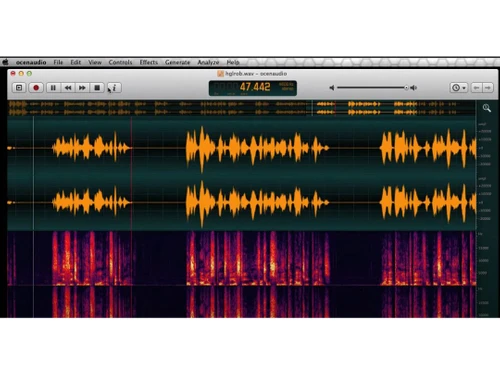
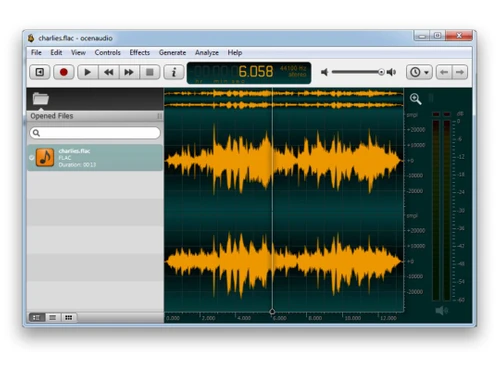
Ocenaudio is a cross-platform, fast and functional audio editing software. It offers a friendly user-interface to its users. With Ocenaudio, you can edit and analyze your audio files without facing any complications. The software has a robust library known as the Ocen Framework, which simplifies and standardizes the development related to sound analysis and manipulation of audio files for the use...
See MoreHave you used ocenaudio before?
Share your insights for better experience
Looking for The Right Pricing?
Share your requirements and get a plan built around your business.
Price Available on Request
Get personalised ocenaudio pricing that fits your needs. Our team will connect with you.
 Noise Reduction Audio Filtering Silence Remover Multiple Audio Format Support Audio Editing Effects Soundtracks Audio Recording Audio Waveforms Audio Equalizer Audio Editing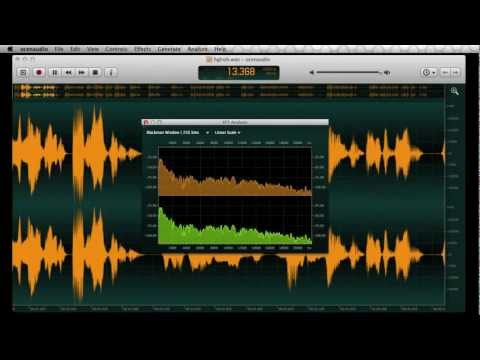

Watch the demo video to explore key features, real workflows, and how the software fits your business needs.
 Windows
  MacOS
MacOS  Linux
Linux  Desktop
  Perpetual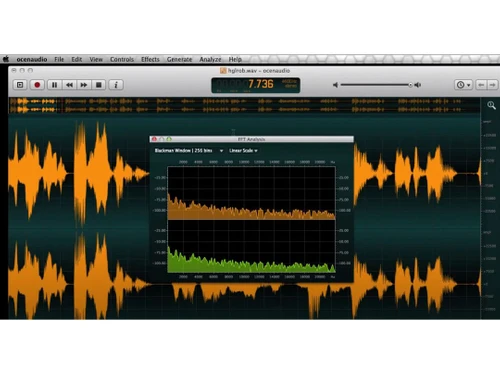
Small Business
Designed for startups and growing businesses
Medium Business
Built for business growth and flexibility
Enterprises
Designed for complex and large-scale business needs
4.7
Out of 5

Overall Rating
Based on
10 Verified Reviews
Rating Breakdown
96% Recommend this Product
Add ReviewUsers generally appreciate Ocenaudio for its user-friendly interface, ease of use, and effective non-destructive editing capabilities, making it ideal for quick audio tasks. Many find the cross-platform compatibility and support for various file formats beneficial. However, common complaints include limited automation tools, lack of MIDI support, and insufficient integration with external hardware and advanced effects, which can hinder more complex projects. Overall, while it serves well for basic editing, users seeking advanced features may need to consider alternatives.
Pros
"I can confidently make changes without worrying about altering the original audio file until I decide to save it."
"I love the built-in effects like EQ, compression, and reverb that are smooth to use and easy to apply and adjust. These effects make it so much easier for anyone to use Ocenaudio."
"I love how Ocenaudio has multiple file support, it feels nice that I can work with many audio files formats such as WAV, OGG, FLAC, and MP3 without needing to convert these files."
Cons
"It has extremely limited automation tools, which are needed since I worked with complex projects it is used for mixing and mastering complex projects."
"Although the user interface is nice and intuitive, I wish there were options to customize the layout and appearance to my preference. "
"I found out that it does not have audio recording customization although recording is possible. I wish there were more recording features and options with which I can work."

Nov 18, 2024
Techjockey Verified
“Okay Plugin Support and Lacks Hardware Integration”
Ocenaudio has average plugin support with VST plugins which allows me to expand its capabilities, but I wish it could integrate more plugins. Personally, I do miss the integration with external hardware such as control surfaces which would come in handy in a studio setup.
Pros
I appreciate that Ocenaudio supports VST plugins, so I can explore and expand the functionality of the software with more tools and effects that I require for a better editing experience.
Cons
It does not provide integration with external hardware, I miss having integration with control surfaces or some other external hardware, which I find useful for studio setups.
Reason to switch
Ocenaudio had better VST plugin support than Audacity which allowed me to enhance my editing. This made my projects more dynamic.
Nov 25, 2024
Techjockey Verified
“Safe Editing but Lacks Automation”
The non-destructive editing feature of making edits without altering the original audio gives me peace of mind when trying out new things. The downside to it is that it has extremely limited automation tools which hinders working on complex projects.
Pros
I can confidently make changes without worrying about altering the original audio file until I decide to save it.
Cons
It has extremely limited automation tools, which are needed since I worked with complex projects it is used for mixing and mastering complex projects.
Reason to switch
I moved to Ocenaudio from Adobe Audition since it was a simple, more user-friendly interface for beginner edits. However, I do miss some of those advanced features that Adobe Audition Office.
Nov 24, 2024
Techjockey Verified
“easy to apply”
I enjoyed using Ocenaudio because its built-in effects like EQ, compression, and reverb are simple to apply and adjust. This makes the software novice-friendly and ideal for quick edits. However, I wish it had more customization options for its layout.
Pros
I love the built-in effects like EQ, compression, and reverb that are smooth to use and easy to apply and adjust. These effects make it so much easier for anyone to use Ocenaudio.
Cons
Although the user interface is nice and intuitive, I wish there were options to customize the layout and appearance to my preference.
Reason to switch
Murf AI was not a proper hands-on editing tool with built-in effects for quick adjustments. Ocenaudio’s effects just made my production smoother and faster.

ocenaudio
Price On Request
Desktop
Mobile
Web based
On Premises
Windows
Mac OS
Audacity
Price On Request
Desktop
Mobile
Web based
On Premises
Windows
Mac OS

Cleanvoice AI
Price On Request
Desktop
Mobile
Web based
On Premises
Windows
Mac OS

AudioDirector 365
₹ 1599
Desktop
Mobile
Web based
On Premises
Windows
Mac OS

Supertone CLEAR
Price On Request
Desktop
Mobile
Web based
On Premises
Windows
Mac OS

BandLab
Price On Request
Desktop
Mobile
Web based
On Premises
Windows
Mac OS

Adobe Audition
Price On Request
Desktop
Mobile
Web based
On Premises
Windows
Mac OS

Moises
Price On Request
Desktop
Mobile
Web based
On Premises
Windows
Mac OS

Adobe Podcast
Price On Request
Desktop
Mobile
Web based
On Premises
Windows
Mac OS

FMOD
Price On Request
Desktop
Mobile
Web based
On Premises
Windows
Mac OS

Podcastle AI
Price On Request
Desktop
Mobile
Web based
On Premises
Windows
Mac OS
(2) Product(s) selected
Starting Price:
$69 /License
Starting Price:
$15 /month
Available
Price on Request
Starting Price:
$9 /Month

Starting Price:
₹9,281
Available
Price on Request

Available
Price on Request

Available
Price on Request
Available
Price on Request

Available
Price on Request

Available
Price on Request




The ocen framework is a powerful toolset that can be used for audio analysis, editing and manipulation. It is created to assist the developments within Ocenaudio.
Users get to preview all the effects before applying them, thus saving a lot of time and effort.
Techjockey provides live demos and tutorials. If you are interested, you can send us a demo request and our team will contact you at your scheduled time and date.
Users can easily edit audio files that are several hours long. The software allows them to perform all the standard editing operations, i.e., cut, copy and paste instantly.
The software is not yet compatible with mobile devices.
To clear blurry audio in Ocenaudio, follow the steps given below:
0 0
To merge audio files in Ocenaudio, follow the steps given below:
1 2
To connect your voice recordings together in Ocenaudio, follow the steps given below:
0 0
To mix voice recordings with music in Ocenaudio, follow the steps given below:
0 2
To make audio clearer in Ocenaudio, follow the steps given below:
0 0
20,000+ Software Listed
Best Price Guranteed
Free Expert Consultation
2M+ Happy Customers
Terms and Condtions

Users with registered businesses can purchase goods from merchants on the platform to satisfy their business needs. Users are not permitted to utilize any products acquired through the platform for resale, advertising, business, or further distribution.
For each purchase made, users will receive a Tax Invoice (or 'GST invoice') that includes specific details such as:
the GSTIN of the user associated with their registered business, and
the specified Entity Name for their business.
It should be noted that not all products are eligible for GST Invoice. Only the products displayed by participating sellers with the 'GST-based Invoice Available' callout on the product description page would qualify.
Certain goods and services are not eligible to get a GST Invoice, including items with VAS, i.e., Value Added Services (e.g., Total Mobile Protection/Assured Buyback) and those involving an exchange offer at the time of purchase.
Users must ensure the accuracy of the GSTIN, and business entity name provided for the GST Invoice. Requests for corrections into GST Invoice would not be accommodated by Techjockey.com or any Seller, and any issues arising from user-provided information are the sole responsibility of users.
Techjockey.com is not liable for the GST Invoice or any associated input tax credit. To efficiently claim an input tax credit, users should select the registered place of business address as per the GST authority's data and follow the provisions of the GST Act and rules.
To claim an input tax credit, the delivery and billing addresses must match. Furthermore, input tax credits will not be granted if the delivery address and GSTIN on the invoice are from different states. In case of incorrect GST details provided during the order placement, the order will be canceled automatically.


