
Description
Pricing
Features
Specification
Review
Compare
FAQs
Alternatives
 Get Free Advice
Get Quote


Brand : Online2PDF


Have Questions?
FREE
Save Extra with 2 Offers
 Save upto 18%, Get GST Invoice on your business purchase |
Users with registered businesses can purchase goods from merchants on the platform to satisfy their business needs. Users are not permitted to utilize any products acquired through the platform for resale, advertising, business, or further distribution.
For each purchase made, users will receive a Tax Invoice (or 'GST invoice') that includes specific details such as:
the GSTIN of the user associated with their registered business, and
the specified Entity Name for their business.
It should be noted that not all products are eligible for GST Invoice. Only the products displayed by participating sellers with the 'GST-based Invoice Available' callout on the product description page would qualify.
Certain goods and services are not eligible to get a GST Invoice, including items with VAS, i.e., Value Added Services (e.g., Total Mobile Protection/Assured Buyback) and those involving an exchange offer at the time of purchase.
Users must ensure the accuracy of the GSTIN, and business entity name provided for the GST Invoice. Requests for corrections into GST Invoice would not be accommodated by Techjockey.com or any Seller, and any issues arising from user-provided information are the sole responsibility of users.
Techjockey.com is not liable for the GST Invoice or any associated input tax credit. To efficiently claim an input tax credit, users should select the registered place of business address as per the GST authority's data and follow the provisions of the GST Act and rules.
To claim an input tax credit, the delivery and billing addresses must match. Furthermore, input tax credits will not be granted if the delivery address and GSTIN on the invoice are from different states. In case of incorrect GST details provided during the order placement, the order will be canceled automatically.
Buy Now & Pay Later, Check offer on payment page. A web-based PDF software that helps users convert, edit, and manage PDF files quickly and easily. ...Read more
 Get Instant Expert
  Safe & Secure
  Assured Best Price
 This product is available Free Forever.
Start using it instantly — no charges, no commitments.
Free Forever Plan
Get started immediately at no cost.
Upgrade anytime if your business needs grow.
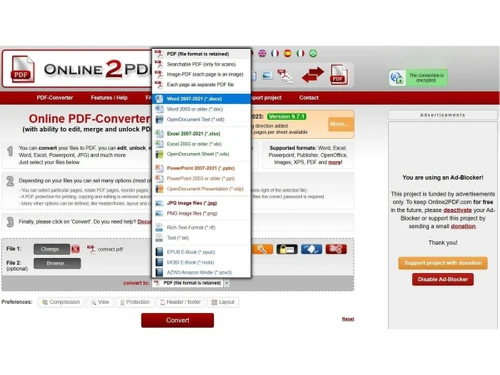
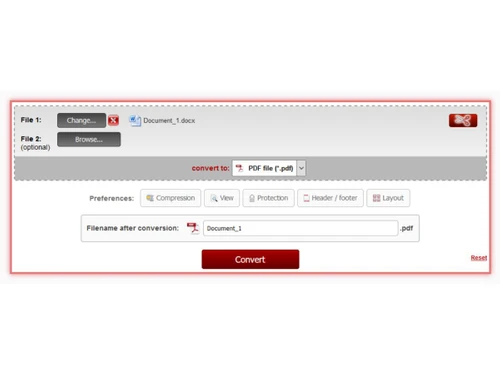
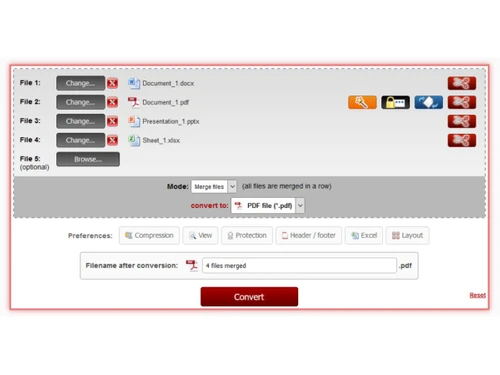
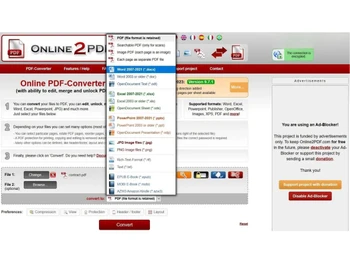
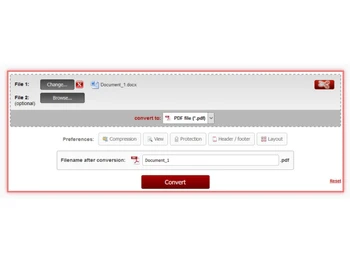
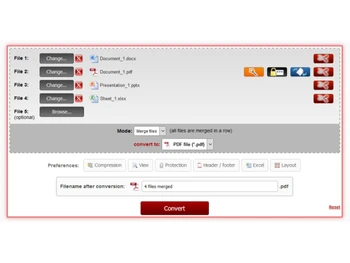
 PDF to Word Conversion Converts PDF files into editable Word documents while preserving layout, fonts, and formatting accuracy. Merge Files Combines multiple PDF files into one organized document with customizable page order. Splitting Splits large PDF files into smaller documents by page range or individual pages. Compression Reduces PDF file size while maintaining acceptable quality for faster sharing and storage. Reordering Rearranges PDF pages easily to match the desired sequence without altering content. Page Rotation Rotates PDF pages to correct orientation issues caused by scanning or incorrect formatting. Password Protection Adds password security to PDF files to prevent unauthorized access or modifications. Header & Footer Removal Deletes unwanted headers and footers from PDFs to improve readability and presentation. Batch Processing Processes multiple files at once, saving time when converting or editing large document sets. PDF to Image Converter Exports individual PDF pages as high-quality image files for sharing or visual reuse. PowerPoint Conversion Converts PDF slides into PowerPoint format, enabling easy editing and reuse of presentation content.

Top Selling Products
 20,000+ Software Listed
 Best Price Guaranteed
 Free Expert Consultation
 2M+ Happy Customers
 USA
USA UAE
UAE
 Write a Review




 4.7
4.7 

