
Description
Pricing
Features
Specification
Review
Compare
FAQs
Alternatives
 Get Free Advice
Get Quote


Brand : QaamGo Media


Have Questions?
Starting at
$ 8
Save Extra with 2 Offers
 Save upto 18%, Get GST Invoice on your business purchase |
Users with registered businesses can purchase goods from merchants on the platform to satisfy their business needs. Users are not permitted to utilize any products acquired through the platform for resale, advertising, business, or further distribution.
For each purchase made, users will receive a Tax Invoice (or 'GST invoice') that includes specific details such as:
the GSTIN of the user associated with their registered business, and
the specified Entity Name for their business.
It should be noted that not all products are eligible for GST Invoice. Only the products displayed by participating sellers with the 'GST-based Invoice Available' callout on the product description page would qualify.
Certain goods and services are not eligible to get a GST Invoice, including items with VAS, i.e., Value Added Services (e.g., Total Mobile Protection/Assured Buyback) and those involving an exchange offer at the time of purchase.
Users must ensure the accuracy of the GSTIN, and business entity name provided for the GST Invoice. Requests for corrections into GST Invoice would not be accommodated by Techjockey.com or any Seller, and any issues arising from user-provided information are the sole responsibility of users.
Techjockey.com is not liable for the GST Invoice or any associated input tax credit. To efficiently claim an input tax credit, users should select the registered place of business address as per the GST authority's data and follow the provisions of the GST Act and rules.
To claim an input tax credit, the delivery and billing addresses must match. Furthermore, input tax credits will not be granted if the delivery address and GSTIN on the invoice are from different states. In case of incorrect GST details provided during the order placement, the order will be canceled automatically.
Buy Now & Pay Later, Check offer on payment page. A web-based PDF software that helps users convert, edit, and manage PDF files quickly and easily without installing any software....Read more
 Get Instant Expert
  Safe & Secure
  Assured Best Price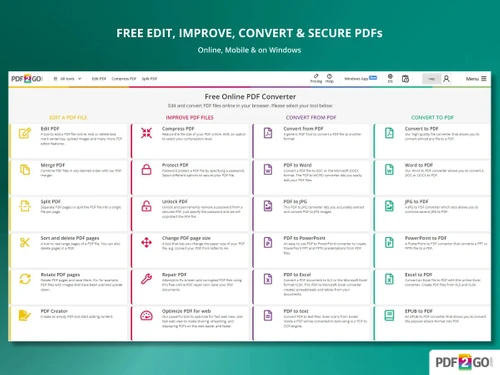
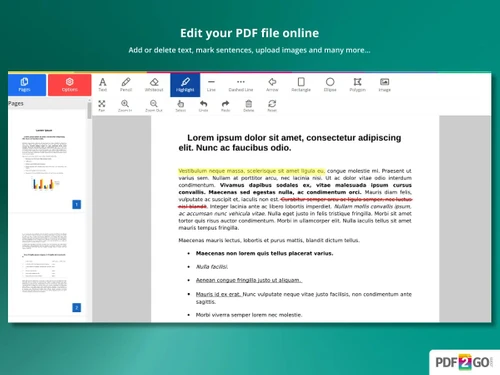
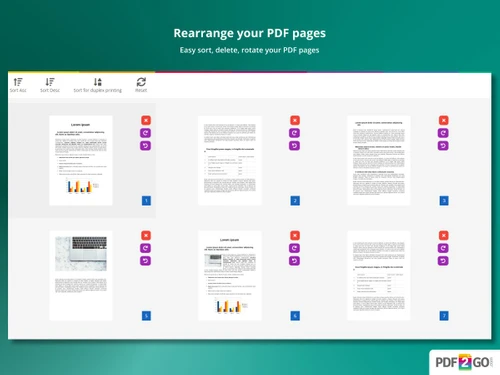
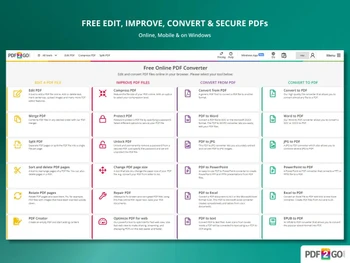
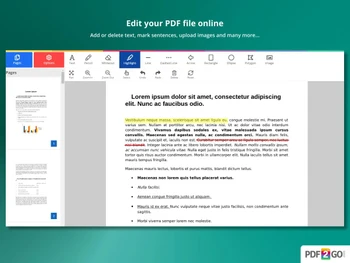
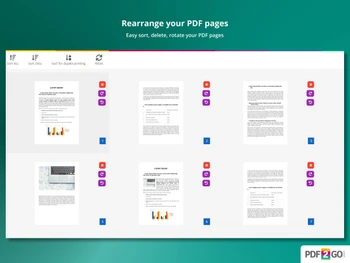
 PDF conversion Convert PDFs to Word, Excel, PowerPoint, JPG, PNG, and text formats while preserving layout quality. PDF Editing Edit PDF text, images, shapes, and annotations directly in the browser without installing desktop software. Merge Combine multiple PDF files into a single document with page order control and instant processing. Split Split large PDFs into smaller files by page ranges or extract individual pages easily online. PDF Compression Reduce PDF file size while maintaining readable quality, ideal for sharing and storage limits. Page Management Reorder, rotate, delete, or duplicate PDF pages using a simple drag-and-drop interface. OCR (Optical Character Recognition) Convert scanned PDFs into searchable and selectable text using OCR technology. Security Add password protection and encryption to PDFs to prevent unauthorized access or edits. Watermarking Add custom text or image watermarks to PDFs for branding, copyright, or confidentiality needs. Annotations Highlight text, draw shapes, add comments, and mark up PDFs for reviews and collaboration. Cloud Integration Import and export PDFs from Google Drive and Dropbox for seamless cloud-based workflows. Browser-Based Access Use all PDF tools directly from a web browser without downloads or system installation. Cross-Platform Support Works smoothly on Windows, macOS, Linux, tablets, and mobile devices via browsers.
 | Brand Name | QaamGo Media |
| Information | QaamGo Media consists of a local office team located in Radolfzell, Germany, and a group of excellent freelancers from all over the world. |
| Founded Year | 2011 |
| Director/Founders | Jens Bierkandt |
| Company Size | 1-100 Employees |
| Other Products | Img2go |


Top Selling Products
 20,000+ Software Listed
 Best Price Guaranteed
 Free Expert Consultation
 2M+ Happy Customers
 USA
USA UAE
UAE
 Write a Review




 4.7
4.7 

