 USA
USA UAE
UAESmall Business
Designed for startups and growing businesses


See More


Brand: Smart PC Utilities
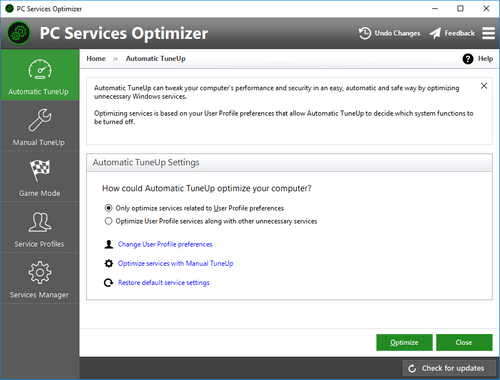
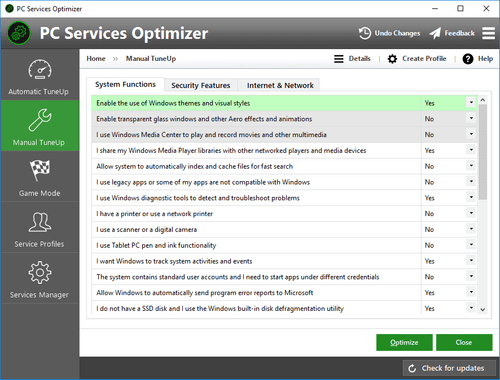
PC Services Optimizer is a utility software makes it very easy for you to tweak dozens of unnecessary Windows services without getting involved with any technical complexities. The services optimization process is automatic and based on how you use your computer. This is done without affecting syst...
See MoreHave you used Smart PC Services Optimizer before?
Share your insights for better experience
 Service Optimizer Automatic Optimization Manual Optimization Game Mode Safe Optimization Online Payment 24/7 Phone Support
  Windows
  Desktop
  Perpetual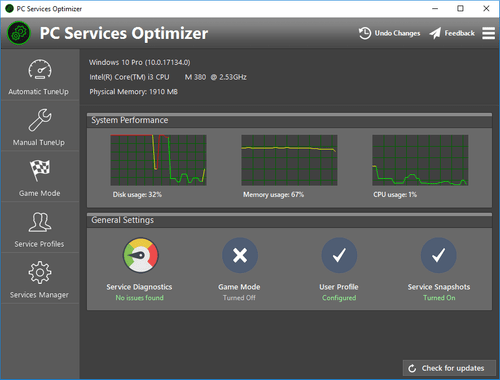
Small Business
Designed for startups and growing businesses
Medium Business
Built for business growth and flexibility
Enterprises
Designed for complex and large-scale business needs
4.7
Out of 5

Overall Rating
Based on
3 Verified Reviews
Rating Breakdown
93% Recommend this Product
Add ReviewCustomers generally express high satisfaction with Smart PC Services Optimizer, highlighting its user-friendly interface and straightforward implementation process. Many users appreciate the prompt support and effective solutions provided, even for those with little prior knowledge. However, the review volume is limited, and while there are no significant complaints noted, a broader range of feedback could offer a more comprehensive view of the software's performance. Overall, it appears to be a reliable choice for users seeking efficient optimization tools.

Jan 9, 2019
Techjockey Verified
“smart tool”
Pros
Appears to be a simple brisk approach to break something. It's decent to see an easy to understand interface that carries administrations to the front line.
Cons
NO CONS
Jun 11, 2018
Techjockey Verified
“Offered help ”
Pros
Really easy straight forward process from purchase to implementing the software.
Cons
N/A
Jun 4, 2018
Techjockey Verified
“quick response & helpful”
Pros
I began this process with no knowledge of the programs, and no familiarity with the process. I expected only to get a feel for the options and more information to research ? instead, Techjockey gave me immediate solutions. I couldn?t be happier.
Cons
N/A

Smart PC Services Optimizer
₹ 1586.15 excl. GST
Desktop
Mobile
Web based
On Premises
Windows
Mac OS
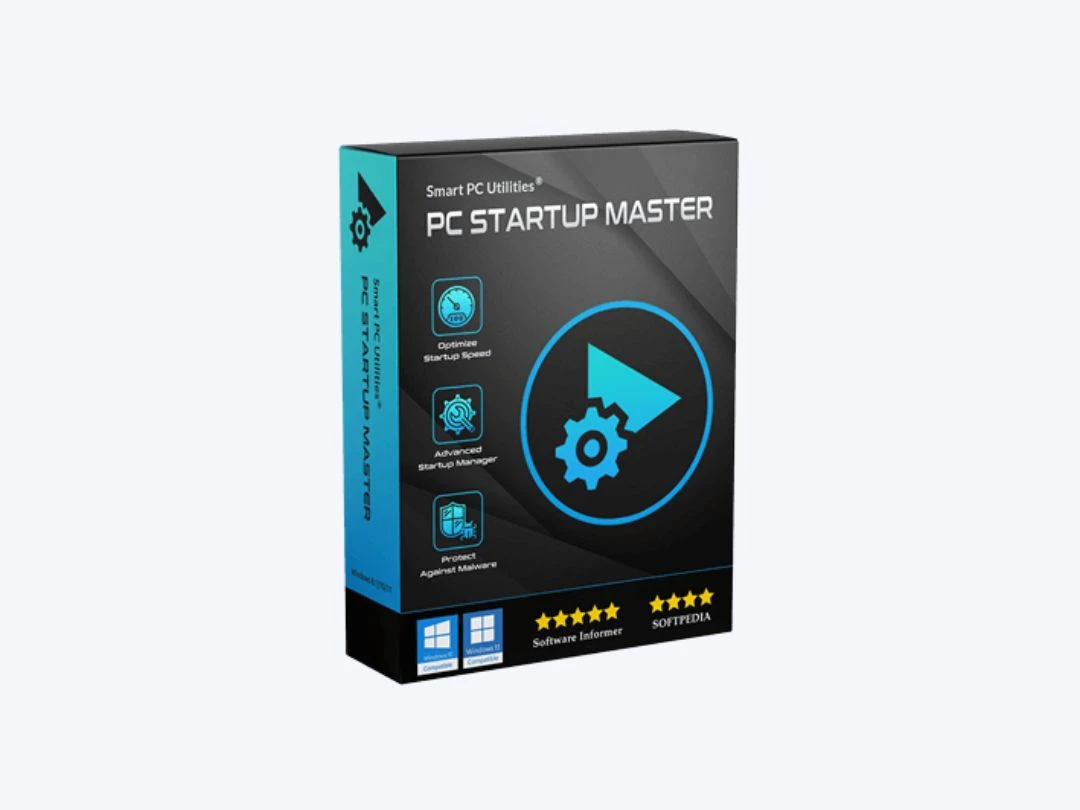
PC Startup Master
₹ 1586
Desktop
Mobile
Web based
On Premises
Windows
Mac OS

Nero Platinum Suite
₹ 4065
Desktop
Mobile
Web based
On Premises
Windows
Mac OS

Truecaller
₹ 84
Desktop
Mobile
Web based
On Premises
Windows
Mac OS

WizTree
Price On Request
Desktop
Mobile
Web based
On Premises
Windows
Mac OS

RestoreX360
₹ 1499
Desktop
Mobile
Web based
On Premises
Windows
Mac OS

Xplorer
Price On Request
Desktop
Mobile
Web based
On Premises
Windows
Mac OS
CHIRP
Price On Request
Desktop
Mobile
Web based
On Premises
Windows
Mac OS

IrfanView
Price On Request
Desktop
Mobile
Web based
On Premises
Windows
Mac OS

Iobit Driver Booster 13 Pro
Price On Request
Desktop
Mobile
Web based
On Premises
Windows
Mac OS

Opal
Price On Request
Desktop
Mobile
Web based
On Premises
Windows
Mac OS
(0) Product(s) selected
Starting Price:
₹4,065 /PC/Year ₹5,350
Starting Price:
₹84 /Month
Starting Price:
$25 /Quantity
Available
Price on Request
Available
Price on Request
Starting Price:
$12 /License
Starting Price:
$19 /Year
Starting Price:
$20 /Month

Starting Price:
$60 /Year

Available
Price on Request

Available
Price on Request






Smart PC Services Optimizer 3 Utility Software is compatible with Windows operating systems.
Smart PC Services Optimizer 3 Utility Software app is not available.
Smart PC Services Optimizer 3 Utility Software supports Perpetual.
Smart PC Services Optimizer 3 Utility Software pricing starts at Rs.1397.
Smart PC Services Optimizer 3 Utility Software is typically used in All Industries.
Smart PC Services Optimizer 3 Utility Software demo is available for free at Techjockey.com.
Smart PC Services Optimizer 3 Utility Software offers a free trial. However, the premium plan with advanced features available at Techjockey.
For Smart PC Services Optimizer 3 Utility Software installation, insert the given CD/USB flash storage in your system and open the Setup Wizard to get started.
Smart PC Services Optimizer 3 Utility Software helps with Service Optimizer,Automatic Optimization,Manual Optimization and Game Mode. It's a complete solution for Safe Optimization,Online Payment and 24/7 Phone Support.
20,000+ Software Listed
Best Price Guranteed
Free Expert Consultation
2M+ Happy Customers
Terms and Condtions

Users with registered businesses can purchase goods from merchants on the platform to satisfy their business needs. Users are not permitted to utilize any products acquired through the platform for resale, advertising, business, or further distribution.
For each purchase made, users will receive a Tax Invoice (or 'GST invoice') that includes specific details such as:
the GSTIN of the user associated with their registered business, and
the specified Entity Name for their business.
It should be noted that not all products are eligible for GST Invoice. Only the products displayed by participating sellers with the 'GST-based Invoice Available' callout on the product description page would qualify.
Certain goods and services are not eligible to get a GST Invoice, including items with VAS, i.e., Value Added Services (e.g., Total Mobile Protection/Assured Buyback) and those involving an exchange offer at the time of purchase.
Users must ensure the accuracy of the GSTIN, and business entity name provided for the GST Invoice. Requests for corrections into GST Invoice would not be accommodated by Techjockey.com or any Seller, and any issues arising from user-provided information are the sole responsibility of users.
Techjockey.com is not liable for the GST Invoice or any associated input tax credit. To efficiently claim an input tax credit, users should select the registered place of business address as per the GST authority's data and follow the provisions of the GST Act and rules.
To claim an input tax credit, the delivery and billing addresses must match. Furthermore, input tax credits will not be granted if the delivery address and GSTIN on the invoice are from different states. In case of incorrect GST details provided during the order placement, the order will be canceled automatically.



