USA
USA UAE
UAESmall Business
Designed for startups and growing businesses


See More





Brand: Spapp Monitoring
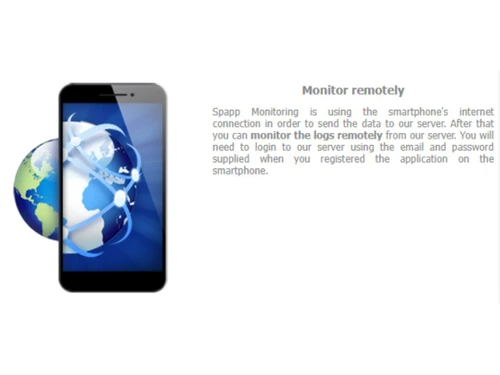
The legendary next-generation employee monitoring software for smartphone surveillance.
See MoreHave you used Spapp Monitoring before?
Share your insights for better experience
Looking for The Right Pricing?
Share your requirements and get a plan built around your business.
Price Available on Request
Get personalised Spapp Monitoring pricing that fits your needs. Our team will connect with you.
 GPS location tracking SMS and message capture Employee Monitoring Employee Email Monitoring Remote Access/Control Screen Activity Recording Browsing History Live Streaming Call Recording

Watch the demo video to explore key features, real workflows, and how the software fits your business needs.
 Windows
  Desktop
  Cloud-Based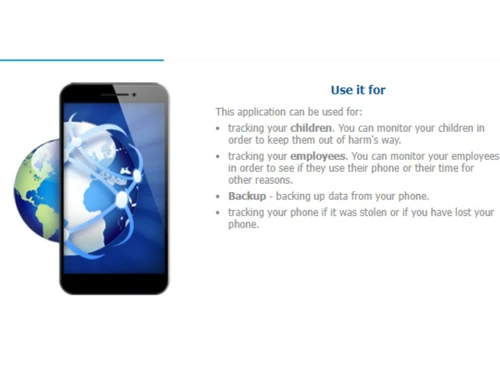
Small Business
Designed for startups and growing businesses
Medium Business
Built for business growth and flexibility
Enterprises
Designed for complex and large-scale business needs
4.3
Out of 5

Overall Rating
Based on
10 Verified Reviews
Rating Breakdown
86% Recommend this Product
Add ReviewUsers generally appreciate Spapp Monitoring for its comprehensive logging capabilities, user-friendly dashboard, and affordability compared to other solutions. Many find it particularly effective for parental monitoring, though concerns about legal implications arise when used without consent. However, frequent complaints highlight inconsistent customer support and sluggish performance when accessing historical logs or executing remote commands. Additionally, the lack of iOS support and challenges with device scaling are noted limitations, suggesting a need for improvements in these areas.
Pros
"Straightforward trial, manageable dashboard, good value for solo or small teams"
"Call, SMS, GPS, browser & social app monitoring; user-friendly interface"
Cons
"Privacy risks, legal implications if installed without consent "
"Remote screenshots and geofencing commands are slow or delayed"
"Browsing detailed browser or call logs for months slows down UI"

May 7, 2025
Techjockey Verified
“Pros for Android—but iOS isn’t covered”
Pros
Works well on targeted Android versions; full log feature set.I moved from cross-platform paid tools to Spapp when I only needed Android monitoring. Works well on Android 5–8. But there’s no iOS version, and installation requires disabling Play Protect and individually enabling app permissions—risky and clumsy.
Cons
No iOS support; installing demands disabling Play Protect, which is risky.
Reason to switch
Needed Android-only monitoring—but iPhone wasn’t supported.
Apr 26, 2025
Techjockey Verified
“Good support when you can get through”
I switched from self-support-free spy tools to Spapp for their support promise. Early on, I got tickets resolved quickly. But a month later, when app failed on a device, support vanished. Peers had similar stories—so support quality seems inconsistent.
Pros
Some users report helpful, responsive support teams
Cons
Others say support doesn’t respond after payment or repeated requests
Reason to switch
Wanted assurance in support—but consistency isn’t always there.
May 31, 2025
Techjockey Verified
“Easy enough UI, but sluggish with history logs”
We moved from a clunky admin portal to Spapp’s web dashboard. It’s cleaner and easier to navigate. But when trying to filter by call logs older than three months, the UI freezes for minutes. Not ideal for deep audits.
Pros
Dashboard is clean; logs are layered for drilldowns easily
Cons
Browsing detailed browser or call logs for months slows down UI
Reason to switch
Needed better readability and tracking—but performance degraded with large histories.

Spapp Monitoring
Price On Request
Desktop
Mobile
Web based
On Premises
Windows
Mac OS

DeskTrack
Price On Request
Desktop
Mobile
Web based
On Premises
Windows
Mac OS

WorkWitness
Price On Request
Desktop
Mobile
Web based
On Premises
Windows
Mac OS

We360 ai
₹ 399
Desktop
Mobile
Web based
On Premises
Windows
Mac OS
Mera Work
₹ 325
Desktop
Mobile
Web based
On Premises
Windows
Mac OS

Time Champ
₹ 200
Desktop
Mobile
Web based
On Premises
Windows
Mac OS

Hoverwatch
Price On Request
Desktop
Mobile
Web based
On Premises
Windows
Mac OS

Twib
₹ 199
Desktop
Mobile
Web based
On Premises
Windows
Mac OS

TheOneSpy
Price On Request
Desktop
Mobile
Web based
On Premises
Windows
Mac OS

WorkTrack
₹ 299
Desktop
Mobile
Web based
On Premises
Windows
Mac OS

TeamTrace
Price On Request
Desktop
Mobile
Web based
On Premises
Windows
Mac OS
(2) Product(s) selected
Starting Price:
₹65 /Month
Starting Price:
$30 /Month
Starting Price:
$29 /Month
Starting Price:
₹299 /Month

Starting Price:
$10 /Month

Starting Price:
$21 /Month

Starting Price:
₹1,730 /Year

Starting Price:
$33 /3Months

Starting Price:
$4 User/Month

Starting Price:
$8 /User/Month
Spapp Monitoring is compatible with Windows, MacOS, and Linux operating systems.
Spapp Monitoring app is not available for mobile devices.
Spapp Monitoring supports web-based deployment.
To know the price of Spapp monitoring in India, please request a call back for subscription-related details and to avail yourself of offers on premium packages.
Spapp Monitoring is typically used in businesses of all sizes looking for employee monitoring.
Spapp Monitoring demo is available for free with techjockey.com.
Spapp Monitoring does not offer a free trial. Please request a call back for subscription-related details and to avail of offers on premium packages.
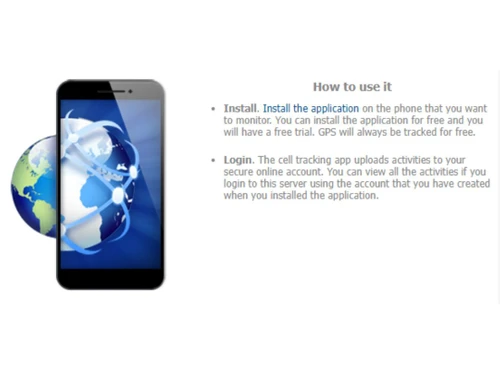
You are not required to install Spapp Monitoring software, as it is web-based. Just open the setup wizard and get started.
Spapp Monitoring helps with complete employee monitoring to maintain compliance and boost productivity. It's a complete surveillance solution that allows users to manage the contacts stored on the monitored device, including viewing, adding, editing, or deleting contacts.
20,000+ Software Listed
Best Price Guranteed
Free Expert Consultation
2M+ Happy Customers
Terms and Condtions

Users with registered businesses can purchase goods from merchants on the platform to satisfy their business needs. Users are not permitted to utilize any products acquired through the platform for resale, advertising, business, or further distribution.
For each purchase made, users will receive a Tax Invoice (or 'GST invoice') that includes specific details such as:
the GSTIN of the user associated with their registered business, and
the specified Entity Name for their business.
It should be noted that not all products are eligible for GST Invoice. Only the products displayed by participating sellers with the 'GST-based Invoice Available' callout on the product description page would qualify.
Certain goods and services are not eligible to get a GST Invoice, including items with VAS, i.e., Value Added Services (e.g., Total Mobile Protection/Assured Buyback) and those involving an exchange offer at the time of purchase.
Users must ensure the accuracy of the GSTIN, and business entity name provided for the GST Invoice. Requests for corrections into GST Invoice would not be accommodated by Techjockey.com or any Seller, and any issues arising from user-provided information are the sole responsibility of users.
Techjockey.com is not liable for the GST Invoice or any associated input tax credit. To efficiently claim an input tax credit, users should select the registered place of business address as per the GST authority's data and follow the provisions of the GST Act and rules.
To claim an input tax credit, the delivery and billing addresses must match. Furthermore, input tax credits will not be granted if the delivery address and GSTIN on the invoice are from different states. In case of incorrect GST details provided during the order placement, the order will be canceled automatically.