USA
USA UAE
UAESmall Business
Designed for startups and growing businesses


See More



Brand: Crystal HR
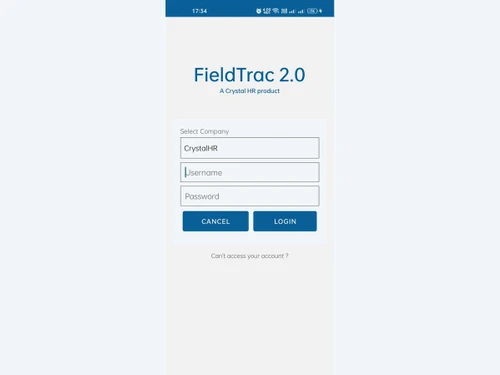
Fieldtrac is an application and software that is used for route mapping and tracking of field force sales employees. It allows managers to monitor setup time and route through which the field force representative travel. The complete control over the field force process enables companies to reduce costs and improve their timings. Fieldtrac helps managers get a complete grasp of the field force ...
See MoreHave you used FieldTrac before?
Share your insights for better experience
View plans
 Save upto 18%, Get GST Invoice on your business purchase T&C Buy Now & Pay Later, Check offer on payment page.
 Brand: Crystal HR
Founded Year: 2009
Wallet HR offers HR management software solutions.
 Sales Force Automation Follow up Data Entry Reports Leave Management GPS Tracking Task Scheduling Custom Forms Geo-Tagging Stock Management Offline Mode Expense Management
  Windows
  Android
  Desktop
  Mobile
  Cloud-Based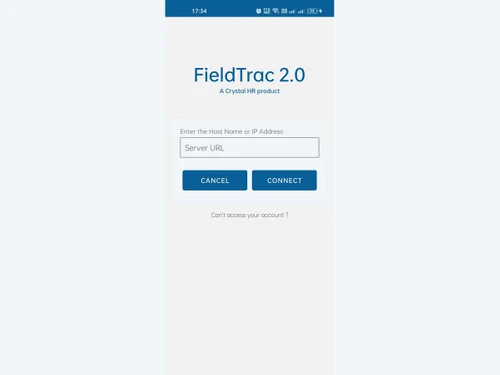
Small Business
Designed for startups and growing businesses
Medium Business
Built for business growth and flexibility
Enterprises
Designed for complex and large-scale business needs
4.7
Out of 5

Overall Rating
Based on
3 Verified Reviews
Rating Breakdown
86% Recommend this Product
Add ReviewCustomers generally express high satisfaction with FieldTrac, highlighting the effective support and assistance provided by the team. Users appreciate the software's ability to streamline operations across various verticals, leading to time savings and enhanced productivity. While the overall sentiment is positive, some users have noted initial challenges that were quickly resolved, indicating a responsive customer service experience. The strong recommendation rates suggest that users feel confident in the value FieldTrac brings to their businesses.

Nov 25, 2018
Techjockey Verified
“Good support”
Pros
We have utilizing field help are 3 diverse verticales and this has helped a great deal in dealing with our field power and help us stream our deals. The group is comprises included with us.
Cons
NO CONS
Aug 14, 2018
Techjockey Verified
“I had a good purchase”
Pros
This is a genuine great company, i did have a problem at first but these guys sorted me out straight away ( turns out it was my fault). I really could not of asked for more & would always make this my first stop before going anywhere else.
Cons
N/A
Aug 7, 2018
Techjockey Verified
“Excellent experience!”
Pros
Techjockey saved us a lot of time by suggesting a few programs that would work for us.
Cons
N/A

FieldTrac
₹ 6000.00 excl. GST
Desktop
Mobile
Web based
On Premises
Windows
Mac OS

DeskTrack
Price On Request
Desktop
Mobile
Web based
On Premises
Windows
Mac OS

WorkWitness
Price On Request
Desktop
Mobile
Web based
On Premises
Windows
Mac OS

We360 ai
₹ 399
Desktop
Mobile
Web based
On Premises
Windows
Mac OS
Mera Work
₹ 325
Desktop
Mobile
Web based
On Premises
Windows
Mac OS

Time Champ
₹ 200
Desktop
Mobile
Web based
On Premises
Windows
Mac OS

Hoverwatch
Price On Request
Desktop
Mobile
Web based
On Premises
Windows
Mac OS

Twib
₹ 199
Desktop
Mobile
Web based
On Premises
Windows
Mac OS

TheOneSpy
Price On Request
Desktop
Mobile
Web based
On Premises
Windows
Mac OS

WorkTrack
₹ 299
Desktop
Mobile
Web based
On Premises
Windows
Mac OS

TeamTrace
Price On Request
Desktop
Mobile
Web based
On Premises
Windows
Mac OS
(0) Product(s) selected
Starting Price:
₹65 /Month
Starting Price:
$30 /Month
Starting Price:
$29 /Month
Starting Price:
₹299 /Month

Starting Price:
$10 /Month

Starting Price:
$21 /Month

Starting Price:
₹1,730 /Year

Starting Price:
$33 /3Months

Starting Price:
$4 User/Month

Starting Price:
$8 /User/Month
Fieldtrac can be used by pharmaceutical companies, FMCG, brokerage houses, banks, hospitality industries, electronic dealers, and many other industries where field force is engaged.
Yes, Fieldtrac allows users to create personalized entries based on their trade practices.
No, Fieldtrac is not available for iPhone devices at this moment.
Yes, Please request a call and our sales team will contact you with the Fieldtrac demo.
Fieldtrac is a web application. On your purchase, you will be provided an access link to use the Fieldtrac on any internet browser of your preference.
20,000+ Software Listed
Best Price Guranteed
Free Expert Consultation
2M+ Happy Customers
Terms and Condtions

Users with registered businesses can purchase goods from merchants on the platform to satisfy their business needs. Users are not permitted to utilize any products acquired through the platform for resale, advertising, business, or further distribution.
For each purchase made, users will receive a Tax Invoice (or 'GST invoice') that includes specific details such as:
the GSTIN of the user associated with their registered business, and
the specified Entity Name for their business.
It should be noted that not all products are eligible for GST Invoice. Only the products displayed by participating sellers with the 'GST-based Invoice Available' callout on the product description page would qualify.
Certain goods and services are not eligible to get a GST Invoice, including items with VAS, i.e., Value Added Services (e.g., Total Mobile Protection/Assured Buyback) and those involving an exchange offer at the time of purchase.
Users must ensure the accuracy of the GSTIN, and business entity name provided for the GST Invoice. Requests for corrections into GST Invoice would not be accommodated by Techjockey.com or any Seller, and any issues arising from user-provided information are the sole responsibility of users.
Techjockey.com is not liable for the GST Invoice or any associated input tax credit. To efficiently claim an input tax credit, users should select the registered place of business address as per the GST authority's data and follow the provisions of the GST Act and rules.
To claim an input tax credit, the delivery and billing addresses must match. Furthermore, input tax credits will not be granted if the delivery address and GSTIN on the invoice are from different states. In case of incorrect GST details provided during the order placement, the order will be canceled automatically.