linkedin
TimeCamp logo
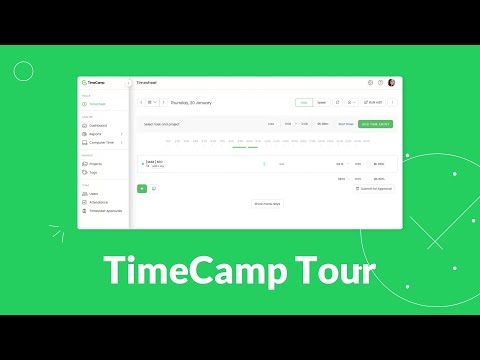
play TimeCamp Tour - automatic time tracking software for teams
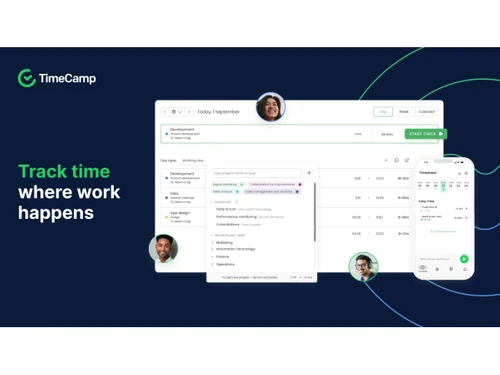
TimeCamp-tracking
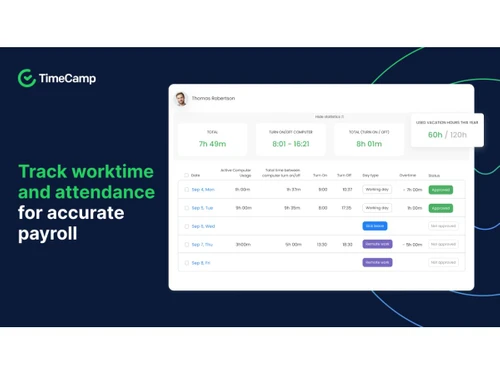
TimeCamp-attendance

TimeCamp

Brand: TimeCamp Inc

  • No Ratings & Reviews

TimeCamp makes time tracking surprisingly smooth, smart and effortless. You can manage projects better while boosting everyday team productivity.

See More

Have you used TimeCamp before?

Share your insights for better experience

Add a Review
Starting Price
$3

View plans

100% Genuine
Products
Best Price
Guaranteed
Safe & Secure
Payment
  • Description

  • Pricing

  • Features

  • Specification

  • Review

  • FAQ

Starting at $3

TimeCamp Software Overview

What is TimeCamp Software?

TimeCamp provides businesses with a practical solution for managing work schedules efficiently. This time tracking software supports organized project monitoring across teams, freelancers, and independent working professionals. The advanced time-tracking software solution keeps everyday activities properly recorded throughout regular business operations and assignments. It helps maintain better productivity within busy working environments consistently.

Many organizations prefer TimeCamp for creating smoother coordination between projects and employees. The platform helps businesses maintain organized workflows without increasing unnecessary management pressure internally. Freelancers also benefit from clearer work tracking during client-related professional activities and deadlines. The reliable setup overall makes everyday project handling more balanced and effortless than ever before.

Why Choose TimeCamp Software?

  • Clear Project Understanding: Ongoing workplace activities look easier to review throughout operational schedules. Teams can maintain better organizational clarity every day.
  • Reliable Time Visibility: Working hours can be easily managed via organized business tracking systems. Productivity monitoring feels more practical thereafter.
  • Useful Attendance Support: Employee schedules feel properly organized during active workplace operations consistently. Attendance reviews appear less confusing afterward.
  • Easy Financial Oversight: Project expenses become easier to monitor throughout regular operational activities. Budget planning appears more controlled afterward.
  • Flexible Team Collaboration: Different professionals can manage assignments smoothly across varied workplace environments. Shared workflows feel more organized overall.
  • Helpful Productivity Reports: Workplace reports provide clearer visibility into ongoing operational activities consistently. Business planning feels easier than ever.

Benefits of TimeCamp Software

  • Faster Everyday Tasks: Office responsibilities move forward without unnecessary tracking confusion. Teams can handle assignments with clearer workflow direction.
  • Accurate Billing Records: Billable project hours appear properly arranged inside organized work reports. Invoice preparation requires less manual effort.
  • Better Employee Visibility: Workplace activities appear easier to understand through organized tracking details. Managers can review project involvement with greater clarity.
  • Less Administrative Load: Routine paperwork takes less attention during active workplace responsibilities. Employees can focus better on meaningful assignments.
  • Improved Deadline Planning: Project timelines appear easier to organize across demanding operational schedules. Assignment coordination carries better structure throughout workloads.
  • Easy Software Integration: Workplace applications connect comfortably with existing operational business platforms. Workflow management faces fewer interruptions during projects.
  • Stronger Client Coordination: Customer-related assignments appear properly arranged through organized project information. Professional communication carries better structure during services.

TimeCamp Software Pricing

TimeCamp Software price starts at USD 3 per month at techjockey.com.

The pricing model is based on different parameters, including extra features, deployment type, and the total number of users. For further queries related to the product, you can contact our product team and learn more about the pricing and offers.

Read more

TimeCamp Inc Company Details

Founded Year:  2008

TimeCamp is a software company developing time tracking and productivity software for businesses and individuals.

Director/Founders Kamil Rudnicki
Company Size 1-100 Employees

TimeCamp Pricing & Plans

Starter
Starting at $3
    • Licenses

      Licenses
      Licenses
    • Monthly

      Monthly
      Monthly

Key Features

  • Unlimited users

  • Unlimited projects

  • Invoicing

  • Excel reports export

  • Unlimited tasks

Premium
Starting at $5
    • Licenses

      Licenses
      Licenses
    • Monthly

      Monthly
      Monthly

Key Features

  • Unlimited users

  • Unlimited projects

  • Billable time

  • Budget & Estimates

  • Projects archiving

Unlimited
Starting at $7
    • Licenses

      Licenses
      Licenses
    • Monthly

      Monthly
      Monthly

Key Features

  • Unlimited users

  • Unlimited projects

  • Data export

  • Custom fields

  • Timesheet approvals

TimeCamp Features

  • icon_check Time Tracking
    Automatically tracks time spent on tasks, apps, and websites to ensure accurate work hour records.
  • icon_check Manual Time Entry
    Allows users to add or edit time entries manually for offline work or missed tracking sessions.
  • icon_check Timesheets
    Generates clear daily and weekly timesheets that can be reviewed, approved, and exported easily.
  • icon_check Project Tracking
    Tracks time by project and task to measure progress, control budgets, and improve project planning.
  • icon_check Task Management
    Organizes work into tasks and subtasks, helping teams track effort and productivity at a granular level.
  • icon_check Attendance Tracking
    Monitors clock-in, clock-out, overtime, and absences to simplify attendance and workforce management.
  • icon_check Employee Productivity Monitoring
    Analyzes app and website usage to classify productive and unproductive activities during work hours.
  • icon_check Reporting & Analytics
    Provides detailed reports on time usage, productivity, and costs to support data-driven decisions.
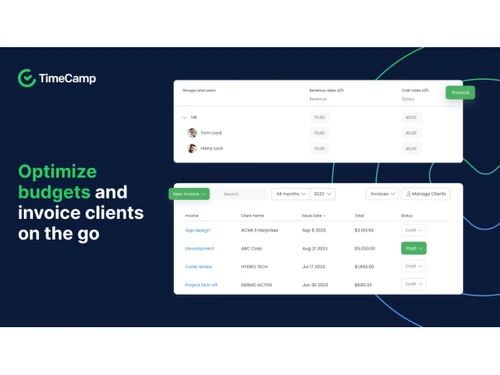
  • icon_check Billing & Invoicing
    Converts tracked billable hours into invoices, simplifying client billing and revenue tracking.
  • icon_check Budgeting & Cost Tracking
    Helps set project budgets and alerts managers when tracked time approaches cost limits.
  • icon_check Integrations
    Connects with tools like Trello, Asana, Jira, and Slack for seamless workflow and time syncing.
  • icon_check Data Export & API Access
    Enables exporting data in multiple formats and API access for advanced reporting and integrations.
TimeCamp Demo Video play icon

Get TimeCamp Demo

Watch the demo video to explore key features, real workflows, and how the software fits your business needs.

Understand
Key Features
Personal
Demo Insights
Interactive
Demo Support

TimeCamp Specifications

Supported Platforms
Windows Windows iOS iOS Android Android MacOS MacOS Linux Linux
Devices
Desktop Desktop Mobile Mobile Tablet Tablet iPad iPad
Deployment
Cloud-Based Cloud-Based
Suitable For
All Industries
Business Specific
All Businesses
Business Size
Small Business Startups Medium Business Enterprises
Customer Support
Email Communities
Language
English
Integration
API Integration
Training Resources
Videos
AI Features
AI Integrated

TimeCamp Review

Techjockey Trusted Reviews from Verified Users

No reviews are currently available for TimeCamp. Discover similar Time Tracking Software reviews

  • Desklog

    4.6

    Whats great - It's really a good time slot to have the demo version for 40 days. It is more than enough to understand all the features and ... read more
  • Ontime Employee Manager

    4.3

    Whats great - I needed to schedule regular meetings with employees to evaluate performance and also to chart out the future plan of action.... read more

  • Webwork Time Tracker

    5.0

    Whats great - Screenshot capturing, app/website usage monitoring and activity level recording are my favorite features since it gives you d... read more

Articles for TimeCamp

See All Related Articles

How much does TimeCamp Software cost?

TimeCamp starts at USD 3 per month on techjockey.com. Final costs may vary depending on features chosen, deployment type, and user count.

Who uses TimeCamp Software?

Businesses, freelancers, and remote teams commonly use TimeCamp for managing work activities. It also suits companies handling projects, billing, and employee productivity tracking.

Is there a mobile app available for TimeCamp Software?

Yes, TimeCamp offers a free mobile application for Android and iOS devices.

Which operating systems are compatible with TimeCamp Software?

TimeCamp supports Windows, macOS, Linux, Android, and iOS operating systems. Users can access the platform across desktop and mobile devices.

Does TimeCamp Software offer a free trial?

Yes, TimeCamp does provide a free trial for interested users. Businesses can easily explore its features before purchasing a subscription plan.

How does TimeCamp Software function?

TimeCamp automatically tracks time spent on tasks, applications, and websites. It also helps manage project attendance, reporting, and invoicing activities.

20,000+ Software Listed

Best Price Guranteed

Free Expert Consultation

2M+ Happy Customers

Terms and Condtions

close

Users with registered businesses can purchase goods from merchants on the platform to satisfy their business needs. Users are not permitted to utilize any products acquired through the platform for resale, advertising, business, or further distribution.

For each purchase made, users will receive a Tax Invoice (or 'GST invoice') that includes specific details such as:

  • the GSTIN of the user associated with their registered business, and

  • the specified Entity Name for their business.

It should be noted that not all products are eligible for GST Invoice. Only the products displayed by participating sellers with the 'GST-based Invoice Available' callout on the product description page would qualify.

Certain goods and services are not eligible to get a GST Invoice, including items with VAS, i.e., Value Added Services (e.g., Total Mobile Protection/Assured Buyback) and those involving an exchange offer at the time of purchase.

Users must ensure the accuracy of the GSTIN, and business entity name provided for the GST Invoice. Requests for corrections into GST Invoice would not be accommodated by Techjockey.com or any Seller, and any issues arising from user-provided information are the sole responsibility of users.

Techjockey.com is not liable for the GST Invoice or any associated input tax credit. To efficiently claim an input tax credit, users should select the registered place of business address as per the GST authority's data and follow the provisions of the GST Act and rules.

To claim an input tax credit, the delivery and billing addresses must match. Furthermore, input tax credits will not be granted if the delivery address and GSTIN on the invoice are from different states. In case of incorrect GST details provided during the order placement, the order will be canceled automatically.