 USA
USA UAE
UAESmall Business
Designed for startups and growing businesses

See More

Brand: Adobe
Adobe Connect is a communication-based software suitable for online classes, meetings, and webinars. With Adobe Connect, video conferencing app users can share multimedia files and presentations right from their desktops and get instant feedback from hundreds of participants. Users can create virtual rooms and customize them as per their brand’s needs. They can add interactive sessions, quizzes...
See MoreHave you used Adobe Connect before?
Share your insights for better experience
Brand: Adobe
Founded Year: 1982
Adobe is the global leader in digital media and digital marketing solutions.
Looking for The Right Pricing?
Share your requirements and get a plan built around your business.
Price Available on Request
Get personalised Adobe Connect pricing that fits your needs. Our team will connect with you.
 Video and Audio calling Meeting Video Webinar Virtual Classroom Management Consistent and repeatable Learning Mangement System Engaging Schools Mobile Learning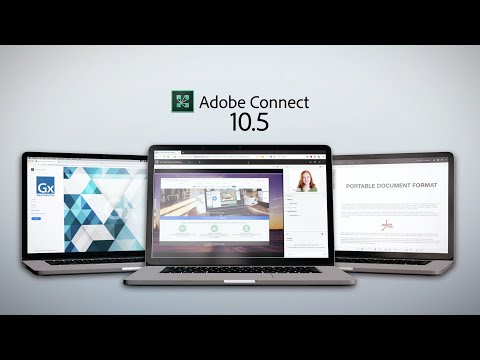

Watch the demo video to explore key features, real workflows, and how the software fits your business needs.
 Windows
  iOS
iOS  Android MacOS
  Desktop
  Mobile
  Cloud-Based
 Small Business
Designed for startups and growing businesses
Medium Business
Built for business growth and flexibility
Enterprises
Designed for complex and large-scale business needs
3.9
Out of 5

Overall Rating
Based on
3 Verified Reviews
Rating Breakdown
73% Recommend this Product
Add ReviewUsers generally appreciate Adobe Connect for its user-friendly interface and effective reporting features, which enhance collaboration and engagement during webinars. Many find it easy to navigate and value the ability to track participant engagement. However, recurring complaints highlight issues with audio quality, video clarity, and browser compatibility, as well as a reliance on stable internet connections. While the software is well-received, there is room for improvement in technical performance and troubleshooting capabilities.

May 20, 2020
Techjockey Verified
“Friendly Tools!”
Pros
I always wanted a collaboration tool that would be easy to operate and not require any extra level of training or skills. The navigation screen of Adobe Connect is super easy to access, and it comes with a simple drop-down menu where I get to choose how I want to use the software.
Cons
I do like to see some improvements in the quality of the video offered by the software. Sometimes I get automatically opted out of live meetings and then I need to restart my computer in order to get back into it.
Mar 19, 2020
Techjockey Verified
“Efficient Analytical Reports”
Pros
Adobe Connect helps notice the faulty areas within our webinar sessions. The detailed reports provided by the software provides a thorough understanding of the engagement level of my participants. I have made a lot of changes within my presentation style and delivery skills.
Cons
I personally think that the audio quality could have been better. I wish there was not so much dependency on high internet bandwidth. Even a small level of connectivity fluctuation blurs out the whole session.
Jan 23, 2020
Techjockey Verified
“Engaging Experience”
Pros
My team has been using Adobe Connect for webinars and online meetings to host remote participants. It allows us to control all the slides in an efficient manner. We get to integrate external conference lines and record our webinars to send them to the ones who miss the live sessions.
Cons
Firstly, the audio and mic troubleshooting functionality of the software can be more comprehensive. Secondly, the browser compatibility provided by Adobe Connect is very inconsistent.

Adobe Connect
Price On Request
Desktop
Mobile
Web based
On Premises
Windows
Mac OS

JioEvents
₹ 5999
Desktop
Mobile
Web based
On Premises
Windows
Mac OS

MassMeet
Price On Request
Desktop
Mobile
Web based
On Premises
Windows
Mac OS

Impartus Virtual Classroom
Price On Request
Desktop
Mobile
Web based
On Premises
Windows
Mac OS

Sarv Audio Conferencing
Price On Request
Desktop
Mobile
Web based
On Premises
Windows
Mac OS

Fuze Collaboration Software
Price On Request
Desktop
Mobile
Web based
On Premises
Windows
Mac OS

Cisco Webex
₹ 950
Desktop
Mobile
Web based
On Premises
Windows
Mac OS

Zoom Meetings
₹ 1449
Desktop
Mobile
Web based
On Premises
Windows
Mac OS

GoToWebinar
Price On Request
Desktop
Mobile
Web based
On Premises
Windows
Mac OS

GoToMeeting
Price On Request
Desktop
Mobile
Web based
On Premises
Windows
Mac OS

Lifesize
Price On Request
Desktop
Mobile
Web based
On Premises
Windows
Mac OS
(0) Product(s) selected
Available
Price on Request
Available
Price on Request
Starting Price:
$15 /Month/user
Available
Price on Request

Available
Price on Request

Starting Price:
$39 /Month

Available
Price on Request

Available
Price on Request

Starting Price:
$13 /Month

Available
Price on Request

Available
Price on Request
As a user, you can record live meetings, edit the recorded part and republish it as per the attendees’ requests.
Users can add their brand images, logos and banners within the virtual rooms and promote their brand.
Yes, you can get live demos and tutorial videos for Adobe Connect. You can send us a demo request, mentioning your preferable time and date.
Windows: ? RAM: 1GB is recommended ? Processor: 1.4 GHz Intel Pentium 4 processor Mac OS: ? RAM: 1GB is recommended ? Processor: 1.83 GHz Intel Core Duo processor
Users can download and use the Adobe Connect mobile app (Version 8.2 or later) on their Android or iOS devices.
20,000+ Software Listed
Best Price Guranteed
Free Expert Consultation
2M+ Happy Customers
Terms and Condtions

Users with registered businesses can purchase goods from merchants on the platform to satisfy their business needs. Users are not permitted to utilize any products acquired through the platform for resale, advertising, business, or further distribution.
For each purchase made, users will receive a Tax Invoice (or 'GST invoice') that includes specific details such as:
the GSTIN of the user associated with their registered business, and
the specified Entity Name for their business.
It should be noted that not all products are eligible for GST Invoice. Only the products displayed by participating sellers with the 'GST-based Invoice Available' callout on the product description page would qualify.
Certain goods and services are not eligible to get a GST Invoice, including items with VAS, i.e., Value Added Services (e.g., Total Mobile Protection/Assured Buyback) and those involving an exchange offer at the time of purchase.
Users must ensure the accuracy of the GSTIN, and business entity name provided for the GST Invoice. Requests for corrections into GST Invoice would not be accommodated by Techjockey.com or any Seller, and any issues arising from user-provided information are the sole responsibility of users.
Techjockey.com is not liable for the GST Invoice or any associated input tax credit. To efficiently claim an input tax credit, users should select the registered place of business address as per the GST authority's data and follow the provisions of the GST Act and rules.
To claim an input tax credit, the delivery and billing addresses must match. Furthermore, input tax credits will not be granted if the delivery address and GSTIN on the invoice are from different states. In case of incorrect GST details provided during the order placement, the order will be canceled automatically.



