 USA
USA UAE
UAESmall Business
Designed for startups and growing businesses
See More




Brand: Adobe
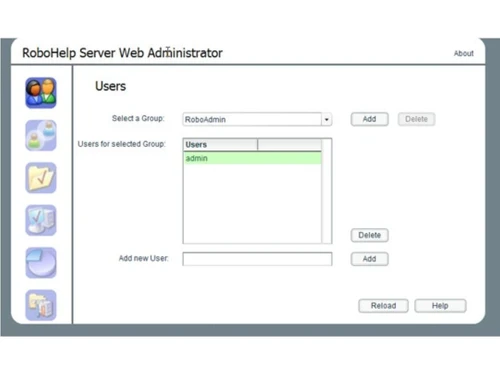
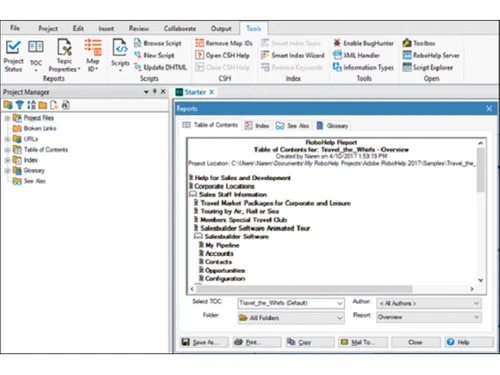
RoboHelp Server is a productivity software developed by Adobe for businesses to enhance their customer experience in unique ways. The software renovates the authoring tasks by including an innovative minimalistic user interface. It facilitates HTML5 and CSS3 authoring with additional multimedia support. Plus, the software includes scalable vector graphics for super sharp visual. RoboHelp Server ...
See MoreHave you used RoboHelp Server before?
Share your insights for better experience
Brand: Adobe
Founded Year: 1982
Adobe is the global leader in digital media and digital marketing solutions.
Looking for The Right Pricing?
Share your requirements and get a plan built around your business.
Price Available on Request
Get personalised RoboHelp Server pricing that fits your needs. Our team will connect with you.
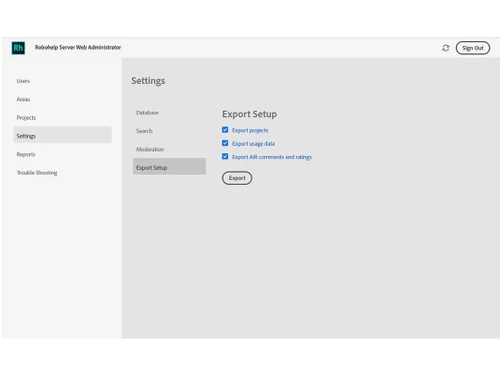
 Analytics & Reporting Automatic project merging Synchronized publishing Modern Browsers Data Migration Deployment and architectural improvements Indexing support for search Simplified deployment and configuration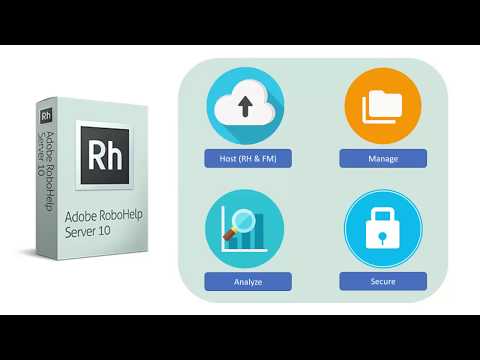

Watch the demo video to explore key features, real workflows, and how the software fits your business needs.
 Windows
  iOS
iOS  Android
  Desktop
  Mobile
  Perpetual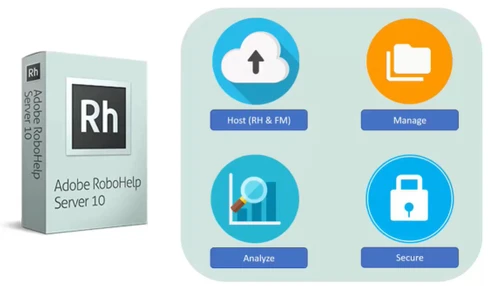
Small Business
Designed for startups and growing businesses
Medium Business
Built for business growth and flexibility
Enterprises
Designed for complex and large-scale business needs
4.7
Out of 5

Overall Rating
Based on
1 Verified Review
Rating Breakdown
80% Recommend this Product
Add Review
Mar 4, 2019
Techjockey Verified
“Formate Module”
Pros
It's HTML5 format, capacity to utilize CSS and XML contents. Utilizing Robohelp server to checkout a venture and cause changes so others to can see a refreshed duplicate.
Cons
NO CONS

RoboHelp Server
Price On Request
Desktop
Mobile
Web based
On Premises
Windows
Mac OS

Adobe X Microsoft
Price On Request
Desktop
Mobile
Web based
On Premises
Windows
Mac OS
FrameMaker Pub Server
Price On Request
Desktop
Mobile
Web based
On Premises
Windows
Mac OS

FrameMaker XML Author
Price On Request
Desktop
Mobile
Web based
On Premises
Windows
Mac OS

Cold Turkey
Price On Request
Desktop
Mobile
Web based
On Premises
Windows
Mac OS

Snippets AI
Price On Request
Desktop
Mobile
Web based
On Premises
Windows
Mac OS

InboxPro
Price On Request
Desktop
Mobile
Web based
On Premises
Windows
Mac OS

Raycast
Price On Request
Desktop
Mobile
Web based
On Premises
Windows
Mac OS

SmartPanels
Price On Request
Desktop
Mobile
Web based
On Premises
Windows
Mac OS

Rambox
Price On Request
Desktop
Mobile
Web based
On Premises
Windows
Mac OS

Voxer
Price On Request
Desktop
Mobile
Web based
On Premises
Windows
Mac OS
(0) Product(s) selected
Available
Price on Request
Available
Price on Request
Starting Price:
₹2,499 /One-Time
Starting Price:
$6 /User/Month
Starting Price:
$24
Starting Price:
$10 /Month
Starting Price:
$7 /Month

Starting Price:
$10

Starting Price:
$60

Starting Price:
$8 /Monthly





Here are the system requirements for RoboHelp Server: 1. Processor: Intel Pentium 4 or above 2. RAM: 1 GB or faster 3. Hard Disk: 6GB minimum 4. Screen Resolution: 1024x768 minimum (1280x800 recommended)
RoboHelp Server is available for an online demo at Techjockey. Please request a call to get the demo scheduled at your preferred date and time.
RoboHelp Server uses a plugin-based integration system to merge with internet browsers.
RoboHelp Server updates are available for free with the purchase. It is added with your subscription.
RoboHelp Server introduces frameless output with sleek layout designs and an improved user experience to enhance the Google search for online help. In a frameless output, every topic has a unique URL.
20,000+ Software Listed
Best Price Guranteed
Free Expert Consultation
2M+ Happy Customers
Terms and Condtions

Users with registered businesses can purchase goods from merchants on the platform to satisfy their business needs. Users are not permitted to utilize any products acquired through the platform for resale, advertising, business, or further distribution.
For each purchase made, users will receive a Tax Invoice (or 'GST invoice') that includes specific details such as:
the GSTIN of the user associated with their registered business, and
the specified Entity Name for their business.
It should be noted that not all products are eligible for GST Invoice. Only the products displayed by participating sellers with the 'GST-based Invoice Available' callout on the product description page would qualify.
Certain goods and services are not eligible to get a GST Invoice, including items with VAS, i.e., Value Added Services (e.g., Total Mobile Protection/Assured Buyback) and those involving an exchange offer at the time of purchase.
Users must ensure the accuracy of the GSTIN, and business entity name provided for the GST Invoice. Requests for corrections into GST Invoice would not be accommodated by Techjockey.com or any Seller, and any issues arising from user-provided information are the sole responsibility of users.
Techjockey.com is not liable for the GST Invoice or any associated input tax credit. To efficiently claim an input tax credit, users should select the registered place of business address as per the GST authority's data and follow the provisions of the GST Act and rules.
To claim an input tax credit, the delivery and billing addresses must match. Furthermore, input tax credits will not be granted if the delivery address and GSTIN on the invoice are from different states. In case of incorrect GST details provided during the order placement, the order will be canceled automatically.



