 USA
USA UAE
UAESmall Business
Designed for startups and growing businesses



See More



Brand: Adobe
Adobe FrameMaker Publishing Server is an enterprise software solution for enterprises to effortlessly support multi-channel publishing. This is an automated content publishing platform that can be used for other purposes such as managing publishing remotely and automating multi-channel. It also help...
See MoreHave you used FrameMaker Pub Server before?
Share your insights for better experience
Brand: Adobe
Founded Year: 1982
Adobe is the global leader in digital media and digital marketing solutions.
Looking for The Right Pricing?
Share your requirements and get a plan built around your business.
Price Available on Request
Get personalised FrameMaker Pub Server pricing that fits your needs. Our team will connect with you.
 Automated publishing delivered remotely Comprehensive multiuser support User-friendly publishing dashboard Creation of publishing task templates Scripting support for automation Shared API with Adobe FrameMaker Out-of-the-box multi-channel Bi-directional language publishing Single-click Responsive HTML5 publishing API Integration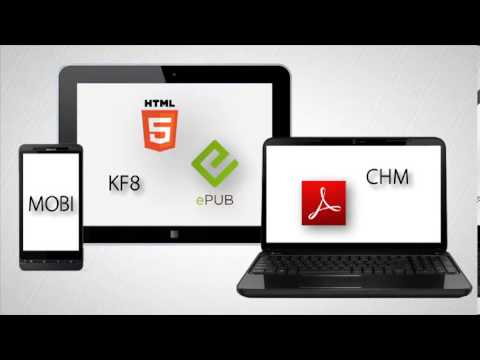

Watch the demo video to explore key features, real workflows, and how the software fits your business needs.
 Windows
  iOS
iOS  Android
  Desktop
  Perpetual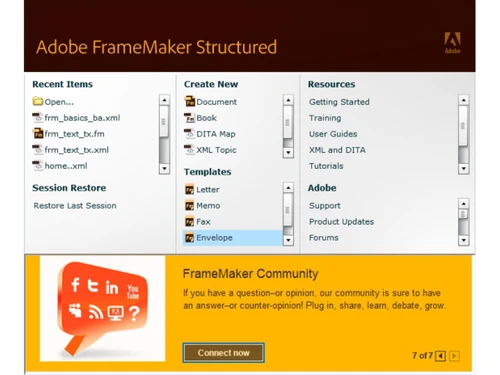
Small Business
Designed for startups and growing businesses
Medium Business
Built for business growth and flexibility
Enterprises
Designed for complex and large-scale business needs
4.8
Out of 5

Overall Rating
Based on
1 Verified Review
Rating Breakdown
80% Recommend this Product
Add Review
Mar 28, 2018
Techjockey Verified
“It is my pleasure to write a review for techjockey”
Pros
they found us the exact software we needed.
Cons
N/A
FrameMaker Pub Server
Price On Request
Desktop
Mobile
Web based
On Premises
Windows
Mac OS

Adobe X Microsoft
Price On Request
Desktop
Mobile
Web based
On Premises
Windows
Mac OS

RoboHelp Server
Price On Request
Desktop
Mobile
Web based
On Premises
Windows
Mac OS

FrameMaker XML Author
Price On Request
Desktop
Mobile
Web based
On Premises
Windows
Mac OS

Google Workspace
₹ 325
Desktop
Mobile
Web based
On Premises
Windows
Mac OS

Cold Turkey
Price On Request
Desktop
Mobile
Web based
On Premises
Windows
Mac OS

Office 365 E3
₹ 1740
Desktop
Mobile
Web based
On Premises
Windows
Mac OS

InboxPro
Price On Request
Desktop
Mobile
Web based
On Premises
Windows
Mac OS

Snippets AI
Price On Request
Desktop
Mobile
Web based
On Premises
Windows
Mac OS

Office 365 E5
₹ 3240
Desktop
Mobile
Web based
On Premises
Windows
Mac OS

Raycast
Price On Request
Desktop
Mobile
Web based
On Premises
Windows
Mac OS
(0) Product(s) selected
Available
Price on Request
Available
Price on Request
Available
Price on Request
Starting Price:
₹2,499 /One-Time
Starting Price:
$24
Starting Price:
$6 /User/Month
Starting Price:
$10 /Month

Starting Price:
$4 /Monthly

Starting Price:
$7 /Month

Starting Price:
$10

Starting Price:
$8 /Monthly





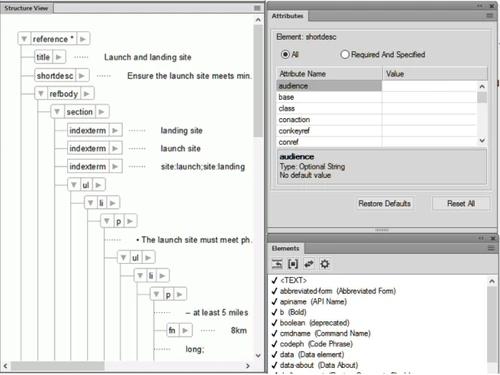
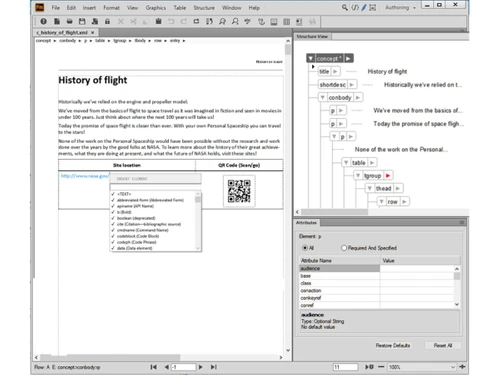
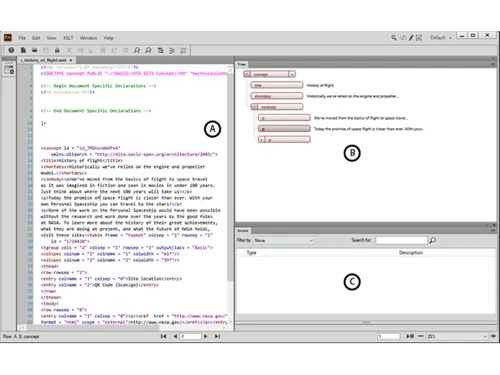
Adobe FrameMaker Publishing Server (2017 release) is an enterprise software to automate multichannel, multidevice publishing. Allow multiple users to access publishing services remotely, and manage your publishing setup with a comprehensive dashboard. Output bidirectional content in multiple formats: Responsive HTML 5, mobile app, PDF, EPUB, Kindle, Microsoft HTML (CHM), Adobe Experience Manager Mobile and Basic HTML. Leverage out-of-the-box support for leading CMSs, or use the web APIs to smoothly integrate with other CMSs.
FrameMaker Publishing Server (2017 release) is ideal for enterprises that need an automated, server-based publishing solution to deliver high volumes of professional-quality bidirectional technical content to multiple channels, formats, and devices. They want a custom publishing solution that can integrate with their CMS, schedule publishing tasks, and be managed centrally or accessed remotely.
Adobe FrameMaker (2017 release) is a complete solution for authoring and publishing technical content across channels, mobile devices and formats. Adobe FrameMaker Publishing Server (2017 release) is an enterprise software to automate multichannel publishing, that lets you access publishing services remotely and output content in multiple formats, and as mobile apps. FrameMaker Publishing Server supports many more output formats than FrameMaker. It lets you automate and schedule publishing services and access and manage them remotely.
Adobe FrameMaker Server was rebranded as Adobe FrameMaker Publishing Server as of release 11. The new name communicates the software’s value proposition more clearly.
With the XML Documentation Add-on for Adobe Experience Manager, you can publish DITA content to Experience Manager Sites and Experience Manager Mobile. However, publishing to other formats, like Responsive HTML5, PDF, EPUB, and Kindle requires FrameMaker Publishing Server (2017 release).
20,000+ Software Listed
Best Price Guranteed
Free Expert Consultation
2M+ Happy Customers
Terms and Condtions

Users with registered businesses can purchase goods from merchants on the platform to satisfy their business needs. Users are not permitted to utilize any products acquired through the platform for resale, advertising, business, or further distribution.
For each purchase made, users will receive a Tax Invoice (or 'GST invoice') that includes specific details such as:
the GSTIN of the user associated with their registered business, and
the specified Entity Name for their business.
It should be noted that not all products are eligible for GST Invoice. Only the products displayed by participating sellers with the 'GST-based Invoice Available' callout on the product description page would qualify.
Certain goods and services are not eligible to get a GST Invoice, including items with VAS, i.e., Value Added Services (e.g., Total Mobile Protection/Assured Buyback) and those involving an exchange offer at the time of purchase.
Users must ensure the accuracy of the GSTIN, and business entity name provided for the GST Invoice. Requests for corrections into GST Invoice would not be accommodated by Techjockey.com or any Seller, and any issues arising from user-provided information are the sole responsibility of users.
Techjockey.com is not liable for the GST Invoice or any associated input tax credit. To efficiently claim an input tax credit, users should select the registered place of business address as per the GST authority's data and follow the provisions of the GST Act and rules.
To claim an input tax credit, the delivery and billing addresses must match. Furthermore, input tax credits will not be granted if the delivery address and GSTIN on the invoice are from different states. In case of incorrect GST details provided during the order placement, the order will be canceled automatically.



