 USA
USA UAE
UAESmall Business
Designed for startups and growing businesses

See More




Brand: Animaker
Animaker is animation software that helps beginners, non-designers and media professionals in creating live action videos and animations. It is an award-winning, do-it-yourself (DIY), animation creating platform that provides SaaS-based services on the cloud. The visual content creation software is easy to use with the drag and drop builder, 100 million plus stock photos and videos and 1000 pl...
See MoreHave you used Animaker before?
Share your insights for better experience
View plans
 Save upto 18%, Get GST Invoice on your business purchase T&C Buy Now & Pay Later, Check offer on payment page.
 Brand: Animaker
Founded Year: 2015
Animaker is empowered by talented Engineers & highly creative designers who strongly believe in the mission to make the visual content simple for everyone.
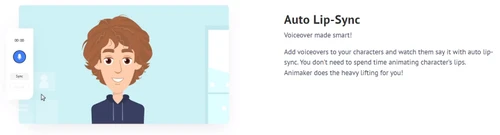
 Team & Collaboration Text-to-Animation Character Creation Voiceover Integration Asset Library Subtitle Addition Collaboration Tools Templates Presentation Creation Video Editing Whiteboard Animation Security and Privacy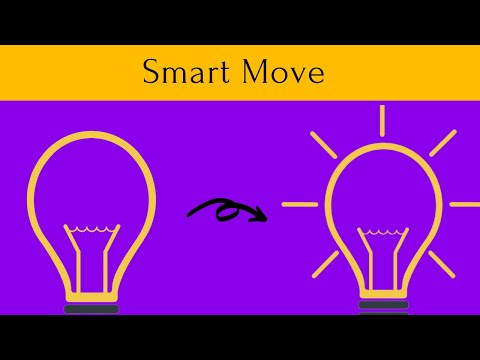

Watch the demo video to explore key features, real workflows, and how the software fits your business needs.
 Windows
  iOS
iOS  Android MacOS
  Desktop
  Mobile
  Tablet
  iPad
iPad  Cloud-Based
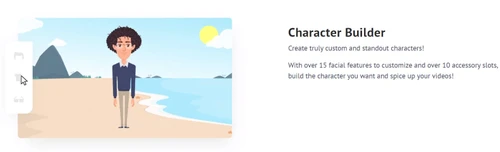
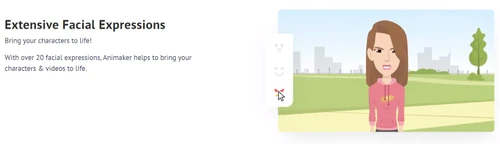
Small Business
Designed for startups and growing businesses
Medium Business
Built for business growth and flexibility
Enterprises
Designed for complex and large-scale business needs
4.4
Out of 5

Overall Rating
Based on
9 Verified Reviews
Rating Breakdown
95% Recommend this Product
Add ReviewOverall, users express high satisfaction with Animaker, praising its extensive video asset library and user-friendly interface that facilitates quick video creation and collaboration. Many appreciate the tool's ability to produce engaging 2D animations, making it suitable for both personal and professional use. However, some users note limitations, such as the lack of 3D video capabilities and the need for updates to templates and features. While beginners find it convenient, more experienced users may seek additional functionalities.
Pros
"A good video making tool for animated videos with ready-made presets available."
Cons
"I was disappointed with the fact that this app cannot make 3D videos. Other than that, if you are content with building 2D videos, you are welcome to use Animaker."
"No, I didn’t find anything negative about Animaker. This might be because it delivers all possible features I can imagine and need."
"Need regular updates in terms of freshness and new templates."



Jun 9, 2022
Techjockey Verified
“Animaker doesn’t require too much of computational specifications to function”
Pros
I started using Animaker because of a sudden influx of assignments during my career’s initial video editing career. Today, thanks to Animaker, I have been able to do my business. Animaker helps me edit and create videos so quickly that I can handle more producers than I could before. The tool can help make intelligent educational and awareness videos.
Cons
As a beginner’s software, it is a convenient tool. But for experienced users, it might not be sufficient. The program is built on FLASH, which is kind of outdated. So, it’s like living in the past.
Reason to switch
I started with Animaker. But now I work with multiple video software programs.
Jun 9, 2022
Techjockey Verified
“Animaker’s massive video asset resource is the deal breaker”
Pros
Thank you Animaker for giving us access to this vast and extensive video asset resource. It helps create distinctive and appealing videos with over 100 million stock materials at our disposal. Their library is also linked to Giphy and Getty, making it even easier to select the ideal video, image, or GIF for a project.
Cons
Animaker says it produces studio-grade animated videos. But in reality, I cannot do it alone. I needed to hire a few more professionals to help me with the process. So, Animaker should start a virtual assistant or something like that.
Reason to switch
Animaker doesn’t require too much of computational specifications to function
Jun 8, 2022
Techjockey Verified
“Animaker is the best app for funny 2D animation production”
Pros
My kids love it when I use Animaker to create funny stuff for them to see. Sometimes I make such funny videos and presentations to impress my wife as well (and call myself a videographer). The software is very easy to use. I was surprised that it offers features that are otherwise expensive in general. A 5-star to Animaker.
Cons
I am happy with Animaker. No complaints!
Reason to switch
Animaker is my first attempt in the animation world

Animaker
₹ 2199.00 excl. GST
Desktop
Mobile
Web based
On Premises
Windows
Mac OS
Autodesk Maya
₹ 16520
Desktop
Mobile
Web based
On Premises
Windows
Mac OS

Autodraft
₹ 833
Desktop
Mobile
Web based
On Premises
Windows
Mac OS

VideoScribe
Price On Request
Desktop
Mobile
Web based
On Premises
Windows
Mac OS

LottieFiles
Price On Request
Desktop
Mobile
Web based
On Premises
Windows
Mac OS

Jitter
Price On Request
Desktop
Mobile
Web based
On Premises
Windows
Mac OS
Animation Desk
Price On Request
Desktop
Mobile
Web based
On Premises
Windows
Mac OS

Immersity AI
Price On Request
Desktop
Mobile
Web based
On Premises
Windows
Mac OS

Toonly
Price On Request
Desktop
Mobile
Web based
On Premises
Windows
Mac OS

ImagetoCartoon
Price On Request
Desktop
Mobile
Web based
On Premises
Windows
Mac OS

Lordicon
Price On Request
Desktop
Mobile
Web based
On Premises
Windows
Mac OS
(0) Product(s) selected
Starting Price:
$240 /User/Year
Starting Price:
$5 /Month
Starting Price:
$6 /Month
Starting Price:
$16

Starting Price:
$15 /Month
Starting Price:
$69 /Quantity $99

Starting Price:
$96 /Year

Starting Price:
$11 /Month

Starting Price:
$10 /Month

Starting Price:
$80 /Year

Starting Price:
$70 /Licenses
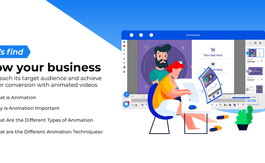
Animaker has 1000+ professional-looking pre-designed templates for its users. They can pick any as per their choice and generate an animated video within minutes.
Animaker is the first-ever software that supports video infographics. Data presentation is no longer boring as you will have access to 100+ charts, 1000+ icons and 3000+ maps to visually represent the data.
Animaker Deck is an in-built feature of the software that brings together the convenience of PowerPoint presentations and the visual awesomeness of animated videos. You can create an animated video and use it later as a PowerPoint presentation.
Animaker supports 50+ languages from around the globe. It allows users to use their own fonts. The software also supports RTL language fonts.
With Animaker, you can export your videos in full HD quality. You can also create vertically optimised animated videos for mobile viewing. Animaker has six video making styles including 2D, 2.5D, handcraft and typography.
Animaker video making software helps create all types of videos, such as, business explainer videos, Facebook videos, cartoon videos, YouTube videos, marketing videos, birthday videos and more.
Animaker software is popularly used by entrepreneurs, content marketers, classroom storytellers, and everyone else.
Animaker animation software pricing is available at INR 2199 at techjockey.com.
20,000+ Software Listed
Best Price Guranteed
Free Expert Consultation
2M+ Happy Customers
Terms and Condtions

Users with registered businesses can purchase goods from merchants on the platform to satisfy their business needs. Users are not permitted to utilize any products acquired through the platform for resale, advertising, business, or further distribution.
For each purchase made, users will receive a Tax Invoice (or 'GST invoice') that includes specific details such as:
the GSTIN of the user associated with their registered business, and
the specified Entity Name for their business.
It should be noted that not all products are eligible for GST Invoice. Only the products displayed by participating sellers with the 'GST-based Invoice Available' callout on the product description page would qualify.
Certain goods and services are not eligible to get a GST Invoice, including items with VAS, i.e., Value Added Services (e.g., Total Mobile Protection/Assured Buyback) and those involving an exchange offer at the time of purchase.
Users must ensure the accuracy of the GSTIN, and business entity name provided for the GST Invoice. Requests for corrections into GST Invoice would not be accommodated by Techjockey.com or any Seller, and any issues arising from user-provided information are the sole responsibility of users.
Techjockey.com is not liable for the GST Invoice or any associated input tax credit. To efficiently claim an input tax credit, users should select the registered place of business address as per the GST authority's data and follow the provisions of the GST Act and rules.
To claim an input tax credit, the delivery and billing addresses must match. Furthermore, input tax credits will not be granted if the delivery address and GSTIN on the invoice are from different states. In case of incorrect GST details provided during the order placement, the order will be canceled automatically.



