linkedin
Animation Desk logo
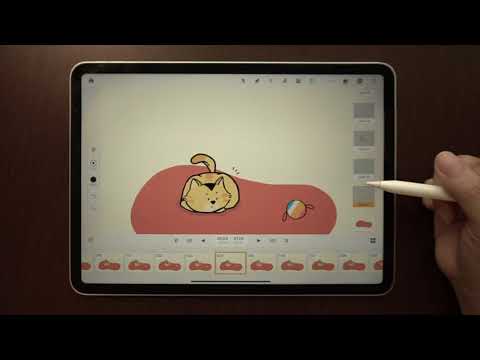
play Animation Desk iOS | Tutorial: How to Create Animation in Animation Desk
Animation Desk Less Hassle
Animation Desk Powerful

Animation Desk

Brand: Kdan Mobile

  • 4.6

  • 3 Ratings

Animation Desk is a robust 2D animation software suitable for all skill levels offering powerful tools for creativity in animations.

See More

Have you used Animation Desk before?

Share your insights for better experience

Add a Review
Starting Price
$5

View plans

100% Genuine
Products
Best Price
Guaranteed
Safe & Secure
Payment
  • Description

  • Pricing

  • Features

  • Specification

  • Review

  • Compare

  • Alternatives

  • FAQ

Starting at $5

Animation Desk Software Overview

What is Animation Desk Software?

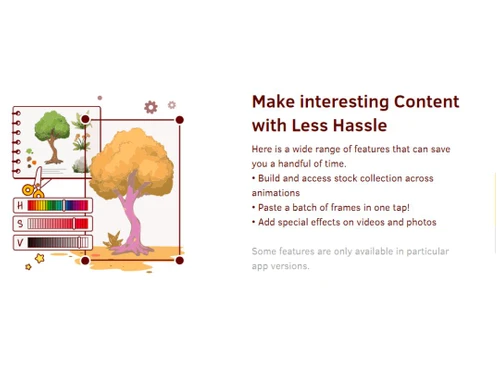
Animation Desk is a user-friendly 2D animation software. It allows creative users to use its intuitive interface for creating animations, cartoons, and games. It supports tools that help to create animations by drawing individual frames and sequencing them into smooth 2D animations. Users can add effects to their animations, videos, or photos. The user can build and access a stock collection of assets and paste batches of frames. It thus helps to turn imagination into lively, creative animations. It is cross-platform compatible and supports applications on Android, iOS, and Windows, assisting users to transfer and continue their work across various devices.

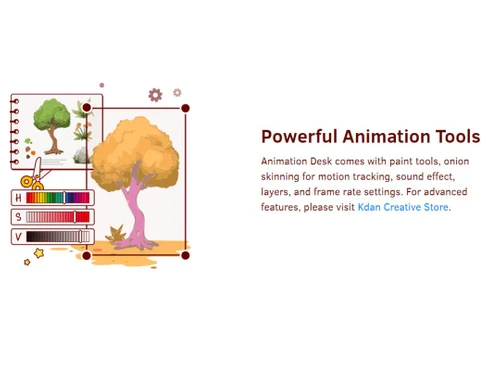
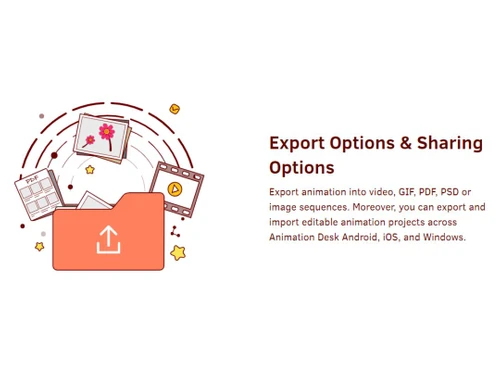
Animation Desk provides paint tools for editing and enhancing the animation design, onion skinning for motion tracking effects, the capability of adding sound effects, etc. It also provides tools for adding layers and setting frame rates as needed. The finished 2D animation projects can be exported as videos, GIFs, PDFs, PSD files, or image sequences. It also supports social media platform integration for community building and educational resources for learning the tool.

Why Choose Animation Desk System?

  • Creative animation:It enables the users to map their artistic expression through versatile tools and thus bring their ideas to life in 2D animations.
  • User-Friendly:It has an intuitive interface that allows easy animation creation and sharing, making it accessible to all skill levels, from beginners to professionals.
  • Cross-Platform compatibility:It ensures smooth animation creation experience, project transfer, and sharing across Android, iOS, and Windows devices.
  • Diverse Export Options:It helps share content with multiple export formats, from videos to GIFs.
  • Educational tool:It is an invaluable resource for students and learners to learn animation concepts and basic gaming.

Benefits of Animation Desk Solution

  • Portability:It allows its users to create animations on the go, as it's available on mobile devices.
  • Storyboarding:It helps in the creation of animatic sketches and storyboards, thus helping ideas to be transformed into visual animation projects.
  • Professional-Grade results:It provides tools for professionals to create polished and high-quality animations suitable for commercial use.
  • Resource efficiency:It decreases the need for expensive animation equipment and hardware, making it a cost-effective solution.
  • Skill development:It provides tutorials and resources for aspiring animators to learn and develop industry-relevant animation skills.

Pricing of Animation Desk Animation Software

Animation Desk price are available at USD 5 at techjockey.com.

Its price in India may vary based on factors like customization, additional features required, the number of users, and the deployment type. Please request a call back for subscription-related details and to avail offers on premium packages.

Read more

Kdan Mobile Company Details

Founded Year:  2023

Kdan Mobile is a Taiwanese startup that makes cloud-based software focusing on workplace mobility solutions.

Director/Founders Kenny Su
Company Size 1-100 Employees

Animation Desk Pricing & Plans

IOS Pro
Starting at $5
    • Licenses

      Licenses
      Licenses
    • Monthly

      Monthly
      Monthly

Key Features

  • 46+ brushes

  • Customize brushes and screentones

  • 8 sketch layers

  • 1 background layer

Windows Pro
Starting at $5
    • Licenses

      Licenses
      Licenses
    • Monthly

      Monthly
      Monthly

Key Features

  • 46+ brushes

  • Customize brushes and screentones

  • 8 sketch layers

  • 1 background layer

Animation Desk Features

  • icon_check 2D Animation
    It helps in 2D animation creation through versatile tools and features.
  • icon_check 2D Drawing
    It supports creative 2D drawing and allows artists to craft expressive visuals.
  • icon_check Drag & Drop
    It simplifies the animation design process with drag-and-drop functionality.
  • icon_check Collaboration Tools
    It helps collaborate with tools that allow multiple users to work together.
  • icon_check Templates
    It provides customizable templates, assisting the users to get ideas for their projects.
  • icon_check Animation Tool
    It's an all-in-one animation tool with features to make creative animations.
  • icon_check Motion Tracking
    It offers motion tracking features for smooth and realistic animation sequences.
  • icon_check Sound Effect
    It allows adding sound effects into animation, enhancing the audio-visual experience.
  • icon_check Content Import/ Export
    It allows easy import and export in various formats.
  • icon_check Frame-by-frame drawing
    Enables traditional frame-by-frame 2D animation - draw each frame manually for full control.
  • icon_check Onion-skin support
    Overlay adjacent frames to preview motion flow - essential for smooth, consistent animation.
  • icon_check Layers support
    Work with multiple layers (sketch, background, foreground) to separate elements - adds flexibility.
  • icon_check Timeline & frame management
    A frame/timeline view lets you add, delete, duplicate, reorder or tag frames easily.
  • icon_check Adjustable FPS / animation speed
    Control animation speed or frame rate for smoother or stylized motion.
  • icon_check Color palette & fill tools
    Manage and reuse colors; fill areas efficiently - helpful for consistent color design.
  • icon_check Basic audio / lip-sync support
    Option to add music or sound to your animation on export (on supported platforms).
Animation Desk Demo Video play icon

Get Animation Desk Demo

Watch the demo video to explore key features, real workflows, and how the software fits your business needs.

Understand
Key Features
Personal
Demo Insights
Interactive
Demo Support

Animation Desk Specifications

Supported Platforms
Ubuntu Ubuntu Windows Windows iOS iOS Android Android MacOS MacOS Linux Linux
Devices
Desktop Desktop Mobile Mobile Tablet Tablet iPad iPad
Deployment
Cloud-Based Cloud-Based
Suitable For
All Industries
Business Specific
All Businesses
Business Size
Small Business Startups Medium Business Enterprises SMBs SMEs MSMBs MSMEs
Customer Support
Phone Email Communities
Language
English
Integration
API Integration
Training Resources
Webinars Documentation Videos
AI Features
AI Integrated

Explore the Best Alternative Solutions Similar to Your Business Size and Needs

Animation Desk Review

4.6

Out of 5

img

Overall Rating

Based on
3 Verified Ratings

Rating Breakdown

  • Features 5
  • Value for Money 4.5
  • Ease of Use 4.1
  • Customer Support 5

100% Recommend this Product

Add Review

Techjockey Trusted Reviews from Verified Users

No reviews are currently available for Animation Desk. Discover similar Animation Software reviews

  • Animaker

    4.5

    Whats great - I started using Animaker because of a sudden influx of assignments during my career’s initial video editing career. Today, th... read more

  • VideoScribe

    4.4

    Whats great - First of all, Videoscribe is great for making animated presentations. Just in case, you forgot to save the recent changes, wo... read more
  • Autodesk Maya

    4.8

    Whats great - Autodesk Maya is the best tool to convert your ideas into reality. You have a lot of possibilies with this software. If you w... read more
Compare Animation Desk With other Animation Software

Products
Ratings
Pricing
Device Supported
Deployment
Supported Platforms
  • img

    Animation Desk

  • 4.6

  • Price On Request

  • Desktop

    Mobile

  • Web based

    On Premises

  • Windows

    Mac OS

  • img

    Autodesk Maya

  • 4.7

  • ₹ 16520

  • Desktop

    Mobile

  • Web based

    On Premises

  • Windows

    Mac OS

  • img

    Autodraft

  • 4.2

  • ₹ 833

  • Desktop

    Mobile

  • Web based

    On Premises

  • Windows

    Mac OS

  • img

    VideoScribe

  • 4.4

  • Price On Request

  • Desktop

    Mobile

  • Web based

    On Premises

  • Windows

    Mac OS

  • img

    LottieFiles

  • 4.3

  • Price On Request

  • Desktop

    Mobile

  • Web based

    On Premises

  • Windows

    Mac OS

  • img

    Jitter

  • 4.4

  • Price On Request

  • Desktop

    Mobile

  • Web based

    On Premises

  • Windows

    Mac OS

  • img

    Immersity AI

  • 4.3

  • Price On Request

  • Desktop

    Mobile

  • Web based

    On Premises

  • Windows

    Mac OS

  • img

    Toonly

  • 4.4

  • Price On Request

  • Desktop

    Mobile

  • Web based

    On Premises

  • Windows

    Mac OS

  • img

    ImagetoCartoon

  • 4.3

  • Price On Request

  • Desktop

    Mobile

  • Web based

    On Premises

  • Windows

    Mac OS

  • img

    Lordicon

  • 4.5

  • Price On Request

  • Desktop

    Mobile

  • Web based

    On Premises

  • Windows

    Mac OS

  • img

    Deepmotion

  • 4.6

  • Price On Request

  • Desktop

    Mobile

  • Web based

    On Premises

  • Windows

    Mac OS

(0) Product(s) selected

Animation Desk Alternatives

See All Animation Desk Alternatives

Starting Price:

$240 /User/Year

Starting Price:

$16

Starting Price:

$15 /Month
Starting Price:

$69 /Quantity $99

SAVE UPTO 30%

Starting Price:

$11 /Month

Starting Price:

$10 /Month

Starting Price:

$70 /Licenses

Articles for Animation Desk

See All Related Articles

Which operating system does the Animation Desk Software Support?

Animation Desk software is compatible with Windows and macOS device systems.

Is there any Animation Desk App?

Animation Desk app is available on Android and iOS devices.

What is the deployment type of the Animation Desk System?

Animation Desk system supports on-premises deployment.

How much does the Animation Desk Animation Software cost?

Animation Desk price are available at USD 5 at techjockey.com.

Who are the potential users of the Animation Desk Animation Solution?

Animation Desk is suitable for a wide range of users, including novice and professional animators, artists, and anyone looking to create hand-drawn or digital animations with ease.

Is there any free trial or demo for the Animation Desk Animation System?

Animation Desk Animation system demo is available for free with techjockey.com.

Is the Animation Desk Animation Platform Free?

Animation Desk Animation platform does not offer a free trial.

How can you download the Animation Desk?

For Animation Desk software installation, you can go directly to Techjockey’s official website and buy this solution. Once purchased, you will receive a key to download the same via email.

How does Animation Desk Work?

Animation Desk is a versatile animation software that allows users to sketch and animate their ideas on the fly. It offers various export formats and is particularly useful for crafting initial draft animations. This app is a valuable tool for both novice and professional animators.

20,000+ Software Listed

Best Price Guranteed

Free Expert Consultation

2M+ Happy Customers

Terms and Condtions

close

Users with registered businesses can purchase goods from merchants on the platform to satisfy their business needs. Users are not permitted to utilize any products acquired through the platform for resale, advertising, business, or further distribution.

For each purchase made, users will receive a Tax Invoice (or 'GST invoice') that includes specific details such as:

  • the GSTIN of the user associated with their registered business, and

  • the specified Entity Name for their business.

It should be noted that not all products are eligible for GST Invoice. Only the products displayed by participating sellers with the 'GST-based Invoice Available' callout on the product description page would qualify.

Certain goods and services are not eligible to get a GST Invoice, including items with VAS, i.e., Value Added Services (e.g., Total Mobile Protection/Assured Buyback) and those involving an exchange offer at the time of purchase.

Users must ensure the accuracy of the GSTIN, and business entity name provided for the GST Invoice. Requests for corrections into GST Invoice would not be accommodated by Techjockey.com or any Seller, and any issues arising from user-provided information are the sole responsibility of users.

Techjockey.com is not liable for the GST Invoice or any associated input tax credit. To efficiently claim an input tax credit, users should select the registered place of business address as per the GST authority's data and follow the provisions of the GST Act and rules.

To claim an input tax credit, the delivery and billing addresses must match. Furthermore, input tax credits will not be granted if the delivery address and GSTIN on the invoice are from different states. In case of incorrect GST details provided during the order placement, the order will be canceled automatically.