linkedin
Wonder Dynamics logo
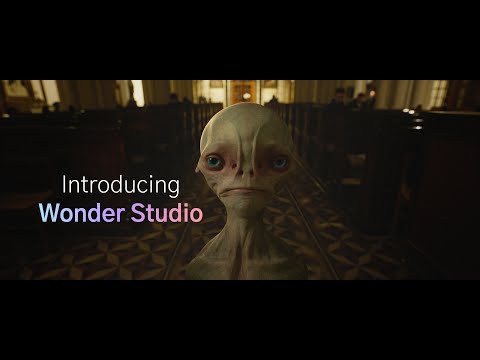
play Introducing Wonder Studio
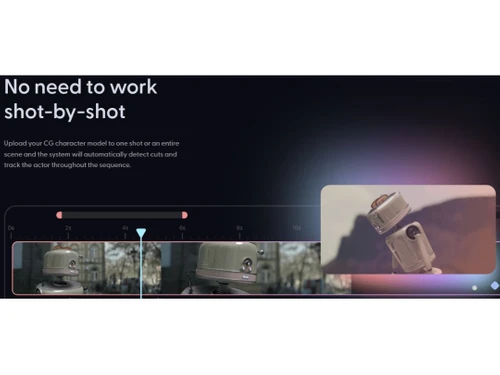
Wonder dynamics Automatic cut detection
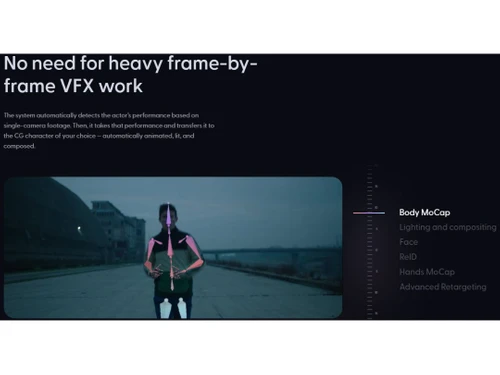
Wonder dynamics Lighting & Compositing

Wonder Dynamics

Brand: Wonder dynamics

  • 4.5

  • 3 Ratings & 3 Reviews

Revolutionize your animation workflow with cutting-edge technology, offering seamless integration, intuitive controls, and unparalleled realism for a truly immersive and dynamic animation experience.

See More

Have you used Wonder Dynamics before?

Share your insights for better experience

Add a Review

Price Available on Request

Questions about pricing or customization? We’re here to help, just a click away.

100% Genuine
Products
Best Price
Guaranteed
Safe & Secure
Payment
  • Description

  • Pricing

  • Features

  • Specification

  • Review

  • Compare

  • Alternatives

  • FAQ

Wonder Dynamics Software Overview

What is Wonder Dynamics Software?

Wonder Dynamics is a visual effects company that has built an AI-powered VFX tool called Wonder Studio. This tool animates characters automatically, composes CG characters into live scenes, and plays with light.

This tool reduces the complexity and time spent adding and subtracting CG characters and technical jargon like motion capturing, lighting, scene building, character expressions, etc. This helps the filmmaker to concentrate more on the creative parts of filmmaking.

It offers a simplified web interface to operate without expensive production hardware or 3D software. Many well-known filmmakers like Steven Spielberg and Joe Russo are on the advisory team.

Why Choose Wonder Dynamics?

  • Face: This feature tracks the facial expressions and imports them into the CG character to bring the animation to life.
  • ReID: The software captures the dynamic relationship between the CG and the original characters.
  • Motion Capture: This feature uses a background calculator to capture the motion of moving characters in a scene.
  • Camera Track: This feature tracks the camera's presence in a scene to make it and edit it to be more realistic.
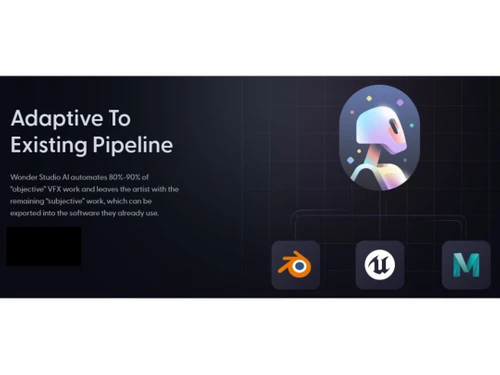
  • Blender File: This raw editing file of Blender helps the filmmaker work more in-depth to make the CG characters come alive.

Benefits of Wonder Dynamics Software

  • It comes with an easy learning curve to create VFX and CG characters.
  • Users can easily animate, use dynamic lighting, and compose CG characters automatically.
  • It helps to detect actor performance with single camera footage.
  • You can create 3D CG characters without expensive production hardware.

Wonder Dynamics Pricing

Wonder Dynamics price is available on request at techjockey.com.

The pricing model is based on different parameters, including extra features, deployment type, and total users. For further queries related to the product, you can contact our product team and learn more about the pricing and offers.

Read more

Wonder dynamics Company Details

Founded Year:  2017

Wonder Dynamics a media-tech startup developing an AI production tool that would allow indie filmmakers to deliver blockbuster-level VFX on a fraction of the budget.

Director/Founders Nikola Todorovic , Tye Sheridan
Company Size 1-100 Employees

Wonder Dynamics Pricing & Plans

Looking for The Right Pricing?

Share your requirements and get a plan built around your business.

  • Define your business needs
  • Get customised pricing
  • Choose features that fit your workflow

Price Available on Request

Get personalised Wonder Dynamics pricing that fits your needs. Our team will connect with you.

Wonder Dynamics Features

  • icon_check AI driven 3D character creator
    This software feature helps users create 3D characters using AI and insert them in live-action scenes.
  • icon_check Animation
    Offers top-notch animation, with motion-capturing abilities without the need for production hardware.
  • icon_check Compose
    Composing a live-action scene with CG characters, lighting, and motion capturing is easier with Wonder Studio.
  • icon_check VFX studio in browser
    Wonder Dynamics has created Wonder Studio, a web-based user interface to create World-class VFX without expensive software.
  • icon_check Automatic cut detection
    Upload CG characters into the scene, track the actor, and then automatically detect the cut.
  • icon_check CG characters of one's choice
    Has many built-in CG characters like The Professor, Sam, ASC, and Sandy, or you can create your own CGI characters.
  • icon_check Lighting & Compositing
    The dynamic lighting feature of Wonder Studio creates depth in the scene and makes the hard VFX shot easy.
  • icon_check Body MoCap
    Allows to track the body movement by diving sections like hands, legs, upper body, and lower body to fit into CG characters.
  • icon_check Hands MoCap
    This feature tracks and controls the hand gesture of uploaded footage to integrate into the CG characters.
  • icon_check Advanced retargeting
    Offers tools like character scaling, feet and wrists scaling, and pelvis offset to match the original character size.
Wonder Dynamics Demo Video play icon

Get Wonder Dynamics Demo

Watch the demo video to explore key features, real workflows, and how the software fits your business needs.

Understand
Key Features
Personal
Demo Insights
Interactive
Demo Support

Wonder Dynamics Specification

Supported Platforms
Ubuntu Ubuntu Windows Windows MacOS MacOS Windows(Phone) Windows(Phone) Linux Linux
Devices
Desktop Desktop Mobile Mobile Tablet Tablet iPad iPad
Deployment
Web-Based Web-Based
Suitable For
All Industries
Business Specific
All Businesses
Business Size
Small Business Startups Medium Business Enterprises
Customer Support
Email Communities
Language
English
Integration
API Integration
Training Resources
Documentation Videos
AI Features
AI Integrated

Explore the Best Alternative Solutions Similar to Your Business Size and Needs

Small Business

Designed for startups and growing businesses

Vyond

4.3

Jitter

4.4

Toonly

4.4

See More

Wonder Dynamics Reviews

4.5

Out of 5

img

Overall Rating

Based on
3 Verified Reviews

Rating Breakdown

  • Features 4.6
  • Value for Money 4.5
  • Ease of Use 4.5
  • Customer Support 4.6

93% Recommend this Product

Add Review
Wonder Dynamics Video Reviews

youtubeVideoId

4.8

“3D Animation Video Kaise Banaye | Wonder Dynamics Ai in hindi”

Review by: Beffii

youtubeVideoId

4.8

“CGI Used To Be Just For Hollywood, No Longer With Wonder Dynamics”

Review by: metricsmule

youtubeVideoId

4.3

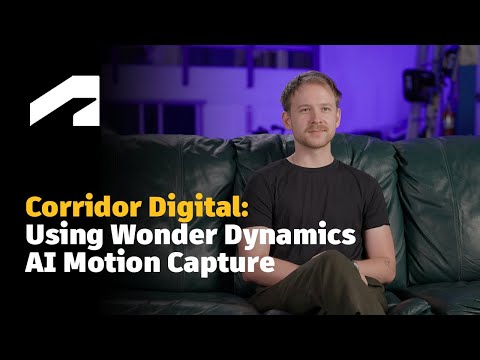
“How Corridor Digital uses Wonder Dynamics AI Motion Capture”

Review by: Autodesk Media & Entertainment

Compare Wonder Dynamics With other Animation Software

Products
Ratings
Pricing
Device Supported
Deployment
Supported Platforms
  • img

    Wonder Dynamics

  • 4.5

  • Price On Request

  • Desktop

    Mobile

  • Web based

    On Premises

  • Windows

    Mac OS

  • img

    Autodesk Maya

  • 4.7

  • ₹ 16520

  • Desktop

    Mobile

  • Web based

    On Premises

  • Windows

    Mac OS

  • img

    Autodraft

  • 4.2

  • ₹ 833

  • Desktop

    Mobile

  • Web based

    On Premises

  • Windows

    Mac OS

  • img

    VideoScribe

  • 4.4

  • Price On Request

  • Desktop

    Mobile

  • Web based

    On Premises

  • Windows

    Mac OS

  • img

    LottieFiles

  • 4.3

  • Price On Request

  • Desktop

    Mobile

  • Web based

    On Premises

  • Windows

    Mac OS

  • img

    Jitter

  • 4.4

  • Price On Request

  • Desktop

    Mobile

  • Web based

    On Premises

  • Windows

    Mac OS

  • img

    Animation Desk

  • 4.6

  • Price On Request

  • Desktop

    Mobile

  • Web based

    On Premises

  • Windows

    Mac OS

  • img

    Immersity AI

  • 4.3

  • Price On Request

  • Desktop

    Mobile

  • Web based

    On Premises

  • Windows

    Mac OS

  • img

    Toonly

  • 4.4

  • Price On Request

  • Desktop

    Mobile

  • Web based

    On Premises

  • Windows

    Mac OS

  • img

    ImagetoCartoon

  • 4.3

  • Price On Request

  • Desktop

    Mobile

  • Web based

    On Premises

  • Windows

    Mac OS

  • img

    Lordicon

  • 4.5

  • Price On Request

  • Desktop

    Mobile

  • Web based

    On Premises

  • Windows

    Mac OS

(0) Product(s) selected

Wonder Dynamics Alternatives

See All Wonder Dynamics Alternatives

Starting Price:

$240 /User/Year

Starting Price:

$16

Starting Price:

$15 /Month
Starting Price:

$69 /Quantity $99

SAVE UPTO 30%

Starting Price:

$11 /Month

Starting Price:

$10 /Month

Starting Price:

$70 /Licenses

Articles for Wonder Dynamics

See All Related Articles

What operating systems does Wonder Dynamics Software support?

Wonder Dynamics Software is compatible with Windows and macOS operating systems.

Is there a Wonder Dynamics App?

Wonder Dynamics does not have a dedicated app for Android or iOS devices.

What is the deployment type of Wonder Dynamics Software?

Wonder Dynamics system supports cloud-based deployment.

How much does Wonder Dynamics Software cost?

Wonder Dynamics price is available on request at techjockey.com.

Who are the potential users of Wonder Dynamics Software?

Wonder Dynamics Software is designed to cater to institutions, enterprises (both large and small), and businesses that require advanced features and capabilities in their Conversational AI Software.

Is there a free trial or demo for Wonder Dynamics Software?

Wonder Dynamics free demo is available at techhjockey.com.

Is Wonder Dynamics Software free?

It is not a free software. Its pricing starts from $20 at techjockey.com.

How can you download Wonder Dynamics Animation Software?

Wonder Dynamics is a cloud-based platform, so software installation is not needed. Just open the setup wizard and get started.

How does Wonder Dynamics Software work?

Wonder Dynamics Software is an AI-powered Conversational AI Platform that seamlessly integrates virtual assistants like Google Voice and Alexa with your chatbot. This integration ensures immersive and interactive conversational experiences for users.

20,000+ Software Listed

Best Price Guranteed

Free Expert Consultation

2M+ Happy Customers

Terms and Condtions

close

Users with registered businesses can purchase goods from merchants on the platform to satisfy their business needs. Users are not permitted to utilize any products acquired through the platform for resale, advertising, business, or further distribution.

For each purchase made, users will receive a Tax Invoice (or 'GST invoice') that includes specific details such as:

  • the GSTIN of the user associated with their registered business, and

  • the specified Entity Name for their business.

It should be noted that not all products are eligible for GST Invoice. Only the products displayed by participating sellers with the 'GST-based Invoice Available' callout on the product description page would qualify.

Certain goods and services are not eligible to get a GST Invoice, including items with VAS, i.e., Value Added Services (e.g., Total Mobile Protection/Assured Buyback) and those involving an exchange offer at the time of purchase.

Users must ensure the accuracy of the GSTIN, and business entity name provided for the GST Invoice. Requests for corrections into GST Invoice would not be accommodated by Techjockey.com or any Seller, and any issues arising from user-provided information are the sole responsibility of users.

Techjockey.com is not liable for the GST Invoice or any associated input tax credit. To efficiently claim an input tax credit, users should select the registered place of business address as per the GST authority's data and follow the provisions of the GST Act and rules.

To claim an input tax credit, the delivery and billing addresses must match. Furthermore, input tax credits will not be granted if the delivery address and GSTIN on the invoice are from different states. In case of incorrect GST details provided during the order placement, the order will be canceled automatically.