 USA
USA UAE
UAESmall Business
Designed for startups and growing businesses


See More


![Mocha Pro 2024 - A Quick Look at Everything New [Boris FX]](https://img.youtube.com/vi/pCcs2LqsWFo/default.jpg)


Brand: BORIS FX
Boris Mocha Pro is one of the most popular animation software for animators worldwide. This animation software allows users to convert videos into animations with the help of character mapping and video filters to enhance visual quality. Boris Mocha Pro uses “OpenColorIO” color management tools for enhancing the tonal display of the animation. Boris Mocha Pro incorporates several other suppor...
See MoreHave you used Boris Mocha Pro before?
Share your insights for better experience
Brand: BORIS FX
Founded Year: 1995
Boris FX is a leading developer of visual effects, planar tracking, titling, video editing, and workflow tools for broadcast, post-production, and film professionals.
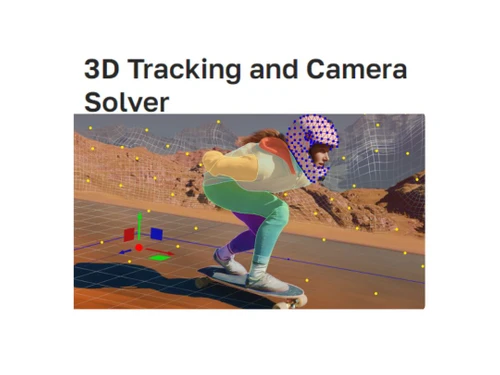
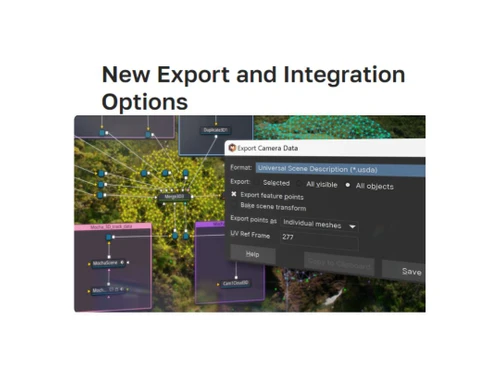
 360/VR AI Face Detection Matte Assist ML 3D Camera AI Object Brush Matte Assist ACES 2.0 Color Management Tracking Magic Keyframe Gpu Accelerated Module Stability Plug-in script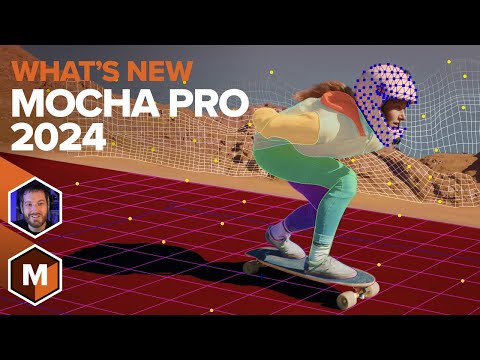

Watch the demo video to explore key features, real workflows, and how the software fits your business needs.
 Windows
  MacOS
MacOS  Desktop
  Cloud-Based
  Perpetual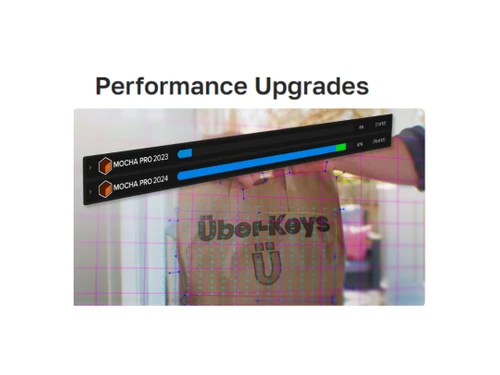
Small Business
Designed for startups and growing businesses
Medium Business
Built for business growth and flexibility
Enterprises
Designed for complex and large-scale business needs
4.6
Out of 5

Overall Rating
Based on
1 Verified Review
Rating Breakdown
80% Recommend this Product
Add Review
Mar 27, 2021
Techjockey Verified
“Nice animation software”
Pros
good set of presets
Cons
NO CONS

Boris Mocha Pro
Price On Request
Desktop
Mobile
Web based
On Premises
Windows
Mac OS

Boris Sapphire
Price On Request
Desktop
Mobile
Web based
On Premises
Windows
Mac OS
Autodesk Maya
₹ 16520
Desktop
Mobile
Web based
On Premises
Windows
Mac OS

Autodraft
₹ 833
Desktop
Mobile
Web based
On Premises
Windows
Mac OS

VideoScribe
Price On Request
Desktop
Mobile
Web based
On Premises
Windows
Mac OS
LottieFiles
Price On Request
Desktop
Mobile
Web based
On Premises
Windows
Mac OS
Jitter
Price On Request
Desktop
Mobile
Web based
On Premises
Windows
Mac OS
Animation Desk
Price On Request
Desktop
Mobile
Web based
On Premises
Windows
Mac OS

Immersity AI
Price On Request
Desktop
Mobile
Web based
On Premises
Windows
Mac OS

Toonly
Price On Request
Desktop
Mobile
Web based
On Premises
Windows
Mac OS

ImagetoCartoon
Price On Request
Desktop
Mobile
Web based
On Premises
Windows
Mac OS
(0) Product(s) selected
Starting Price:
$80 /Year
Starting Price:
$240 /User/Year
Starting Price:
$5 /Month
Starting Price:
$49
Starting Price:
$6 /Month

Starting Price:
$16

Starting Price:
$15 /Month
Starting Price:
$69 /Quantity $99

Starting Price:
$11 /Month

Starting Price:
$10 /Month

Starting Price:
$70 /Licenses

Boris Mocha Pro’s system requirements are as follows: - Operating System: MacOS 10.12 or higher, Windows 7 or higher (on x64) - Processor: 64-bit Intel or AMD CPU with four or more cores - Memory: 16 GB or more - Disk: High-Speed Disk Array or SSD Storage - Graphics Card: High-end NVIDIA Quadro, TITAN or GeForce Pascal, e.g. Quadro P5000 or GeForce GTX 1080 Ti - Monitor: 1920x1080 or higher, including high dpi 4k monitors
Boris Mocha Pro not only works well with dual monitor system, but it also works with other multiple monitor systems for greater workflow capacity.
Apart from Autodesk plug-in, none of the other Mocha Pro variants are available for simultaneous installing.
Boris Mocha Pro can be used without internet. However, you will need internet to operate Mocha Pro plug-ins.
Boris Mocha Pro pricing is available at USD 96 per month at techjockey.com.
20,000+ Software Listed
Best Price Guranteed
Free Expert Consultation
2M+ Happy Customers
Terms and Condtions

Users with registered businesses can purchase goods from merchants on the platform to satisfy their business needs. Users are not permitted to utilize any products acquired through the platform for resale, advertising, business, or further distribution.
For each purchase made, users will receive a Tax Invoice (or 'GST invoice') that includes specific details such as:
the GSTIN of the user associated with their registered business, and
the specified Entity Name for their business.
It should be noted that not all products are eligible for GST Invoice. Only the products displayed by participating sellers with the 'GST-based Invoice Available' callout on the product description page would qualify.
Certain goods and services are not eligible to get a GST Invoice, including items with VAS, i.e., Value Added Services (e.g., Total Mobile Protection/Assured Buyback) and those involving an exchange offer at the time of purchase.
Users must ensure the accuracy of the GSTIN, and business entity name provided for the GST Invoice. Requests for corrections into GST Invoice would not be accommodated by Techjockey.com or any Seller, and any issues arising from user-provided information are the sole responsibility of users.
Techjockey.com is not liable for the GST Invoice or any associated input tax credit. To efficiently claim an input tax credit, users should select the registered place of business address as per the GST authority's data and follow the provisions of the GST Act and rules.
To claim an input tax credit, the delivery and billing addresses must match. Furthermore, input tax credits will not be granted if the delivery address and GSTIN on the invoice are from different states. In case of incorrect GST details provided during the order placement, the order will be canceled automatically.



