 USA
USA UAE
UAESmall Business
Designed for startups and growing businesses


See More




Brand: Everimaging
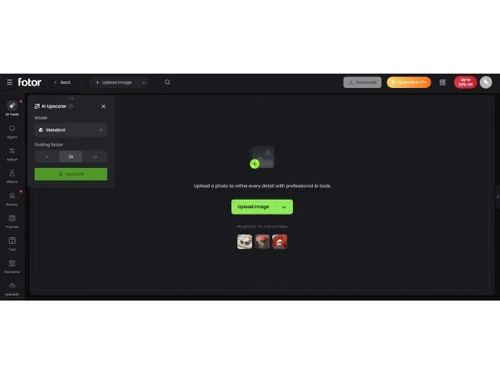
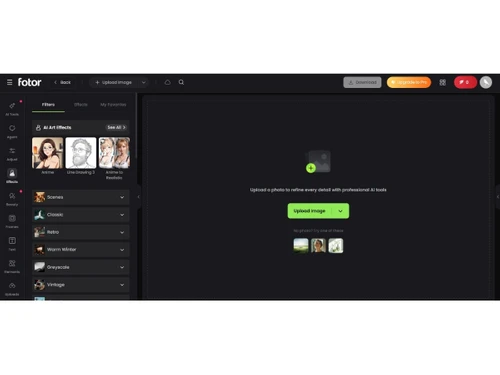
Fotor is an online photo editing tool that offers a variety of features for enhancing and retouching images, making collages, and creating graphic designs, all with an easy-to-use interface.
See MoreHave you used Fotor before?
Share your insights for better experience
Brand: Everimaging
Founded Year: 2009
Fotor is a multi-platform photo editing tool.
 Photo Editing Photo Collage Multiple Font Support Design tools Graphic Design HDR Beauty Retouching AI Image Generator Background Removal Image Upscaling Photo Retouching Image Cropping Templates Object Removal Photo Enhancement

Watch the demo video to explore key features, real workflows, and how the software fits your business needs.
 Windows
  Android
  MacOS
MacOS  Desktop
  Mobile
  Tablet
  iPad
iPad  Cloud-Based
Small Business
Designed for startups and growing businesses
Medium Business
Built for business growth and flexibility
Enterprises
Designed for complex and large-scale business needs
4.3
Out of 5

Overall Rating
Based on
11 Verified Reviews
Rating Breakdown
86% Recommend this Product
Add ReviewOverall, users appreciate Fotor for its simplicity and effectiveness in handling basic image editing tasks, particularly highlighting the ease of use and batch editing feature that saves time. Many editors find it ideal for quick adjustments and social media-ready images. However, a common limitation is its inadequate support for raw files and lack of advanced customization options, prompting users to seek additional software for more complex projects. Despite these drawbacks, the overall sentiment remains positive among those using it for straightforward editing needs.
Pros
"The tools are simple to use, and easily generate images using my text-based prompts. It also offers detailed results."
"The interface is clean and easy to use. The filters are also great for making my images look more clear without much effort."
"Fotor allows me to handle quick photo edits without any issues. The batch editing feature is useful when I have multiple images to process at once."
Cons
"Fotor doesn’t support raw files well, and I have to switch to another program for more complex tasks. "
"If I need to add text or create more detailed designs, I have to use another program, as Fotor doesn’t offer much in terms of customization. "
"It lacks more detailed tools for advanced editing, such as the ability to handle raw files or add complex text and overlays. "


Sep 2, 2024
Techjockey Verified
“Fotor Handles My Basic Needs for image generation”
Pros
The tools are simple to use, and easily generate images using my text-based prompts. It also offers detailed results.
Cons
I haven’t faced any issues.
Reason to switch
I wanted to explore more ai image generator.
Sep 2, 2024
Techjockey Verified
“A Simple software for Small Editing Projects”
Pros
I like the batch editing feature, which allows me to edit multiple photos at once. The filters and effects are also simple to apply and give my images a nice look for social media.
Cons
Fotor doesn’t support raw files well, and I have to switch to another program for more complex tasks.
Reason to switch
I was looking for something free and easy to use, and Fotor offered all the basic tools I needed.
Sep 2, 2024
Techjockey Verified
“Good for beginners like me, easy to understand”
Pros
It’s easy to get started with, and I especially like the variety of filters available. The batch editing feature is another advantage, allowing me to work on multiple photos at once and save a lot of time. It also offers content filter, style transfer, layer control features.
Cons
I haven’t faced any issue so far.
Reason to switch
I needed something easier and faster than my previous software.
Fotor
Price On Request
Desktop
Mobile
Web based
On Premises
Windows
Mac OS

Adobe Photoshop
Price On Request
Desktop
Mobile
Web based
On Premises
Windows
Mac OS

Karizma Album
₹ 3500
Desktop
Mobile
Web based
On Premises
Windows
Mac OS

Affinity Photo
₹ 619
Desktop
Mobile
Web based
On Premises
Windows
Mac OS

Luminar Neo
₹ 4999
Desktop
Mobile
Web based
On Premises
Windows
Mac OS

Cutout Pro
₹ 247
Desktop
Mobile
Web based
On Premises
Windows
Mac OS

darktable
Price On Request
Desktop
Mobile
Web based
On Premises
Windows
Mac OS

AfterShot Pro 3
₹ 5966
Desktop
Mobile
Web based
On Premises
Windows
Mac OS

Lensa AI
Price On Request
Desktop
Mobile
Web based
On Premises
Windows
Mac OS

Adobe Photoshop Elements
Price On Request
Desktop
Mobile
Web based
On Premises
Windows
Mac OS

Evoto AI
Price On Request
Desktop
Mobile
Web based
On Premises
Windows
Mac OS
(0) Product(s) selected
Available
Price on Request
Starting Price:
$36 /Year
Starting Price:
$100 /Year
Starting Price:
$80 /year

Starting Price:
$10 /Month

Starting Price:
$35 /Lifetime

Starting Price:
$8 /Month

Starting Price:
$15 /Month

Starting Price:
$810 /Year
Starting Price:
$50 /License








Fotor's pricing in India starts from $8.99 at techjockey.com.
Yes, Fotor is available as an app on Android.
Fotor supports Windows, MacOS, and Android.
No, it does not offer any free trial to the users.
Fotor allows users to edit photos, create collages, and design graphics with various tools and AI features.
Amateurs, professionals, and anyone needing photo editing and design tools can benefit from Fotor.
Yes, a free demo of Fotor is available at techjockey.com.
Fotor is a simpler, more intuitive alternative to Photoshop. While it offers powerful editing tools such as resizing, cropping, brightness adjustments, background removal, and collage creation, its user-friendly interface makes it accessible to both beginners and pros, unlike the more complex Photoshop.
Fotor online editor allows you to easily remove unwanted objects, such as people, text, or watermarks, from your photos without needing advanced skills or Photoshop expertise.
To add textured background to the image, follow the steps given below:
0 0
To turn the images black & white with Fotor, follow the steps given below:
0 0
To add blush to portraits with Fotor, follow the steps given below:
0 0
To remove unwanted objects with Clone Tool in Fotor, follow the steps given below:
0 0
To add smile to photo with Fotor AI, follow the steps given below:
0 0
20,000+ Software Listed
Best Price Guranteed
Free Expert Consultation
2M+ Happy Customers
Terms and Condtions

Users with registered businesses can purchase goods from merchants on the platform to satisfy their business needs. Users are not permitted to utilize any products acquired through the platform for resale, advertising, business, or further distribution.
For each purchase made, users will receive a Tax Invoice (or 'GST invoice') that includes specific details such as:
the GSTIN of the user associated with their registered business, and
the specified Entity Name for their business.
It should be noted that not all products are eligible for GST Invoice. Only the products displayed by participating sellers with the 'GST-based Invoice Available' callout on the product description page would qualify.
Certain goods and services are not eligible to get a GST Invoice, including items with VAS, i.e., Value Added Services (e.g., Total Mobile Protection/Assured Buyback) and those involving an exchange offer at the time of purchase.
Users must ensure the accuracy of the GSTIN, and business entity name provided for the GST Invoice. Requests for corrections into GST Invoice would not be accommodated by Techjockey.com or any Seller, and any issues arising from user-provided information are the sole responsibility of users.
Techjockey.com is not liable for the GST Invoice or any associated input tax credit. To efficiently claim an input tax credit, users should select the registered place of business address as per the GST authority's data and follow the provisions of the GST Act and rules.
To claim an input tax credit, the delivery and billing addresses must match. Furthermore, input tax credits will not be granted if the delivery address and GSTIN on the invoice are from different states. In case of incorrect GST details provided during the order placement, the order will be canceled automatically.



