 USA
USA UAE
UAESmall Business
Designed for startups and growing businesses


See More





Brand: Freeagent
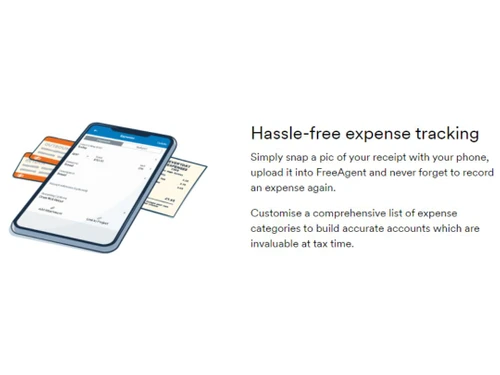
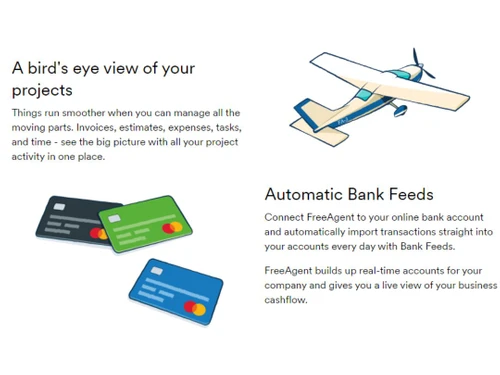
FreeAgent is a cloud-based accounting software designed for small businesses and freelancers, offering features such as expense management, invoicing, time tracking, and tax reporting to streamline financial tasks.
See MoreHave you used Freeagent before?
Share your insights for better experience
Brand: Freeagent
Founded Year: 2007
We’re FreeAgent. We make award-winning accounting software and provide superstar support for small businesses and their accountants and bookkeepers. We’re a friendly bunch with a single goal bringing us all together.
Core Functionalities
 Payroll Management Sales Management Tax Management Asset Management Time & Expenses Management Accounts Payable Accounts Receivable General Ledger Bank Reconciliation Multi Currency Support Bookkeeping Capabilities Bank Settlement Cost Centres Trial Balance Preparation Return Filings Variant Analysis Transaction Management Quotation & Estimates Alerts & Notifications Credit / Debit Note Fixed Asset Register (FAR) Management Fund Accounting Gst Report Preparations Tds Report Generations GST Input Reconciliations Batch Management Branch Management Broker Management Claims Management Collection Management Document Management Statutory Compliances Receipt Management
 Billing & Invoicing
Payment Processing Invoice Processing Automatic Payment Reminders Payment Tracking Bill Of Materials (BOM) E-Way Bill Generation Retail and Point of Sale
Point of Sale (POS) Retail Management Project and Workflow Management
Time & Expenses Management Project Accounting Transaction Management Facility Management Production Management Workflow Management Inventory and Supply Chain Management
Inventory Management Inventory Reconciliation Barcode Scanning Delivery Management Distribution Management Item Master Product Management Stock Management Store Management Supply Chain Management Vendor & Supplier Management Warehouse Management Sales and CRM
Sales Management CRM Capabilities Quotation & Estimates Customer Management Loyalty Program Order Management Financial Management
Budgeting & Forecasting Revenue Management Cash Flow Management Net Worth Management Cash and Bank Management Financial Planning & Analysis Fund Accounting Fund Planning Integrations Supported
Import / Export Management Analytics and Reporting
Profit Centers Profit & Loss Gross Profit Ratio Analysis Net Profit Management Financial Statement Generation & Analysis Financial Accounting and Reporting Audit Management Administrative Features
Ledger Scrutiny Admin Controls User Access Management Backup & Restore Facility Management Self Service Portal 

Watch the demo video to explore key features, real workflows, and how the software fits your business needs.
 Ubuntu
  Windows
  MacOS
MacOS  Linux
Linux  Desktop
  Cloud-Based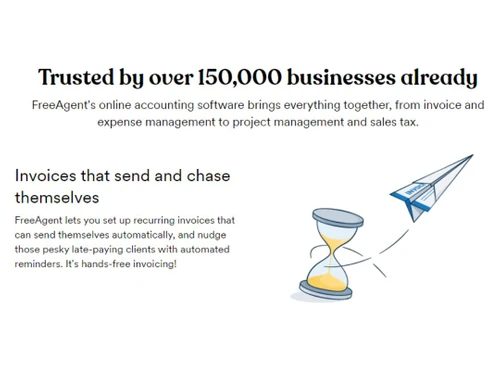
Small Business
Designed for startups and growing businesses
Medium Business
Built for business growth and flexibility
Enterprises
Designed for complex and large-scale business needs
3.6
Out of 5

Overall Rating
Based on
11 Verified Reviews
Rating Breakdown
79% Recommend this Product
Add ReviewOverall, users appreciate FreeAgent for its user-friendly interface and efficiency in managing business finances, particularly for small businesses and contractors. Many highlight its comprehensive reporting features and intuitive design, making accounting tasks simpler and less stressful. However, some users express concerns about the limited pricing options and the need for improved customer support responsiveness. Additionally, while the desktop version is well-received, the mobile app could benefit from enhancements to user experience.
Pros
"FreeAgent is incredibly easy to use and understand. It’s a one-stop solution for all my accounting needs."
"FreeAgent is very easy to use, and the reporting function is great. It’s straightforward and makes managing finances simple."
Cons
"Honestly, there’s nothing I dislike. FreeAgent is always ahead of the curve, rolling out new tools and features before I even realize I need them."
"The mobile app could use some improvement. The screen is small, so there’s a lot of zooming in and out, which can be a bit annoying. It’s much easier to use on a desktop."
"It may not have every advanced feature that market leaders offer, but it’s still a solid choice for most businesses."


Jul 31, 2024
Techjockey Verified
“Highly Recommended for Contractors!”
FreeAgent is a fantastic tool for contractors like me. It’s easy to use, and the reports are clear and concise. The only downside is the lack of flexible pricing options, but overall, it’s a great product that I highly recommend.
Pros
FreeAgent is very easy to use, and the reporting function is great. It’s straightforward and makes managing finances simple.
Cons
The pricing options are pretty basic, with no tiered options for more flexibility, which might be a downside for some users.
Reason to switch
Xero was good, but FreeAgent’s ease of use and clear reporting features made it a better choice for my contracting business.
Aug 2, 2024
Techjockey Verified
“The Best Accounting Tool Out There!”
FreeAgent has made managing my business finances simple and stress-free. The software is intuitive and easy to use, and it has everything I need in one place. It’s a reliable and efficient tool that I can’t imagine working without.
Pros
FreeAgent is incredibly easy to use and understand. It’s a one-stop solution for all my accounting needs.
Cons
There’s honestly nothing I dislike about FreeAgent. It covers all my needs perfectly.
Reason to switch
QuickBooks was okay, but FreeAgent’s user-friendly interface and comprehensive features were a better fit for me.
Aug 5, 2024
Techjockey Verified
“Great for Small Businesses!”
FreeAgent is packed with features that are perfect for small business owners. The desktop version is fantastic, but the mobile app could be a bit more user-friendly. Still, it’s a great tool that I rely on daily to manage my business.
Pros
I love the wide range of features that FreeAgent offers. As a small business owner, I find the tools incredibly useful for managing my finances and keeping everything in check. The platform is versatile and easy to navigate.
Cons
The mobile app could use some improvement. The screen is small, so there’s a lot of zooming in and out, which can be a bit annoying. It’s much easier to use on a desktop.
Reason to switch
Zoho Books was good, but FreeAgent offered more features that were tailored to the needs of my small business.

Freeagent
Price On Request
Desktop
Mobile
Web based
On Premises
Windows
Mac OS

Busy Accounting Software
Price On Request
Desktop
Mobile
Web based
On Premises
Windows
Mac OS
iAccounting
Price On Request
Desktop
Mobile
Web based
On Premises
Windows
Mac OS

TallyPrime
Price On Request
Desktop
Mobile
Web based
On Premises
Windows
Mac OS

LedgerX
Price On Request
Desktop
Mobile
Web based
On Premises
Windows
Mac OS

LedgerFlo
₹ 2999
Desktop
Mobile
Web based
On Premises
Windows
Mac OS

DualEntry
Price On Request
Desktop
Mobile
Web based
On Premises
Windows
Mac OS

Marg ERP 9+
Price On Request
Desktop
Mobile
Web based
On Premises
Windows
Mac OS
GBooks
Price On Request
Desktop
Mobile
Web based
On Premises
Windows
Mac OS

Stock And Account Book
₹ 7999
Desktop
Mobile
Web based
On Premises
Windows
Mac OS

Sage Intacct
Price On Request
Desktop
Mobile
Web based
On Premises
Windows
Mac OS
(0) Product(s) selected
Available
Price on Request
Starting Price:
₹750 /Month
Available
Price on Request
Starting Price:
₹2,999 /Year
Available
Price on Request
Available
Price on Request
Starting Price:
₹7,999 /Year
Available
Price on Request

Starting Price:
₹699

Available
Price on Request

Available
Price on Request







For Freeagent Mobile CRM Software installation, insert the given CD/USB flash storage in your system and open the Setup Wizard to get started.
Freeagent Universal plan cost starts from $11 per month for first six months then it costs $22 per month with add-on features.
When you sign up for FreeAgent, you'll receive a free 30-day trial period. This allows you to explore the key features and functionalities of the software.
FreeAgent is a comprehensive accounting platform designed to help freelancers, small business owners, and their accountants manage financial tasks and streamline their accounting processes.
Yes, FreeAgent is known for its user-friendly interface, with a clean UI and simple dashboard that allows users to easily manage and monitor all their financial transactions.
FreeAgent allows one user per account by default, but you can add multiple users, including your accountant, with appropriate access permissions.
To add your accountant as a user to your FreeAgent account, follow the steps given below:
0 0
To use FreeAgent's advanced accounting features and view reports about your business, follow the steps given below:
0 0
In FreeAgent, a business’s profit and loss accounts are ‘cleared down’ to ‘retained earnings’ at the end of an accounting year so that the business can calculate its profit and loss for the subsequent year. FreeAgent generates Corporation Tax entries in your accounts and automatically closes them down.
0 0
The auto-enrollment feature of FreeAgent's payroll identifies eligible employees on the Payroll Dashboard and automatically flags them according to their age and income.
0 0
To edit or delete payroll that has been marked as filed using FreeAgent, follow the steps given below:
0 0
20,000+ Software Listed
Best Price Guranteed
Free Expert Consultation
2M+ Happy Customers
Terms and Condtions

Users with registered businesses can purchase goods from merchants on the platform to satisfy their business needs. Users are not permitted to utilize any products acquired through the platform for resale, advertising, business, or further distribution.
For each purchase made, users will receive a Tax Invoice (or 'GST invoice') that includes specific details such as:
the GSTIN of the user associated with their registered business, and
the specified Entity Name for their business.
It should be noted that not all products are eligible for GST Invoice. Only the products displayed by participating sellers with the 'GST-based Invoice Available' callout on the product description page would qualify.
Certain goods and services are not eligible to get a GST Invoice, including items with VAS, i.e., Value Added Services (e.g., Total Mobile Protection/Assured Buyback) and those involving an exchange offer at the time of purchase.
Users must ensure the accuracy of the GSTIN, and business entity name provided for the GST Invoice. Requests for corrections into GST Invoice would not be accommodated by Techjockey.com or any Seller, and any issues arising from user-provided information are the sole responsibility of users.
Techjockey.com is not liable for the GST Invoice or any associated input tax credit. To efficiently claim an input tax credit, users should select the registered place of business address as per the GST authority's data and follow the provisions of the GST Act and rules.
To claim an input tax credit, the delivery and billing addresses must match. Furthermore, input tax credits will not be granted if the delivery address and GSTIN on the invoice are from different states. In case of incorrect GST details provided during the order placement, the order will be canceled automatically.



