linkedin
Freshservice logo
play Overview
play Demo
freshservice software-details

Freshservice

Brand: Freshworks

  • 4.5

  • 1 Rating & 1 Review

Freshservice is one of the best IT service desk solutions designed to meet the challenges faced by modern organizations. The software allows companies to manage their IT assets and problems in real-time. It assists in standardizing service delivery systems across departments, roles, and locations, and streamlining them to a single platform. Freshservice also helps in boosting the agents’ produ...

See More

Have you used Freshservice before?

Share your insights for better experience

Add a Review
Starting Price
₹2,099 excl.GST
₹ 2,477 incl. GST

View plans

100% Genuine
Products
Best Price
Guaranteed
Safe & Secure
Payment
  • Description

  • Pricing

  • Features

  • Specification

  • Review

  • Compare

  • Alternatives

  • FAQ

Starting at ₹2,099

Freshservice Software Overview

What is Freshservice?

Freshservice is one of the best IT service desk solutions designed to meet the challenges faced by modern organizations. The software allows companies to manage their IT assets and problems in real-time. It assists in standardizing service delivery systems across departments, roles, and locations, and streamlining them to a single platform. 

Freshservice also helps in boosting the agents’ productivity. The software provides a dynamic focus on individual user workflow. It does so by automating repeating tasks with a robust workflow automation supported by virtual agents and AI-powered chatbots. 

Freshservice helps set up an IT system which is efficient, simple and operates with perfect timing. This service desk software can be completely personalized as per your company’s requirements. It handles various kinds of activities such as incident management, SLA management, service cataloguing, etc. 

Service Level Agreement Management with Freshservice

Freshservice allows IT companies to multiple service level targets. The software helps in establishing multiple SLA policies as per the team’s requirements and estimate service delivery to employee in tandem to the said policies. This IT service desk software also allows companies define criteria-based deadlines, depending on source, group, type, ticket priority. Another key benefit of using Freshservice is that enables users to escalate tickets automatically about the SLA violation with the help of pre-determination of automation rules. 

Features of Freshservice

Here is a list of features offered by Freshservice IT service desk software: 

  1. Incident management 
  2. SLA upkeeping 
  3. Knowledge management 
  4. Service catalog
  5. Team huddles 
  6. Workflow automation 
  7. Self-service automation 

What is the price of Freshservice? 

Freshservice pricing starts from INR 2,099 /month per agent for its starter plan at techjockey.com.The pricing model is based on different parameters, including extra features, deployment type, and the total number of users. If you have further queries related to the product, you can contact our product team to learn more about the pricing and offers.

Read more

Freshworks Company Details

Founded Year:  2010

Freshworks provides businesses with SaaS customer engagement solutions.

Director/Founders Girish Mathrubootham, Shan Krishnasamy, Vijay Shankar
Company Size 1000+ Employees

Freshservice Pricing & Plans

Starter

Calculated Price

2099 Exclusive of all taxes
    • Agent

      Agent
      Agent
    • Monthly

      Monthly
      Monthly

Key Features

  • Channels - Email, Phone, Chat, Widget

  • ServiceBot on Microsoft Teams and Slack

  • Support Portal

  • Incident Management

  • Knowledge Management

  • Task Management

  • Occasional Agents

  • CSAT Surveys

Growth

Calculated Price

4299 Exclusive of all taxes
    • Agent

      Agent
      Agent
    • Monthly

      Monthly
      Monthly

Key Features

  • Channels - Email, Phone, Chat, Widget

  • ServiceBot on Microsoft Teams and Slack

  • Support Portal

  • Incident Management

  • Knowledge Management

  • Task Management

  • Occasional Agents

  • CSAT Surveys

  • SLA Management

  • Service Catalog

  • Managed Service Provider (MSP) Mode

Pro

Calculated Price

8799 Exclusive of all taxes
    • Agent

      Agent
      Agent
    • Monthly

      Monthly
      Monthly

Key Features

  • Channels - Email, Phone, Chat, Widget

  • ServiceBot on Microsoft Teams and Slack

  • Support Portal

  • Incident Management

  • Knowledge Management

  • Task Management

  • Occasional Agents

  • CSAT Surveys

  • SLA Management

  • Service Catalog

  • Managed Service Provider (MSP) Mode

Freshservice Features

  • icon_check Self Service Portal
    Companies get a self-service portal for employees and whitelist their IP addresses for easy access to the software.
  • icon_check Multi - language
    The software allows users to configure the software in multiple languages.
  • icon_check Customization
    Users can customize Freshservice as per their requirements. It allows them to add different types of fields, create entries,
  • icon_check Analytics
    Freshservice runs analytics on workflows to examine the strengths and weaknesses of any IT operation and scopes for environment.
  • icon_check Project Management
    This service desk software allows users to create and monitor their projects from a single platform.
  • icon_check Incident Management
    The software allows users to study, handle, and record IT problems in real-time.
  • icon_check Knowledge Management
    Users can create quick fixes for incidents and automatically create knowledge base articles for the future reference. It enhances
  • icon_check Workflow Management
    This service desk software automates IT workflow through AI-enabled chatbots and virtual agents.
  • icon_check Task Management
    Companies can manage their projects by assembling them into tasks and nested subtasks. Managers can instantly assign them to
  • icon_check Dashboards
    Users can get complete visibility of their projects with a streamlined dashboard to check the progress.
  • icon_check Inventory Management
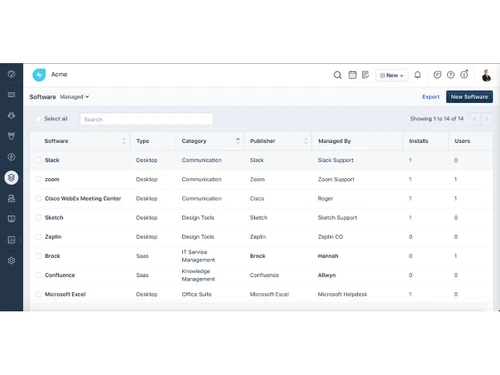
    Keep track of all your IT and non-IT assets in stock or in use. Be it contracts, hardware, software, and other configuration
  • icon_check Asset Lifecycle Management
    Freshservice facilitates tracking and managing of all the assets through different phases, such as, procurement, maintenance,
  • icon_check Reports
    The software provides detailed and insightful reports on all the IT workflow and IT assets you are managing at any given time.
  • icon_check Mobile App
    Freshservice provides a mobile application which allows users to raise support tickets and resolve IT-related queries from any
  • icon_check Security
    The software provides a sign in feature only limited to employees by whitelisting definitive IP addresses. It also provides
  • icon_check Audit Logs
    The task management module of Freshservice provides an activity log which enables users to monitor their workflow progress.
  • icon_check Contract / License Management
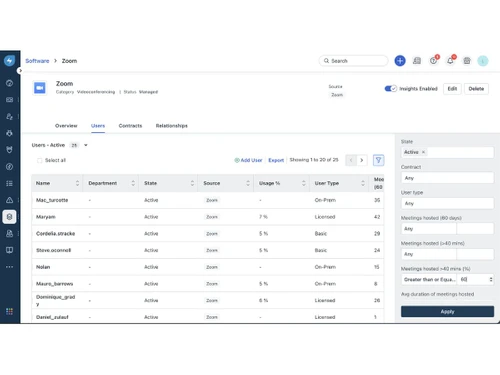
    This IT service desk software generates automated reminders for users to renew their contracts and software licenses and never
  • icon_check IP Whitelisting
    Companies can whitelist specific IP addresses to ensure that only authorized users are getting access to the software.
  • icon_check Sandbox
    Sandbox allows companies to configure and improve their existing IT workflow conditions.
  • icon_check Customer Success Manager
    The customer service desk manager ensures that it delivers high levels of client satisfaction.
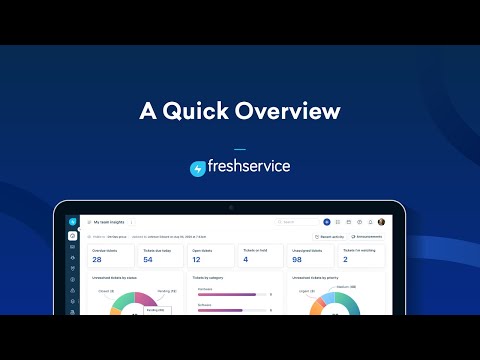
Freshservice Demo Video play icon

Get Freshservice Demo

Watch the demo video to explore key features, real workflows, and how the software fits your business needs.

Understand
Key Features
Personal
Demo Insights
Interactive
Demo Support

Freshservice Specification

Supported Platforms
Ubuntu Ubuntu Windows Windows iOS iOS Android Android MacOS MacOS Linux Linux
Devices
Desktop Desktop Mobile Mobile Tablet Tablet iPad iPad
Deployment
Web-Based Web-Based
Suitable For
All Industries
Business Specific
All Businesses
Business Size
Small Business Startups Medium Business Enterprises SMBs SMEs MSMBs MSMEs
Customer Support
Email Communities
Language
English
Integration
API Integration
Training Resources
Webinars Videos
AI Features
AI Integrated

Explore the Best Alternative Solutions Similar to Your Business Size and Needs

Freshservice Review

4.5

Out of 5

img

Overall Rating

Based on
1 Verified Review

Rating Breakdown

  • Features 4.5
  • Value for Money 4.5
  • Ease of Use 4.5
  • Customer Support 4.5

90% Recommend this Product

Add Review

Compare Freshservice With other IT Service Management Tools

Products
Ratings
Pricing
Device Supported
Deployment
Supported Platforms
  • img

    Freshservice

  • 4.5

  • ₹ 2099.00 excl. GST

  • Desktop

    Mobile

  • Web based

    On Premises

  • Windows

    Mac OS

  • img

    BMC Helix ITSM

  • 4.1

  • Price On Request

  • Desktop

    Mobile

  • Web based

    On Premises

  • Windows

    Mac OS

  • img

    ServiceNow

  • 4.4

  • Price On Request

  • Desktop

    Mobile

  • Web based

    On Premises

  • Windows

    Mac OS

  • img

    BOSSDesk

  • 4.3

  • Price On Request

  • Desktop

    Mobile

  • Web based

    On Premises

  • Windows

    Mac OS

  • img

    HaloITSM

  • 4.5

  • Price On Request

  • Desktop

    Mobile

  • Web based

    On Premises

  • Windows

    Mac OS

  • img

    TeamDynamix

  • 4.4

  • Price On Request

  • Desktop

    Mobile

  • Web based

    On Premises

  • Windows

    Mac OS

  • img

    IncidentMonitor

  • 4.2

  • Price On Request

  • Desktop

    Mobile

  • Web based

    On Premises

  • Windows

    Mac OS

  • img

    Atomicwork

  • 4.4

  • Price On Request

  • Desktop

    Mobile

  • Web based

    On Premises

  • Windows

    Mac OS

(0) Product(s) selected

Freshservice Alternatives

See All Freshservice Alternatives

Available

Price on Request

Starting Price:

$90 /Employee/Year

Available

Price on Request

Available

Price on Request

What are the system requirements for Freshservice?

Freshservice is a web-based application which can be accessed through an internet browser.

Where does Freshservice save all the user information?

Freshservice uses cloud servers to store all the information online.

What is the size limit for file attachment to a ticket reply in Freshservice?

Freshservice uses the standard 25 MB of email attachment limit. However, users can integrate Dropbox or Google drive to share data of larger size.

Can I use Freshservice to send announcements in the form of emails?

Yes, you can send announcement emails, just select everyone in the send to option and check notify group members via email” before finally sending.

Can I get a demo for Freshservice?

Techjockey offers an online demo before purchase for Freshservice. Please request a call for further information.

20,000+ Software Listed

Best Price Guranteed

Free Expert Consultation

2M+ Happy Customers

Terms and Condtions

close

Users with registered businesses can purchase goods from merchants on the platform to satisfy their business needs. Users are not permitted to utilize any products acquired through the platform for resale, advertising, business, or further distribution.

For each purchase made, users will receive a Tax Invoice (or 'GST invoice') that includes specific details such as:

  • the GSTIN of the user associated with their registered business, and

  • the specified Entity Name for their business.

It should be noted that not all products are eligible for GST Invoice. Only the products displayed by participating sellers with the 'GST-based Invoice Available' callout on the product description page would qualify.

Certain goods and services are not eligible to get a GST Invoice, including items with VAS, i.e., Value Added Services (e.g., Total Mobile Protection/Assured Buyback) and those involving an exchange offer at the time of purchase.

Users must ensure the accuracy of the GSTIN, and business entity name provided for the GST Invoice. Requests for corrections into GST Invoice would not be accommodated by Techjockey.com or any Seller, and any issues arising from user-provided information are the sole responsibility of users.

Techjockey.com is not liable for the GST Invoice or any associated input tax credit. To efficiently claim an input tax credit, users should select the registered place of business address as per the GST authority's data and follow the provisions of the GST Act and rules.

To claim an input tax credit, the delivery and billing addresses must match. Furthermore, input tax credits will not be granted if the delivery address and GSTIN on the invoice are from different states. In case of incorrect GST details provided during the order placement, the order will be canceled automatically.