USA
USA UAE
UAESmall Business
Designed for startups and growing businesses


See More




Brand: Google
A blended learning platform by Google that aims to connect learners & instructors – inside and outside of schools.
See MoreHave you used Google Classroom before?
Share your insights for better experience
Brand: Google
Founded Year: 1998
Google is a multinational corporation that specializes in Internet-related services and products.
Looking for The Right Pricing?
Share your requirements and get a plan built around your business.
Price Available on Request
Get personalised Google Classroom pricing that fits your needs. Our team will connect with you.
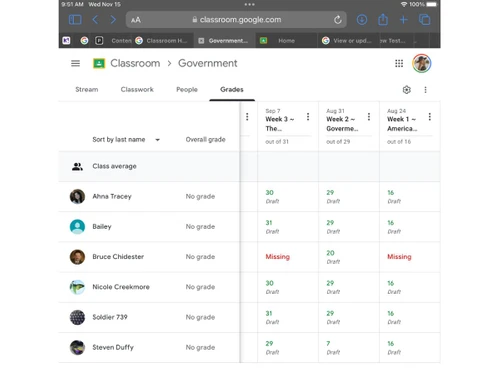
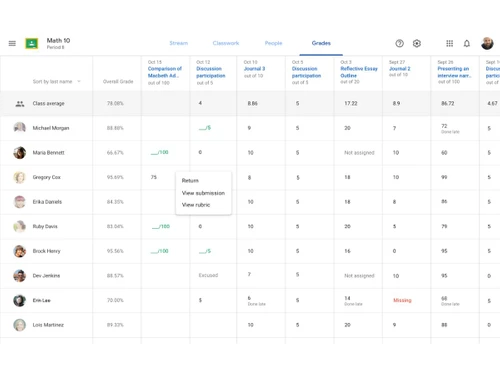
 Easy to Use Collaboration Access from anywhere Secure Manage Create Multiple Classess Grading System Analytics Integrations

Watch the demo video to explore key features, real workflows, and how the software fits your business needs.
 Ubuntu
  Windows
  iOS
iOS  Android MacOS
  Linux
Linux  Desktop
  Mobile
  Tablet
  iPad
iPad  Cloud-Based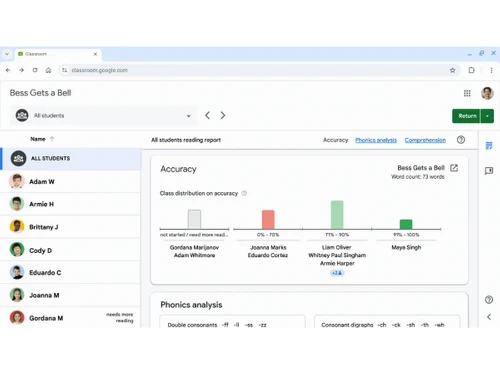
Small Business
Designed for startups and growing businesses
Medium Business
Built for business growth and flexibility
Enterprises
Designed for complex and large-scale business needs
4.6
Out of 5

Overall Rating
Based on
5 Verified Reviews
Rating Breakdown
90% Recommend this Product
Add ReviewUsers generally appreciate Google Classroom for its user-friendly interface, organization, and seamless integration with other Google tools, which enhances collaboration and communication. Many find it effective for tracking assignments and staying connected with teachers, leading to improved student performance. However, some users report occasional glitches, such as lagging issues and lingering old classes on the homepage, which can disrupt the experience. Additionally, the lack of direct integration with school grade books is a common desire among users.


Apr 24, 2024
Techjockey Verified
“Making Learning Easier with Google Classroom for Middle School”
Pros
Google Classroom is my go-to because of its simplicity and organization. Its interface is clean, making it easy to find what I need. Plus, it offers smooth transitions between different parts of my class and from one school year to the next.
Cons
While Google Classroom is great, there's one feature I wish it had: the ability to link directly with my school's grade book. It would be so convenient if when I grade an assignment, it automatically synced with the grade book. Some schools have this feature, but unfortunately, mine doesn't.
Reason to switch
My school's main Learning Management System (LMS) often faces technical issues and can be confusing, especially for middle schoolers. Google Classroom, on the other hand, is super accessible and easy for everyone to navigate. That's why it's my top choice for managing my classes.
Apr 23, 2024
Techjockey Verified
“Staying Connected with Teachers Made Easy”
Pros
This platform helps me stay updated on my child's schoolwork and assignments effortlessly. It's simple to reach out to teachers and ask specific questions about my child's daily activities, enhancing my understanding of their performance. As a result, both my child's performance and communication have improved.
Cons
Occasionally, there might be delays due to teacher availability.
Reason to switch
Google Classroom provides comprehensive information about my child's education. Instead of waiting for in-person meetings, I can promptly reach out to teachers whenever questions arise.
Apr 23, 2024
Techjockey Verified
“The Organized World of Google Classroom”
Pros
What I love about Google Classroom is its user-friendly interface. It's designed with students in mind, making it effortless to find what I need. Plus, my professors can easily track our progress and respond to our work using any device they have.
Cons
However, there are a few glitches. Sometimes, even after the academic year ends, old subjects still linger on the homepage. It can be confusing, mixing up past and current classes.
Reason to switch
During the COVID-19 pandemic, when traditional classes became impossible, Google Classroom became our lifeline. It enabled us to continue our studies uninterrupted, bridging the gap between physical and virtual learning.
Google Classroom
Price On Request
Desktop
Mobile
Web based
On Premises
Windows
Mac OS

Classplus
₹ 19999
Desktop
Mobile
Web based
On Premises
Windows
Mac OS

Graphy
₹ 24999
Desktop
Mobile
Web based
On Premises
Windows
Mac OS
Diwo
Price On Request
Desktop
Mobile
Web based
On Premises
Windows
Mac OS
Nrich LMS
₹ 26118
Desktop
Mobile
Web based
On Premises
Windows
Mac OS
Kviden
Price On Request
Desktop
Mobile
Web based
On Premises
Windows
Mac OS
Wayvida
₹ 2999
Desktop
Mobile
Web based
On Premises
Windows
Mac OS

Vidyalaya LMS
₹ 1000
Desktop
Mobile
Web based
On Premises
Windows
Mac OS

eGurukul
₹ 2499
Desktop
Mobile
Web based
On Premises
Windows
Mac OS
Green LMS
Price On Request
Desktop
Mobile
Web based
On Premises
Windows
Mac OS

Edsby
Price On Request
Desktop
Mobile
Web based
On Premises
Windows
Mac OS
(0) Product(s) selected
Available
Price on Request
Starting Price:
₹1,000 /Year
Available
Price on Request
Available
Price on Request

Available
Price on Request
Available
Price on Request

Available
Price on Request

Starting Price:
₹100,000 /Year

Starting Price:
₹3,000 /month



Google Classroom is compatible with Windows, Mac, Android and iOS operating systems.
Google Classroom app is available for iOS and Android devices.
Google Classroom supports cloud-based deployment type.
Google Classroom is typically used by educational institutions.
Google Classroom trial is available for free with techjockey.com.
Yes, Google Classroom is available for non-profits, schools, and anyone with a personal Google account.
Google Classroom installation is not required, as it is cloud-based. Just open the Setup Wizard to get started.
Google Classroom Virtual Classroom Software helps with Easy to Use,Collaboration,Access from anywhere and Secure. It's a complete solution for Multiple Clips,Grading System,Automated Candidate Introduction and Analytics.
Google Classroom regular updates are available free of cost. There are no hidden software update charges.
Google Classroom Virtual Classroom Software used for Easy to Use,Collaboration,Access from anywhere and Secure.
You can directly visit Google Classroom portal and get in touch with Google Classroom customer support for any software-related query.
Please contact our product experts to get Google Classroom lifetime deal with exclusive offers.
Google Classroom is available for free at techjockey.com. However, there is a paid plan that includes additional features like advanced security and videoconferencing features.
Classroom provides different types of accounts based on your learning setting. This includes student account, Google Workspace account and personal Google account.
20,000+ Software Listed
Best Price Guranteed
Free Expert Consultation
2M+ Happy Customers
Terms and Condtions

Users with registered businesses can purchase goods from merchants on the platform to satisfy their business needs. Users are not permitted to utilize any products acquired through the platform for resale, advertising, business, or further distribution.
For each purchase made, users will receive a Tax Invoice (or 'GST invoice') that includes specific details such as:
the GSTIN of the user associated with their registered business, and
the specified Entity Name for their business.
It should be noted that not all products are eligible for GST Invoice. Only the products displayed by participating sellers with the 'GST-based Invoice Available' callout on the product description page would qualify.
Certain goods and services are not eligible to get a GST Invoice, including items with VAS, i.e., Value Added Services (e.g., Total Mobile Protection/Assured Buyback) and those involving an exchange offer at the time of purchase.
Users must ensure the accuracy of the GSTIN, and business entity name provided for the GST Invoice. Requests for corrections into GST Invoice would not be accommodated by Techjockey.com or any Seller, and any issues arising from user-provided information are the sole responsibility of users.
Techjockey.com is not liable for the GST Invoice or any associated input tax credit. To efficiently claim an input tax credit, users should select the registered place of business address as per the GST authority's data and follow the provisions of the GST Act and rules.
To claim an input tax credit, the delivery and billing addresses must match. Furthermore, input tax credits will not be granted if the delivery address and GSTIN on the invoice are from different states. In case of incorrect GST details provided during the order placement, the order will be canceled automatically.