linkedin
GreenTick logo
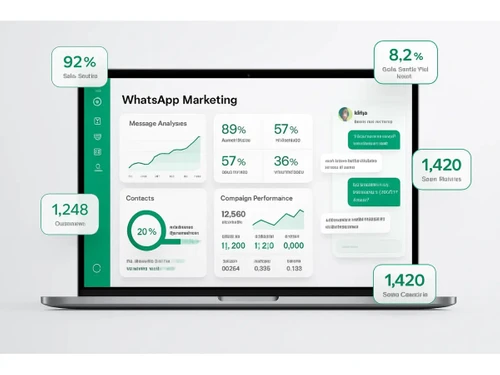
Greentick-whatsapp-marketing
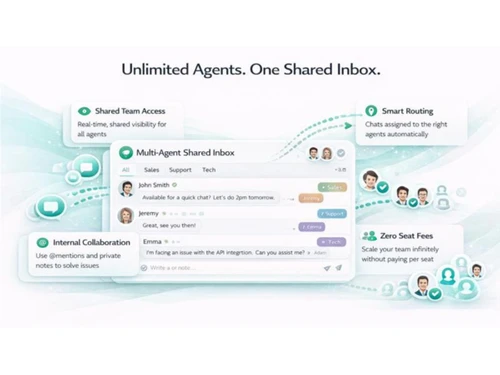
Greentick-inbox
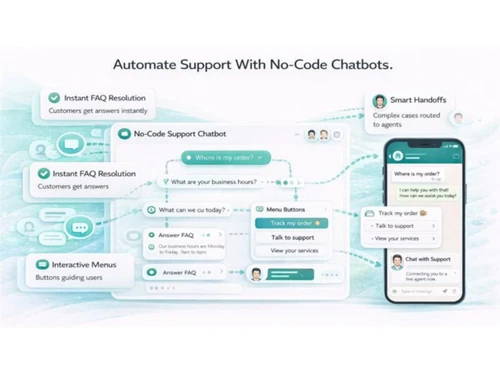
Greentick-chatbots

GreenTick

Brand: Greentick AI

  • No Ratings & Reviews

GreenTick helps businesses automate customer communication, run marketing campaigns, manage leads, and provide support through WhatsApp.

See More

Have you used GreenTick before?

Share your insights for better experience

Add a Review

Price Available on Request

Questions about pricing or customization? We’re here to help, just a click away.

100% Genuine
Products
Best Price
Guaranteed
Safe & Secure
Payment
  • Description

  • Pricing

  • Features

  • Specification

  • Review

  • FAQ

GreenTick Software Overview

What is GreenTick?

GreenTick is a whatsApp marketing software that helps businesses run marketing campaigns, manage customer conversations, automate responses, and grow sales directly through WhatsApp. It provides a simple dashboard where users can send broadcast messages, create automated workflows, and manage customer interactions from one place. Businesses can use it for lead generation, customer support, sales, and engagement.

The platform supports WhatsApp API integration, allowing companies to communicate with customers at scale. GreenTick helps automate follow-ups, notifications, reminders, and marketing campaigns. It also offers shared inbox features so multiple team members can manage customer chats together. The software is designed for industries such as e-commerce, healthcare, education, agencies, and customer support teams.

Users can track conversations, manage leads, and improve customer communication efficiency. GreenTick is built for non-technical users, making WhatsApp marketing easy to use.

Why Choose GreenTick Software?

  • WhatsApp Business Automation: Automate customer communication on WhatsApp.
  • Official WhatsApp API Solution: Connect with customers through the WhatsApp Business API.
  • Broadcast Messaging: Send bulk messages to customers efficiently.
  • Automated Campaigns: Run marketing campaigns with minimal manual effort.
  • Lead Management: Capture and manage leads from WhatsApp conversations.
  • Shared Team Inbox: Allow multiple team members to manage chats from one inbox.
  • Customer Support Management: Handle customer queries from a centralized platform.
  • Automated Follow-Ups: Engage customers automatically with follow-up messages.
  • Workflow Automation: Create automated customer journeys and processes.
  • Real-Time Messaging: Communicate instantly with customers.
  • Customer Engagement Tools: Improve interactions and response rates.
  • Sales Enablement: Use WhatsApp to drive sales and conversions.
  • Contact Management: Organize and manage customer contacts easily.
  • Conversation Tracking: Monitor customer conversations in one place.
  • Campaign Analytics: Track the performance of WhatsApp campaigns.

Benefits of GreenTick Software

  • Team Collaboration: Improve coordination among support and sales teams.
  • Notification Automation: Send reminders, alerts, and updates automatically.
  • Lead Conversion Support: Nurture leads through personalized communication.
  • Customer Data Management: Store and manage customer information efficiently.
  • Centralized Communication Hub: Manage all WhatsApp interactions from one dashboard.
  • Improved Response Time: Respond to customers faster and more effectively.
  • Marketing and Support in One Platform: Combine customer service and marketing activities.
  • Personalized Messaging: Deliver tailored communication to customers.
  • Efficient Customer Relationship Management: Build stronger customer relationships.
  • Designed for WhatsApp-First Businesses: Built specifically to maximize business communication through WhatsApp.

GreenTick Pricing

GreenTick price details are available on request at techjockey.com.

The pricing model is based on different parameters, including extra features, deployment type, and the total number of users. For further queries related to the product, you can contact our product team and learn more about the pricing and offers.

Read more

GreenTick Pricing & Plans

Looking for The Right Pricing?

Share your requirements and get a plan built around your business.

  • Define your business needs
  • Get customised pricing
  • Choose features that fit your workflow

Price Available on Request

Get personalised GreenTick pricing that fits your needs. Our team will connect with you.

GreenTick Features

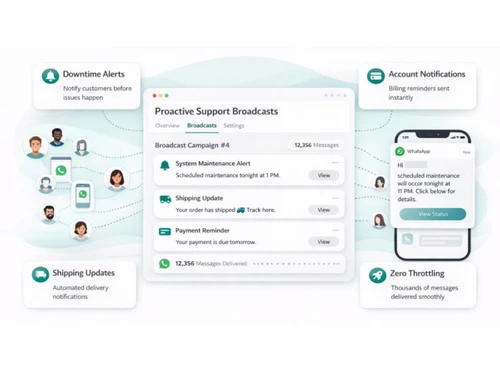
Bulk Messaging & Broadcasting

  • icon_check Bulk Messaging
    Broadcasts personalized messages to thousands of users simultaneously via official WhatsApp API.
  • icon_check Customizable Templates
    Manage Meta-approved WhatsApp templates directly within the app without visiting the Meta portal.
  • icon_check Auto Replies
    Trigger-based responses that provide instant answers to keywords or common customer inquiries.
  • icon_check Rich Media Support
    Sends and receives PDFs (Invoices), Images, Videos, and Interactive Buttons for higher engagement.
  • icon_check Scheduled Messaging
    Plan messages or campaigns to be sent at specific future dates and times.
  • icon_check Message Templates
    Use WhatsApp-approved templates for structured messaging.
  • icon_check Preview Mode
    View exactly how your WhatsApp template or bot flow will look to the end user before going live.
  • icon_check Broadcast Lists
    Organizes contacts into segments for targeted messaging without the risk of spam banning.

Contact Management & Segmentation

  • icon_check Sync Contacts
    Imports and synchronizes contact lists from Excel, CSV, or external databases automatically.
  • icon_check Contact Tagging & Segmentation
    Automatically tags users based on their behavior (e.g., 'Paid,' 'Interested,' 'High Value').
  • icon_check Deduplication
    Identifies and merges duplicate contact records to ensure clean data and prevent double-messaging.
  • icon_check Blacklist/Unsubscribe
    Native Opt-Out management to stay compliant with WhatsApp policies and user privacy.
  • icon_check Import/Export Contacts
    Add or retrieve contacts via CSV, Excel, or APIs.

Chatbot & Automation

  • icon_check Drip Campaigns
    Sequence-based automation that sends a series of WhatsApp messages based on user time or actions.
  • icon_check Workflow Automation
    No-code builder to automate tasks like 'Expense Reporting,' 'Order Tracking,' and 'Lead Routing.'
  • icon_check Canned Responses
    Pre-defined message snippets for agents to quickly answer frequently asked questions.
  • icon_check Auto Replies
    Trigger-based responses that provide instant answers to keywords or common customer inquiries.
  • icon_check Automated Follow-Ups
    Smart-Reminders' for abandoned carts, pending invoices, or unanswered lead inquiries.
  • icon_check Automatic Retry
    Automatically attempts to resend messages if delivery fails due to temporary network issues.
  • icon_check Campaign Scheduling
    Plan and automate messaging campaigns in advance.
  • icon_check Hybrid Mode
    Seamless transition where an AI bot handles FAQs and a human takes over for complex queries.
  • icon_check Recurring Messaging
    Automates weekly or monthly reminders for subscriptions, balance statements, or reports.

AI Features

  • icon_check Predictive Analytics
    Analyzes engagement patterns to predict optimal broadcast times and identify churn risks.
  • icon_check Lead Qualification
    AI bots ask preliminary questions to score and tag leads before they reach a human agent.
  • icon_check AI Chatbots
    No-code bot builder to design intelligent, multi-turn conversations without manual coding.
  • icon_check AI Sentiment Analysis
    Detects the mood of the customer (Positive, Neutral, Negative) to prioritize urgent support needs.
  • icon_check Auto-Responders
    AI-driven replies to enhance response efficiency.

Multi-Agent & Team Collaboration

  • icon_check Alerts & Notifications
    Instant alerts for incoming messages, failed payments, or high-priority lead activity.
  • icon_check Internal Notes
    Allows agents to leave private context on customer profiles that isn't visible to the user.
  • icon_check Shared Inbox
    Unified team inbox where multiple agents can manage conversations from a single WhatsApp number.
  • icon_check Unlimited Agents
    Allow multiple agents to manage conversations.
  • icon_check Live Agent Support
    Enable human assistance for complex queries.
  • icon_check Chat Transfer
    Seamlessly transfer chats between agents.

Integrations

  • icon_check Payment Gateway Integration
    Integrates with Stripe and other gateways to facilitate in-chat payments and subscription management.
  • icon_check CRM Integration
    Natively acts as a CRM or syncs with external platforms to maintain a single source of truth for leads.
  • icon_check API Integration
    Offers developer APIs and Webhooks to connect conversational data with your internal tech stack.
  • icon_check E-Signatures
    Facilitates digital document signing directly within the chat flow for agreements and forms.
  • icon_check ERP Integration
    Core Strength: Direct integration with TallyPrime to auto-send invoices, ledgers, and receipts.
  • icon_check Third Party Integrations
    Connect with marketing, analytics, and CRM tools.
  • icon_check OpenAI Integration
    Connects with GPT models to generate human-like, contextually aware responses for bots.
  • icon_check WhatsApp Business API
    Built on the official Meta API, ensuring account safety and high-volume messaging limits.
  • icon_check E-Commerce Platforms
    Natively syncs with Shopify and WooCommerce to automate order and shipping updates.
  • icon_check TallyPrime Integration
    Standout Feature: Auto-shares Tally vouchers, ledgers, and outstandings instantly on WhatsApp.
  • icon_check Webhooks Integration
    Enable real-time updates with third-party tools.
  • icon_check Chatbot Integration
    Enhance automation with AI-driven chatbot support.

Analytics & Reporting

  • icon_check Conversion Tracking
    Monitors 'Click-to-WhatsApp' ad performance and tracks revenue generated from chat funnels.
  • icon_check Campaign Performance
    Real-time analytics on delivery, read, and reply rates for every marketing broadcast.
  • icon_check Real Time Dashboards
    Live visual data on team productivity, campaign ROI, and customer engagement metrics.
  • icon_check Delivery & Read Reports
    Track message delivery and open status.
  • icon_check Engagement Metrics
    Measure click-through rates and response times.
  • icon_check Agent Performance Metrics
    Assess agent response times and efficiency.

Security & Compliance

  • icon_check Audit Trail
    Maintains a full history of agent actions, system triggers, and message delivery statuses for accountability.
  • icon_check Audit Logs
    Detailed logs of all API calls, webhook triggers, and administrative changes within the platform.
  • icon_check Data Encryption
    Uses enterprise-grade SSL and data-at-rest encryption to protect sensitive customer info.
  • icon_check IP Whitelisting
    Restricts dashboard access to specific company networks for enhanced security.
  • icon_check Role-Based Access Control (RBAC)
    Define user roles and access permissions.
  • icon_check GDPR & CCPA Compliance
    Adheres to global data privacy standards, ensuring user data is handled securely.
  • icon_check API Rate Limiting
    Prevent spam by controlling API request frequency.
  • icon_check Anti Spam Filtering
    Detect and filter spam or suspicious messages.
  • icon_check Data Retention
    Manage data storage and deletion policies.
  • icon_check Opt-In/Opt-Out Management
    Ensure compliance with user consent rules.

GreenTick Specifications

Supported Platforms
Windows Windows MacOS MacOS
Devices
Desktop Desktop
Deployment
Cloud-Based Cloud-Based
Suitable For
All Industries
Business Specific
All Businesses
Business Size
Small Business Medium Business SMBs
Customer Support
Email
Language
English
Integration
API Integration
Training Resources
Live Online

GreenTick Review

Techjockey Trusted Reviews from Verified Users

No reviews are currently available for GreenTick. Discover similar WhatsApp Marketing Software reviews
  • Whatso

    4.1

    Whats great - It is more efficient with excellent response. read more

  • Rapbooster

    4.3

    Whats great - It works Perfectly fine, with the best support, interactive, Responsive UI, and API. read more

  • WappBlaster

    3.9

    Whats great - Nothing read more

Articles for GreenTick

See All Related Articles

How much does GreenTick Software cost?

GreenTick price details are available on request at techJockey.

Is there a mobile app available for GreenTick Software?

No, the GreenTick mobile app is not available.

Which operating systems are compatible with GreenTick Software?

GreenTick is web-based, so it works on Windows and macOS.

Does GreenTick Software offer a free trial?

Yes, GreenTick offers a free trial for businesses to explore its WhatsApp marketing and automation features.

How does GreenTick Software function?

GreenTick functions by enabling businesses to automate WhatsApp communication, run campaigns, manage leads, and handle customer conversations through the WhatsApp Business API.

Who uses GreenTick Software?

GreenTick is used by businesses, marketers, sales teams, customer support teams, e-commerce brands, educational institutions, and healthcare providers.

Is a free demo available for GreenTick Software?

Yes, GreenTick provides an option to book a demo through its website.

Is GreenTick Software available for free?

No, GreenTick is a paid whatsApp marketing platform.

20,000+ Software Listed

Best Price Guranteed

Free Expert Consultation

2M+ Happy Customers

Terms and Condtions

close

Users with registered businesses can purchase goods from merchants on the platform to satisfy their business needs. Users are not permitted to utilize any products acquired through the platform for resale, advertising, business, or further distribution.

For each purchase made, users will receive a Tax Invoice (or 'GST invoice') that includes specific details such as:

  • the GSTIN of the user associated with their registered business, and

  • the specified Entity Name for their business.

It should be noted that not all products are eligible for GST Invoice. Only the products displayed by participating sellers with the 'GST-based Invoice Available' callout on the product description page would qualify.

Certain goods and services are not eligible to get a GST Invoice, including items with VAS, i.e., Value Added Services (e.g., Total Mobile Protection/Assured Buyback) and those involving an exchange offer at the time of purchase.

Users must ensure the accuracy of the GSTIN, and business entity name provided for the GST Invoice. Requests for corrections into GST Invoice would not be accommodated by Techjockey.com or any Seller, and any issues arising from user-provided information are the sole responsibility of users.

Techjockey.com is not liable for the GST Invoice or any associated input tax credit. To efficiently claim an input tax credit, users should select the registered place of business address as per the GST authority's data and follow the provisions of the GST Act and rules.

To claim an input tax credit, the delivery and billing addresses must match. Furthermore, input tax credits will not be granted if the delivery address and GSTIN on the invoice are from different states. In case of incorrect GST details provided during the order placement, the order will be canceled automatically.