USA
USA UAE
UAESmall Business
Designed for startups and growing businesses

See More





Brand: HIVER
An ideal solution for providing personalized and enriched customer service using Gmail Workspace.
See MoreHave you used Hiver Help Desk Software before?
Share your insights for better experience
Brand: HIVER
Founded Year: 2011
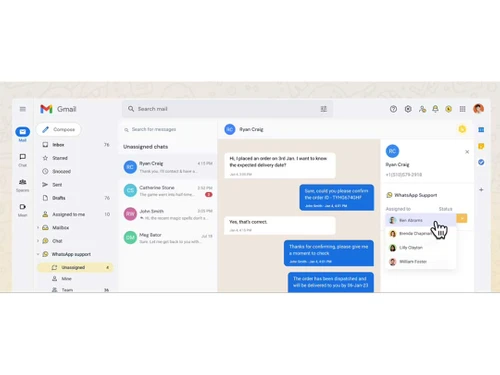
Hiver is an email collaboration platform that helps teams deliver fast and empathetic customer service.
 Collaboration Email Templates Email Notes Mobile App Email Support Auto - Responders Automation Access Control

Watch the demo video to explore key features, real workflows, and how the software fits your business needs.
 Ubuntu
  Windows
  iOS
iOS  Android MacOS
  Linux
Linux  Desktop
  Mobile
  Tablet
  iPad
iPad  Cloud-Based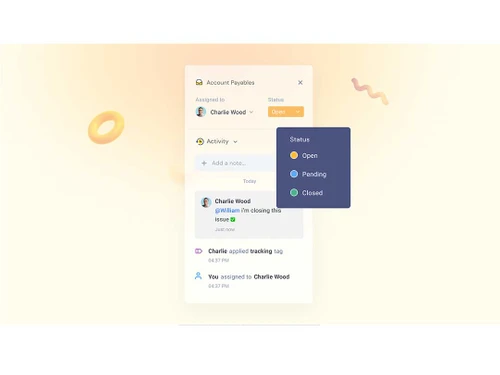
Small Business
Designed for startups and growing businesses
Medium Business
Built for business growth and flexibility
Enterprises
Designed for complex and large-scale business needs
5
Out of 5

Overall Rating
Based on
2 Verified Reviews
Rating Breakdown
100% Recommend this Product
Add Review
Jul 3, 2023
Techjockey Verified
“Seamless Collaboration Made Easy with Hiver”
Pros
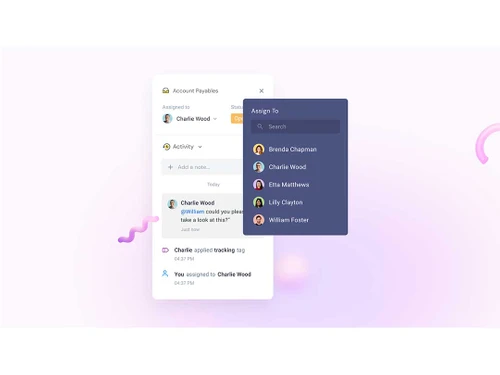
I can't remember the last time i had to forward or cc someone on a thread. That's how transformative the tool is. Hiver is incredibly intuitive and user-friendly. It allows us to assign emails to team members, add tags, and leave internal notes—all within the familiar Gmail interface. This level of organization and collaboration has drastically improved our team's productivity and ensured that nothing falls through the cracks.
Cons
None that I could think of
Reason to switch
Hiver has revolutionized the way our team collaborates, communicates, and handles email management. Its seamless integration with Gmail, user-friendly interface, email templates, shared drafts, and powerful analytics have made it an indispensable tool for me. If you are looking to enhance your team's productivity and streamline communication, I highly recommend giving Hiver a try. You won't be disappointed!
Jun 23, 2023
Techjockey Verified
“The easiest helpdesk to use in the market.”
Pros
The platform required no implementation, easy onboarding with a 30 mins call directly from Hiver. Agents learn the tool within 30 mins, no need for a training call and has very affordable pricing.Highly recommended.
Cons
None

Hiver Help Desk Software
Price On Request
Desktop
Mobile
Web based
On Premises
Windows
Mac OS

Freshdesk
₹ 1799
Desktop
Mobile
Web based
On Premises
Windows
Mac OS
Nuevadesk
Price On Request
Desktop
Mobile
Web based
On Premises
Windows
Mac OS

Support CRM
₹ 3750
Desktop
Mobile
Web based
On Premises
Windows
Mac OS

Spinso ServiceDesk
Price On Request
Desktop
Mobile
Web based
On Premises
Windows
Mac OS

Zoho Desk
₹ 540
Desktop
Mobile
Web based
On Premises
Windows
Mac OS

Zendesk
Price On Request
Desktop
Mobile
Web based
On Premises
Windows
Mac OS

TxHelpDesk
₹ 1250
Desktop
Mobile
Web based
On Premises
Windows
Mac OS

Stingo Helpdesk
₹ 599
Desktop
Mobile
Web based
On Premises
Windows
Mac OS

Vision Helpdesk
Price On Request
Desktop
Mobile
Web based
On Premises
Windows
Mac OS

Desku
Price On Request
Desktop
Mobile
Web based
On Premises
Windows
Mac OS
(0) Product(s) selected
Starting Price:
$25 /Agent/Month
Starting Price:
$19 /Month

Starting Price:
₹1,799 /Month

Available
Price on Request

Starting Price:
$29 /Month

Starting Price:
$49 /Month

Available
Price on Request

Starting Price:
₹15,600 /Lifetime

Starting Price:
$1,129 /License

Starting Price:
$89 /Month

Starting Price:
$699 /year
Hiver help desk software is compatible with all operating systems including Windows, macOS, Linux, etc.
Yes, the Hiver app is available for both Android as well as iOS devices.
Hiver help desk solution supports Gmail-based deployment.
Hiver software solution is typically used in travel, education, logistics, manufacturing, and real-estate industries.
Hiver Software demo is available for free with techjockey.com.
Hiver Software offers a free trial. However, the premium plan with advanced features starts at $13 per user, per month.
For Hiver Help Desk Software installation, insert the given CD/USB flash storage in your system and open the Setup Wizard to get started. The web-based version can be accessed directly through Hiver Help Desk Software portal.
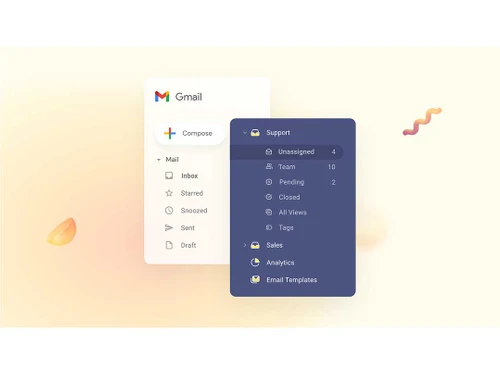
Hiver help desk system offers enriched customer service via emails and chats right from Gmail. Apart from that, it also helps in automating repetitive tasks and lets your team focus on increasing customer satisfaction.
Hiver Help Desk Software regular updates are available free of cost. There are no hidden software update charges.
Hiver Help Desk Software Help Desk Software used for Collaboration,Email Templates,SMS / Email Notification and Mobile App.
You can directly visit Hiver Help Desk Software portal and get in touch with Hiver Help Desk Software customer support for any software-related query.
Please contact our product experts to get Hiver Help Desk Software lifetime deal with exclusive offers.
20,000+ Software Listed
Best Price Guranteed
Free Expert Consultation
2M+ Happy Customers
Terms and Condtions

Users with registered businesses can purchase goods from merchants on the platform to satisfy their business needs. Users are not permitted to utilize any products acquired through the platform for resale, advertising, business, or further distribution.
For each purchase made, users will receive a Tax Invoice (or 'GST invoice') that includes specific details such as:
the GSTIN of the user associated with their registered business, and
the specified Entity Name for their business.
It should be noted that not all products are eligible for GST Invoice. Only the products displayed by participating sellers with the 'GST-based Invoice Available' callout on the product description page would qualify.
Certain goods and services are not eligible to get a GST Invoice, including items with VAS, i.e., Value Added Services (e.g., Total Mobile Protection/Assured Buyback) and those involving an exchange offer at the time of purchase.
Users must ensure the accuracy of the GSTIN, and business entity name provided for the GST Invoice. Requests for corrections into GST Invoice would not be accommodated by Techjockey.com or any Seller, and any issues arising from user-provided information are the sole responsibility of users.
Techjockey.com is not liable for the GST Invoice or any associated input tax credit. To efficiently claim an input tax credit, users should select the registered place of business address as per the GST authority's data and follow the provisions of the GST Act and rules.
To claim an input tax credit, the delivery and billing addresses must match. Furthermore, input tax credits will not be granted if the delivery address and GSTIN on the invoice are from different states. In case of incorrect GST details provided during the order placement, the order will be canceled automatically.