USA
USA UAE
UAESmall Business
Designed for startups and growing businesses

See More




Brand: Invoicera
Invoicera software is designed to streamline the financial management processes for businesses of all sizes. With a robust suite of features, Invoicera facilitates efficient invoice creation, expense tracking, and financial reporting.
See MoreHave you used Invoicera before?
Share your insights for better experience
Brand: Invoicera
Founded Year: 2009
Invoicera is an online invoicing application that was founded with the mission of simplifying business communication.
 Invoicing Estimate Management Purchase Order Multi-currency Project Management Client Management Online Payment Staff Management Time Tracking Task Management Credit Note Management Expense Management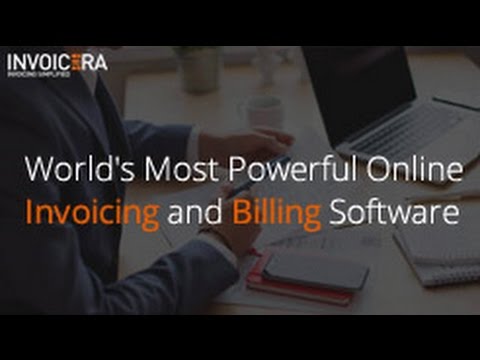

Watch the demo video to explore key features, real workflows, and how the software fits your business needs.
 Windows
  iOS
iOS  Android MacOS
  Linux
Linux  Desktop
  Mobile
  Tablet
  iPad
iPad  Cloud-Based
  Web-Based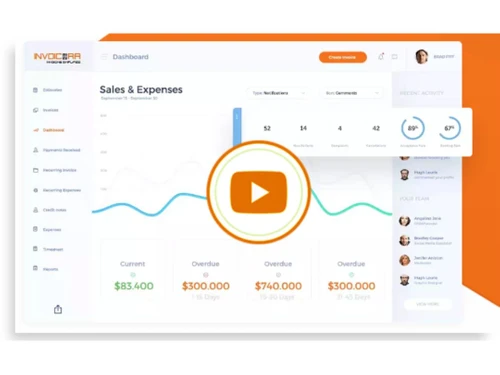
Small Business
Designed for startups and growing businesses
Medium Business
Built for business growth and flexibility
Enterprises
Designed for complex and large-scale business needs
4.1
Out of 5

Overall Rating
Based on
10 Verified Reviews
Rating Breakdown
83% Recommend this Product
Add ReviewCustomers generally appreciate Invoicera for its robust invoicing capabilities, especially for recurring billing and customization options, which enhance professionalism and efficiency in managing finances. Users value features like automated reminders and multi-currency support, making it suitable for international dealings. However, several reviews highlight challenges with the initial setup process and a desire for improved customer support response times. Additionally, some users note limitations in the mobile app and reporting features, indicating areas for potential enhancement.

Aug 21, 2024
Techjockey Verified
“It took me a while to get used to InvoiceEra, but now I can't imagine working without it”
I switched to InvoiceEra from Zoho Invoice because Zoho didn’t offer the level of invoice customization I needed. InvoiceEra allows me to tailor each invoice to suit different clients, and that’s made my business look more professional.
Pros
InvoiceEra made my billing process much more straightforward after I got the hang of it. One of the best things is how easy it is to send out invoices to clients via email. The automatic reminders feature has saved me a lot of time, and I no longer have to keep track of who’s paid or overdue manually. It also helps me generate detailed reports to see my financial performance in just a few clicks.
Cons
I did struggle with the setup process initially. Some features aren't intuitive, and I had to spend time figuring them out. I also found that the customer support response time is a bit slow, which can be an issue when you’re stuck with a problem and need quick answers.
Reason to switch
I wanted more control over how my invoices looked, and InvoiceEra offered better customization options for my business.
Aug 15, 2024
Techjockey Verified
“Switching to InvoiceEra was a big decision, but it made managing my finances much simpler”
Pros
After using InvoiceEra for a few weeks, I realized how easy it was to generate and track invoices for my clients. It helps me stay organized, especially when it comes to payment reminders, which is a lifesaver for my small business. The customization options are quite flexible, allowing me to add my brand’s logo and details to invoices. It even supports multiple currencies, which is great for international clients.
Cons
On the downside, I found it a bit challenging when I first set it up, as it took a while to navigate through the features. There is also a slight delay when pulling up reports, which can be frustrating when I'm in a hurry to get data. I wish it had a mobile app with all the functionalities so I could work on the go.
Reason to switch
I switched from QuickBooks to InvoiceEra because I wanted a simpler interface for just handling invoices. QuickBooks had too many features I didn’t need, and it became overwhelming for my small business needs. InvoiceEra is more focused on invoicing, which has helped me streamline my accounting processes.
Sep 1, 2024
Techjockey Verified
“Perfect for Managing Subscription-Based Billing”
For businesses offering subscription-based services, Invoicera is a great choice. The recurring billing feature saves me a lot of time, and it automatically sends out payment reminders, so I don’t have to worry about chasing clients for payments. Overall, it’s been a huge help in managing my billing.
Pros
Invoicera’s recurring billing feature has been a game-changer for my subscription-based services. I can set it up once, and the system takes care of the rest. I also love that it sends out payment reminders, which helps reduce late payments.
Cons
The only downside I’ve encountered is that the app doesn’t have all the features available on the desktop version. It would be great if they added more functionality to the mobile app.
Reason to switch
I needed a more flexible tool that could handle different types of billing. Invoicera offered that flexibility.

Invoicera
Price On Request
Desktop
Mobile
Web based
On Premises
Windows
Mac OS

Vyapar Billing Software
Price On Request
Desktop
Mobile
Web based
On Premises
Windows
Mac OS
Raseed
Price On Request
Desktop
Mobile
Web based
On Premises
Windows
Mac OS
InvoiceZy
₹ 99
Desktop
Mobile
Web based
On Premises
Windows
Mac OS

KaroSauda
₹ 1999
Desktop
Mobile
Web based
On Premises
Windows
Mac OS

Billing Fast
₹ 3588
Desktop
Mobile
Web based
On Premises
Windows
Mac OS

Apna Billbook
₹ 6998
Desktop
Mobile
Web based
On Premises
Windows
Mac OS

Swipe - Billing Software
₹ 2796
Desktop
Mobile
Web based
On Premises
Windows
Mac OS

Petpooja Invoice
₹ 5000
Desktop
Mobile
Web based
On Premises
Windows
Mac OS
Billing Buddy
₹ 5000
Desktop
Mobile
Web based
On Premises
Windows
Mac OS
Asli Bill
₹ 7000
Desktop
Mobile
Web based
On Premises
Windows
Mac OS
(0) Product(s) selected
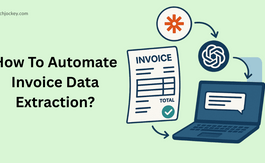
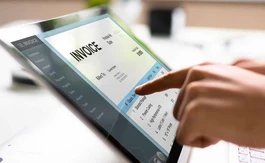
Invoicera allows you to create, send, and manage professional invoices. It supports multiple templates, automated billing, recurring invoices, and multi-currency billing, ensuring that invoicing processes are efficient and accurate.
Yes, Invoicera supports recurring billing, which automates the invoicing process for ongoing services and subscriptions. You can set up recurring profiles with custom intervals and automatic payment reminders.
Invoicera integrates with over 30 global payment gateways, including PayPal, Stripe, Authorize.Net, and others, allowing businesses to accept payments from clients worldwide.
Invoicera lets you track your expenses and billable hours directly within the platform. You can create detailed expense reports and timesheets to streamline your financial management.
Yes, Invoicera is highly customizable. You can personalize invoices, set custom workflows, integrate with third-party tools, and customize the platform to suit your business needs.
Invoicera provides collaboration tools that allow multiple users to manage different aspects of billing, invoicing, and expenses. You can set permissions and roles for team members to ensure a secure and organized workflow.
Invoicera offers customer support through various email, chat, and phone channels. They also have an extensive knowledge base with tutorials and guides for self-help.
Yes, Invoicera offers a mobile app for iOS and Android devices. The app allows you to manage invoices, track expenses, and receive payments.
Yes, Invoicera integrates with popular accounting software such as QuickBooks, Xero, and others, making it easy to sync your invoicing and financial data.
Yes, Invoicera offers a free trial period where you can explore the platform and its features before deciding on a paid plan.
You can easily switch between subscription plans in Invoicera during the billing cycle. To do this simply navigate to the account settings within Invoicera and update the plan
0 0
To change your plan after you have subscribed in Invoicera, follow the steps given below:
0 0
To keep a record of estimates and purchase orders in Invoicera, follow the steps given below:
0 0
To create an account and sign up for Invoicera, follow teh steps given below:
0 0
To guarantee the security of third-party integrations, Invoicera utilizes encrypted secure APIs.
0 0
20,000+ Software Listed
Best Price Guranteed
Free Expert Consultation
2M+ Happy Customers
Terms and Condtions

Users with registered businesses can purchase goods from merchants on the platform to satisfy their business needs. Users are not permitted to utilize any products acquired through the platform for resale, advertising, business, or further distribution.
For each purchase made, users will receive a Tax Invoice (or 'GST invoice') that includes specific details such as:
the GSTIN of the user associated with their registered business, and
the specified Entity Name for their business.
It should be noted that not all products are eligible for GST Invoice. Only the products displayed by participating sellers with the 'GST-based Invoice Available' callout on the product description page would qualify.
Certain goods and services are not eligible to get a GST Invoice, including items with VAS, i.e., Value Added Services (e.g., Total Mobile Protection/Assured Buyback) and those involving an exchange offer at the time of purchase.
Users must ensure the accuracy of the GSTIN, and business entity name provided for the GST Invoice. Requests for corrections into GST Invoice would not be accommodated by Techjockey.com or any Seller, and any issues arising from user-provided information are the sole responsibility of users.
Techjockey.com is not liable for the GST Invoice or any associated input tax credit. To efficiently claim an input tax credit, users should select the registered place of business address as per the GST authority's data and follow the provisions of the GST Act and rules.
To claim an input tax credit, the delivery and billing addresses must match. Furthermore, input tax credits will not be granted if the delivery address and GSTIN on the invoice are from different states. In case of incorrect GST details provided during the order placement, the order will be canceled automatically.