USA
USA UAE
UAESmall Business
Designed for startups and growing businesses

See More


Brand: Mailchimp
A complete marketing platform that offers email marketing automation, campaign management, etc., to businesses.
See MoreHave you used Mailchimp Marketing Platform before?
Share your insights for better experience
View plans
 Save upto 18%, Get GST Invoice on your business purchase T&C Buy Now & Pay Later, Check offer on payment page.
 Brand: Mailchimp
Founded Year: 2001
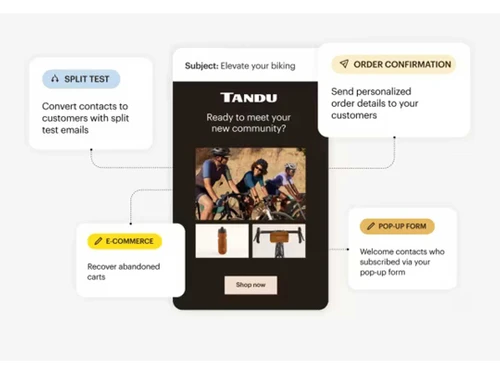
Mailchimp provides marketing automation for e-commerce businesses.
Core Functionalities
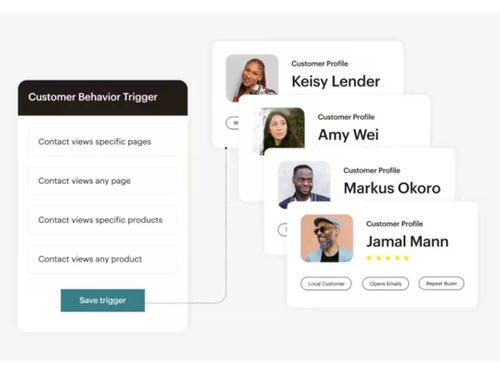
 Templates Landing Page / Web Forms SMS Marketing Automated Workflow Optimization A/B Testing Dynamic Content Social Media Automation Contact Management Behaviour Management Behavioral Targeting Customer Journey Mapping User Access Management Custom Workflows Cart Recovery Automation Compliance Management Content Marketing Automation Loyalty Management Progressive Profiling Through Channel Marketing Automation (TCMA) Visual Editor
 Campaign Management
Performance Analytics Conversion Rate Optimization (CRO) Landing Page Optimization Campaign Optimization Omnichannel Multichannel Data Driven Optimization Channel Management Channel Optimization Advertising Management Lead Management
Lead Generation Lead Nurturing Lead Qualification Segmentation Lead Scoring Leads Conversion List Management Email Marketing
Auto - Responders Drip Campaigns Email Optimization Behavioral Targeting Cart Recovery Automation WhatsApp Marketing
Auto - Responders Drip Campaigns Behavioral Targeting Segmentation Cart Recovery Automation Bulk Messaging Integrations Supported
CRM Integration API Integration Third Party Integration Webhooks Barcode Integration Event Marketing Influencer Marketing Project Management Analytics and Reporting
Visitor Tracking Predictive Analytics Real-Time & Actionable Insights Web Form Tracking Heatmaps Live View PDF Report Session Recording Dashboards Alerts & Notifications
SMS Notification Email Notifications Push Notifications Desktop Notification In-App Notifications Real-Time Alerts AI Capabilities
Generative AI Smart Recommendations Subject Line Helper Predictive Analytics Customer Journey Mapping  Ubuntu
  Windows
  iOS
iOS  Android MacOS
  Linux
Linux  Desktop
  Mobile
  Tablet
  iPad
iPad  Cloud-Based
  Perpetual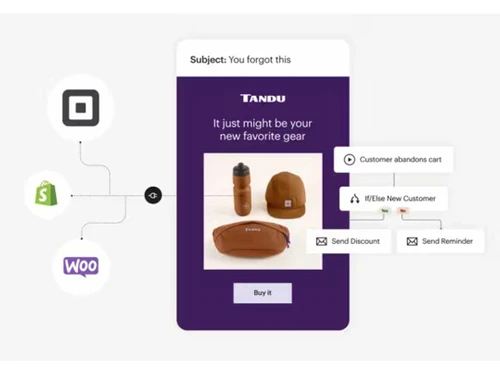
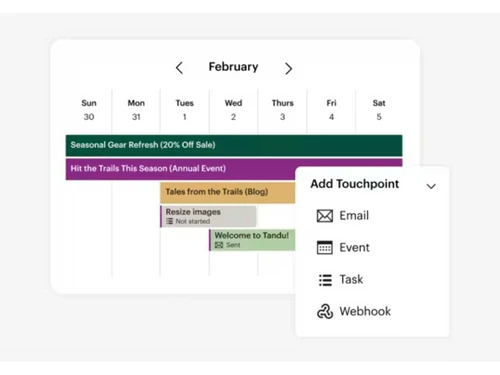
Small Business
Designed for startups and growing businesses
Medium Business
Built for business growth and flexibility
Enterprises
Designed for complex and large-scale business needs
4.2
Out of 5

Overall Rating
Based on
10 Verified Reviews
Rating Breakdown
84% Recommend this Product
Add ReviewUsers generally appreciate Mailchimp for its user-friendly interface, easy setup, and effective analytics, making it a solid choice for email marketing, especially for beginners. Many highlight the drag-and-drop editor and integration capabilities as significant advantages. However, some users express concerns about the outdated user interface and limitations in the free plan, particularly regarding email sending limits and the need for advanced features. A recurring issue mentioned is that some emails may land in spam folders, which can hinder campaign effectiveness.
Pros
"Mailchimp has been a good asset for running my email campaigns. It’s easy to interface with, and the platform helps me keep my audience organized."
"I particularly appreciate the data-cleaning feature and how Mailchimp helps me keep track of my audience."
"Mailchimp helps me keep track of my audience and provides detailed analytics on how my campaigns are performing, which is a great advantage."
Cons
"A recurring issue is that some of my emails tend to end up in the spam or promotions folder, which is annoying."
"The biggest downside is the user interface. It feels outdated."
"The user interface could also be a bit more modern. I find it a bit outdated."

Jul 9, 2024
Techjockey Verified
“Great for Beginners but Lacks Advanced Features”
MailChimp allowed me to send newsletters, announcements, and promotions to my customers with ease. I found it really helpful for keeping in touch with people and growing my brand’s presence.
Pros
MailChimp is perfect for beginners. The simple layout, clear instructions, and drag-and-drop feature made it easy for me to design emails. They also provide useful analytics that help in tracking the performance of email campaigns.
Cons
I haven’t faced any issue so far, having a smooth experience.
Reason to switch
I needed something easy to use when I first started, and MailChimp gave me that. However, I’m now considering a switch again as I outgrow the basic features.
Jul 9, 2024
Techjockey Verified
“Easy Setup and Integration with Other Platforms”
MailChimp is an email marketing tool that made it easier for me to grow my email list and keep in touch with my customers. I liked the drag-and-drop editor, which allowed me to design nice emails without much effort. The analytics gave me good insights into what was working and what wasn’t, so I could adjust my strategy.
Pros
The integration with other platforms like Shopify and WordPress is really handy. I didn't need any coding skills, and I got it up and running within minutes. The pre-designed email templates also saved me time, as I didn’t have to create anything from scratch.
Cons
The free plan has a limit on the number of emails you can send in a month, which can be frustrating if you're just starting and trying to reach more customers. It also lacks some advanced features unless you upgrade.
Reason to switch
I switched because I needed better integration with my eCommerce platform, and MailChimp offered that without a steep learning curve.
Jul 26, 2024
Techjockey Verified
“Mailchimp: Offers design flexibility and advanced automation”
My all-in-one platform manages my email tasks, additionally it provides design flexibility.
Pros
Mailchimp offers design flexibility by providing design tools and customizable templates.
Cons
No cons
Reason to switch
I needed a platform which provides a variety of email templates.

Mailchimp Marketing Platform
₹ 770.00 excl. GST
Desktop
Mobile
Web based
On Premises
Windows
Mac OS

Retner
₹ 999
Desktop
Mobile
Web based
On Premises
Windows
Mac OS

Cronberry
₹ 2000
Desktop
Mobile
Web based
On Premises
Windows
Mac OS

ActiveCampaign
Price On Request
Desktop
Mobile
Web based
On Premises
Windows
Mac OS

Brevo
₹ 625
Desktop
Mobile
Web based
On Premises
Windows
Mac OS
Zoho Marketing Automation
₹ 1140
Desktop
Mobile
Web based
On Premises
Windows
Mac OS

Zepic
Price On Request
Desktop
Mobile
Web based
On Premises
Windows
Mac OS

InSider
Price On Request
Desktop
Mobile
Web based
On Premises
Windows
Mac OS

Dotdigital
Price On Request
Desktop
Mobile
Web based
On Premises
Windows
Mac OS

Freshmarketer
₹ 1499
Desktop
Mobile
Web based
On Premises
Windows
Mac OS

Adobe Marketo Engage
Price On Request
Desktop
Mobile
Web based
On Premises
Windows
Mac OS
(0) Product(s) selected
Available
Price on Request
Available
Price on Request
Available
Price on Request

Starting Price:
$20 /month

Starting Price:
$1,250 /Month
Available
Price on Request

Starting Price:
$24 /Month

Available
Price on Request

Available
Price on Request

Starting Price:
$95 /Creator/Month









The best feature of this platform specifically depends on the particular needs and goals of a business. However, the most crucial feature of this platform is Email Automation.
Although it offers various features and functionalities, but there are a few drawbacks as well such as pricing complexity, learning curve, and design restrictions.
Choosing this platform offers various advantages including automation tools, an easy-to-use interface, higher customer engagement, better resource efficiency, scalability, and many more.
Yes, this platform allows you to design and manage social media ads effectively. It also helps businesses to integrate their social media with this platform.
Mailchimp Marketing Platform is available starting at ?655 based on specific features you need for your business.
In order to find the API key in Mailchimp, follow the steps given below:
0 0
Mailchimp helps in optimizing an email campaign in the following ways:
0 0
To track clicks using Mailchimp, follow the steps given below:
0 0
A user can benefit by integrating Mailchimp and Salesforce, as this allows all the Mailchimp data, like subscribers, to sync into Salesforce CRM and connect them to existing leads and contacts in their organization.
0 0
To insert a slideshow into MailChimp, follow the steps given below:
0 0
20,000+ Software Listed
Best Price Guranteed
Free Expert Consultation
2M+ Happy Customers
Terms and Condtions

Users with registered businesses can purchase goods from merchants on the platform to satisfy their business needs. Users are not permitted to utilize any products acquired through the platform for resale, advertising, business, or further distribution.
For each purchase made, users will receive a Tax Invoice (or 'GST invoice') that includes specific details such as:
the GSTIN of the user associated with their registered business, and
the specified Entity Name for their business.
It should be noted that not all products are eligible for GST Invoice. Only the products displayed by participating sellers with the 'GST-based Invoice Available' callout on the product description page would qualify.
Certain goods and services are not eligible to get a GST Invoice, including items with VAS, i.e., Value Added Services (e.g., Total Mobile Protection/Assured Buyback) and those involving an exchange offer at the time of purchase.
Users must ensure the accuracy of the GSTIN, and business entity name provided for the GST Invoice. Requests for corrections into GST Invoice would not be accommodated by Techjockey.com or any Seller, and any issues arising from user-provided information are the sole responsibility of users.
Techjockey.com is not liable for the GST Invoice or any associated input tax credit. To efficiently claim an input tax credit, users should select the registered place of business address as per the GST authority's data and follow the provisions of the GST Act and rules.
To claim an input tax credit, the delivery and billing addresses must match. Furthermore, input tax credits will not be granted if the delivery address and GSTIN on the invoice are from different states. In case of incorrect GST details provided during the order placement, the order will be canceled automatically.