linkedin
Microsoft 365 Apps for Enterprise logo
play Enterprise Office 365 demo
Microsoft 365 Apps for Enterprise

Microsoft 365 Apps for Enterprise

Brand: Microsoft Corporation

  • 4.7

  • 1 Rating & 1 Review

Microsoft 365 Apps for Enterprise boosts team productivity with file sharing, real-time co-authoring, and Office apps accessible on any device.

See More

Have you used Microsoft 365 Apps for Enterprise before?

Share your insights for better experience

Add a Review
Starting Price 8% OFF
₹1,398 excl.GST  ₹1,512
₹ 1,650 incl. GST

View plans

offer Save upto 18%, Get GST Invoice on your business purchase T&C
offer Buy Now & Pay Later, Check offer on payment page.
Buy Now
100% Genuine
Products
Best Price
Guaranteed
Safe & Secure
Payment
  • Description

  • Pricing

  • Features

  • Specification

  • Review

  • Compare

  • Alternatives

  • FAQ

Starting at ₹1,398
Buy Now

Microsoft 365 Apps for Enterprise Software Overview

What is Microsoft 365 Apps for Enterprise?

Microsoft 365 Apps for Enterprise is a comprehensive, cloud-powered suite of productivity software designed to meet the dynamic needs of modern organizations. It provides the familiar, full-featured Microsoft Office desktop applications that businesses rely on, enhanced with next-generation online services for collaboration and file management. This subscription-based service ensures that your team always has the latest versions of core applications like Word, Excel, and PowerPoint, accessible across a wide range of devices, including PCs, Macs, tablets, and smartphones.

More than just a collection of apps, it is an integrated solution engineered to reduce IT overhead and empower employees. By centralizing tools for communication, content creation, and data analysis, it helps teams accomplish tasks more efficiently. The platform is built for scalability, allowing it to be tailored to the specific needs of any organization, from growing businesses to large-scale global enterprises, ensuring a secure and productive work environment.

Why Choose Microsoft 365 Apps for Enterprise?

  • Unified and Always-Up-to-Date Tools: The subscription model guarantees access to the very latest features, security updates, and performance improvements across all applications without the need for manual upgrades. This ensures a consistent and modern user experience for everyone in the organization.
  • Enhanced Team Collaboration: The suite is built for teamwork. Features like real-time co-authoring in Word and PowerPoint allow multiple users to work on the same document simultaneously, while integrated cloud storage makes file sharing simple and secure.
  • Flexible and Mobile Workforce Support: With full-featured web and mobile versions of Office apps, employees can stay productive from anywhere, on any device. This flexibility is essential for supporting remote work, field staff, and global teams.
  • Reduced IT Complexity and Overhead: By moving to a cloud-based model, organizations can significantly reduce the burden on their IT departments. Microsoft manages the backend infrastructure, updates, and security, freeing up internal resources to focus on more strategic initiatives.
  • Scalable and Predictable: The per-user subscription model allows businesses to easily scale up or down as their needs change. This provides predictable monthly or annual costs, making budgeting simpler and more transparent.

Advanced Features of Microsoft 365 Apps for Enterprise

  • Full Desktop and Mobile App Suite: Users get the complete, installable desktop versions of Office applications for both PC and Mac, ensuring full functionality even when offline. This is complemented by powerful, feature-rich mobile and web apps for seamless productivity on the go.
  • Robust File Storage & Sharing: Each user receives a substantial amount of personal cloud storage through OneDrive for Business. This enables secure file storage, easy sharing with internal and external stakeholders, and access to documents from any device.
  • Integrated Email and Access Management: The platform includes Outlook for email and calendaring, plus a free tier of Microsoft Entra ID to help safeguard access to resources and data across on-premises and cloud environments. (Microsoft Teams and advanced meeting tools are available as a separate add-on, not included in this plan.)
  • Streamlined Deployment and Management: IT administrators gain access to powerful tools for deploying and managing Office apps across the organization. This includes centralized control over software updates and user access, ensuring compliance and security standards are met.
  • Enterprise-Grade Support: The plan includes comprehensive support from Microsoft, ensuring that any technical issues are resolved quickly to minimize disruption and maintain business continuity.

Key Capabilities of Microsoft 365 Apps for Enterprise

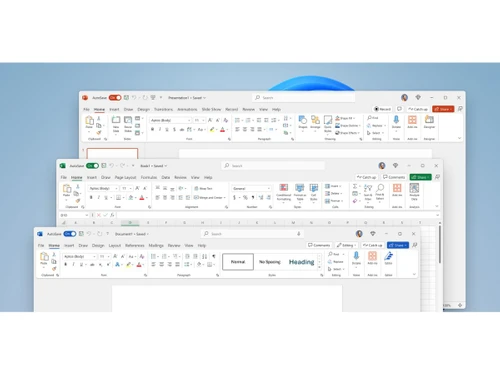
  • Microsoft Word: Professional document creation and editing with advanced tools for formatting, reviewing, and real-time collaboration.
  • Microsoft Excel: Powerful spreadsheet software for data analysis, visualization, and complex calculations.
  • Microsoft PowerPoint: Create and deliver compelling, professional presentations with rich design tools and animations.
  • Microsoft Outlook: A comprehensive solution for managing email, calendars, contacts, and tasks in one place.
  • Microsoft OneNote: A digital note-taking application for capturing and organizing ideas, meeting notes, and project plans across all devices.
  • Microsoft Access (PC only): A database management system for creating business applications and managing data.
  • Microsoft Publisher (PC only): A desktop publishing application for creating professional-looking marketing materials and publications.
  • OneDrive for Business: Secure cloud storage for accessing, sharing, and collaborating on files from anywhere, with 1 TB of storage per user.
  • Microsoft Forms: Create surveys and polls to collect feedback and measure satisfaction.
  • Visio for the web: Create, edit, and coauthor professional diagrams and flowcharts.
  • Microsoft Editor: Built-in grammar, spelling, and clarity checks across documents and email.

How to Use Microsoft 365 Apps for Enterprise?

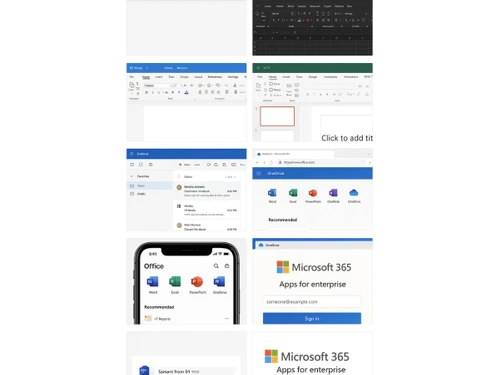
Getting started with Microsoft 365 Apps for Enterprise is a straightforward process. Once an organization subscribes to a plan, an administrator gains access to a central admin portal. From there, they can assign licenses to individual users. Each licensed user can then sign in to their Microsoft 365 account to download and install the full Office desktop applications on their PCs and Macs. They can also access the web and mobile versions by signing in through a browser or dedicated mobile app. All work is synchronized through OneDrive, ensuring that the latest version of a document is available across all of a user's devices, facilitating a seamless transition from desktop to mobile work.

Microsoft 365 Apps for Enterprise Pricing

Microsoft 365 Apps for Enterprise price starts at INR 1,398 at techjockey.com.

The pricing model is based on different parameters, including extra features, deployment type, and the total number of users. For further queries related to the product, you can contact our product team and learn more about the pricing and offers.

Read more

Microsoft Corporation Company Details

Founded Year:  1975

Microsoft Corporation is an American multinational technology company with headquarters in Redmond, Washington.

Director/Founders Paul Allen , Bill Gates
Company Size 1000+ Employees

Microsoft 365 Apps for Enterprise Pricing & Plans

Microsoft 365 Apps for enterprise
Key Features
  • Web and mobile versions of Office apps
  • File Storage & Sharing
  • Support & Deployment
  • Desktop versions of Office apps for PC and Mac
Calculated Price

1398 ₹1512
SAVE UPTO 8%
Exclusive of all taxes
  • Options

    • Quantity

      Quantity
      Quantity
    • Monthly

      Monthly
      Monthly

Key Features

  • Web and mobile versions of Office apps

  • File Storage & Sharing

  • Support & Deployment

  • Desktop versions of Office apps for PC and Mac

Microsoft 365 Apps for Enterprise Features

  • icon_check Web and mobile versions of Office apps
    Access full-featured web and mobile versions of Word, Excel, PowerPoint, Outlook, and other Office apps.
  • icon_check File Storage & Sharing
    Get 1 TB of OneDrive storage per user for cloud file access, sync, and sharing.
  • icon_check Support & Deployment
    Includes anytime phone and web support, FastTrack deployment guidance, and admin deployment resources.
  • icon_check Desktop versions of Office apps for PC and Mac
    Not included in the E1 plan—only available on web and mobile platforms.
Microsoft 365 Apps for Enterprise Demo Video play icon

Get Microsoft 365 Apps for Enterprise Demo

Watch the demo video to explore key features, real workflows, and how the software fits your business needs.

Understand
Key Features
Personal
Demo Insights
Interactive
Demo Support

Microsoft 365 Apps for Enterprise Specifications

Supported Platforms
Windows Windows iOS iOS Android Android MacOS MacOS
Devices
Desktop Desktop Mobile Mobile Tablet Tablet iPad iPad
Deployment
Cloud-Based Cloud-Based
Suitable For
All Industries
Business Specific
All Businesses
Business Size
Small Business Startups Medium Business
Customer Support
Phone Email
Language
English
Training Resources
In Person Documentation

Explore the Best Alternative Solutions Similar to Your Business Size and Needs

Microsoft 365 Apps for Enterprise Review

4.7

Out of 5

img

Overall Rating

Based on
1 Verified Review

Rating Breakdown

  • Features 5
  • Value for Money 4
  • Ease of Use 5
  • Customer Support 5

100% Recommend this Product

Add Review

Ashish

Administrator

Industry: IT

4.7

Reviewed on: Nov 6, 2023

Techjockey Verified

“Simply Awesome”

Pros

Set up and installation easy to use. Microsoft teams. Microsoft has simplified the product experience with MD 365 and this is highly recommended. Very easy to assign licenses, create policies and managing the users. Setup and installation is also very easy.

Cons

Costly

Switched from Microsoft Office Home & Business 2016 (Box Pack)

Reason to switch

Easy to use, easy to mange. Easy to asisgn license and installation.

Compare Microsoft 365 Apps for Enterprise With other Productivity Software

Products
Ratings
Pricing
Device Supported
Deployment
Supported Platforms
  • img

    Microsoft 365 Apps for Enterprise

  • 4.7

  • ₹ 1398.00 excl. GST

  • Desktop

    Mobile

  • Web based

    On Premises

  • Windows

    Mac OS

  • img

    Microsoft 365 F1

  • 4.2

  • ₹ 300

  • Desktop

    Mobile

  • Web based

    On Premises

  • Windows

    Mac OS

  • img

    Office 365 E5

  • 4

  • ₹ 3240

  • Desktop

    Mobile

  • Web based

    On Premises

  • Windows

    Mac OS

  • img

    Office 365 E3

  • 5

  • ₹ 1740

  • Desktop

    Mobile

  • Web based

    On Premises

  • Windows

    Mac OS

  • img

    Microsoft 365 F3

  • 4.4

  • ₹ 996

  • Desktop

    Mobile

  • Web based

    On Premises

  • Windows

    Mac OS

  • img

    Office 365 E1

  • 4.4

  • ₹ 678

  • Desktop

    Mobile

  • Web based

    On Premises

  • Windows

    Mac OS

  • img

    Microsoft 365 E3

  • 4.3

  • ₹ 3894

  • Desktop

    Mobile

  • Web based

    On Premises

  • Windows

    Mac OS

(0) Product(s) selected

Microsoft 365 Apps for Enterprise Alternatives

See All Microsoft 365 Apps for Enterprise Alternatives
SAVE UPTO 5%
SAVE UPTO 5%
SAVE UPTO 17%
SAVE UPTO 14%
SAVE UPTO 24%
SAVE UPTO 16%
SAVE UPTO 22%

Articles for Microsoft 365 Apps for Enterprise

See All Related Articles

Will Office 365 Enterprise E1 work with my copy of Office?

Office 365 Enterprise E1 works best with the new Office, Office 2013, and Office 2011 for Mac. Previous versions of Office, such as Office 2010 and Office 2007, may work with Office 365 with reduced functionality. You do not need a desktop version of Office to use Enterprise E1. However, you will receive a much richer experience and be able to work offline if you do connect a desktop version of Office to the Office 365 services.

What forms of payment can I use?

You can pay with all major credit cards, and your subscription amount will appear on your credit card statement. You also have the option to receive an invoice and, depending on your choice of services, you will be billed monthly or annually. You receive an email message when your invoice is ready to be viewed and, if a purchase order (PO) number is entered when you buy your subscription, that number is included in your invoice.

What payment options are available? Can I pay monthly or annually?

Annual commitment payment is available for Office 365 Enterprise plans. With annual commitment, you sign up for a one-year subscription, but you can choose to pay month to month or pay for the entire year at the time you sign up.

Do you offer volume discounts to businesses?

Yes, discounts are available for Office 365 enterprise agreement customers (typically 250+ licenses) who want to purchase through volume licensing. A Microsoft expert can help you explore the purchasing options for large enterprises and help you determine which is best for you. Learn more about volume licensing. Find a Microsoft expert.

What is included in Microsoft 365 Apps for enterprise?

Microsoft 365 Apps for enterprise includes the full desktop versions of Office apps for PC and Mac, web and mobile versions of the apps, and cloud-based file storage and sharing.

What is the difference between Microsoft 365 Apps for enterprise and E3?

Microsoft 365 Apps for enterprise provides the core Office application suite, whereas the E3 plan includes all those apps plus additional cloud services like Exchange Online email, SharePoint, and Microsoft Teams.

Is Microsoft 365 Apps for enterprise the same as Office 365 ProPlus?

Yes, Microsoft 365 Apps for enterprise is the new name for the product that was formerly known as Office 365 ProPlus; it is a rebranding of the same offering.

What is the difference between Microsoft 365 Apps for business and enterprise?

The primary difference is scale and features, as the enterprise plan supports an unlimited number of users and includes more advanced security, compliance, and analytics tools compared to the business plan's 300-user limit.

What is the starting price for Microsoft 365 Apps for enterprise?

Microsoft 365 Apps for Enterprise price starts at INR 1,398 at techjockey.com.

Who can use Microsoft 365 Apps for Enterprise?

Microsoft 365 Apps for Enterprise is ideal for large organizations and enterprises with distributed workforces that need advanced Office applications, secure file access, collaboration tools, and centralized IT management.

Is technical support included with Microsoft 365 Apps for Enterprise plans?

Yes, the Microsoft 365 Apps for enterprise plan includes access to both support and deployment services for your organization.

20,000+ Software Listed

Best Price Guranteed

Free Expert Consultation

2M+ Happy Customers

Terms and Condtions

close

Users with registered businesses can purchase goods from merchants on the platform to satisfy their business needs. Users are not permitted to utilize any products acquired through the platform for resale, advertising, business, or further distribution.

For each purchase made, users will receive a Tax Invoice (or 'GST invoice') that includes specific details such as:

  • the GSTIN of the user associated with their registered business, and

  • the specified Entity Name for their business.

It should be noted that not all products are eligible for GST Invoice. Only the products displayed by participating sellers with the 'GST-based Invoice Available' callout on the product description page would qualify.

Certain goods and services are not eligible to get a GST Invoice, including items with VAS, i.e., Value Added Services (e.g., Total Mobile Protection/Assured Buyback) and those involving an exchange offer at the time of purchase.

Users must ensure the accuracy of the GSTIN, and business entity name provided for the GST Invoice. Requests for corrections into GST Invoice would not be accommodated by Techjockey.com or any Seller, and any issues arising from user-provided information are the sole responsibility of users.

Techjockey.com is not liable for the GST Invoice or any associated input tax credit. To efficiently claim an input tax credit, users should select the registered place of business address as per the GST authority's data and follow the provisions of the GST Act and rules.

To claim an input tax credit, the delivery and billing addresses must match. Furthermore, input tax credits will not be granted if the delivery address and GSTIN on the invoice are from different states. In case of incorrect GST details provided during the order placement, the order will be canceled automatically.