linkedin
Microsoft Power Automate logo
play Power Platform
microsoft power automate invoices
microsoft power automate map

Microsoft Power Automate

Brand: Microsoft Corporation

  • 4.5

  • 5 Ratings

Microsoft Power Automate is a productivity tool that helps you automate tasks and workflows between apps to save time and reduce manual work.

See More

Have you used Microsoft Power Automate before?

Share your insights for better experience

Add a Review
Starting Price 14% OFF
₹1,500 excl.GST  ₹1,750
₹ 1,770 incl. GST

View plans

offer Save upto 18%, Get GST Invoice on your business purchase T&C
offer Buy Now & Pay Later, Check offer on payment page.
Buy Now
100% Genuine
Products
Best Price
Guaranteed
Safe & Secure
Payment
  • Description

  • Pricing

  • Features

  • Specification

  • Review

  • Compare

  • Alternatives

  • FAQ

Starting at ₹1,500
Buy Now

Microsoft Power Automate Software Overview

What is Microsoft Power Automate?

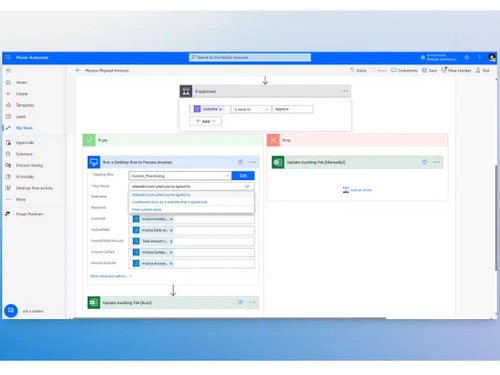
Microsoft Power Automate is a productivity software that helps people and businesses automate everyday tasks and workflows without needing to code. It allows users to connect different apps and services, like Outlook, SharePoint, Excel, and third-party tools, to create automated flows. For example, you can automatically save email attachments to OneDrive or get alerts when new data is added to a spreadsheet.

Power Automate supports both simple tasks and complex business processes using drag-and-drop features. It saves time by reducing manual work and increasing productivity. Users can set up triggers and actions to run workflows based on certain conditions. It also supports AI and robotic process automation (RPA) for more advanced tasks.

Power Automate is used across industries to streamline operations, improve efficiency, and reduce errors. It's part of the Microsoft Power Platform and integrates well with other Microsoft 365 tools. It's accessible on both desktop and mobile.

Why Choose Microsoft Power Automate Software?

  • Automates Repetitive Tasks: Saves time by automating manual, everyday processes.
  • No-Code/Low-Code: Easy to use with a drag-and-drop interface—no coding skills needed.
  • Seamless Integration: Connects with Microsoft 365 apps and hundreds of third-party services.
  • Boosts Productivity: Lets you focus on important work by handling routine actions automatically.
  • Mobile Access: Manage workflows on the go with the Power Automate mobile app.
  • Real-Time Notifications: Sends alerts and updates instantly, so you’re always in the loop.
  • Custom Workflows: Build workflows tailored to your business or personal needs.
  • AI-Powered Automation: Uses AI for intelligent suggestions and smarter flows.
  • Secure & Compliant: Built with Microsoft’s enterprise-grade security and compliance.
  • Cross-Platform Support: Works across web, desktop, and mobile platforms.
  • Scheduled Flows: Set flows to run on a schedule—daily, weekly, or however you want.
  • Detailed Insights: Track workflow performance with analytics and reporting tools.

Benefits of Microsoft Power Automate Software

  • Improves Accuracy: Reduces human errors by standardizing repetitive processes.
  • Cuts Operational Costs: Automating tasks can significantly lower labor and processing expenses.
  • Supports Legacy Systems: Can integrate with older applications using robotic process automation (RPA).
  • Global Accessibility: Cloud-based platform enables access and management from anywhere.
  • Desktop Automation: Automate tasks on your computer using Power Automate Desktop.
  • Automated Approvals: Streamlines and accelerates multi-level approval processes.
  • Attachment Handling: Easily automate workflows involving file uploads or attachments.
  • Form Processing: Uses AI to extract data from forms and documents automatically.
  • Loop and Condition Logic: Supports complex workflows with looped actions and conditional logic.
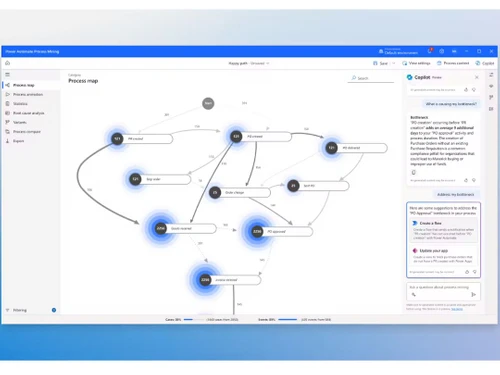
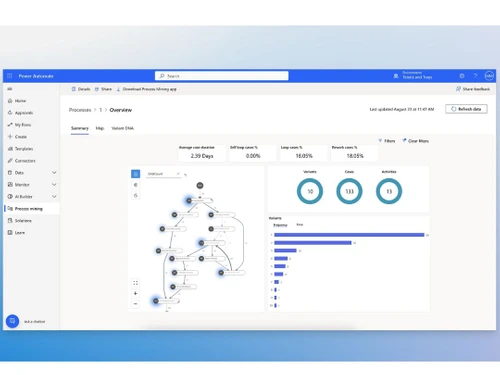
  • Process Mining Tools: Analyze how tasks are done and find areas for improvement.
  • Extensible with APIs: Developers can extend functionality using custom connectors and APIs.
  • Scalable for All Sizes: Works well for small businesses up to large enterprises.

Microsoft Power Automate Pricing

Microsoft Power Automate price in India starts at INR 1,500 at techjockey.com.

The pricing model is based on different parameters, including extra features, deployment type, and the total number of users. For further queries related to the product, you can contact our product team and learn more about the pricing and offers.

Read more

Microsoft Corporation Company Details

Founded Year:  1975

Microsoft Corporation is an American multinational technology company with headquarters in Redmond, Washington.

Director/Founders Paul Allen , Bill Gates
Company Size 1000+ Employees

Microsoft Power Automate Pricing & Plans

Power Automate Premium

Calculated Price

1500 ₹1750
SAVE UPTO 14%
Exclusive of all taxes
  • Options

    • Quantity

      Quantity
      Quantity
    • Monthly

      Monthly
      Monthly

Key Features

  • Cloud flows (DPA

  • Desktop flows (RPA) in attended mode

  • Process and task mining with 50 MB data stored

  • 5,000 AI Builder service credits

Power Automate Process

Calculated Price

14976 ₹18480
SAVE UPTO 19%
Exclusive of all taxes
  • Options

    • Quantity

      Quantity
      Quantity
    • Monthly

      Monthly
      Monthly

Key Features

  • Cloud flows (DPA)

  • Desktop flows (RPA) in unattended mode

  • 5,000 AI Builder service credits

  • Dataverse entitlements of 50 MB database and 200 M

Microsoft Power Automate Features

  • icon_check Email Attachments to OneDrive for Business
    Automatically saves email attachments to OneDrive, ensuring secure and organized file storage.
  • icon_check Notification
    Sends real-time alerts and notifications for important updates, approvals, and task completions.
  • icon_check Send a Customized Email
    Allows users to create and send personalized emails based on workflow triggers.
  • icon_check Integrations
    Seamlessly connects with Microsoft 365, third-party apps, and cloud services for smooth data flow.
  • icon_check Templates
    Offers pre-built workflow templates to quickly set up automation without technical expertise.
  • icon_check Reporting & Analytics
    Provides insights into workflow performance and efficiency with detailed reports.
  • icon_check Workflow Automation
    Automates repetitive tasks, reducing manual work and improving overall productivity.
Microsoft Power Automate Demo Video play icon

Get Microsoft Power Automate Demo

Watch the demo video to explore key features, real workflows, and how the software fits your business needs.

Understand
Key Features
Personal
Demo Insights
Interactive
Demo Support

Microsoft Power Automate Specification

Supported Platforms
Windows Windows MacOS MacOS
Devices
Desktop Desktop
Deployment
Web-Based Web-Based
Suitable For
All Industries
Business Specific
All Businesses
Business Size
Small Business Medium Business Enterprises SMBs SMEs
Customer Support
Phone Email Live Chat Communities
Language
English
Training Resources
Documentation Videos
AI Features
AI Integrated

Explore the Best Alternative Solutions Similar to Your Business Size and Needs

Microsoft Power Automate Review

4.5

Out of 5

img

Overall Rating

Based on
5 Verified Ratings

Rating Breakdown

  • Features 4.6
  • Value for Money 4.6
  • Ease of Use 4.5
  • Customer Support 4.4

94% Recommend this Product

Add Review

Techjockey Trusted Reviews from Verified Users

No reviews are currently available for Microsoft Power Automate. Discover similar Productivity Software reviews

  • Microsoft Word

    4.4

    Whats great - Word is the industry standard—everyone accepts .docx files. I never worry about compatibility. read more

  • SysTools DBX To PST Converter

    5.0

    Whats great - I was looking for a solution to convert my all crucial DBX files into PST file format. But I did not get any solution. Then, ... read more

  • think cell

    4.7

    Whats great - My present partners with perpetual designer positions have completed a magnificent activity in their glassdoor surveys, depic... read more

Compare Microsoft Power Automate With other Productivity Software

Products
Ratings
Pricing
Device Supported
Deployment
Supported Platforms
  • img

    Microsoft Power Automate

  • 4.5

  • ₹ 1500.00 excl. GST

  • Desktop

    Mobile

  • Web based

    On Premises

  • Windows

    Mac OS

  • img

    Microsoft 365 F1

  • 4.2

  • ₹ 300

  • Desktop

    Mobile

  • Web based

    On Premises

  • Windows

    Mac OS

  • img

    Office 365 E5

  • 4

  • ₹ 3240

  • Desktop

    Mobile

  • Web based

    On Premises

  • Windows

    Mac OS

  • img

    Office 365 E3

  • 5

  • ₹ 1740

  • Desktop

    Mobile

  • Web based

    On Premises

  • Windows

    Mac OS

  • img

    Microsoft 365 F3

  • 4.4

  • ₹ 996

  • Desktop

    Mobile

  • Web based

    On Premises

  • Windows

    Mac OS

  • img

    Office 365 E1

  • 4.4

  • ₹ 678

  • Desktop

    Mobile

  • Web based

    On Premises

  • Windows

    Mac OS

  • img

    Microsoft 365 E3

  • 4.3

  • ₹ 3894

  • Desktop

    Mobile

  • Web based

    On Premises

  • Windows

    Mac OS

(2) Product(s) selected

Microsoft Power Automate Alternatives

See All Microsoft Power Automate Alternatives
SAVE UPTO 5%
SAVE UPTO 5%
SAVE UPTO 17%
SAVE UPTO 24%
SAVE UPTO 16%
SAVE UPTO 22%

Articles for Microsoft Power Automate

See All Related Articles

How much does Microsoft Power Automate Software cost?

Microsoft Power Automate price in India starts at INR 1,500 at techjockey.com.

Is there a mobile app available for Microsoft Power Automate?

No, Microsoft Power Automate has no mobile app available for both Android and iOS devices.

Which operating systems are compatible with Microsoft Power Automate?

Microsoft Power Automate is compatible with Windows and macOS.

Does Microsoft Power Automate offer a free trial?

Yes, Microsoft Power Automate provides a free trial for users to explore its features before purchasing.

How does Microsoft Power Automate function?

Microsoft Power Automate automates workflows by connecting different apps, triggering actions based on conditions, and streamlining business processes.

Who uses Microsoft Power Automate?

Businesses, IT professionals, HR teams, finance departments, and individuals looking to automate repetitive tasks can benefit from Microsoft Power Automate.

Is a free demo available for Microsoft Power Automate?

Yes, Microsoft offers a free demo to help users understand its capabilities and usage.

Is Microsoft Power Automate available for free?

Microsoft Power Automate has a free version with limited features, while advanced functionalities require a paid subscription.

Can Microsoft Power Automate integrate with third-party applications?

Yes, Microsoft Power Automate supports integration with over 500 third-party apps, including Google Drive, Slack, Salesforce, and more.

Is coding knowledge required to use Microsoft Power Automate?

No, Microsoft Power Automate provides a no-code/low-code interface, making it accessible for non-technical users.

20,000+ Software Listed

Best Price Guranteed

Free Expert Consultation

2M+ Happy Customers

Terms and Condtions

close

Users with registered businesses can purchase goods from merchants on the platform to satisfy their business needs. Users are not permitted to utilize any products acquired through the platform for resale, advertising, business, or further distribution.

For each purchase made, users will receive a Tax Invoice (or 'GST invoice') that includes specific details such as:

  • the GSTIN of the user associated with their registered business, and

  • the specified Entity Name for their business.

It should be noted that not all products are eligible for GST Invoice. Only the products displayed by participating sellers with the 'GST-based Invoice Available' callout on the product description page would qualify.

Certain goods and services are not eligible to get a GST Invoice, including items with VAS, i.e., Value Added Services (e.g., Total Mobile Protection/Assured Buyback) and those involving an exchange offer at the time of purchase.

Users must ensure the accuracy of the GSTIN, and business entity name provided for the GST Invoice. Requests for corrections into GST Invoice would not be accommodated by Techjockey.com or any Seller, and any issues arising from user-provided information are the sole responsibility of users.

Techjockey.com is not liable for the GST Invoice or any associated input tax credit. To efficiently claim an input tax credit, users should select the registered place of business address as per the GST authority's data and follow the provisions of the GST Act and rules.

To claim an input tax credit, the delivery and billing addresses must match. Furthermore, input tax credits will not be granted if the delivery address and GSTIN on the invoice are from different states. In case of incorrect GST details provided during the order placement, the order will be canceled automatically.