USA
USA UAE
UAESmall Business
Designed for startups and growing businesses

See More




Brand: IRIS SA
Readiris OCR is an OCR (Optical Character Recognition) software that helps users convert scanned documents, PDFs, and images into editable and searchable digital files.
See MoreHave you used Readiris before?
Share your insights for better experience
 OCR (Optical Character Recognition) PDF Creation Image Text Editing Batch Processing Multi-Language Support Annotation Text to Speech Conversion PDF Merge Functionality PDF Split Functionality PDF Protection and Signing Table Recognition in Documents Scanner Integration Automatic Image Correction Multi Format Support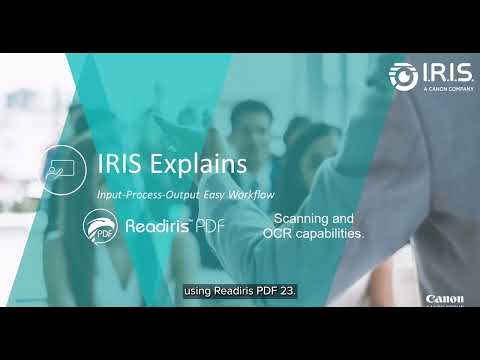

Watch the demo video to explore key features, real workflows, and how the software fits your business needs.
 Windows
  MacOS
MacOS  Desktop
  Perpetual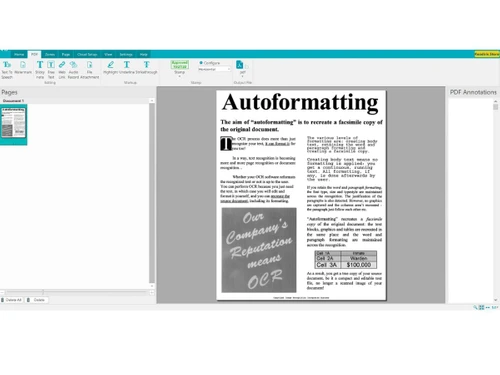
Small Business
Designed for startups and growing businesses
Medium Business
Built for business growth and flexibility
Enterprises
Designed for complex and large-scale business needs
Techjockey Trusted Reviews from Verified Users
No reviews are currently available for Readiris. Discover similar OCR Software reviews

ABBYY FineReader Engine
Whats great - It is easy to use, with the simplified interface, one can work fast, through materials. read more

Adobe Acrobat Pro DC for teams
Whats great - The best thing about Acrobat Pro DC is that it is a Portable Documents Format Software which allows me to carry my creations ... read more

Adobe Acrobat Standard DC for teams
Whats great - I never knew there were so many different software systems out there, or where to start when I was looking for a system for ... read more
Readiris
$ 69.00 excl. GST
Desktop
Mobile
Web based
On Premises
Windows
Mac OS
ABBYY FineReader Engine
Price On Request
Desktop
Mobile
Web based
On Premises
Windows
Mac OS

Invoice OCR Software
Price On Request
Desktop
Mobile
Web based
On Premises
Windows
Mac OS

Snoh Fusion
₹ 243750
Desktop
Mobile
Web based
On Premises
Windows
Mac OS
Algodocs
Price On Request
Desktop
Mobile
Web based
On Premises
Windows
Mac OS

TextSnap
Price On Request
Desktop
Mobile
Web based
On Premises
Windows
Mac OS

DAN - Data AI Ninja
Price On Request
Desktop
Mobile
Web based
On Premises
Windows
Mac OS

CamScanner
Price On Request
Desktop
Mobile
Web based
On Premises
Windows
Mac OS

VisionERA
Price On Request
Desktop
Mobile
Web based
On Premises
Windows
Mac OS

Microsoft Office Lens
Price On Request
Desktop
Mobile
Web based
On Premises
Windows
Mac OS

Nanonets OCR
Price On Request
Desktop
Mobile
Web based
On Premises
Windows
Mac OS
(0) Product(s) selected
Starting Price:
$29 /Month
Available
Price on Request
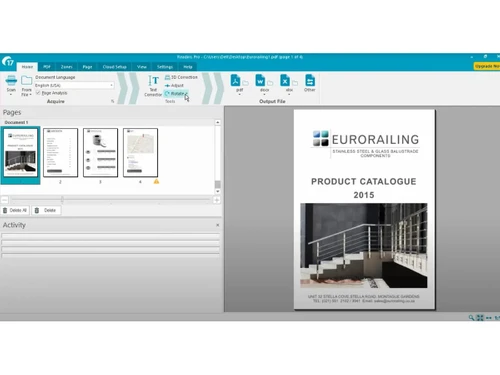
Readiris OCR is an advanced OCR (Optical Character Recognition) publishing software solution for Windows and Mac. It's designed to intelligently convert, edit, and transform all your paper documents and PDFs into a variety of digital formats. It also allows you to aggregate, split, protect, and sign your PDFs.
Readiris OCR is available for both Windows and macOS. Specifically, it supports Windows 8, 10, and 11.
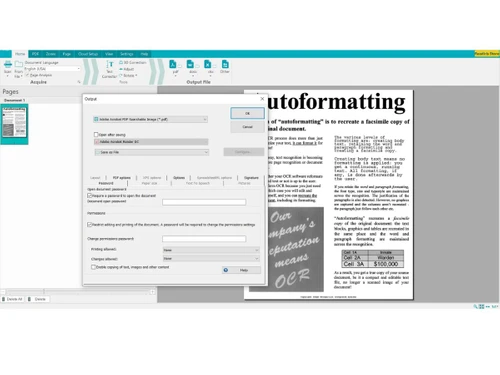
Readiris OCR offers a global solution for document management, including converting paper documents and images to editable digital formats, editing texts embedded in images with OCR, and creating/modifying/signing PDFs. It also includes features like listening to documents with text-to-speech, adding watermarks, annotating PDFs with comments and voice recordings, and supporting over 138 languages for recognition.
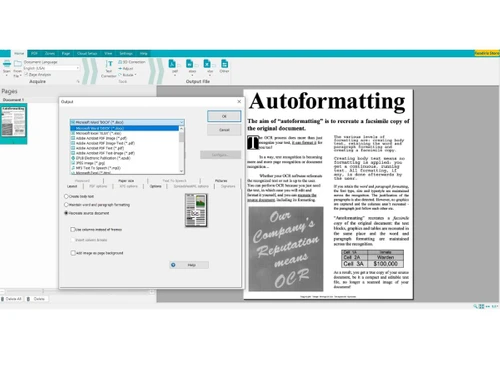
Readiris OCR can convert PDFs, images, and scanned documents into editable formats such as Microsoft Word, Excel, PowerPoint, or indexed PDF. It also allows for the digitization and conversion of paper documents into a variety of formats with accurate text recognition.
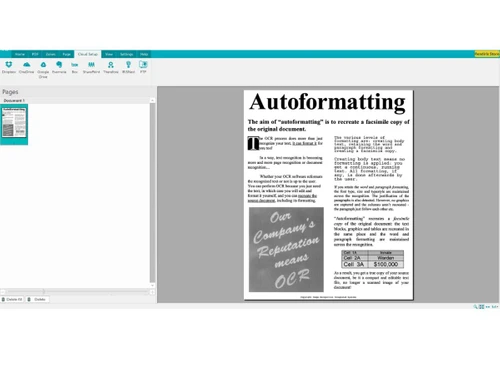
Readiris OCR features a new, high-performance recognition engine that allows it to recover texts in all kinds of files with perfect accuracy. It preserves the original format and recognizes and converts texts quickly and accurately in many languages, supporting over 138 languages.
Yes, Readiris OCR offers a Try for free option, allowing users to test the software before purchasing. You can also request a free demo to get hands-on experience with the solution.
Readiris OCR price starts at USD 69 at techjockey.com.
Yes, Readiris OCR provides free online support for its users. Additionally, purchases of Readiris OCR come with a 30-day money-back guarantee, ensuring a safe and secure payment process.
Readiris OCR is ideal for business professionals, students, educators, legal teams, administrative staff, and individuals who need to convert, edit, organize, and manage scanned documents and PDFs efficiently.
20,000+ Software Listed
Best Price Guranteed
Free Expert Consultation
2M+ Happy Customers
Terms and Condtions

Users with registered businesses can purchase goods from merchants on the platform to satisfy their business needs. Users are not permitted to utilize any products acquired through the platform for resale, advertising, business, or further distribution.
For each purchase made, users will receive a Tax Invoice (or 'GST invoice') that includes specific details such as:
the GSTIN of the user associated with their registered business, and
the specified Entity Name for their business.
It should be noted that not all products are eligible for GST Invoice. Only the products displayed by participating sellers with the 'GST-based Invoice Available' callout on the product description page would qualify.
Certain goods and services are not eligible to get a GST Invoice, including items with VAS, i.e., Value Added Services (e.g., Total Mobile Protection/Assured Buyback) and those involving an exchange offer at the time of purchase.
Users must ensure the accuracy of the GSTIN, and business entity name provided for the GST Invoice. Requests for corrections into GST Invoice would not be accommodated by Techjockey.com or any Seller, and any issues arising from user-provided information are the sole responsibility of users.
Techjockey.com is not liable for the GST Invoice or any associated input tax credit. To efficiently claim an input tax credit, users should select the registered place of business address as per the GST authority's data and follow the provisions of the GST Act and rules.
To claim an input tax credit, the delivery and billing addresses must match. Furthermore, input tax credits will not be granted if the delivery address and GSTIN on the invoice are from different states. In case of incorrect GST details provided during the order placement, the order will be canceled automatically.