 USA
USA UAE
UAESmall Business
Designed for startups and growing businesses


See More


Brand: ZKTeco Co. Limited
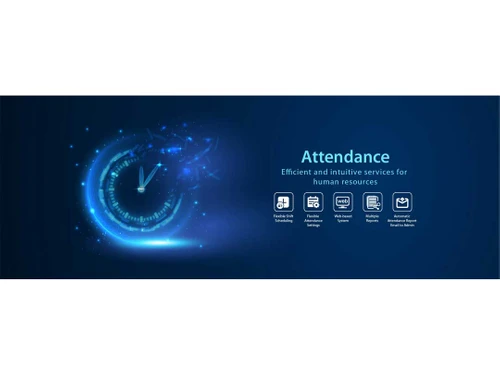
Streamline your attendance tracking with our powerful software to boost accuracy, enhance productivity, and simplify payroll management.
See MoreHave you used ZKBio CVAccess before?
Share your insights for better experience
Brand: ZKTeco Co. Limited
Founded Year: 1998
ZKTECO CO. LTD. CN Shenzhen Stock Exchange) is an internationally renowned enterprise specializing in pioneering biometric recognition techniques, and provides products and solutions for smart entrance management, smart identity authentication, and smart office.
Looking for The Right Pricing?
Share your requirements and get a plan built around your business.
Price Available on Request
Get personalised ZKBio CVAccess pricing that fits your needs. Our team will connect with you.
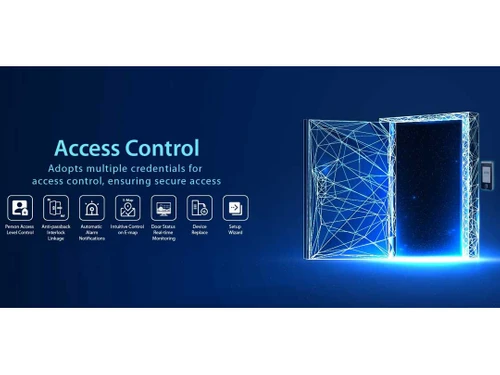
 Time & Attendance Tracking Access Control Shift Management Analytics & Reporting Personnel Management Real Time Monitoring System Management
  Windows
  MacOS
MacOS  Linux
Linux  Desktop
  Cloud-Based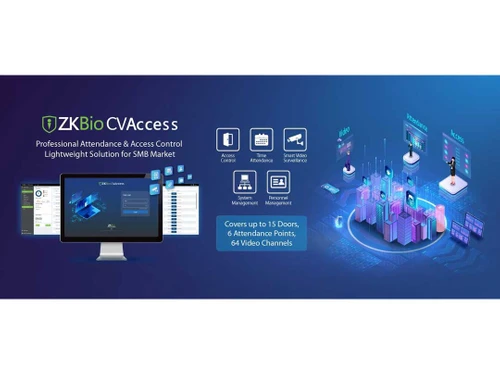
Small Business
Designed for startups and growing businesses
Medium Business
Built for business growth and flexibility
Enterprises
Designed for complex and large-scale business needs
4.1
Out of 5

Overall Rating
Based on
6 Verified Ratings
Rating Breakdown
86% Recommend this Product
Add ReviewTechjockey Trusted Reviews from Verified Users
No reviews are currently available for ZKBio CVAccess. Discover similar Attendance Management Software reviews

Kent CamAttendance
Whats great - Affordable pricing, robust features, excellent customer support. read more

truMe Attendance Management
Whats great - Rule based configuration help you apply your policy on need basis read more

RollCall Attendance
Whats great - Techjockey was very helpful in taking my listed requirements and narrowing my search to a usable list of providers. Techjocke... read more

ZKBio CVAccess
Price On Request
Desktop
Mobile
Web based
On Premises
Windows
Mac OS

Truein Face Attendance
Price On Request
Desktop
Mobile
Web based
On Premises
Windows
Mac OS
Nialabs
Price On Request
Desktop
Mobile
Web based
On Premises
Windows
Mac OS

InnBuilt Attendance
Price On Request
Desktop
Mobile
Web based
On Premises
Windows
Mac OS

PagarGuru
₹ 500
Desktop
Mobile
Web based
On Premises
Windows
Mac OS

Spryple
Price On Request
Desktop
Mobile
Web based
On Premises
Windows
Mac OS
Kent CamAttendance
₹ 20999
Desktop
Mobile
Web based
On Premises
Windows
Mac OS

Hajiri
₹ 69
Desktop
Mobile
Web based
On Premises
Windows
Mac OS

Tempus Central
Price On Request
Desktop
Mobile
Web based
On Premises
Windows
Mac OS

AttendHRM – Time Attendance Software
₹ 3800
Desktop
Mobile
Web based
On Premises
Windows
Mac OS

NoQu TAM
Price On Request
Desktop
Mobile
Web based
On Premises
Windows
Mac OS
(0) Product(s) selected
Available
Price on Request
Starting Price:
₹600 /Month
Starting Price:
₹69 /Month
Available
Price on Request

Starting Price:
$3 /Month

Starting Price:
₹25,000 /Year

Starting Price:
₹200 /Month

Available
Price on Request

Available
Price on Request

Starting Price:
$500 /Month

Available
Price on Request


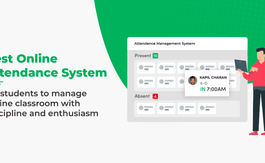
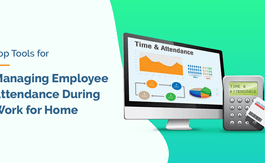



The first step in adopting this attendance management system is to share the device with your network. Next, download and set up the software on your computer or server. After setup, simply connect the device within the software following the prompts of the software. Finally, adapt some settings related to employees and their attendance to affect reports to finish up the integration process.
It is used for tracking employees’ attendance and controlling access to companies. Their attendance is also likely to be monitored since it registers at which time the employee checked in or out of work. Furthermore, the company also offers solutions such as biometric access control where only those employees with the correct fingerprints on their fingers are allowed into certain spaces at workplaces.
Yes, they do provide trials for their attendance management software. It gives a user a good opportunity to try out its functionality and decide whether he/she needs it or not.
The cost of this software can be easily managed. The data collected from the attendance may be synchronized with the contents of your payroll system. This means it calculates all usable working hours, overtime, and all deductions that make it easy for an employee to be paid fairly and on time without involving multiple calculations.
Depending on the product, the cost of this attendance management software is different. It usually costs from as low as INR 12,000.
Yes, this software does enable changes and the tracking of attendance to be done remotely. Employees can document their time sheets by various ways including utilizing mobile hardware or the web, so that they can record their attendance from anywhere. This is particularly relevant for cases where either the employee or the employer is in a different location from the other.
Yes, it is friendly to use for everyone since its interface was developed to be easily understandable. Installation of the software is quite easy, and instructions are well given. It also means that the managers and employees can easily operate the system being developed. Moreover, they also provide tools that can be used to gain familiarity with the software to minimize user inconvenience.
This software can control multiple locations’ attendance. This feature is especially useful for any firm that has several offices or outlets. It helps managers to monitor attendance in various places and at times. Hence, it ensures they have central control in managing staff attendance.
To manage administrator permissions in ZKBio, follow the steps given below:
0 0
To set visitor notifications in ZKBio CVSecurity, follow the steps given below:
0 0
To change the database in ZKBio CVSecurity, follow the steps given below:
0 0
To activate a license in ZKBio CVSecurity, follow the steps given below:
0 0
In InBio, the event records cannot be cleared. When the records reach 100,000, it will overlap with the prior ones.
0 0
20,000+ Software Listed
Best Price Guranteed
Free Expert Consultation
2M+ Happy Customers
Terms and Condtions

Users with registered businesses can purchase goods from merchants on the platform to satisfy their business needs. Users are not permitted to utilize any products acquired through the platform for resale, advertising, business, or further distribution.
For each purchase made, users will receive a Tax Invoice (or 'GST invoice') that includes specific details such as:
the GSTIN of the user associated with their registered business, and
the specified Entity Name for their business.
It should be noted that not all products are eligible for GST Invoice. Only the products displayed by participating sellers with the 'GST-based Invoice Available' callout on the product description page would qualify.
Certain goods and services are not eligible to get a GST Invoice, including items with VAS, i.e., Value Added Services (e.g., Total Mobile Protection/Assured Buyback) and those involving an exchange offer at the time of purchase.
Users must ensure the accuracy of the GSTIN, and business entity name provided for the GST Invoice. Requests for corrections into GST Invoice would not be accommodated by Techjockey.com or any Seller, and any issues arising from user-provided information are the sole responsibility of users.
Techjockey.com is not liable for the GST Invoice or any associated input tax credit. To efficiently claim an input tax credit, users should select the registered place of business address as per the GST authority's data and follow the provisions of the GST Act and rules.
To claim an input tax credit, the delivery and billing addresses must match. Furthermore, input tax credits will not be granted if the delivery address and GSTIN on the invoice are from different states. In case of incorrect GST details provided during the order placement, the order will be canceled automatically.

